Thank you for visiting the AUSTRALIA HP Store
-
Contact Us
CONTACT USCall us
- Sales
- 1300 540 516
- Technical support
- 13 23 47
Exc. public holidays
Chat with us- Our specialist are here to help
- Live Product Demo
- Sales
- 61288061500 (WhatsApp)
-

- Post Sales
- 61288061700(WhatsApp)
Exc. public holidays
Live product demo
Submit feedback We value your opinion! - My Account

Search
Dual Monitors on HP OMEN: Gaming and Productivity Setup Guide

Posted:
October 15, 2025
Categories:
Monitor
Contents
- Introduction
- What Are Dual Monitors and Why They Matter for OMEN Systems?
- GPU Requirements and Display Connectivity Standards
- HP OMEN – Optimised for Dual and Multi-Monitor Setup
- Setting Up Dual Monitors on OMEN Systems
- Gaming Performance Impact Analysis
- Productivity Workflow Optimisation
- Monitor Selection and Compatibility Guidelines
- Troubleshooting Common Setup Issues
- Common Questions About OMEN Dual Monitor Setups
- Conclusion
Introduction
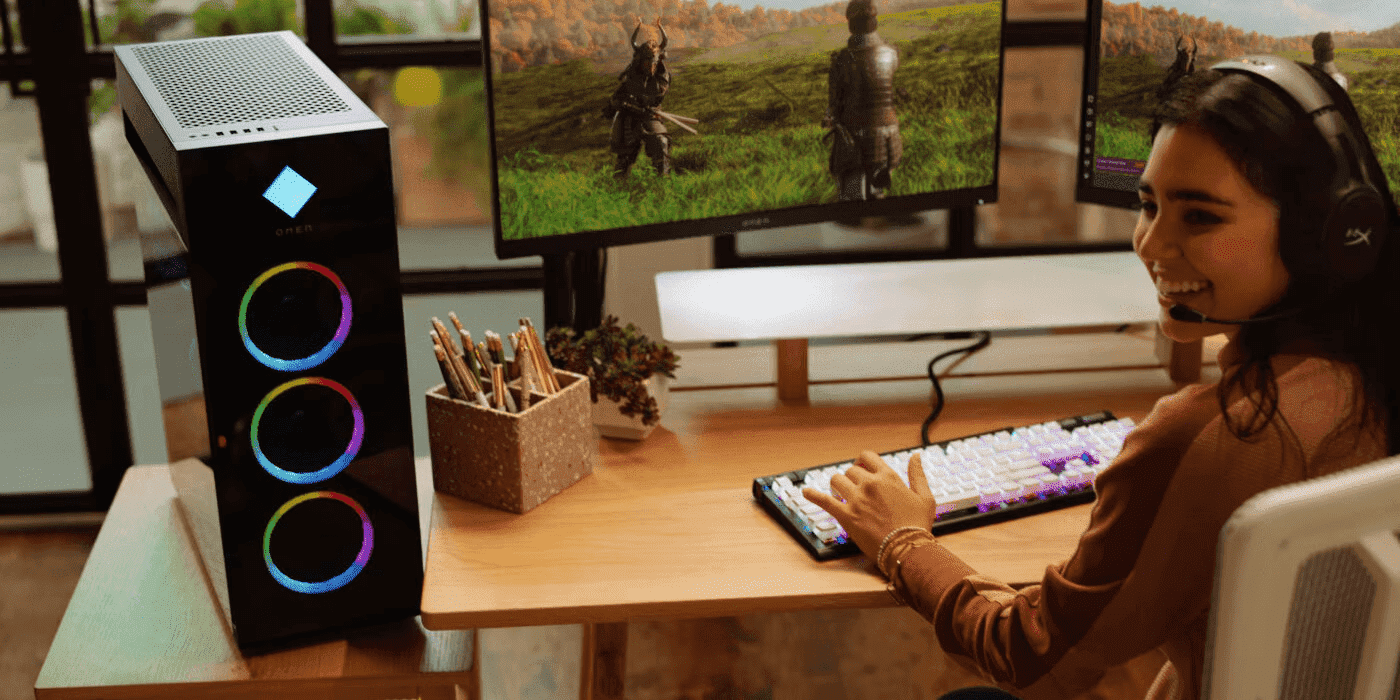
Whether it’s to help gamers expand their field of view, stream and chat simultaneously, or monitor system performance during gameplay, dual monitors have become a game-changer in how Australians enjoy their favourite games. For gamers in cities like Sydney, Melbourne, Brisbane, and Perth, this technology is transforming gaming and work experiences across the country.
Beyond gaming, dual monitors can boost the productivity of creators and professionals by up to 42% by allowing seamless multitasking, which helps them collaborate, communicate, and work on multiple tasks simultaneously. This productivity advantage is particularly valuable for Australia’s growing creative industries and remote workforce, where efficient multitasking can mean the difference between meeting deadlines and falling behind.
A dual monitor setup offers all the advantages of a multi-PC setup at a significantly lower cost, with improved flexibility and efficiency. And with HP OMEN systems available throughout Australia, you’re getting hardware that’s engineered from the ground up to excel with multiple displays, whether you’re in a capital city or regional area.
What Are Dual Monitors and Why They Matter for OMEN Systems?
Dual monitors utilise two screens to enhance gaming performance or increase productivity at work. In gameplay, a dual gaming monitor setup can utilise one screen for gameplay and another for streaming. In productivity, dual monitors enhance multitasking (for example, one screen displays a tool, another displays a tutorial).
Dual monitor setup in gaming
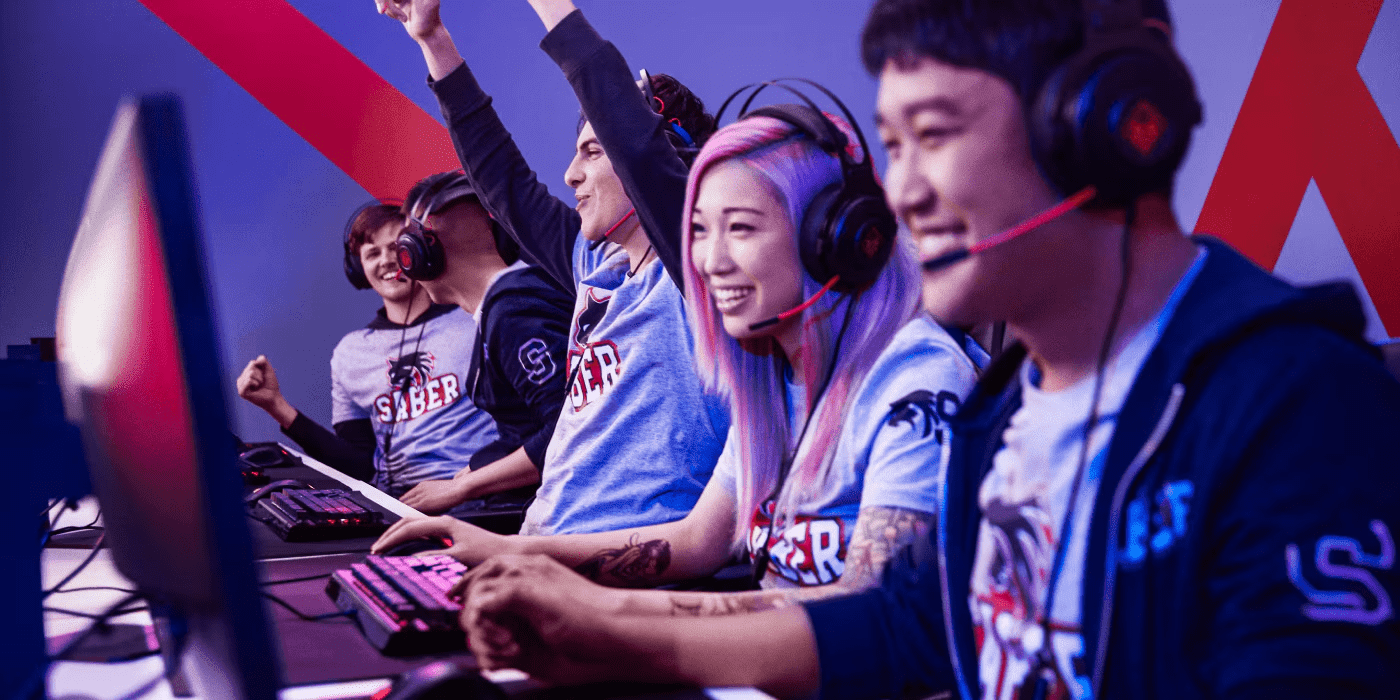
Dual monitors offer an ultra-wide gaming experience, especially for titles like VALORANT, League of Legends, Cyberpunk 2077, and Fortnite, which support multi-monitor setups and panoramic viewing. Benefits include:
-
Real-time multitasking: Play your game whilst simultaneously accessing walkthroughs, performance overlays, and speaking with mates or streaming on a different monitor
-
System adjustment: Fine-tune your settings, overclock, and benchmark gaming systems mid-game
-
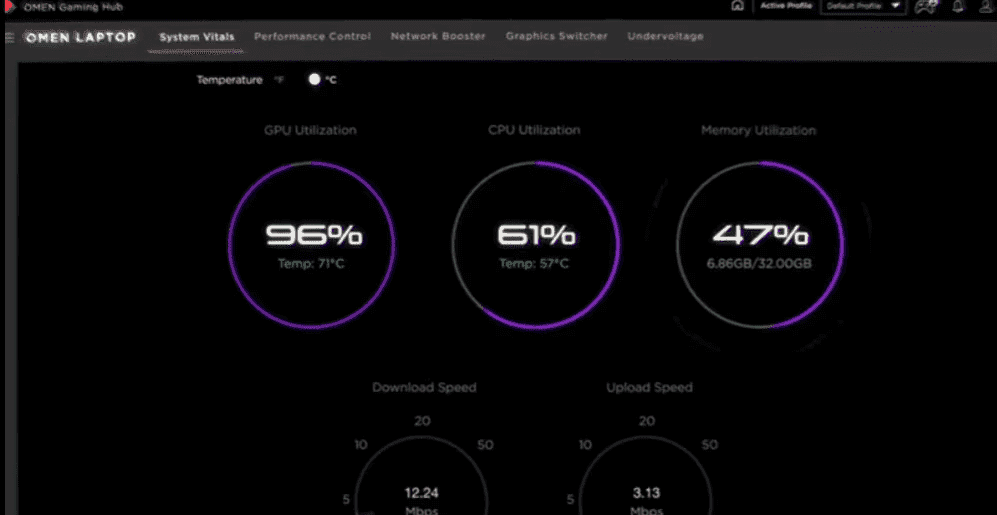
System performance monitoring: Monitor your system performance in real-time as you play
-
Immersive experiences: Expand your battlefield in strategy games or create wraparound cockpits in racing and flight simulators
Dual gaming monitor setup for productivity
Video editors, photographers, researchers, writers, medical researchers, data scientists, 3D animators, and other professionals across Australia can optimise their workflow by setting up dual monitors side by side. Benefits include:
-
Edit videos with full timeline visibility whilst previewing in real-time
-
Research on one screen, write on the other
-
Code with real-time preview and documentation side-by-side
-
Move interfaces from one screen to the other seamlessly
-
Work faster, more efficiently, and better
-
Cut window switching to stay on task and remain focused
-
Work whilst attending virtual meetings—multitask seamlessly
-
Reduce cognitive load by keeping all necessary information visible
-
Reference documents during research without constant alt-tabbing
-
Reference design templates—no need to switch from canvas to tool
-
Design in real-time with instant feedback
-
Access multiple data sources simultaneously for comprehensive analysis
-
Compare documents or designs side by side without switching windows
Dual monitors matter for OMEN systems because they are optimised to support multiple external monitors. Depending on the GPU option, OMEN gaming systems support high-end and robust dual monitor configurations that deliver breathtaking visuals and lightning-fast performance, perfectly suited to Australia’s demanding climate conditions.
GPU Requirements and Display Connectivity Standards
GPU configurations for multi-display setups
Your output options depend on your GPU configuration. Higher-end GPU models typically have more display outputs and support advanced external monitor linking features, delivering the raw power needed for jaw-dropping multi-display experiences. Australian gamers benefit from OMEN systems featuring the latest NVIDIA GeForce RTX graphics cards, which provide exceptional performance across multiple displays.
Maximum resolution and refresh rate considerations
Understanding display requirements helps optimise your setup. For 2K resolution at 2560×1440 running at 60 Hz, systems handle office and productivity workloads excellently. FHD at 1920×1080 with 144 Hz is ideal for competitive gaming, offering the perfect balance of performance and visual quality for titles like CS:GO and VALORANT. For video editing, CAD, and content creation, 4K displays at 60-120 Hz provide the detail professionals need. Ultra-HD gaming at 4K or 8K with 240 Hz represents the cutting edge for enthusiast gamers and professional creators across Australia.
HP OMEN – Optimised for Dual and Multi-Monitor Setup
Unleash your full potential
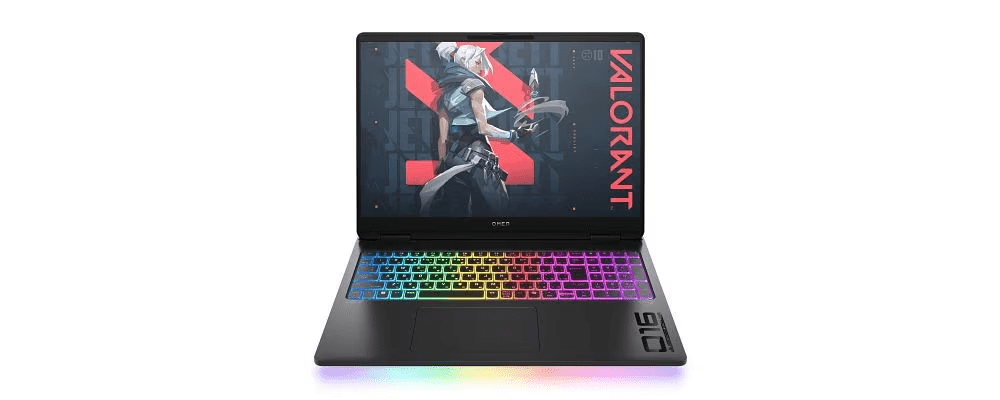
Optimise gameplay and workflow with OMEN gaming laptops. With HDMI 2.1 and USB-C DisplayPort support, OMEN systems support high-resolution graphics, Display Stream Compression (DSC) for high refresh rates, and reduced latency, making them perfect for high-end secondary monitors available from Australian retailers.
High-resolution display output that amazes
Modern GPU configurations support resolutions that push boundaries:
FHD at 144 Hz+: The sweet spot for modern gaming in Australia, delivering crystal-clear visuals with buttery-smooth motion. Perfect for competitive gaming where every frame matters and visual fidelity can mean the difference between victory and defeat.
2K at 120 Hz+: Offers an excellent balance between visual quality and performance, suitable for professional content creation and immersive gaming.
4K at 60 Hz+: Delivers exceptional detail for content creators and professionals who demand pixel-perfect accuracy.
High-powered processing that doesn’t quit
With high-performance Intel® Core™ processors and ample DDR5 RAM, OMEN systems are built for professionals and gamers who demand excellence. Whilst the GPU handles graphics with ease, the CPU processes non-graphical workflows with lightning speed, making them ideal for Australia’s growing tech and creative sectors.
Advanced thermal management
OMEN gaming laptops feature advanced cooling technology, crucial for Australian users dealing with ambient temperatures that can exceed 40°C during summer months in regions like Western Australia, Queensland, and inland New South Wales. This innovative cooling solution ensures:
-
Sustained peak performance during marathon gaming sessions
-
Efficient operation in warm environments
-
Efficient heat dissipation for both CPU and GPU
-
Extended component lifespan through optimal thermal management
-
Reliable performance even during Australian summer heatwaves
Setting Up Dual Monitors on OMEN Systems
Step-by-step connection process for laptops
OMEN laptops:
-
Identify the HDMI 2.1 port and USB-C ports with DisplayPort Alt Mode
-
Connect each monitor to the appropriate port using certified cables
-
Ensure monitors are connected to power (Australian 240V standard) and turned on
-
Power on your laptop
-
Windows should automatically detect your display configuration
Windows 10/11 display configuration and optimisation
-
Right-click on the desktop
-
Select Display Settings
-
Navigate to Multiple Displays and select Detect if a monitor isn’t showing
-
Choose Extend These Displays to use both screens independently
-
Select Remember window location based on monitor connection
-
Navigate to Advanced Display Settings to fine-tune:
-
Resolution for each monitor
-
Refresh rate optimisation
-
Colour calibration
For gaming setups, ensure your primary monitor has the highest refresh rate
Display arrangement and orientation best practices
-
Set your main display to your preferred screen
-
Ensure monitor physical layout matches the layout in display settings
-
For vertical monitors, set orientation to Portrait or Portrait (flipped)
-
Keep monitors at eye level for ergonomic comfort
-
Align monitor bezels for seamless cursor movement between screens
-
Consider ambient lighting from Australian windows when positioning monitors
Gaming Performance Impact Analysis
Frame rate implications of dual monitor gaming
Understanding performance trade-offs helps optimise your setup:
Extended gaming (across both monitors):
-
15-25% frame rate reduction in demanding titles
-
Increased VRAM usage
-
Best for simulation and strategy games
Single monitor gaming with secondary desktop:
-
5-10% performance impact
-
Minimal effect with static content on second screen
-
Ideal for streaming, monitoring, and multitasking
GPU load distribution and performance optimisation
OMEN systems intelligently distribute GPU load across cores, ensuring all processing units contribute to visual excellence. With AI-enhanced load balancing in modern GPUs, your system automatically differentiates between simple tasks and resource-heavy operations, maintaining optimal performance even during intensive gaming sessions common in Australian esports competitions.
Gaming across multiple displays vs single-screen focus
Choose your setup based on your gaming style:
-
Competitive gamers: Single-screen focus with secondary monitor for communication
-
Sim enthusiasts: Multi-display for maximum immersion
-
Streamers: Dual setup for gaming and broadcast management
-
Casual gamers: Flexible setup for gaming and productivity
Specific game compatibility and performance
Modern games built on Unreal Engine 5 and Unity offer excellent multi-monitor support. Popular titles amongst Australian gamers include:
-
Microsoft Flight Simulator 2024
-
Forza Motorsport
-
Euro Truck Simulator 2
-
Total War series
-
Civilisation VI
-
Cities: Skylines II
-
Starfield
Productivity Workflow Optimisation
Multitasking efficiency improvements
Dual screens revolutionise productivity, enabling professionals to manage multiple applications simultaneously. Research shows this can save up to 2.5 hours per day, significantly boosting efficiency for Australia’s remote workforce and creative professionals.
Content creation and streaming strategies
Streamers and content creators can leverage dual monitors for:
-
Main screen for gameplay or primary content
-
Secondary screen for OBS controls, chat monitoring, and alerts
-
Real-time analytics and audience engagement
-
Script or talking points reference
-
Social media management during streams
-
Integration with Australian streaming platforms and communities
Professional application optimisation
Industry-leading software optimised for dual displays used by Australian professionals:
-
Adobe Creative Cloud: Timeline on one screen, preview on another
-
AutoCAD: Drawing space extended, tools palette separated
-
Visual Studio Code: Code editor and live preview side-by-side
-
DaVinci Resolve: Colour grading on calibrated monitor, timeline on secondary
-
Microsoft Office: Reference documents whilst creating presentations
-
Revit: 3D modelling on primary, properties panel on secondary
Workflow automation and window management
Maximise efficiency with these tools:
-
Microsoft PowerToys: Custom window zones and shortcuts
-
DisplayFusion: Save and restore window layouts
-
Windows 11 Snap Layouts: Quick window arrangement
-
Australian-specific productivity tools for time zone management
Monitor Selection and Compatibility Guidelines
Matching monitors for optimal performance
Select monitors that complement your OMEN system’s capabilities:
-
Match refresh rates when possible to prevent tearing
-
Consider response times for gaming (1 ms ideal)
-
IPS panels for colour accuracy, TN for speed, VA for contrast
-
Ensure combined resolution doesn’t exceed GPU limits
-
Check for RCM (Regulatory Compliance Mark) certification for Australian electrical safety standards
Gaming monitor features that enhance OMEN systems
AMD FreeSync: Eliminates screen tearing and stuttering, essential for fast-paced competitive gaming popular in Australian esports.
HDR Support: Take advantage of HDR capabilities with displays supporting HDR10 or better for enhanced colour depth and contrast.
Low Blue Light Technology: Reduce eye strain during extended sessions, particularly important for late-night gaming sessions.
Best gaming monitors for OMEN dual setup
For Australian users seeking premium gaming displays, HP gaming monitors offer exceptional value and performance. Consider these options available in Australia:
Best OMEN gaming monitor for high refresh rate gaming
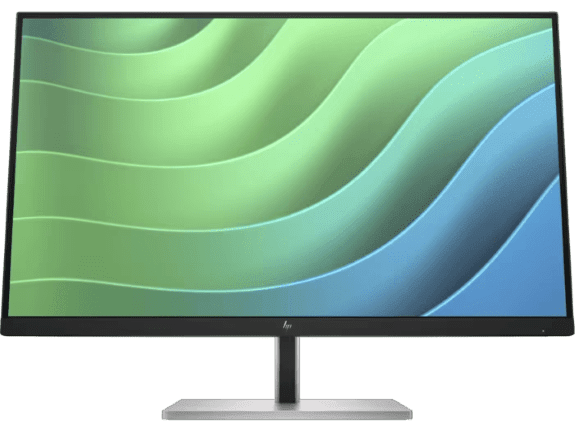
For Australian users seeking an affordable secondary display for productivity tasks, system monitoring, or streaming controls, the HP E27 G5 offers excellent value. This 27-inch FHD monitor provides ample screen real estate for Discord, streaming software, or reference materials.
-
27-inch diagonal FHD (1920 x 1080) display
-
IPS panel for consistent viewing angles
-
Ergonomic design for extended productivity sessions
-
Perfect companion to your primary gaming display
The E27 G5’s larger size makes it ideal for multitasking, whether you’re managing streaming software, monitoring system performance, or keeping communication apps visible during gameplay.
Best curved monitor for immersive gaming
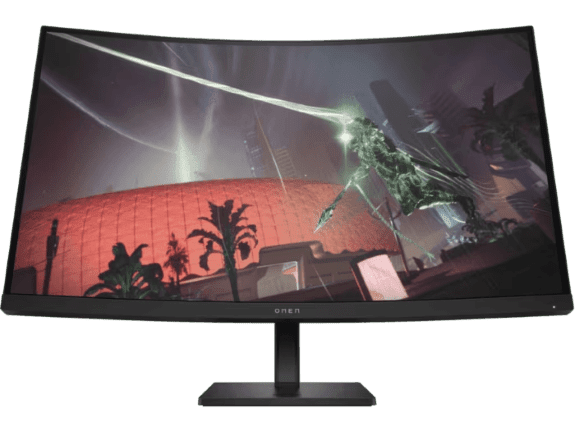
For immersive gaming experiences, the OMEN 32c’s curved VA panel wraps around your field of view, perfect for sim racing, flight simulators, and open-world adventures popular amongst Australian gamers.
-
31.5-inch diagonal QHD (2560 x 1440) curved display
-
165 Hz refresh rate for smooth gaming
-
VA panel technology for deep blacks and high contrast
-
Curved design for enhanced immersion
The curved display draws you into the action, making it ideal for titles like Microsoft Flight Simulator, Forza Horizon, and Euro Truck Simulator 2, where peripheral vision enhances the experience.
Future-proofing your display investment
Invest in monitors with:
-
HDMI 2.1 or DisplayPort 1.4+ support
-
Variable refresh rate technology
-
USB-C connectivity for versatility
-
HDR certification for next-gen content
-
High colour gamut coverage (95%+ sRGB minimum)
-
Warranty and support available in Australia
Troubleshooting Common Setup Issues
Monitor not detected
-
Check cable connections to appropriate ports
-
Try different ports on the laptop
-
Update GPU drivers via Windows Update or HP Support
-
Restart laptop with monitors connected
-
Check monitor input source settings
-
Verify cables are RCM-certified for Australian standards
Display flickering or black screen
-
Use certified cables (HDMI 2.1 or DisplayPort 1.4)
-
Match refresh rates between monitors
-
Disable hardware acceleration in browsers
-
Update monitor firmware when available
-
Check power saving settings
-
Ensure power supply is stable (consider surge protector for Australian conditions)
Resolution issues
-
Verify monitor and GPU compatibility
-
Use native resolution for each display
-
Adjust scaling in Windows Display Settings
-
Update graphics drivers
-
Check cable bandwidth limitations
Performance optimisation
-
Monitor GPU usage in Task Manager
-
Close unnecessary background applications
-
Adjust in-game settings for multi-display
-
Use full-screen over borderless windowed
-
Enable Game Mode in Windows 11
-
Consider room temperature and ensure adequate cooling in Australian climate
Common Questions About OMEN Dual Monitor Setups
How do I set up dual monitors on my OMEN laptop in Australia?
Connect monitors to HDMI and USB-C ports, then configure through Windows Display Settings. OMEN laptops automatically detect and configure most displays. Ensure your power adaptor can handle the additional load, particularly important during Australian summer when ambient temperatures are higher.
Does using dual monitors affect gaming performance?
Gaming on one monitor with a desktop on the second typically reduces FPS by 5-10%. Extended gaming across both monitors can reduce performance by 15-25% in demanding titles. The impact varies based on your OMEN system’s GPU configuration.
What’s the best monitor configuration for gaming and productivity?
A high-refresh gaming monitor (144 Hz+) as primary and a colour-accurate IPS display as secondary offers the best of both worlds, ideal for Australian content creators and competitive gamers.
Can I mix different monitor sizes and resolutions?
Absolutely! Windows handles mixed configurations seamlessly. Adjust scaling in Display Settings for optimal viewing across different sizes. Many Australian users successfully run a large gaming display alongside a smaller productivity monitor.
Should I use HDMI or DisplayPort?
DisplayPort 1.4 generally offers better bandwidth for high refresh rates. HDMI 2.1 is comparable but ensure your monitor supports it. For Australian users with older displays, HDMI provides excellent compatibility.
Will dual monitors work during power cuts with UPS backup?
Yes, but consider power requirements. Two monitors plus an OMEN laptop can draw 200-300W combined. Ensure your UPS can handle this load. Power fluctuations are less common in Australian cities but can occur during severe weather events.
How do I manage heat with dual monitors during Australian summers?
Ensure adequate ventilation around your setup. Keep monitors and laptop at least 15 cm (6 inches) from walls. Use a cooling pad for your laptop. Position away from direct sunlight, particularly important for rooms with western-facing windows. Consider air conditioning or fans during hot Australian summer months when temperatures exceed 35°C (95°F).
Are there special considerations for Australian electrical standards?
Ensure all equipment is RCM-certified for Australian use. Use surge protectors rated for 240V operation. If purchasing monitors internationally, verify they support Australian voltage standards (230-240V AC, 50 Hz).
What cable lengths work best for Australian setups?
For desk setups, 1.5-2 metre (5-6.5 feet) cables typically suffice. Ensure cables are certified for their specified bandwidth (HDMI 2.1 or DisplayPort 1.4). Longer cables may require active amplification to maintain signal quality.
Conclusion
From powerful gaming laptops to versatile productivity systems, HP OMEN systems available throughout Australia are designed to unlock immersive gaming, creating, and professional experiences with dual monitors. OMEN systems don’t just allow you to connect external monitors—they enhance and elevate the entire experience, whether you’re in Sydney, Melbourne, Brisbane, Perth, or regional Australia.
By allowing users to precisely configure display resolution, orientation, and refresh rates, OMEN gaming systems enable seamless and efficient multitasking that transforms how you game, create, and work. The combination of cutting-edge GPU technology, intelligent cooling solutions, and versatile connectivity options makes OMEN the ultimate platform for multi-display excellence, perfectly suited to Australian conditions and requirements.
Experimenting with dual monitors can revolutionise your workflow, enabling you to complete tasks more efficiently and effectively. Explore HP laptops, monitors, and gaming accessories to build your perfect setup with products available throughout Australia.
Ready to transform your setup? The perfect multi-display configuration awaits, backed by HP’s Australian warranty and support network.
Recent Posts


Popular Posts





Products purchased through this store are sold and fulfilled by Ingram Micro Pty Limited

CONTACT US
Call us
- Sales
- 1300 540 516
- Technical support
- 13 23 47
Exc. public holidays
Chat with us
- Our specialist are here to help
- Live Product Demo
- Sales
- 61288061500 (WhatsApp)
-
- Post Sales
- 61288061700(WhatsApp)
Exc. public holidays
Live product demo
Submit feedback
We value your opinion!