Red Tag Sale
Ring in the new year with epic savings.
Ring in the new year with epic savings on select products, plus pay with HP Financing.
HP ranked #1 computer brand according to the ACSI®.

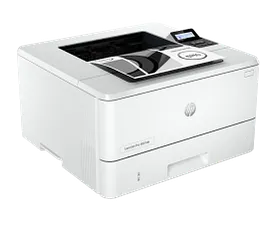
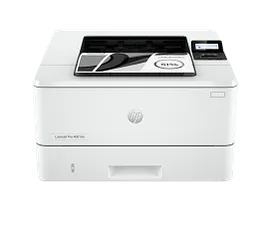
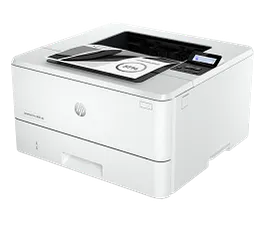
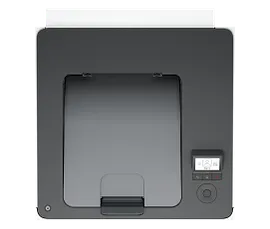
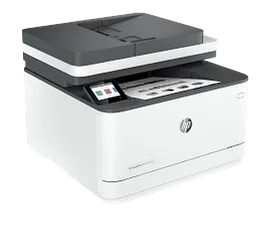
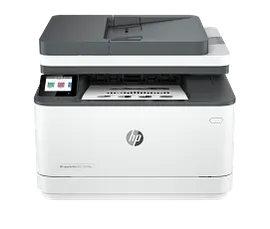
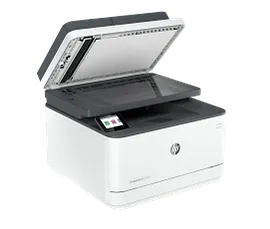
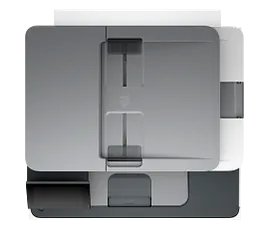
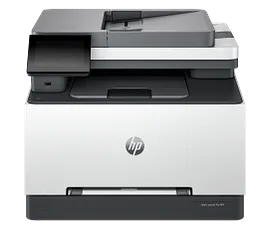
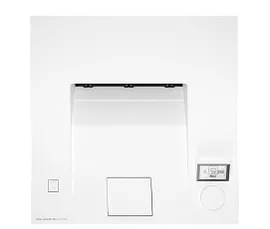
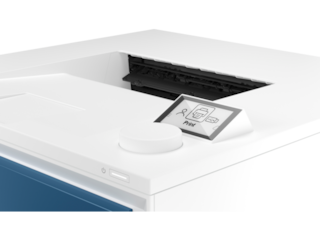
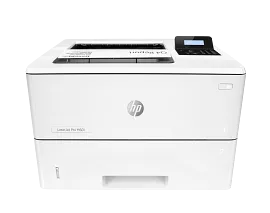
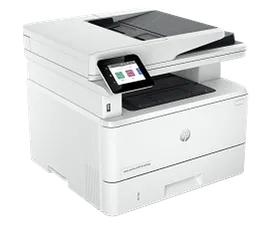
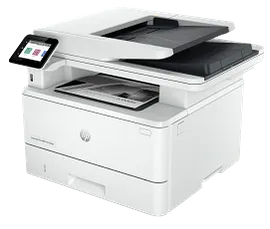
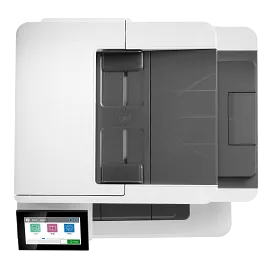
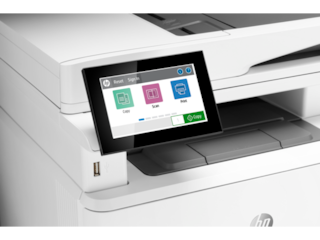
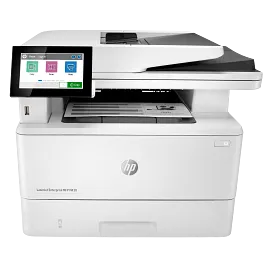
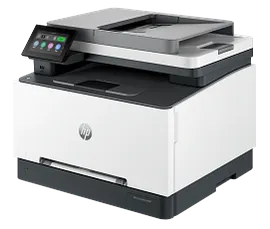
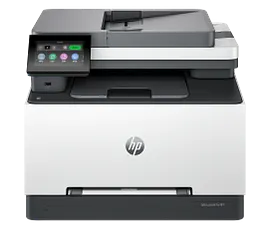
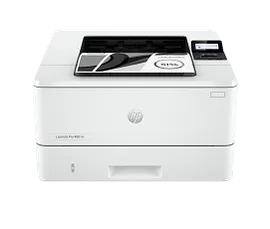
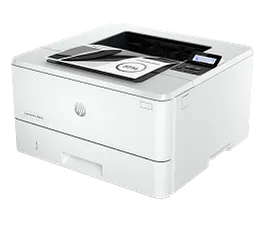
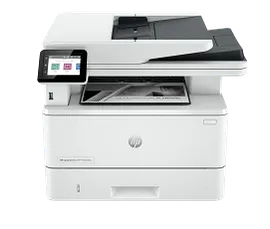
HP LaserJet Pro MFP 3101sdw Printer, AI-enabled

ENERGY STAR | Small medium business

Other offers available with the product:

FREE Storewide Shipping

Save $30 when purchased with any PC!

Save 15% on HP printer Care Packs

Red Tag deals!

Product # 9D2X4F#BGJ
  • Print, scan, copy wireless and auto 2-sided printing
  • Fast speeds for professional quality black & white prints
  • HP Wolf Pro security settings
  • Dynamic security enabled printerSee all Specs

3% back in HP Rewards
Engineered for Sustainability
Add an HP Care Pack to protect your new device

Included

    • Remote problem diagnosis and technical telephone support
    • Next-business-day hardware exchange
    • Standard coverage window
    • Access to electronic support information and services
    • This warranty extension is only available for Printers within Factory Warranty [2]
    • Remote problem diagnosis and technical telephone support
    • Next-business-day hardware exchange
    • Standard coverage window
    • Access to electronic support information and services
    • This warranty extension is only available for Printers within Factory Warranty [2]

    Service starts on date of hardware purchase. Restrictions and limitations apply.

    Experience dependable, high-quality printing and scanning from the World's #1 Printer Company. Get professional precision and speed with award-winning reliability and secure, productive solutions.[1]
    HP Office Laser Multifunction Printers are designed for SMBs and small workteams in larger companies, delivering enhanced productivity, simplified workflows and reduced costs.
    Dynamic security enabled printer. Contains technology that may prevent cartridges with non-HP chips or circuitry from working now or in the future. More at:
    http://www.hp.com/learn/ds

    Accelerate business with fast, professional prints

    Increase productivity with speedy two-sided black-and-white printing and professional results with every print. Bring your business to life with every print. Toner designed for sharp, professional quality prints.

    Focus on your business with reliable HP printing.

    Spend less time managing your printer and more time growing your business with reliable printing. Help safeguard your data and documents with proactive, embedded security—right out of the box.[3]

    Help protect your business with Pro level security

    Help protect your business with HP Wolf Pro security and HP toner with tamper-resistant packaging and firmware.[4] Help safeguard your data and documents with proactive, embedded security—right out of the box.

    Optimize energy use with auto-on/auto-off technology [10]

    Compact size with auto-on/auto-off technology to optimize energy use and free toner cartridge recycling. [8,10]

    Small workteam solution.

    Support your small work teams with this compact laser printer, designed for up to 7 users.

    Fast print and duplex speeds.

    Print more efficiently. Save time with fast printing, scanning, copying, and auto two-sided printing.[9]

    Simple shortcuts

    Do more in fewer steps. Simple shortcuts allow your employees to complete common tasks with just a touch.

    HP App

    Get productivity in the palm of your hand. Print, scan and get time-saving Shortcuts with HP app.[5]

    Reliable Wi-Fi® with auto-reset

    Avoid interruptions with Wi-Fi® that intelligently looks for the best connection to stay on-line[3]

    Walk up USB

    No PC or driver required. Walk up USB prints from your supported device on the spot.

    Set up. Invite users. And done.

    Guided, cloud-based set up so you can easily configure new printers and onboard users from any location.[6]

    Control at your fingertips.

    Smart Admin Dashboard to monitor usage and control settings across multiple printers, in multiple locations.[6]

    Support whenever you need it.

    Get the help you need thanks to dedicated tech support.

    Technical details

    Functions

    Print, copy, scan

    Print Speed - Black (normal)

    Up to 35 ppm

    First page out (ready) black

    As fast as 6.6 sec

    Resolution (black)

    Up to 1200 x 1200 dpi

    Resolution technology

    600dpi with Resolution Enhancement technology (REt); ProRes 1200

    Monthly duty cycle

    Up to 50,000 pages
    [8] Duty cycle is defined as the maximum number of pages per month of imaged output. This value provides a comparison of product robustness in relation to other HP LaserJet or HP Color LaserJet devices, and enables appropriate deployment of printers and MFPs to satisfy the demands of connected individuals or groups.

    Recommended monthly page volume

    350 to 2500 pages

    Print Technology

    Laser

    Display

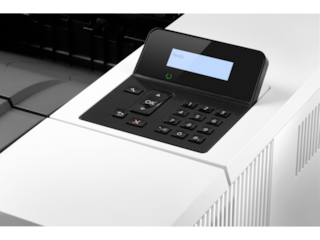
    2.7" CGD; Touch Screen

    Number of print cartridges

    1 (black)

    Replacement cartridges

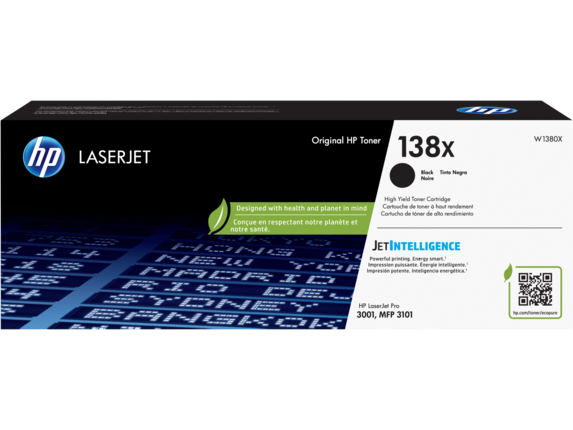
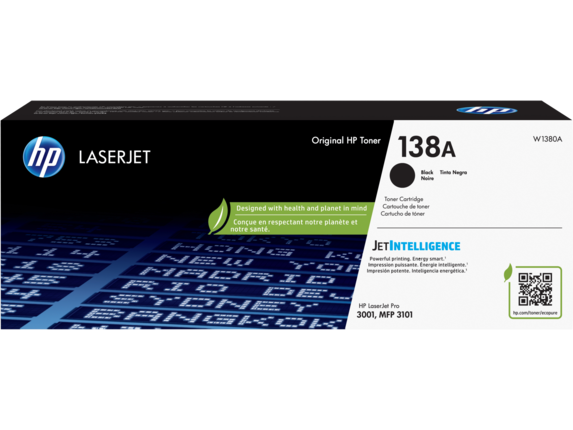
    HP 138A Black Original LaserJet Toner Cartridge (~1500 pages); HP 138X Black Original LaserJet Toner Cartridge (~4000 pages)[3]

    Product disclaimer

    Dynamic security enabled printer. Contains technology that may prevent cartridges with non-HP chips or circuitry from working now or in the future. More at:

    Print languages

    PCL5c; PCL6; PS; PCLmS; PDF; URF; PWG; PCLm

    Automatic paper sensor

    No

    Paper trays, standard

    1

    Paper trays, maximum

    1 Main Tray

    Mobile Printing Capability

    Apple AirPrint™; Mopria™ certified; HP app; Wi-Fi® Direct Printing

    Connectivity, standard

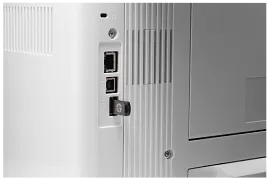
    1 Hi-Speed USB 2.0 (device); Ethernet 10/100Mbps; Wireless 802.11b/g/n, Dual band 2.4GHz/5GHz

    Security management

    Password-protected network embedded Web server; enable/disable Network ports; SNMPv1 community password change; 802.1x authentication

    Minimum system requirements

    macOS v14 Sonoma; macOS v13 Ventura; macOS v12 Monterey; 2 GB HD; Internet required
    Microsoft® Windows® 11, 10: 32-bit or 64-bit, 2 GB available hard disk space, Internet connection, Microsoft® Internet Explorer.

    Compatible operating systems

    Windows 11; Windows 10; macOS 10.14 Mojave; macOS 12 Monterey; macOS 13 Ventura; macOS 14 Sonoma; macOS 15 Sequoia; Linux

    Memory, standard

    512 MB

    Memory, maximum

    512 MB

    Printer management

    HP app, HPSM, Web JetAdmin, admin.hpsmart.com

    Supported network protocols

    TCP/IP: IPv4; IPv6; IP Direct Mode; LPD; SLP; Bonjour; WS-Discovery; BOOTP/ DHCP/ AutoIP; WINS; SNMP v 1/2/3; and HTTP/HTTPS

    Paper handling input, standard

    1 main tray; 250 sheets or 10 envelopes

    Paper handling output, standard

    150 sheets output tray

    Duplex printing

    Automatic (standard)

    Envelope input capacity

    Up to 10 envelopes

    Media sizes supported

    Letter; Legal; Executive; Oficio 8.5x13; 3x5; 4x6; 5x7; 5x8; Envelope #10; Envelope Monarch

    Media sizes supported

    A4, A5, A5-R, A6, B5(JIS); B6(JIS); Oficio (216x340); 16K (195 x 270 mm); 16K (195 x 270 mm); 16K (197 x 273 mm); L 9x13 cm; 10x15cm;  Japanese Postcard; Double Japan Postcard Rotated; Japanese Envelope Chou #3; Japanese Envelope Chou #4; Envelope B5; Envelope C5; Envelope C6; Envelope DL

    Media sizes, custom

    Width 3 x 8.5 in ; Length 5 to 14 in

    Media types

    Paper (Cut sheets, plain, glossy film, labels), envelopes, card stock, postcards

    Supported media weight

    16 to 43Ib

    Media weights by paper path

    60 to 163 g/m²

    Power

    110-volt input voltage: 110 to 127 VAC (+/- 10%), 60 Hz/50 Hz; 220-volt input voltage: 220 to 240 VAC (+/- 10%), 60 Hz/50 Hz

    Power consumption

    436 watts (active printing), 4.5 watts (ready), 1.31 watts (sleep), 0.06 watts(Manual Off), 0.06 watts (Auto Off/Manual On)
    [1] Power requirements are based on the country/region where the printer is sold. Do not convert operating voltages. This will damage the printer and void the product warranty. Power consumption values typically based on measurement of 115 V device.

    Energy efficiency

    EPEAT® Silver registered; ENERGY STAR® certified

    Operating temperature range

    59 to 90.5°F

    Recommended operating temperature

    63.5 to 77°F

    Software included

    No CD inbox (except Indonesia and China Gov) Downloadable Software from www.hp.com/hp-app , in-OS app stores. #CD include HP Software Installer, Uninstaller, printer driver and other essential tools

    Warranty

    One-year limited warranty

    Dimensions (W X D X H)

    16.5 x 15.7 x 12.3 in

    Dimensions Maximum (W X D X H)

    16.8 x 29.9 x 18.7 in

    Weight

    23.1Ib

    Package weight

    30 lb

    What's in the box

    HP LaserJet Pro MFP 3101sdw Printer, HP Black LaserJet Toner Introductory Cartridge, yield ~ 1000 pages, Setup Guide, Reference Guide, Regulatory Flyer, Power cord

    Sustainability Impact

    Mercury free

    Dynamic security

    Dynamic security enabled printer
    Certain HP printers are intended to work only with cartridges that have a new or reused HP chip or electronic circuitry. These printers use dynamic security measures to block cartridges using a non-HP chip or electronic circuitry. Periodic firmware updates will maintain the effectiveness of these measures and block cartridges that previously worked. Reused HP chips and electronic circuitry enable the use of reused, remanufactured, and refilled cartridges.
    HP LaserJet Pro MFP 3101sdw Printer, AI-enabled is rated 4.4 out of 5 by 193.
    • y_2025, m_12, d_26, h_8
    • bvseo_bulk, prod_bvrr, vn_bulk_3.0.42
    • cp_1, bvpage1
    • co_hasreviews, tv_89, tr_104
    • loc_en_US, sid_9D2X4F, prod, sort_[SortEntry(order=SUBMISSION_TIME, direction=DESCENDING)]
    • clientName_hp
    • bvseo_sdk, java_sdk, bvseo-4.0.0
    • CLOUD, getAggregateRating, 7ms
    • REVIEWS, PRODUCT
    Rated 5 out of 5 by Ron G from Houston from Excellent multifunction laser printer Good solid unit. Worked perfectly out of the box. Easy to set up. Scans much faster than my previous Canon printer it replaced
    Date published: 2025-12-05
    Rated 5 out of 5 by Anonymous from easy setup it is easy setup put on the network the difficulty was download HP smart i did it so far so goog
    Date published: 2025-11-30
    Rated 5 out of 5 by Hard working Printer from Very good deal. Great printer!
    Date published: 2025-10-24
    Rated 5 out of 5 by dougm6231 from Very fast printer with stable driver and software. Very quick to print as compared to other printers. Software is not buggy and is easy to use. Refurbished printer was indistinguishable from new. Highly recommended.
    Date published: 2025-10-07
    Rated 4 out of 5 by Anonymous from Works good but is loud. The printer works good but it is loud compared to my HP printer that I was replacing.
    Date published: 2025-09-02
    Rated 5 out of 5 by Anonymous from I'd buy again. This printer is certainly adequate for the price.
    Date published: 2025-08-30
    Rated 4 out of 5 by DTD - HP user from Complaint about HP product support This is a good quality standard laser printer. My problem with HP is that my previous HP laser printer was perfectly good too, and working fine - but I had to throw it out because HP would "no longer support the software." This is a transparent trick to force customers to buy a product that should not be needed - "planned obsolescence." I was forced to consign a heavy piece of plastic and metal to contaminate the environment unnecessarily - irresponsible policy by HP! And my reserve laser cartridges are now useless.
    Date published: 2025-08-22
    Rated 4 out of 5 by Anonymous from Slow machine - No support Machine has been okay. Support, non-existent from a practical standpoint. It doesn’t print or scan as fast as they claim, only about 50% as fast as stated. It doesn’t support 5G, which it took me a long time to figure out, as I never could reach support. I couldn’t register the product as the support site wouldn’t accept the serial number. Mind you, I had prepaid for premium support and couldn’t receive any. So, in short, the machine works about 1/2 as fast as claimed and there is no way for me to use the support I paid for.
    Date published: 2025-06-08
    • y_2025, m_12, d_26, h_8
    • bvseo_bulk, prod_bvrr, vn_bulk_3.0.42
    • cp_1, bvpage1
    • co_hasreviews, tv_89, tr_104
    • loc_en_US, sid_9D2X4F, prod, sort_[SortEntry(order=SUBMISSION_TIME, direction=DESCENDING)]
    • clientName_hp
    • bvseo_sdk, java_sdk, bvseo-4.0.0
    • CLOUD, getReviews, 4ms
    • REVIEWS, PRODUCT

    What is the toner situation? Is the ink very expensive, like previous HP printers, or are you forced to go on a plan?

    Asked by: Beans2024-11
    Hello. Thanks for your question. The HP LaserJet Pro MFP 3101sdw Printer uses the HP 138A or 138X Black Toner Cartridge. You are not required to join HP Instant Ink with this printer; you can still purchase toner cartridges separately.
    Answered by: HP Team Cheri
    Date published: 2024-11-16

    does HP LaserJet Pro MFP 3101sdw Printer print double sided from it's usb port?

    Asked by: Liese
    Thank you for your question, the HP LaserJet Pro MFP 3101sdw Printer supports duplex printing via USB.
    Answered by: HP Team Daniel
    Date published: 2025-01-13

    Does it use an imaging drum? If so, what is the part number?

    Asked by: CookieHunter
    Thank you for your question! No, the HP LaserJet Pro MFP 3101sdw Printer does not have an individual drum. All that is needed is the HP 138 toner cartridge.
    Answered by: HP Team Grant
    Date published: 2025-08-19

    Does this model have automatic two-sided scanning?

    Asked by: K.Bacon
    Hello. Thanks for your question. This HP LaserJet Pro MFP 3101sdw Printer does not have the capability to do automatic scanning. We recommend looking at the HP LaserJet Pro MFP 4101fdw Printer, which has the capability to do automatic two sided scanning through ADF (Auto Document Feeder) on top.
    Answered by: HP Team Cheri
    Date published: 2024-07-23

    Does it print in color?

    Asked by: Shanjan
    Thank you for your question! No, the HP LaserJet Pro MFP 3101sdw Printer is not a color printer. Please see the HP Color LaserJet Pro MFP 3301sdw Printer for a comparable color laser printer: https://www.hp.com/us-en/shop/pdp/hp-color-laserjet-pro-mfp-3301sdw
    Answered by: HP Team Grant
    Date published: 2024-10-03

    Is it copier too

    Asked by: Mcgi
    Thank you for your question, the HP LaserJet Pro MFP 3101sdw Printer features a scanner which can be used for copying.
    Answered by: HP Team Daniel
    Date published: 2025-05-19

    Does this model scan to a network folder?

    Asked by: Shawn.C
    Hello, Shawn. Thanks for your question. This HP LaserJet Pro MFP 3101sdw Printer cannot scan to a network folder. We recommend looking at the HP LaserJet Pro MFP 4101fdw printer, which can scan to a network folder.
    Answered by: HP Team Cheri
    Date published: 2024-08-29

    does it come with the ink cartridge

    Asked by: kbbbb
    Hello. Thanks for your question. This HP LaserJet Pro MFP 3101sdw Printer comes with HP Black LaserJet Toner Introductory Cartridge that will last approximately 1000 pages.
    Answered by: HP Team Cheri
    Date published: 2025-05-17
    • y_2025, m_12, d_26, h_8CST
    • bvseo_bulk, prod_bvqa, vn_bulk_3.0.42
    • cp_1, bvpage1
    • co_hasquestionsanswers, tq_96
    • loc_en_US, sid_9D2X4F, prod, sort_[SortEntry(order=NUM_ANSWERS, direction=DESCENDING)]
    • clientName_hp
    • bvseo_sdk, java_sdk, bvseo-4.0.0
    • CLOUD, getContent, 9ms
    • QUESTIONS, PRODUCT

    SIMILAR PRODUCTS

    Return and exchange information
    Eligible purchases from Nov 1 - Dec 25, 2025, can be returned or exchanged until Jan 15, 2026, or 30 days after delivery, whichever is later. A 15% restocking fee may apply. For details, please visit: https://www.hp.com/us-en/shop/cv/returnsandexchanges
    Country/Region :   United States