Save up to 74%
Weekly Deals
on select tech deals.
Save up to 74% on select tech, FREE shipping storewide. Plus, pay with HP Financing.
HP ranked #1 computer brand according to the ACSI®.

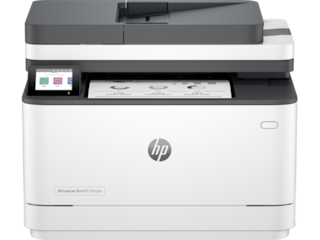
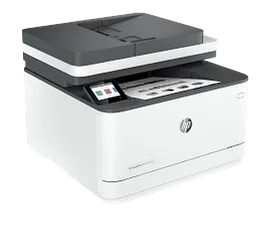
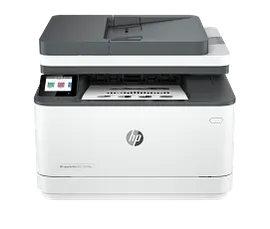
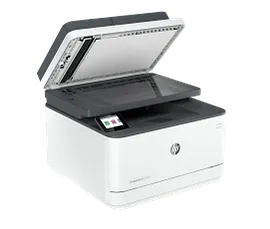
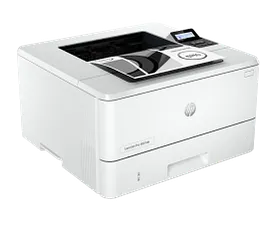
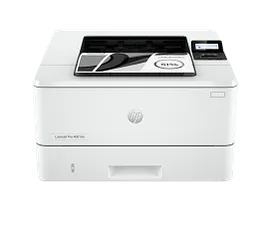
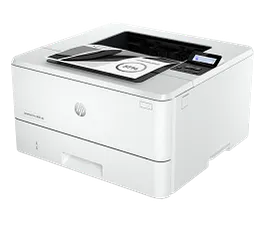
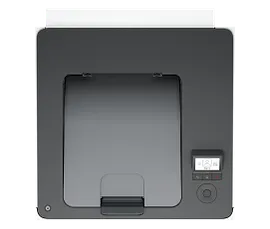
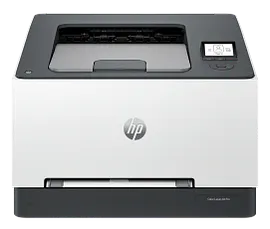
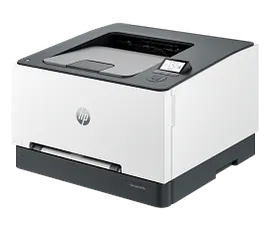
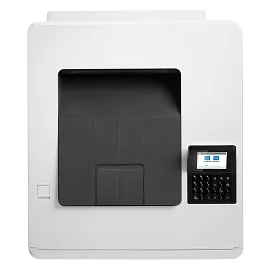
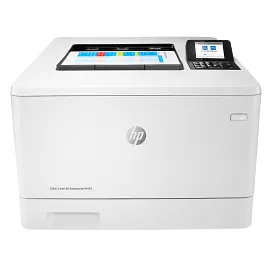
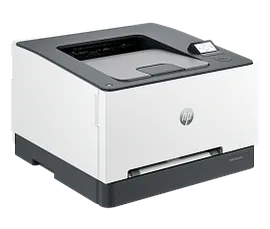
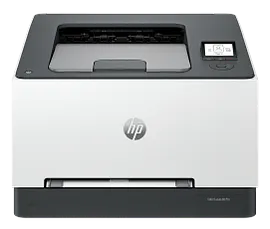
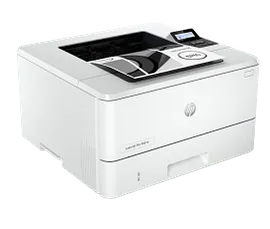
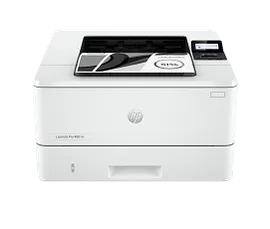
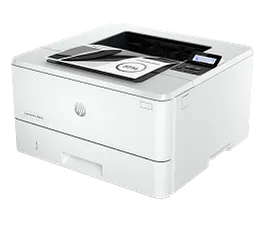
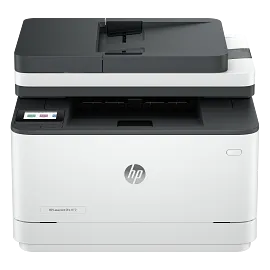
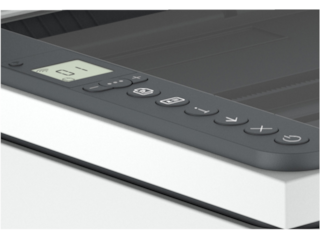
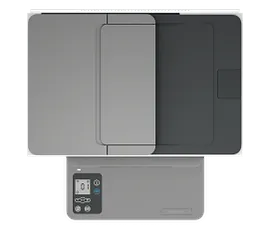
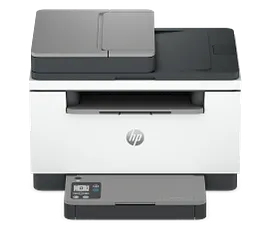
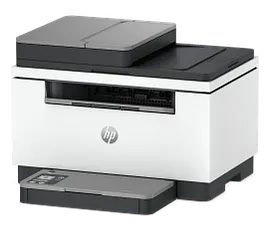
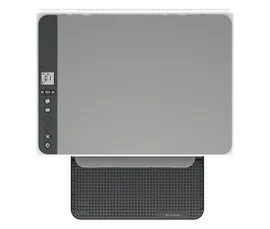
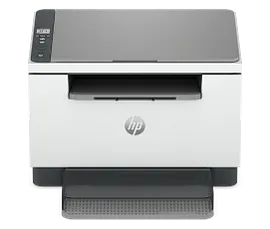
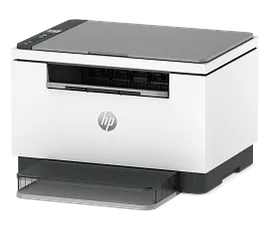
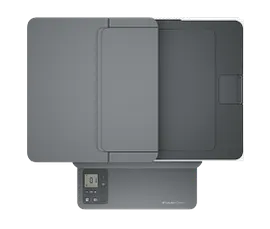
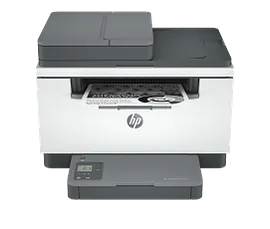
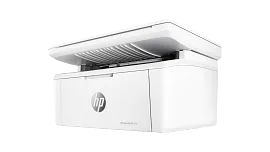
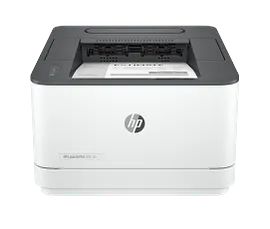
HP Color LaserJet Pro 3201dw Certified Refurbished Printer

Small medium business

Other offers available with the product:

FREE Storewide Shipping

Weekly Deals

Product # 499Q9FR#BGJ
  • Powerhouse performance without the headaches
  • Print 2-sided prints, mobile/wireless/ethernet
  • Fast color printing at up to 26 pages per minute
  • HP's most reliable wi-fi and HP Wolf Pro Security
  • Dynamic security enabled printerSee all Specs

3% back in HP Rewards
Add an HP Care Pack to protect your new device

Included

    • Remote problem diagnosis and technical telephone support
    • Next-business-day hardware exchange
    • Standard coverage window
    • Access to electronic support information and services
    • This warranty extension is only available for Printers within Factory Warranty [2]
    • Remote problem diagnosis and technical telephone support
    • Next-business-day hardware exchange
    • Standard coverage window
    • Access to electronic support information and services
    • This warranty extension is only available for Printers within Factory Warranty [2]

    Service starts on date of hardware purchase. Restrictions and limitations apply.

    Save on quality, refurbished products. The HP collection of Certified Refurbished products are thoroughly tested to meet the same functional standards as comparable new products. HP’s refurbished products are put through a series of mechanical and electrical stress tests, complete software re-installation, a final inspection, and then thoroughly cleaned, sanitized and packaged in new boxes with the same supplies as new version printers. Refurbished Print products are covered by a same as new HP limited warranty and offer optional HP Care Pack Services. Most often, refurbished products are indistinguishable from their comparable new counterparts, though some may have cosmetic blemishes or scratches.


    Designed for business work teams that need professional performance with fast, high-quality two-sided color printing, laser productivity, and award-winning reliability in a space-saving design.[11]
    HP Personal Laser Multifunction Printers are designed for individuals or small workteams who need affordable, reliable multifunction performance in a compact and easy-to-use desktop device.
    Dynamic security enabled printer. Contains technology that may prevent cartridges with non-HP chips or circuitry from working now or in the future. More at:
    http://www.hp.com/learn/ds

    Professional color and speed 

    Experience high-speed, automatic, two-sided color printing up to 26 pages per minute (Letter) / 25 pages per minute (A4).[1] Bring our business to life with next-generation TerraJet toner designed for more true-to-life, vibrant colors.[8] Streamline your workspace and help boost your team's efficiency with this compact laser printer.

    Peace-of-mind with award-winning reliability[11]

    Performance you can count on page after page with award-winning reliability.[11] Keep your business connected with reliable Wi-Fi® that automatically reconnects to stay online.[2] Rely on low maintenance printing to avoid downtime and stay focused on your business.

    Pro level security to help protect your business

    Safeguard your business with proactive, embedded security ready out of the box and tamper-resistant toner.[12] Professional level printer security with preconfigured settings mean it's ready for business. Strengthen and simplify compliance. HP Security Manager upgrade applies policies across your printer network.[10]

    Compact and energy efficient design

    Designed in a compact size with energy saving auto-on/auto-off technology to optimize printer energy use.[19] Specially formulated HP TerraJet Toner engineered for low energy use when printing.[7] Trim your paper use. Default duplex setting prints on both sides of each page. Easily recycle your used Original HP Toner Cartridges for free through the HP Planet Partners program.[9]

    Business team solution

    Support your business work team with this compact laser printer for high-quality color printing.

    Fast two-sided color printing 

    Experience high-speed two-sided color printing at up to 26 pages per minute.[1]

    True-to-life colors

    Bring your business to life with next-generation HP TerraJet Toner designed for more true-to-life, vibrant colors.[8]

    Compact Design

    Streamline your workspace, reduce clutter, and help boost your team's efficiency with a compact laser printer.

    Advanced productivity features[18]

    Create an HP account to maximize productivity with advanced features.[18]

    HP Web Jetadmin[5]

    Centralize your printer management. HP Web Jetadmin easily adds and updates devices, solutions, and policies.[5]

    Reliable printing

    Stay focused on your business - award-winning reliability means less downtime for printer maintenance. [11]

    Reliable Wi-Fi®[2]

    Keep your business connected with our most reliable Wi-Fi® that automatically reconnects to stay online.

    Technical details

    Functions

    Print

    Print Speed - Black (normal)

    Up to 26 ppm

    Print speed - Color (normal)

    Up to 26 ppm

    First page out (ready) black

    As fast as 10.8 sec

    First page out (ready) color

    As fast as 10.9 sec

    Resolution (black)

    Up to 600 x 600 dpi

    Resolution (color)

    Up to 600 x 600 dpi

    Monthly duty cycle

    Up to 40,000 pages

    Recommended monthly page volume

    150 to 2,500[9]

    Print Technology

    Laser

    Display

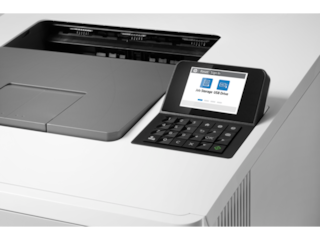
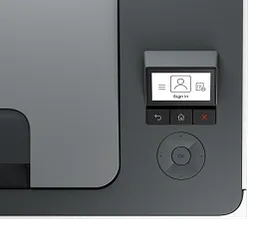
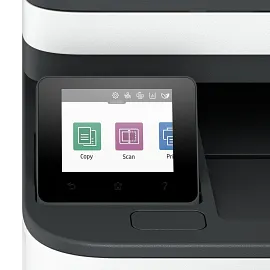
    2" diagonal DFSTN-backlit (200 x 114)

    Number of print cartridges

    4 (1 each black, cyan, magenta, yellow)

    Product disclaimer

    Dynamic security enabled printer. Contains technology that may prevent cartridges with non-HP chips or circuitry from working now or in the future. More at:

    Print languages

    HP PCL6, PostScript, HP PCL5, PDF, URF, PWG-Raster, JPEG

    Automatic paper sensor

    No

    Paper trays, standard

    2

    Paper trays, maximum

    2

    Connectivity, standard

    1 Hi-Speed USB 2.0 (device); 1 Wi-Fi 802.11ac (dual band); Auto-crossover Ethernet; 1 Gigabit Ethernet 10/100TX network

    Security management

    Device Unique Password, Enable/Disable USB Ports, EWS Session Timeout, Access Control for Device Features, Remote Scan Enable/Disable

    Minimum system requirements

    Apple® macOS 12.0 Monterey; macOS 13.0 Ventura; macOS v14 Sonoma; 2GB HD; Internet required
    Microsoft® Windows® 11, 10: 32-bit or 64-bit, 2 GB available hard disk space, Internet connection

    Compatible operating systems

    Windows 11; Windows 10; Android; iOS; macOS 12 Monterey; macOS 13 Ventura; macOS 14 Sonoma; macOS 15 Sequoia; Linux

    Memory, standard

    256 MB

    Memory, maximum

    256 MB

    Printer management

    HP Web Jetadmin

    Supported network protocols

    TCP/IPv4, TCP/IPv6, DHCP, DNS.

    Paper handling input, standard

    250 sheets Main Input Tray; 1 sheet Priority Feed Tray

    Paper handling output, standard

    100 sheets Output Tray

    Duplex printing

    Automatic

    Envelope input capacity

    Up to 10 envelopes

    Finished output handling

    Sheet Feed; Stacking

    Media sizes supported

    A4; A5; A6; B5 (JIS); B6 (JIS); 10 x 15 cm; Oficio 216 x 340 mm; 16K 195 x 270 mm; 16K 184 x 260 mm; 16K 197 x 273 mm; Postcard (JIS); Envelope B5; Envelope C5; Envelope DL; A5-R

    Media sizes supported

    102 x 127 mm to 216 x 356 mm

    Media sizes, custom

    3 x 5 in to 8.5 x 14 in

    Media types

    Paper (bond, brochure, colored, glossy, heavy, letterhead, light, plain, preprinted, prepunched, recycled, rough), transparencies, labels, envelopes, cardstock

    Supported media weight

    16 to 43 lb Paper (Bond); Up to 47 lb (Bond) with postcards; Up to 52 lb (Bond) Glossy Papers

    Media weights by paper path

    60 to 163 g/m² Paper; Up to 176 g/m² with postcards; Up to 200g/m² Glossy Papers

    Power

    220-volt input voltage: 220 – 240V (±10%) @ 50Hz ± 3 Hz, 60Hz ± 3 Hz; 110-volt input voltage: 110 – 127V (±10%) @ 50Hz ± 3 Hz, 60Hz ± 3 Hz (Not dual voltage, product varies by part number with # Option code identifier)

    Power consumption

    415 watts (Printing), 6.1 watts (Ready), 0.63 watts (Sleep), 0.05 watts (Auto-Off), 0.05 watts (Manual-Off)
    [1] Power requirements are based on the country/region where the printer is sold. Do not convert operating voltages. This will damage the printer and void the product warranty. Power consumption values typically based on measurement of 115V device.

    Operating temperature range

    59 to 86°F

    Recommended operating temperature

    59 to 80.6°F

    Software included

    HP Printer Software downloadable from www.hp.com/hp-app

    Warranty

    One-year limited warranty. For more info please visit us at https://www.support.hp.com [12]

    Dimensions (W X D X H)

    15.35 x 16.5 x 10.01 in 

    Dimensions Maximum (W X D X H)

    15.35 x 18.58 x 10.47 in

    Weight

    30.42 lb

    Package weight

    37.3 lb

    What's in the box

    HP Color LaserJet Pro 3201dw Printer; Power cord; Toner cartridge; User Guide, Flyers

    Dynamic security

    Dynamic security enabled printer
    Certain HP printers are intended to work only with cartridges that have a new or reused HP chip or electronic circuitry. These printers use dynamic security measures to block cartridges using a non-HP chip or electronic circuitry. Periodic firmware updates will maintain the effectiveness of these measures and block cartridges that previously worked. Reused HP chips and electronic circuitry enable the use of reused, remanufactured, and refilled cartridges.
    HP Color LaserJet Pro 3201dw Certified Refurbished Printer is rated 4.3 out of 5 by 57.
    • y_2026, m_1, d_3, h_10
    • bvseo_bulk, prod_bvrr, vn_bulk_3.0.42
    • cp_1, bvpage1
    • co_hasreviews, tv_16, tr_41
    • loc_en_US, sid_499Q9FR, prod, sort_[SortEntry(order=SUBMISSION_TIME, direction=DESCENDING)]
    • clientName_hp
    • bvseo_sdk, java_sdk, bvseo-4.0.0
    • CLOUD, getAggregateRating, 65ms
    • REVIEWS, PRODUCT
    Rated 5 out of 5 by Vincentlombardo from Great printer Great printer
    Date published: 2025-11-10
    Rated 4 out of 5 by Tom G P from Good color laser printer After about 2 months, good color laser printer. The colors are good. The printer is fast. The print quality on some simple black and white text documents may not be quite as good as my old LaserJet 4100, but it is pretty good. A few issues with fonts, but I have been able to work around them. I don't like that you can't turn off sleep mode. I have it set to the maximum 1 hour. I have the printer on a wired Ethernet network and I have not had any connection problems like some people with WiFi report. The replacement cartridges are a little expensive. Overall, I am happy to have a color laser printer and I am pleased with the purchase. I would recommend this printer to people that need a color laser printer with the specified page volume 150 to 2500 per month.
    Date published: 2025-09-03
    Rated 5 out of 5 by JCB638 from Nice Printer I’m not a technical person by any means… this printer was so easy to set up and it works like a charm!
    Date published: 2025-08-10
    Rated 4 out of 5 by Keek2025 from Good basic color duplexing printer Good basic color duplexing printer. I suggest buying it when it's on sale. I paid full price because I needed it ASAP. Now here it is, one month later to the day, and it's $100 off. grrr! I'm using wi-fi mode, giving all devices on the network access to it. It takes a few seconds to make the connection when a job is sent, but it prints pretty fast, even in duplexing mode. I was impressed. I have two complaints. 1) Tray 1, the manual sheet feeder. It's not a pull-out tray. It's a slot for a single sheet or envelope. If you have a job that needs different paper than what's loaded in Tray 2, the main pull-out tray, sheets must be fed one by one. 2) The cost of toner is hi-way robbery astronomically high. A full set of cartridges, even the original non-hi capacity cartridges, will cost more than the printer that comes with cartridges. It would be cheaper to buy a new printer. No wonder people buy generic toner. HP needs to do better.
    Date published: 2025-07-27
    Rated 5 out of 5 by drSam731 from HP Laser Jet 3201 dw Printer I absolutely love this color laser printer. The quality of print is incredible! The hues colors come out vibant, and vivid--they even shine a regular printer paper. The printer is fast and!
    Date published: 2025-06-07
    Rated 5 out of 5 by Anonymous from HP Color LaserJet Pro 3201dw Printer The print quality is outstanding. Took me awhile to get it set up, but once everything was done no problems. Had to call service for help, they were very helpful.
    Date published: 2025-03-05
    Rated 5 out of 5 by Bob W7. from HP Still Stands Strong I have used HP products for over 30 years and I still think they make a quality product. After having Officejet Pro's for many years, this is my first laser jet and I'm very happy with it. It's fast, efficient and very clean. The print is sharp and precise, the colors vibrant and best of all, no damp pages. So far, it's proven invaluable in my home office. I would recommend this product.
    Date published: 2024-09-08
    Rated 4 out of 5 by L2E2 from Very Nice Color Laser at a Good Price This printer performs very well. Prints beautifully and fast. The setup instruction is a little sparse. Also could use a better integration/instruction for HP ink subscription. But overall it is a very good color laser printer at a very good price.
    Date published: 2024-09-04
    • y_2026, m_1, d_3, h_10
    • bvseo_bulk, prod_bvrr, vn_bulk_3.0.42
    • cp_1, bvpage1
    • co_hasreviews, tv_16, tr_41
    • loc_en_US, sid_499Q9FR, prod, sort_[SortEntry(order=SUBMISSION_TIME, direction=DESCENDING)]
    • clientName_hp
    • bvseo_sdk, java_sdk, bvseo-4.0.0
    • CLOUD, getReviews, 3ms
    • REVIEWS, PRODUCT

    how heavy weight of paper can i use?

    Asked by: steve1977
    Hello. Thanks for your question. The HP Color LaserJet Pro 3201dw Printer can handle the following media weights: 60 to 163 g/m² Paper; Up to 176 g/m² with postcards; Up to 200g/m² Glossy Papers. If you chose to print on glossy paper, be sure it is made for laser printers.
    Answered by: HP Team Cheri
    Date published: 2025-05-01

    Does this printer scan

    Asked by: Anonymous
    Thanks for your question. This model does not have a scanner. You would want to look at the HP Color LaserJet Pro MFP 3301sdw printer. https://www.hp.com/us-en/shop/pdp/hp-color-laserjet-pro-mfp-3301sdw
    Answered by: HP Team-Ryan
    Date published: 2025-04-03

    I am having trouble printing anything from my laptop, Macbook Air.

    Asked by: Debfree
    We are sorry to hear about your challenges. We recommend reaching out to HP Support for further assistance: https://support.hp.com
    Answered by: HP Team Cheri
    Date published: 2024-08-25

    can it print on waterproof paper?

    Asked by: trish808
    Hello, Trish. Thanks for your question. The HP Color LaserJet Pro 3201dw Printer doesn't support printing on waterproof paper.
    Answered by: HP Team Cheri
    Date published: 2025-02-01

    why does my printer go offline after each use. I need to delete then reinstall the driver to get it to work again.

    Asked by: Anonymous
    Thank you for your question! Contact HP Tech Support at this link: https://support.hp.com/us-en
    Answered by: HP Team Grant
    Date published: 2025-05-09

    How do I get rid of the margin warning on a HP 3201dw Printer?

    Asked by: AdminFC
    We are sorry to hear about your challenges. We recommend reaching out to HP Support for further assistance: https://support.hp.com
    Answered by: HP Team Cheri
    Date published: 2024-10-22

    how to tell how much ink is left in a cartridge?

    Asked by: knudson
    Thank you for your question! To check toner levels in HP cartridges, you can use the HP Smart app, the printer's control panel, or the HP Print and Scan Doctor app.
    Answered by: HP Team Grant
    Date published: 2025-03-07

    How long does the toner powder last?

    Asked by: Yodalistic
    Thank you for your question! This printer uses HP 218 toners. For information, including page yields, please visit this link: https://www.hp.com/us-en/shop/sitesearch?keyword=HP%20218%20toners
    Answered by: HP Team Grant
    Date published: 2024-12-26
    • y_2026, m_1, d_3, h_10CST
    • bvseo_bulk, prod_bvqa, vn_bulk_3.0.42
    • cp_1, bvpage1
    • co_hasquestionsanswers, tq_44
    • loc_en_US, sid_499Q9FR, prod, sort_[SortEntry(order=NUM_ANSWERS, direction=DESCENDING)]
    • clientName_hp
    • bvseo_sdk, java_sdk, bvseo-4.0.0
    • CLOUD, getContent, 32ms
    • QUESTIONS, PRODUCT

    SIMILAR PRODUCTS

    Return and exchange information
    Eligible purchases from Nov 1 - Dec 25, 2025, can be returned or exchanged until Jan 15, 2026, or 30 days after delivery, whichever is later. A 15% restocking fee may apply. For details, please visit: https://www.hp.com/us-en/shop/cv/returnsandexchanges
    Country/Region :   United States