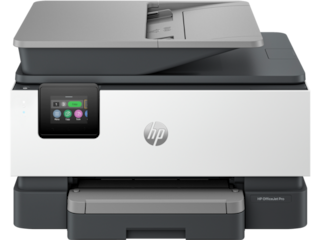
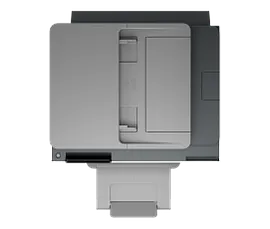
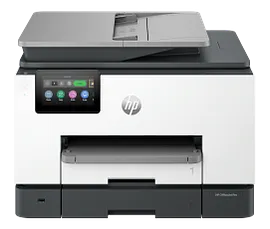
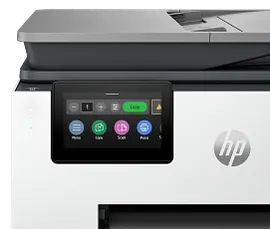
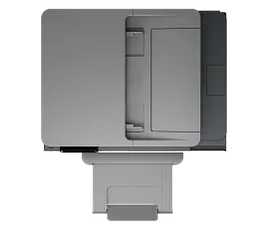
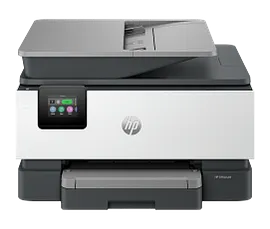
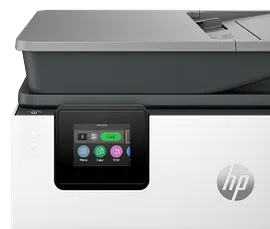
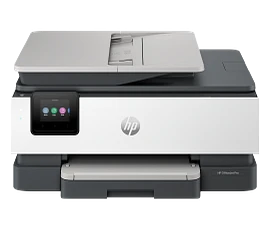
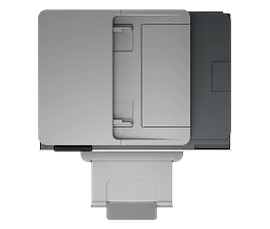
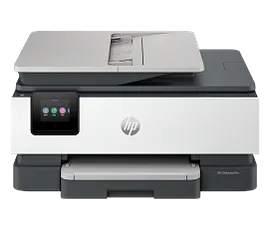
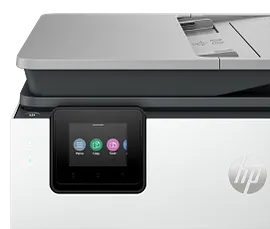
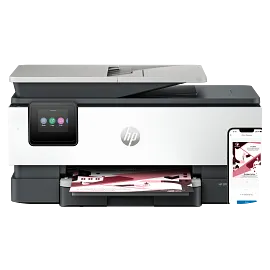
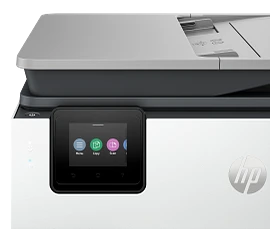
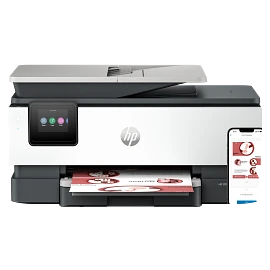
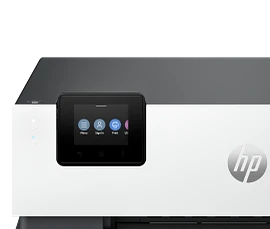
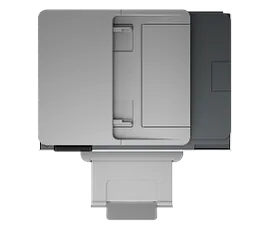
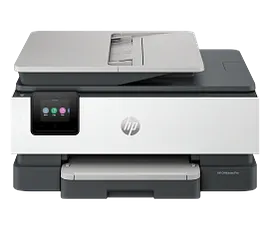
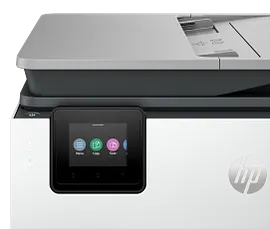
HP OfficeJet Pro 9135e Wireless All-in-One Printer with 3 Months of Instant Ink for free with HP+, AI-enabled


ENERGY STAR | Small medium business
Other offers available with the product:
FREE Storewide Shipping
$5 Instant Ink ecard on select printers
Financing options available for all credit scores
Weekly Deals
Product # 404M0A#B1H
FunctionsPrint, copy, scan, fax
- Supercharged performance for small business
- Fast color print, copy, scan, fax, 2-sided prints, 2-sided scan, mobile/wireless/ethernet
- Get perfectly formatted prints with HP AI
- HP's most reliable wi-fi and HP Wolf Pro Security
- Dynamic security enabled printerSee all Specs
Can't find what you are looking for?
3% back in HP Rewards
Engineered for Sustainability
HP OfficeJet Pro 9135e Wireless All-in-One Printer with 3 Months of Instant Ink for free with HP+, AI-enabled
$0.00
Say hello to the professional color inkjet printer for your small office from America’s most trusted printer brand,[15] paired with the easiest-to-use print app. Enjoy easy printing designed to make you succeed at work. Fax included.[1,2]
For small and medium businesses that want a professional color inkjet printer that helps their business grow and keeps disruptions to a minimum.
This printer is intended to work only with cartridges that have a new or reused HP chip, and it uses dynamic security measures to block cartridges using a non-HP chip. Periodic firmware updates will maintain the effectiveness of these measures and block cartridges that previously worked. A reused HP chip enables the use of reused, remanufactured, and refilled cartridges. More at:
http://www.hp.com/learn/ds
This is an HP+ enabled printer. Choose HP+ at product setup to activate benefits. HP+ requires an HP account, ongoing connection to the internet, and exclusive use of Original HP Ink cartridges for the life of the printer. More at:
http://www.hp.com/plus
For small and medium businesses that want a professional color inkjet printer that helps their business grow and keeps disruptions to a minimum.
This printer is intended to work only with cartridges that have a new or reused HP chip, and it uses dynamic security measures to block cartridges using a non-HP chip. Periodic firmware updates will maintain the effectiveness of these measures and block cartridges that previously worked. A reused HP chip enables the use of reused, remanufactured, and refilled cartridges. More at:
http://www.hp.com/learn/ds
This is an HP+ enabled printer. Choose HP+ at product setup to activate benefits. HP+ requires an HP account, ongoing connection to the internet, and exclusive use of Original HP Ink cartridges for the life of the printer. More at:
http://www.hp.com/plus
Empower your team with a productivity powerhouse
Always ready for high volumes, get an HP OfficeJet Pro printer equipped with two 250-page input trays. Avoid waiting by the printer with an automatic document feeder enabling single-pass, double-sided scanning. Speed up your printing with a fast inkjet printer - up to 25 pages per minute (PPM).[4] Scan/print/copy from your cloud storages like Google Drive, OneDrive and more 3rd party apps with the easiest-to-use print app.[2]
Our best technology to stay connected and secure[3]
Always be ready to print. Never run out of ink.[8]
With an Instant Ink subscription, you can get ink delivered directly to your door before you run out.[8] Save up to 50% with Instant Ink. Enroll to get ink with automatic delivery starting at $1.79 a month.[9,8] Get peace of mind with the flexibility to change plans or cancel anytime at no cost.[10]
Recommended Supplies & Support
Technical Specs
Reviews and Q&A
HP OfficeJet Pro 9135e Wireless All-in-One Printer with 3 Months of Instant Ink for free with HP+, AI-enabled is rated
out of
5 by
281.
Rated 1 out of
5
by
Terry Q from
Returned unused
Why did you stop sending return envelopes with shipments? Making us go to order them doesn’t make sense.
Date published: 2026-05-20
Rated 2 out of
5
by
vegascat from
Not A Fan
I had a difficult time time setting up this printer, and it has been frustrating to use. The printer is slow to print. It is temperamental and often requires me to completely restart my computer before it will print properly. Because of these ongoing issues I would not recommend this printer. Additionally, the instant ink program did not fit my printing needs or expectations.
Date published: 2026-05-12
Rated 1 out of
5
by
Anonymous from
Faulty Printer
Kept getting paper jam message even when technician's worked on it. Sent it back and cancelled order! Haven't gotten credit for this purchase!!
Date published: 2026-05-12
Rated 5 out of
5
by
Anonymous from
Delta HP 9135e
While shipping time was not as foretold, it was easy to set up and it prints well.
Date published: 2026-05-02
Rated 5 out of
5
by
Al Ci from
Great Products
HP products have always met expectations
Date published: 2026-04-29
Rated 1 out of
5
by
Anonymous from
High hopes.
I had problems from the The start first off the printer was what I would call filthy second off the installation program for the drivers demanded. Let me resay that demanded that it would not install unless I provided in my location. It's just a printer. It's not a piece of gold so I had to go on the Internet and find drivers for it that didn't require me bowing to. Hp Corp. Corporation.
Date published: 2026-04-25
Rated 4 out of
5
by
Snapp Industries, Inc. from
Good Overall, But Can’t Print Attachments Directly
The printer is very good overall and works really well. However, when it comes to printing a document that is attached to an email, there’s no way to print it directly. You have to download the attachment first before printing, which is inconvenient. It would be great if this could be improved.
Date published: 2026-04-24
Rated 1 out of
5
by
Eli1412 from
Magenta start up ink leaking, Replacement ink never arrived, Need to call again.
Poor service
Date published: 2026-04-21
Can you replace ink cartridges - if you are NOT an instant ink subscriber
Thank you for your interest in the OfficeJet Pro 9135e. You can replace the ink cartridges without needing to use Instant Ink. The 936 and the 936 EvoMore cartridges with that unit.
Date published: 2024-04-12
Is the OfficeJet Pro 9135e capable of printing double sided legal paper?
Hello. Thanks for your question. The HP OfficeJet Pro 9135e printer cannot do double-sided printing on legal-sized paper. It supports duplex printing up to letter-sized paper (8.5 x 11 inches).
Date published: 2024-09-24
Does this printer use a DESKTOP printing/scanning program (and not just the HP Smart App)? My previous HP printers had great desktop accessibility for scanning, formatting, printing, copying, and troubleshooting/maintenance.
Thank you for your interest in the OfficeJet Pro 9135e. There is a Universal Scan and a Universal Fax driver you can install, however most of the updates and drivers are built directly into the HP Smart app and can give you more options for tools and functionality.
Date published: 2024-05-15
1. Dimensions of printer. 2. Is printer compatible with microsoft windows 10
Thank you for your question! The dimensions of the HP OfficeJet Pro 9135e are as follows; 17.20 x 15.60 x 12.53 in. It is compatible with Windows 10 as well.
Date published: 2025-04-11
what are the dimensions of the 9135e?
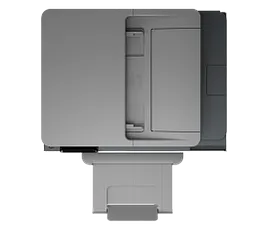
Thanks for your question. The dimensions are (W X D X H) 17.20 x 15.60 x 12.53 in (Minimum Storage Mode). The maximum dimensions with the output tray fully extended are 17.20 x 21.54 x 12.53 in.
Date published: 2025-02-26
Does this printer do doubled sided printing on a regular piece of paper?
Thank you for your question! The HP HP OfficeJet Pro 9135e does support double sided printing.
Date published: 2024-07-19
My question is about the 2 trays. Can you pick which tray would print from? If I use one tray for paper & the second for checks, would I have the option for picking which tray it pulls from?
Yes, you can choose which paper tray the HP OfficeJet Pro 9135e will print from.
Date published: 2024-02-23
Can the Pro 9135E double side print on statement (5.5 x 8.5) paper?
Thank you for your question! No, the HP OfficeJet Pro 9135e Wireless All-in-One Printer can duplex print on paper that's at least executive size. Executive paper is a distinct paper size often used in corporate environments and is 7.25 inches by 10.5 inches with an aspect ratio of 3:4.
Date published: 2024-06-21
Similar Products
1/7
HP OfficeJet Pro 9125e All-in-One Printer with 3 Months of Instant Ink for free with HP+, AI-enabled
Next-Gen – Print for your business like a ProSupercharged performance for home or small businessFast color print, copy, scan, fax, 2-sided prints, 2-sided scan, mobile/wireless/ethernetGet perfectly formatted prints with HP AIHP's most reliable wi-fi and HP Wolf Pro SecurityDynamic security enabled printer
403X0A#B1H
ENERGY STAR | Small medium business
Engineered for Sustainability
3% back in HP Rewards
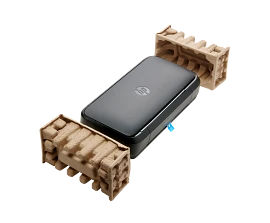

HP OfficeJet 250 Mobile All-in-One Printer
Mobile Print, Scan, CopyPrint speed ISO: Up to 10 ppm black, up to 7 colorLong battery lifeHighest ink cartridge page yield in class
CZ992A#B1H
ENERGY STAR | Small Office
3% back in HP Rewards
1/7
HP OfficeJet Pro 9730 Wide Format All-in-One Printer with 3 months free Instant Ink, AI-capable
Print up to 11 X 17, A3; Scan and copy up to 11 x 14, LegalPrint up to 22 pages per minute + 500 sheet paper capacityIncludes 3 months of Instant Ink for free with HP+Simplify tasks with HP AIDynamic security enabled printer
C2WH0A#B1H
ENERGY STAR | NEW | Small medium business
Engineered for Sustainability
3% back in HP Rewards

1/7
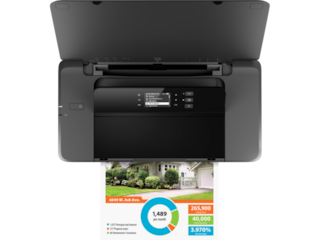
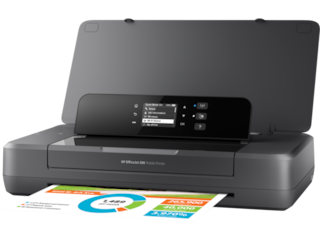
HP OfficeJet 200 Mobile Printer
Mobile PrintingPrint speed ISO: Up to 10 ppm black, up to 7 colorLong battery lifeHighest ink cartridge page yield in class
CZ993A#B1H
ENERGY STAR | Small Office
3% back in HP Rewards



Return and exchange information
Most items may be returned within 30 days of delivery. A restocking fee of up to 15% of the purchase price may be deducted from your refund for returned items, except where prohibited by law. No restocking fee applies to defective or incorrect items. A restocking fee is not applicable for printers, ink, toner, paper, care packs, software and services. For details, please visit: https://www.hp.com/us-en/shop/cv/returnsandexchanges.


