Thank you for visiting the AUSTRALIA HP Store
-
Contact Us
CONTACT USCall us
- Sales (Home, Students, Gamers)
- 1300 540 516
- Sales (Small Business Customers)
- 1800 891 209
- Post-Sales
- 13 23 47
- Technical support
- 13 10 47
Exc. public holidays
Chat with us- Our specialist are here to help
- Live Product Demo
- Sales
- 61288061500 (WhatsApp)
-

- Post Sales
- 61288061700(WhatsApp)
- Technical Support
- 61341594000(WhatsApp)
Exc. public holidays
Live product demo
Submit feedback We value your opinion! - My Account

Search
Page 5 - Tech Takes

-
Posted: April 14, 2026Categories: Miscellaneous
 Read more »
Quick Answer: HP Wolf Security is an AI-powered endpoint protection suite combining deep learning malware detection (Sure Sense), hardware-enforced micro-VM isolation (Sure Click), and self-healing BIOS protection (Sure Start) to stop threats from firmware to cloud in real time.
-
Posted: April 14, 2026Categories: Laptops
 Read more »
Students, remote workers, business professionals, content creators, C-suite executives: no matter your role, job, or hobbies, you can be sure there’s an HP OmniBook model that’s right for you. Whether you’re studying at uni in Sydney, working remotely from the suburbs of Melbourne, or running a business on the go, finding an HP OmniBook that fits your budget and needs won’t be difficult — but figuring out which one is the ideal choice can be a challenge.
-
Posted: April 09, 2026Categories: Printer
 Read more »
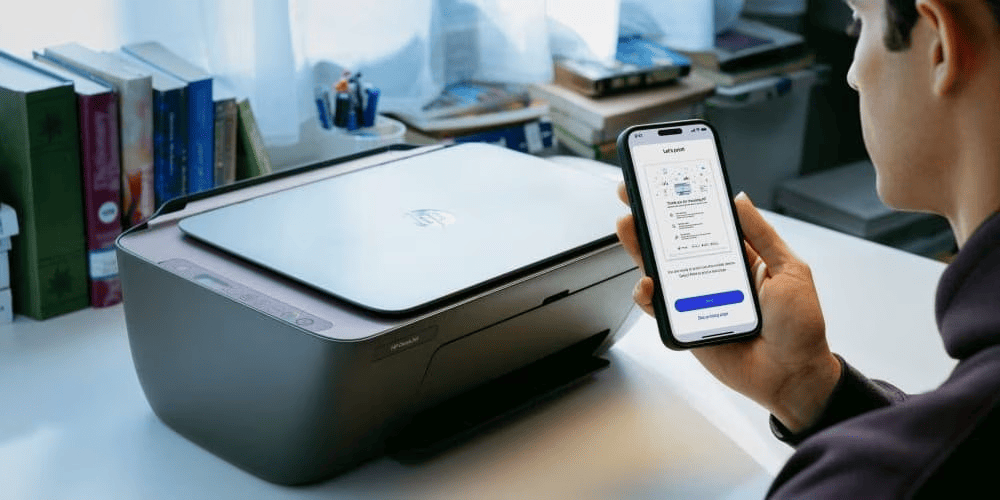
Looking to set up your HP printer? You've come to the right place. In 2025, setting up your HP printer is simpler than ever thanks to the HP app (previously known as HP Smart). Whether you're in a home office in Melbourne or a small workplace in Brisbane, this guide walks you through the entire setup process for Windows, macOS, iOS, Android, and Chromebook, so you can start printing with ease.
You'll discover how to connect to Wi-Fi, install drivers, print a test page, and resolve common problems in just a few minutes. We'll also cover alternative setup methods and provide essential security advice to keep your printer reliable, whether you're using it at home or in a small workplace.
Before You Begin: What You Will Need
Before powering on your new HP printer, gather a few essentials for a smooth setup:
-
Your printer, unboxed and positioned in its intended location
-
A power outlet nearby
-
Your Wi-Fi network name (SSID) and password
-
A connected device (like an HP ENVY laptop, HP EliteBook
-
-
Posted: April 08, 2026Categories: Laptops
 Read more »
Quick Answer: Biometric security on laptops uses unique physical features — fingerprints, facial structure, or iris patterns — to authenticate users. Windows Hello creates encrypted templates stored locally in secure chips, making it more secure than passwords while offering faster, more convenient access.
-
Posted: April 07, 2026Categories: Laptops
 Read more »
Whether you’re a student hitting the books in Brisbane, a creative professional in Melbourne, or a remote worker along the coast, HP’s latest laptop innovation is designed with you in mind. HP has unified its entire laptop portfolio under the OmniBook brand, creating a single, cohesive family of high-performance laptops designed for diverse needs. This new product line combines the former Pavilion, ENVY, and Spectre ranges into a comprehensive series with advanced AI features, sleek designs, and versatile models. OmniBook epitomises performance, portability, and sustainability, catering to students, professionals, and creatives alike.
-
Posted: April 07, 2026Categories: Miscellaneous
 Read more »
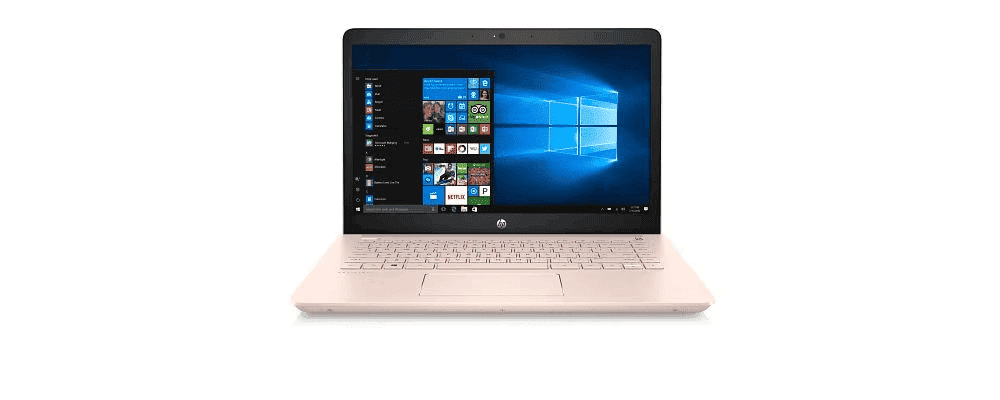
Data loss can happen at any time - hardware failure, accidental deletion, malware, or system crashes. Unfortunately, many Australians don’t start backing up until after they’ve lost important data. The solution is to configure your Windows system to run automatic backups of your important documents, photos, and videos. With automatic data backup enabled, your files stay protected without any manual effort.
-
Posted: April 02, 2026Categories: Laptops
 Read more »
Whether you’re working from a café in Melbourne, commuting between Sydney meetings, or collaborating across time zones from a Brisbane home office, having a laptop that keeps pace with your demands matters. The HP OmniBook X is HP’s boldest answer to what a premium laptop should be — combining intelligent performance, all-day battery life, and a refined build quality that doesn’t compromise on either looks or durability.
-
Posted: March 24, 2026Categories: Laptops
 Read more »
In an effort to streamline the buying process and upgrade its core products, HP recently introduced the all-new OmniBook line, offering users a range of hard-working and lightweight laptops. The OmniBook 7 replaces the well-loved Pavilion Plus and introduces new features, including AI capabilities, military-grade durability, and numerous other updates catering to professionals, students, and creative users.
-
Posted: March 19, 2026Categories: Laptops
 Read more »
The HP OmniBook X succeeds the HP ENVY series as HP's top thin-and-light laptop line. It keeps ENVY's sleek, portable, and premium design while introducing dedicated NPUs delivering up to 50 TOPS of AI power, longer battery life of up to 28 hours, and advanced collaboration tools.
-
Posted: March 17, 2026Categories: Laptops
 Read more »
The business laptop market has long been dominated by x86 architecture, but a significant shift is underway. Leading the charge toward ARM-based design and genuine mobility for Australian professionals is the HP OmniBook X 14-inch laptop.
Recent Posts





Popular Posts








Products purchased through this store are sold and fulfilled by Ingram Micro Pty Limited

CONTACT US
Call us
- Sales (Home, Students, Gamers)
- 1300 540 516
- Sales (Small Business Customers)
- 1800 891 209
- Post-Sales
- 13 23 47
- Technical support
- 13 10 47
Exc. public holidays
Chat with us
- Our specialist are here to help
- Live Product Demo
- Sales
- 61288061500 (WhatsApp)
-
- Post Sales
- 61288061700(WhatsApp)
- Technical Support
- 61341594000(WhatsApp)
Exc. public holidays
Live product demo
Submit feedback
We value your opinion!