HP USB-C Dock G5 for business

Other offers available with the product:
FREE Storewide Shipping
Weekly Deals
Product # 5TW10AA#ABA
- Compatibility without constraints
- Clear the clutterSee all Specs
Can't find what you are looking for?
3% back in HP Rewards
HP USB-C Dock G5 for business
$0.00
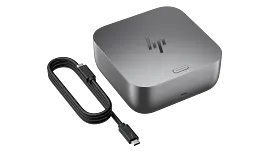
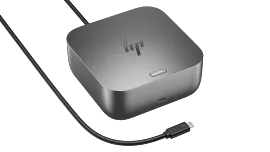
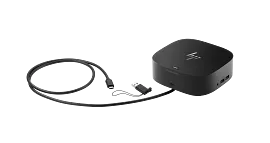
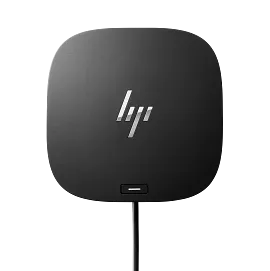
Connect your USB-C®-enabled laptop to your displays, accessories, and wired network with the versatile, elegant, and space-saving HP USB-C® Dock G5.
Compatibility without constraints
Designed with universal compatibility in mind, this dock works with both HP and non-HP USB-C®- and Thunderbolt™-enabled laptops.[1]
Clear the clutter
Avoid a messy desk by using a simple one-cord setup that plugs in multiple devices.
recommended accessories
Technical details
HP USB-C Dock G5 for business is rated
out of
5 by
346.
Rated 5 out of
5
by
Dan_D from
USB Dock/Power is very convenient
USB Dock/Power is very convenient and easy to setup your external devices (i.e. display, printer, et
Date published: 2026-01-02
Rated 1 out of
5
by
Don Mc from
USBC G5 Dock
it does not work.
Date published: 2025-12-31
Rated 1 out of
5
by
__Jeff from
Does not work with shopping network HP laptops
If you purchase an HP laptop over TV shopping networks, the likelihood of this device working with your laptop is NOT!. I could not find documentation on the HP website on what docking station to connect my HP laptop. I read horror stories of folks trying to return this.
Date published: 2025-12-30
Rated 4 out of
5
by
Snowman987 from
Nice Docking Station
I liked the dock but I seemed to develop some intermittent connection issues with my wireless HP Printer so I decided to return it as I can get buy without it.
Date published: 2025-12-24
Rated 5 out of
5
by
JOHN QUANN from
VERY GOOD
I WILL RECOMMEND IT TO ANYBODY.
Date published: 2025-12-21
Rated 3 out of
5
by
Anonymous from
haven't used it yet
Still getting the bloatware, adware etc., off my new omnibook X flip first so it's usable. lol!!
Date published: 2025-12-16
Rated 1 out of
5
by
Dave 1290 from
No knowledge HP Staff
Don't Purchase
Date published: 2025-12-12
Rated 5 out of
5
by
Bob-in-NJ from
Works great
The dock works great. I love the fact that it also charges the laptop, so there's only one cord to plug in or remove. And the power button on the top of the dock turns the laptop on, which is very convenient. The size and shape can be awkward if space it tight.
Date published: 2025-12-11
Can this product power Surface Laptops? I am using the Surface 4.
The HP USB-C Dock G5 for business supports Windows 10; Windows 11; macOS; Chrome OS™, but you will need to check with Microsoft about your Surface to make sure that it has a USB-C port with power delivery and DisplayPort Alt. As long as it has a USB-C port with those capabilities and a supported OS, it will be compatible. Thank you for your question.
Date published: 2025-04-30
will this doc work with HP Laptop 17t-cn300
Thank you for your question! No, the HP Laptop 17t-cn300 has a USB Type-C® 5Gbps signaling rate (supports data transfer only and does not support charging or external monitors). That port will not be compatible with Docks.
Date published: 2025-05-05
Is this HP USB-C Dock G5 compatible with HP Laptop 14-fq0xxx? I am needing to connect external monitors and only have one hdmi port on my laptop. Thank you!
Thank you for your question! More information is needed to determine compatibility. Please resubmit the question with the full product number and your question will be answered as quickly as possible. The product number will be located on the bottom of the laptop.
Date published: 2023-06-24
is the hp elitebook 860 g11 compatible with HP USB-C Dock G5
Thank you for your question! Yes, the HP USB-C Dock G5 is compatible with the HP EliteBook 860 G11 PC.
Date published: 2025-02-19
Is the HP USB-C Dock G5 compatible with the HP 14-dq2?
Thank you for your question! More information is needed to determine compatibility. Please resubmit the question with the full product number and your question will be answered as quickly as possible. The product number will be located on the bottom of the laptop.
Date published: 2025-01-23
Does this docking station allow you to hook up 2 monitors
It will also depend on the unit you have it connected to, but it does allow you to connect two separate monitors at the same time for different displays.
Date published: 2023-11-29
Is this compatible with my ZBook Power 15.6 G10?
Thank you for your question! Due to the HP ZBook Power 15.6" G10 using a 150W AC adapter for charging, the HP Thunderbolt Dock 280W G4 w/Combo Cable is the recommended Dock for your PC. That Dock can be found here: https://www.hp.com/us-en/shop/pdp/hp-thunderbolt-dock-280w-g4-dock-w-combo-cable
Date published: 2024-06-14
will this work HP Pavailon plus 16" laptop
Thank you for your interest in the HP docks. We would need the model number of the specific unit you are interested in connecting it to. As long as the USB-C or Thunderbolt port has power delivery and DisplayPort Alt, it will work.
Date published: 2024-05-29
SIMILAR PRODUCTS

1/8
HP Thunderbolt 4 100W G6 Dock
Power your everydayHands-off manageabilityEverything, securedBuilt to last
9X472UT#ABA
Engineered for Sustainability

1/6
HP Thunderbolt 4 Ultra 180W G6 Dock
Powerful connections in an instantHands-off manageabilityEverything, securedBuilt to last
9X481UT#ABA
Engineered for Sustainability
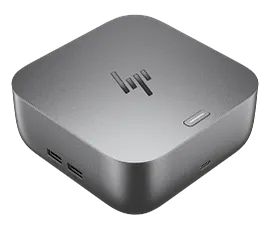
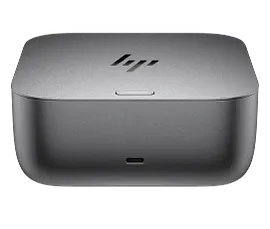
HP Thunderbolt 4 Ultra 280W G6 Dock
Powerful connections in an instantHands-off manageabilityEverything, securedBuilt to last
AW5M5UT#ABA
Engineered for Sustainability

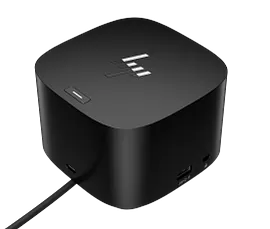
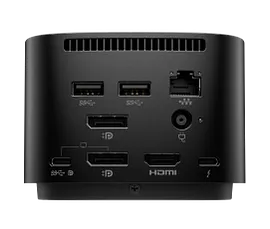
HP Thunderbolt Dock 120W G4
The Dock that Protects your Connected Devices.Expanded Compatibility. Easy Connectivity.The Power To Be Productive.Device Management Made Easy
4J0A2AA#ABA

Return and exchange information
Eligible purchases from Nov 1 - Dec 25, 2025, can be returned or exchanged until Jan 15, 2026, or 30 days after delivery, whichever is later. A 15% restocking fee may apply. For details, please visit: https://www.hp.com/us-en/shop/cv/returnsandexchanges


