Save up to 74%
Weekly Deals
on select tech deals.
Save up to 74% on select tech, FREE shipping storewide. Plus, pay with HP Financing.
HP ranked #1 computer brand according to the ACSI®.

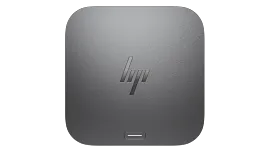
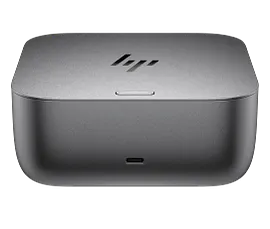
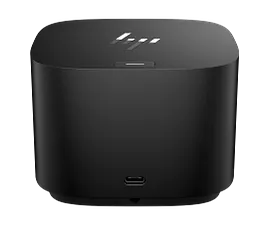
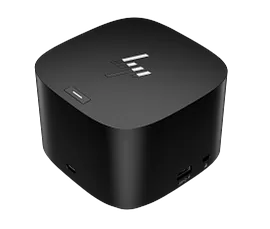
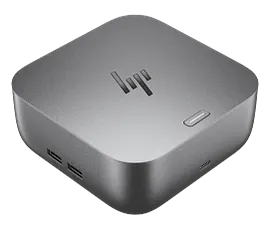
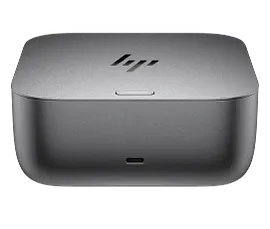
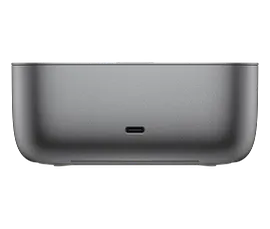
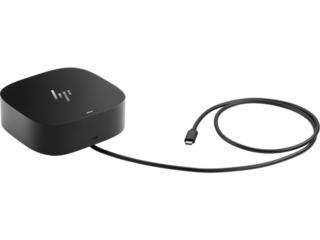
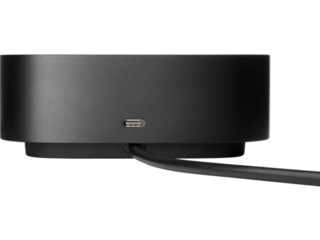
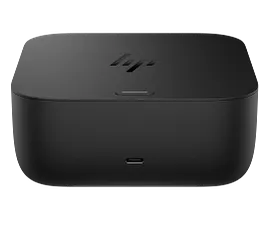
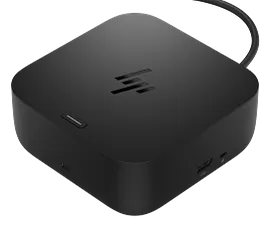
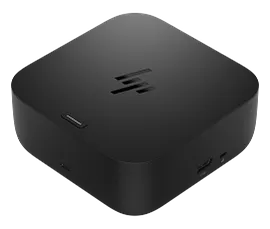
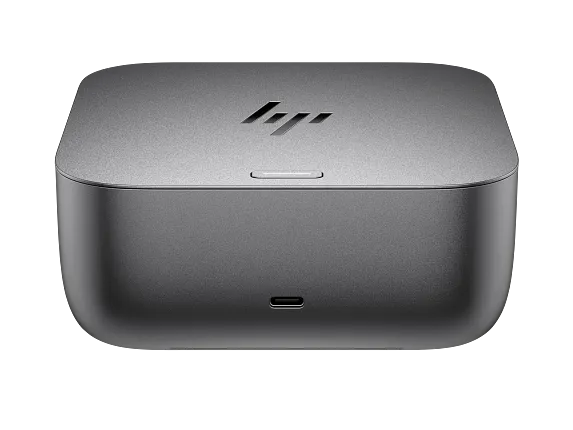
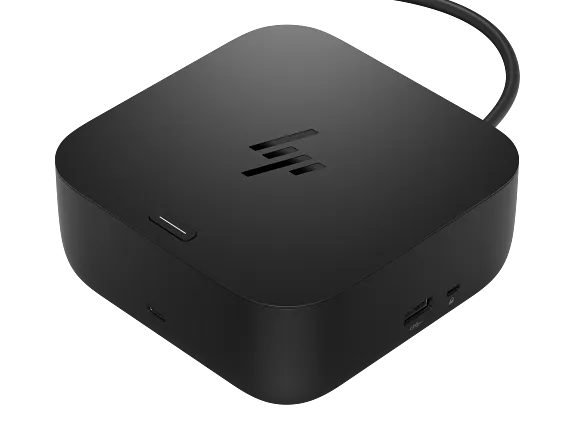
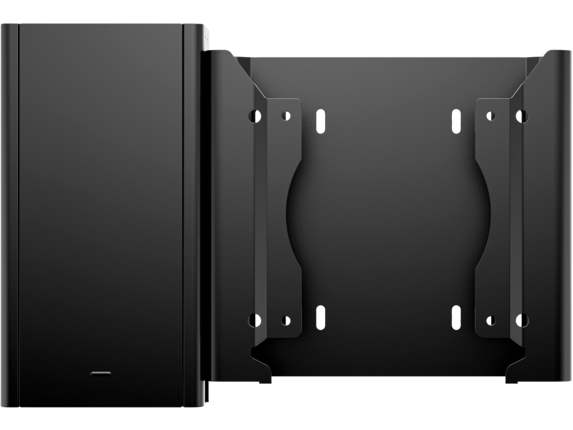
HP Thunderbolt 4 100W G6 Dock

Other offers available with the product:

FREE Storewide Shipping

Weekly Deals

Product # 9X472UT#ABA
  • Power your everyday
  • Hands-off manageability
  • Everything, secured
  • Built to lastSee all Specs

3% back in HP Rewards

Engineered for Sustainability
Add an HP Care Pack to protect your new device

Included

    • Remote problem diagnosis and technical telephone support
    • Prepaid shipping label, materials, and instructions
    • Convenient door-to-door service
    • Next Business day exchange

    Service starts on date of hardware purchase. Restrictions and limitations apply.

    Powering your workday flows naturally with the HP Thunderbolt 4 100W G6 Dock. Focus on what matters with hands-off management, frictionless connections to your devices and power that's ready when you need it. With state-of-the-art security, your devices remain safe.

    Power your everyday

    This dock starts working before you even take a seat. HP Quick Connect[1] wakes your devices when approaching so you never have to slow your rhythm. Keep the power flowing all day with a high-speed Thunderbolt™ 4 connection[1] and plenty of ports to connect your devices.

    Hands-off manageability

    Cloud manageability with Poly Lens[3] unlocks hands-off manageability from anywhere. Administer automatic firmware updates anytime and easily monitor telemetry and analytics to optimize workspaces and support users effectively.

    Everything, secured

    Prevent potential threats with HP Wolf Security[4], interlacing HP Sure Start[5] and Zero Trust Framework to provide complete end-to-end security. Work and rest easy knowing everything from the dock to the cloud is protected.

    Built to last

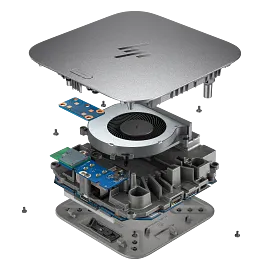
    Thoughtfully designed with longevity in mind. Durably crafted[6] with replaceable parts to maximize your fleet's lifecycle. Built with a power consumption module to monitor your energy consumption. Consciously wrapped in plastic-free packaging[7].

    Technical details

    External Ports Location 01

    Front

    External Ports 01

    1 USB Type-C® 10Gbps signaling rate (up to 15 W USB Power Delivery)

    External Ports Location 02

    Right side

    External Ports 02

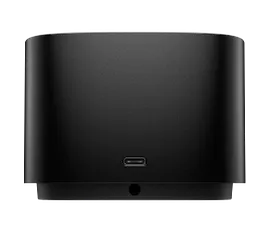
    1 USB Type-A 10Gbps signaling rate (charging); 1 nano security lock slot; 1 USB Type-C® 10Gbps signaling rate (up to 15 W USB Power Delivery)

    External Ports Location 03

    Rear

    External Ports 03

    1 Thunderbolt™ 4 with USB Type-C® 40Gbps signaling rate; 2 USB Type-A 5Gbps signaling rate (charging); 1 HDMI 2.1; 2 DisplayPort™ 1.4; 1 RJ-45 (2.5 GbE)

    Power supply

    120 W external power adapter

    Connection Type

    Thunderbolt™ 4[2]

    Manageability features

    HP CMSL; Disconnected Firmware updates; eTag; PXE Boot; Wake on LAN (from the Off, Sleep or Hibernation states); MAC address pass-through (from the On, Off, Sleep or Hibernation states); LAN/WLAN switching; Disable LAN; Event messaging[8,9]

    Cable length

    3.2 ft

    Power to Host

    Up to 100 W via Thunderbolt™ 4 (both HP and non-HP host devices)

    Power Delivery (PD) Profiles

    12V/5A; 15V/5A; 20V/5A; 5V/3A; 9V/3A

    Display Support

    Up to 3 external displays and 1 PC display or up to 4 external displays

    Power Button Type

    Mechanical power button with RGB LED indicator to power or wake host system[6]

    Compatibility

    Tested and supported on select HP commercial PCs. For HP notebook compatibility please visit - https://pcb.inc.hp.com/webapp/#!/us-en and search by notebook. Tested and supported on select 3rd party PCs. Contact your local sales representative to learn more.

    Compatible operating systems

    Windows 10; Windows 11; macOS; Linux; ThinPro; ChromeOS

    Dimensions (W X D X H)

    4.76 x 4.76 x 1.95 in

    Weight

    1.6 lb

    Warranty

    HP three-year limited warranty

    What's in the box

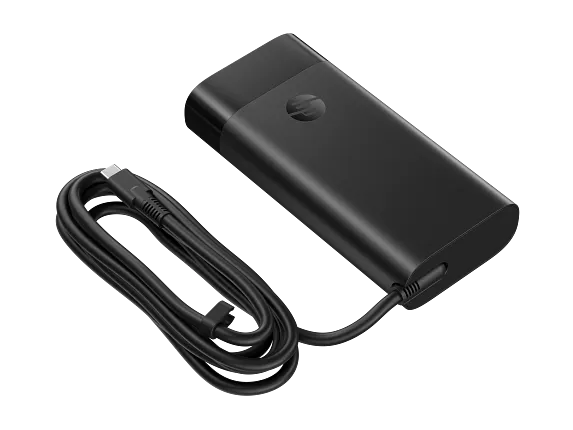
    HP Thunderbolt 4 100W G6 Dock; 120 W power adapter; Thunderbolt™ 4 cable (1 m); Power cord; Product notice; Warranty card
    HP Thunderbolt 4 100W G6 Dock is rated 4.0 out of 5 by 4.
    • y_2026, m_1, d_4, h_6
    • bvseo_bulk, prod_bvrr, vn_bulk_3.0.42
    • cp_1, bvpage1
    • co_hasreviews, tv_1, tr_3
    • loc_en_US, sid_9X472UT, prod, sort_[SortEntry(order=SUBMISSION_TIME, direction=DESCENDING)]
    • clientName_hp
    • bvseo_sdk, java_sdk, bvseo-4.0.0
    • CLOUD, getAggregateRating, 10ms
    • REVIEWS, PRODUCT
    Rated 3 out of 5 by deb h* from Works pretty much as designed but why do they hide the power port? This hub is working well for me now but I wasted hours trying to get it to work initially. I even spoke to several different HP customer support reps and had gotten as far as having a return authorized before I finally figured out the secret. The hub arrives with zero documentation to explain how to connect the power supply to the hub. It turns out that there is a removable plate on the bottom of the hub that you have to take off in order to expose the port where the power supply is connected. There is zero instructions included with the hub to advise of this secret location. Customer support is utterly unable to explain that you have to look for a secret compartment. QR codes and other linked documentation for the hub do not provide these instructions. After a LOT of searching I was eventually able to find the complete specifications for the hub on HP's website and that document includes the instructions for removing the base plate. (Note there is small button you have to press to make it come off. I had inspected that button hoping it might do something useful but unless you know what it is supposed to do, it appears to do nothing. Its labeled "release" which combined with the fact it didn't do anything made me think it was associated with the laptop locking system--a feature I never use.) After I finally got the thing powered up my only complaint is that I am only able to use it power 3 of my 3 external monitors at a time. I am able to use it to get all 3 connected but I have to have one turned off in order to get any of the others to work. This situation is also poorly documented, although there are fairly easy to find warnings that the number of external monitors may be limited. I believe the limitation is in my HP laptop and not the docking station, but it would have been nice if HP could just provide a chart of how many external monitors would work with each of their laptop models. HP desperately needs to hire some empathetic technical writers to document their products.
    Date published: 2025-12-30
    Rated 4 out of 5 by HP power user from G6 dock is improving with firmware updates I purchased the G6 dock in July 2025 and the firmware it arrived had connection issues with my Elitebook x360 1030 G8 with the notebook failing to recognize the dock without a reboot. Firmware package 1.1.11.0 corrected the connection issues. I just installed firmware package 1.3.27.0 and am hopeful there will not be a regression. The G6 dock has a similar form factor to the HP USB-C Dock G5. Unlike the fanless G5 dock, the G6 dock has a fairly quiet fan that usually stays off and occasionally spins up even if a notebook is not connected. My ideal dock would support two external monitors on any of my Mac or HP notebooks but it is difficult to find one configuration that works with the Mac's lack of Displayport MST support (multi-stream transport) and PC notebooks without Thunderbolt capability. On a Macbook Pro M2 Max, I was able to drive two external monitors from the G6 dock by connecting one monitor via DisplayPort and the other monitor via the dock's rear Thunderbolt port. A HP Elitebook 840 G5 with Thunderbolt capability was also able to drive two monitors with the Mac-friendly configuration, while an Elitebook 845 G8 (non-Thunderbolt) was only able to drive one monitor. On the hand, when two external monitors are connected to the G6 dock's DisplayPort outputs (which is a MST configuration), both Elitebooks could drive two monitors, but the Macbook was in a repetitive loop connecting/disconnecting with one monitor (a behavior that is different than the USB-C G5 dock). One other item to note is that the dock has a few internal levels of USB hubs and you may run into the 7-level USB hierarchy limit with additional downstream hubs. When I connected a HP Series 7 Thunderbolt monitor (727pk) to the dock's downstream Thunderbolt port, three of the monitor's six USB ports weren't visible to the PC due to additional USB hierarchy in the monitor itself.
    Date published: 2025-12-17
    • y_2026, m_1, d_4, h_6
    • bvseo_bulk, prod_bvrr, vn_bulk_3.0.42
    • cp_1, bvpage1
    • co_hasreviews, tv_1, tr_3
    • loc_en_US, sid_9X472UT, prod, sort_[SortEntry(order=SUBMISSION_TIME, direction=DESCENDING)]
    • clientName_hp
    • bvseo_sdk, java_sdk, bvseo-4.0.0
    • CLOUD, getReviews, 3ms
    • REVIEWS, PRODUCT

    Can I connect the laptop to the large monitor using the docking port?

    Asked by: GMIK

    Why doesn't this work with my MacBook Air? Like at all? The G4 I just removed worked better. This was supposed to be an upgrade, not a step backwards...

    Asked by: Anonymous
    • y_2026, m_1, d_4, h_6CST
    • bvseo_bulk, prod_bvqa, vn_bulk_3.0.42
    • cp_1, bvpage1
    • co_hasquestions, tq_2
    • loc_en_US, sid_9X472UT, prod, sort_[SortEntry(order=NUM_ANSWERS, direction=DESCENDING)]
    • clientName_hp
    • bvseo_sdk, java_sdk, bvseo-4.0.0
    • CLOUD, getContent, 10ms
    • QUESTIONS, PRODUCT

    SIMILAR PRODUCTS

    Return and exchange information
    Eligible purchases from Nov 1 - Dec 25, 2025, can be returned or exchanged until Jan 15, 2026, or 30 days after delivery, whichever is later. A 15% restocking fee may apply. For details, please visit: https://www.hp.com/us-en/shop/cv/returnsandexchanges
    Country/Region :   United States