Thank you for visiting the AUSTRALIA HP Store
-
Contact Us
CONTACT USCall us
- Sales (Home, Students, Gamers)
- 1300 540 516
- Sales (Small Business Customers)
- 1800 891 209
- Post-Sales
- 13 23 47
- Technical support
- 13 10 47
Exc. public holidays
Chat with us- Our specialist are here to help
- Live Product Demo
- Sales
- 61288061500 (WhatsApp)
-

- Post Sales
- 61288061700(WhatsApp)
- Technical Support
- 61341594000(WhatsApp)
Exc. public holidays
Live product demo
Submit feedback We value your opinion! - My Account
Search
Best Printers for Home Use in Australia

Posted:
February 03, 2026
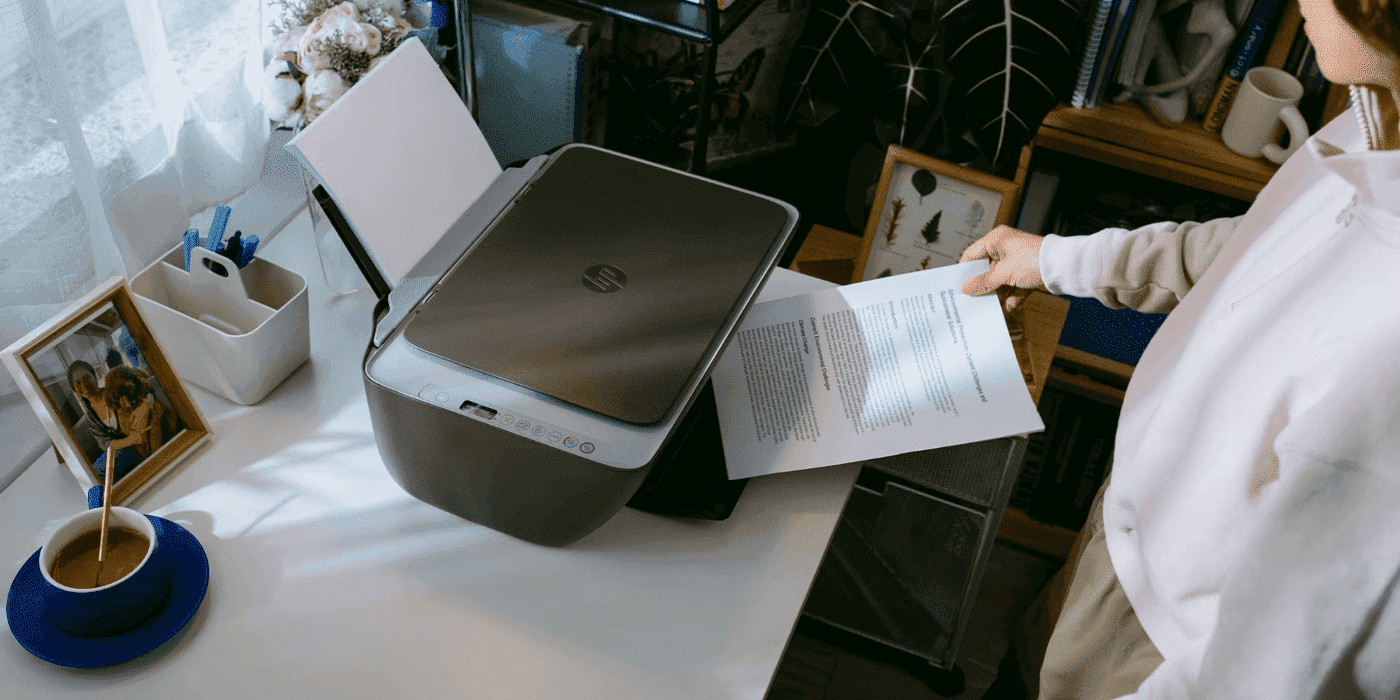
As remote work becomes standard practice across Australia, having a reliable home printer has evolved from luxury to necessity. However, this widespread adoption has made choosing the right printer more challenging for Aussie households. With numerous options flooding the market and factors like budget, printing needs, and evolving technologies to consider, the selection process can feel overwhelming.
HP offers three distinctive printer lines designed to fulfil the needs of every Australian home user: HP DeskJet for budget-conscious buyers, HP ENVY for versatile all-in-one use, and HP Smart Tank for high-volume printing. This comprehensive guide walks you through each line, helping you decide which printer best matches your needs and budget.
Contents
- What to Consider When Choosing a Home Printer
- Understanding Print Technology Options
- Best Budget Home Printer: HP DeskJet Series
- Best All-in-One Home Printer: HP ENVY Series
- Best High-Volume Home Printer: HP Smart Tank Series
- Instant Ink Solutions for Australian Homes
- Quick Comparison: Which HP Home Printer Is Right for You?
- Common Questions About Home Printers
- Environmental Considerations for Australian Users
- Key Takeaways: Your Perfect Home Printer
What to Consider When Choosing a Home Printer
Before purchasing a printer, evaluate these four key factors that will drive your decision.
Print Volume Needs
Most home printers handle occasional use rather than bulk printing. Consider your typical workload:
Light Usage (school worksheets, occasional documents)
-
Choose a printer optimised for minimal use
-
Requires close to no maintenance
-
Lower upfront cost is practical
Heavy Usage (creative professionals, work-from-home requirements)
-
Need higher capacity systems
-
Require cost-effective consumables
-
Benefit from refillable tank designs
Honestly assess your monthly print volume. This single factor dramatically influences long-term costs and satisfaction.
Document Types
The types of documents you print directly affect which printer class you need:
Black and White Documents
-
Emphasise speed over quality
-
Prioritise cost efficiency
-
Standard inkjet or laser works well
Colour Documents and Photos
-
Require higher resolution and colour fidelity
-
Demand quality output
-
Need better ink systems and colour management
Mixed Use (text and photos)
-
All-in-one or multi-function printers ideal
-
Balanced speed and quality important
Budget Considerations
The budget extends beyond upfront printer cost. The real expense emerges in running costs—ink and toner replacement can quickly exceed your initial investment.
Upfront Cost
-
Budget printers: $100–250
-
Mid-range printers: $250–500
-
Premium printers: $500+
Running Costs
-
Cheap printers with expensive cartridges become costly long-term
-
Refillable tank systems reduce per-page costs dramatically
-
High-yield cartridges offer better value than standard cartridges
Choosing a printer with efficient consumable costs may seem expensive initially but saves significantly over time with frequent use.
Space and Features
Australian homes typically feature limited space and connectivity requirements. Consider:
Physical Space
-
Compact printers fit desk corners and shelves
-
Larger models consume significant desk real estate
-
All-in-one multifunction designs maximise efficiency
Connectivity Requirements
-
Wireless printing matches modern workflows
-
Mobile app support enables printing from phones and tablets
-
Network connectivity suits multiple household users
Additional Features
-
Scanning and copying expand functionality
-
Automatic duplex (double-sided) printing saves paper
-
ADF (automatic document feeder) simplifies batch copying
Understanding Print Technology Options
When selecting a home printer, understanding the differences between print technologies helps you make an informed decision.
Inkjet Printers
Inkjet printers use liquid ink cartridges to produce images and text. They excel at:
-
Versatile printing for documents and photos
-
Typically lower upfront cost
-
Excellent colour printing quality
-
Compact designs suitable for home offices
-
Photo printing with high resolution
Australian households benefit from inkjet technology when printing diverse materials—from school assignments to family photos.
Laser Printers
Laser printers use toner powder and heat to fuse text and images onto paper:
-
Faster monochrome printing speeds
-
Lower cost-per-page for black-and-white documents
-
Better for high-volume document printing
-
More expensive upfront investment
-
Less ideal for quality photo printing
For home offices focused on document-heavy workflows, HP’s laser printer range offers reliable performance.
Best Budget Home Printer: HP DeskJet Series
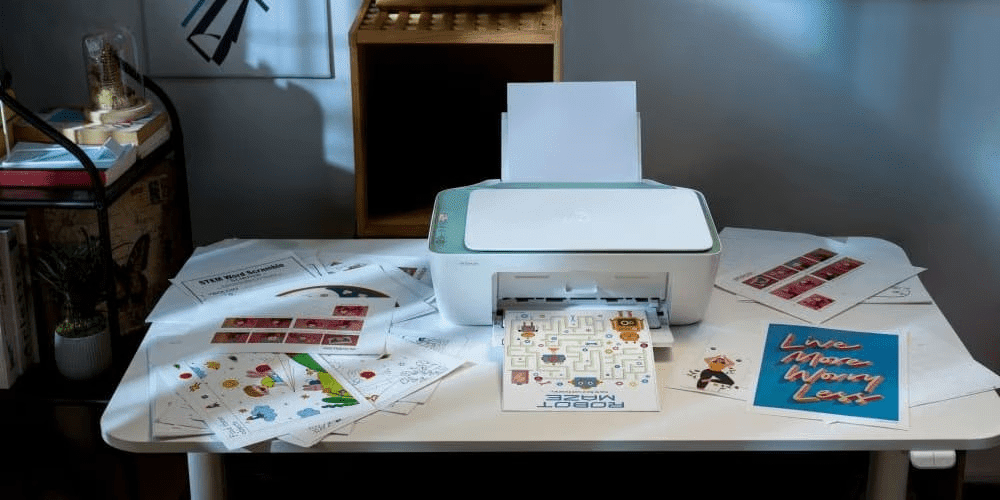
The HP DeskJet series delivers affordable, reliable printing without unnecessary professional features. These compact printers provide essential functionality at an accessible price point for Australian families.
Who This Series Suits
Ideal for:
-
Families with light printing needs (schoolwork, occasional documents)
-
Home office workers printing a few pages daily
-
Budget-conscious buyers prioritising low cost
-
Users with minimal feature requirements
-
Students needing basic printing capability
Strengths
-
All-in-one capability: Print, copy, and scan from one device
-
Low upfront cost: Entry-level pricing under $200 for many models
-
Wireless setup: HP Smart App integration for easy mobile printing
-
Compact design: Minimal desk space requirements
-
Easy maintenance: Simple setup and operation
-
Suitable for Australian homes: Compact footprint ideal for smaller spaces
Considerations
-
Cartridge costs add up: High-volume printing becomes expensive
-
Limited graphic support: Not ideal for frequent photo printing
-
Modest speeds: May feel slow for larger jobs
-
Basic feature set: No advanced connectivity or speciality functions
Who Shouldn’t Choose DeskJet
Users planning frequent colour photo printing or high monthly page volumes (200+ pages) should upgrade to ENVY or Smart Tank series. If printing habits exceed expectations, you’ll outgrow DeskJet quickly.
Verdict: Solid everyday performance at minimal cost. Perfect for occasional printing; upgrade if needs increase.
Best All-in-One Home Printer: HP ENVY Series
The HP ENVY series addresses users wanting versatility, including high-quality photo printing. These all-in-one printers deliver comprehensive functionality with touchscreen navigation and full wireless support.

Who This Series Suits
Ideal for:
-
Creative households with mixed document types
-
Home offices printing text and occasional photos
-
Users wanting one machine handling multiple tasks
-
Those desiring higher photo quality without premium pricing
-
Small businesses operating from home
-
Australian families needing versatile printing solutions
Strengths
-
Versatile functionality: Print, copy, scan, and photo support
-
Strong colour output: Quality suitable for casual photo printing
-
Multiple photo sizes: Supports diverse creative projects
-
Wireless connectivity: Seamless mobile printing and app integration
-
Touchscreen interface: Intuitive navigation and settings
-
Balanced speed: Handles most workloads efficiently
-
Reasonable pricing: Mid-range cost for all-in-one capability
Considerations
-
Higher than budget models: $300–500 range typical
-
Photo quality not professional-grade: Adequate for home use, not exhibition-quality
-
Moderate monthly duty cycle: Designed for regular rather than heavy use
-
Cartridge costs: Traditional cartridges vs refillable tanks
Real-World Performance
Australian customers describe the ENVY series as a strong home office performer with photo quality good enough for casual photo-printing. All-in-one capabilities and robust wireless/app support make it a practical workhorse for diverse household printing needs.
Verdict: Excellent balance of features, quality, and cost. Best for households mixing document and photo printing.
Best High-Volume Home Printer: HP Smart Tank Series
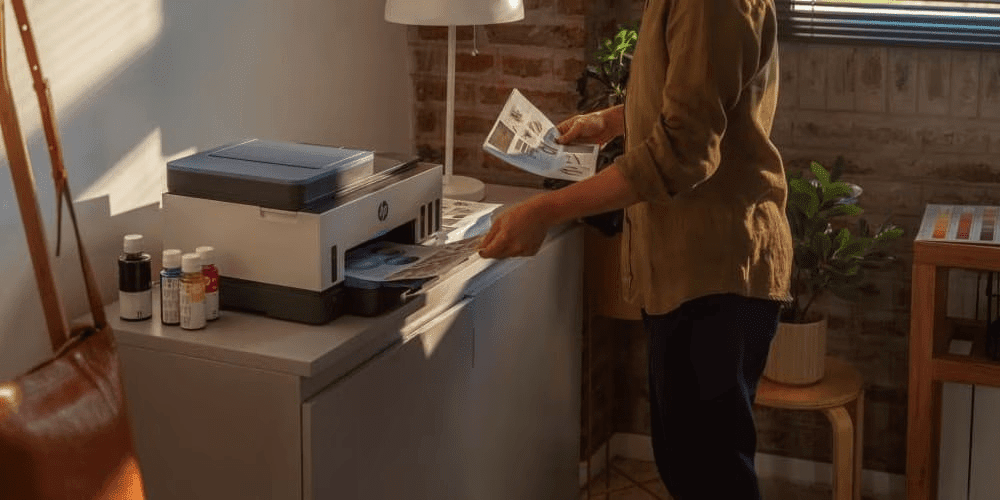
The HP Smart Tank series handles heavy-duty printing needs from document quantity to complete photo books. These refillable tank printers combine multiple functionalities with exceptional cost-per-page efficiency.
Who This Series Suits
Ideal for:
-
Home office users printing 500+ pages monthly
-
Students printing large assignments regularly
-
Photo enthusiasts printing batches of images
-
Small businesses operating from home
-
Cost-conscious users with high print volumes
-
Anyone prioritising cost-per-page above all else
-
Australian families with multiple users
Strengths
-
Ultra-low cost per page: Refillable tanks reduce consumable costs 70–90%
-
Refillable ink tanks: Large capacity reduces frequent refilling
-
Network/wireless connectivity: Full mobile printing support
-
Automatic duplex printing: Saves paper and reduces environmental impact
-
Larger input capacity: Accommodates Australian A4 paper standards
-
Exceptional value long-term: Monthly printing costs drop significantly
-
Multi-function capability: Print, copy, scan from one device
Considerations
-
Higher upfront cost: $400–600 range typical (compared to DeskJet $100–250)
-
Larger footprint: Takes more desk space than compact models
-
Learning curve: Refill system requires initial understanding
-
Better for committed users: Long-term value requires sustained use
Instant Ink Solutions for Australian Homes
HP Instant Ink provides a subscription service that automatically delivers ink and toner to your door before you run out. Many HP printers sold in Australia are Instant Ink enabled, offering convenience and cost savings.
Benefits of HP Instant Ink
-
Never run out of ink unexpectedly
-
Automated delivery based on your usage
-
Recycling program for used cartridges
-
Flexible plans suited to Australian printing needs
-
Potential savings compared to traditional cartridge purchases
Several ENVY models available in Australia support Instant Ink, including options that help manage ongoing printing costs efficiently.
Quick Comparison: Which HP Home Printer Is Right for You?
| Usage Pattern | Recommended Series | Best For |
|---|---|---|
| Budget priority + light volume |
HP DeskJet Series
|
Lowest upfront cost; sufficient for occasional printing; occasional documents and school projects
|
| Balanced features + occasional photos |
HP ENVY Series
|
All-in-one functionality; print, scan, copy, and casual photo support; home office versatility
|
| High volume + cost efficiency |
HP Smart Tank Series
|
Refillable tanks; ultra-low cost per page; built for heavy use and cost-conscious frequent printing
|
Common Questions About Home Printers
What is the most cost-effective printer for home use in Australia?
For light printing, a DeskJet series printer offers the lowest upfront cost and easiest setup. However, if you plan printing 200+ pages monthly, a Smart Tank refillable system offers better long-term savings despite higher initial investment. Australian households should consider total cost of ownership including ink cartridges when evaluating options.
Are ink tank printers worth it for Australian home users?
Yes, especially with high print volumes or frequent colour and photo printing. Higher upfront cost is offset by substantially lower per-page costs and simplified supply management. Tank refills cost significantly less than cartridge replacements, making them ideal for Australian families printing regularly.
What features should I prioritise in a home printer?
Essential features depend on your use case:
-
Wireless connectivity and mobile printing for modern workflows
-
Print quality and resolution especially for photo printing
-
Speed (ppm rating) for your typical job size
-
Multi-function capability (scan/copy) for versatility
-
Refillable tank system if printing frequently
-
Automatic duplex printing to save paper and costs
-
Adequate tray capacity for your paper needs
-
A4 paper support for Australian standard paper sizes
What’s the difference between inkjet and laser printers for home use?
Inkjet Printers
-
Versatile for documents and photos
-
Typically lower upfront cost
-
Excellent colour printing quality
-
Better for occasional use due to ink drying concerns
-
HP DeskJet, ENVY, and Smart Tank series are inkjets
Laser Printers
-
Faster monochrome printing
-
Lower cost-per-page for black-and-white documents
-
Better for high-volume document printing
-
Less ideal for quality photo printing
-
More expensive upfront
-
Better for business-heavy workflows
For Australian homes combining documents and photos, inkjet (DeskJet, ENVY, or Smart Tank) is typically better.
Do HP printers work with Australian voltage and power standards?
Yes, HP printers sold through Australian retailers are designed for Australian electrical standards (230V, 50Hz). Always verify product specifications when purchasing to ensure compatibility.
Can I use A4 paper in HP printers?
Absolutely. HP printers available in Australia fully support A4 paper (210 × 297 millimetres), the standard paper size used throughout Australia. Most models also support various other sizes including photo paper formats.
Environmental Considerations for Australian Users
Australian households increasingly prioritise environmental sustainability. HP printers offer several eco-friendly features:
Energy Efficiency
Modern HP printers include energy-saving modes that reduce power consumption during idle periods. Look for models with automatic shut-off features to minimise electricity usage.
Paper Saving Features
Automatic duplex printing reduces paper consumption by 50% when printing double-sided documents. This feature benefits both your budget and the environment.
Recycling Programs
HP operates recycling programs in Australia for used ink cartridges and toner. The HP Instant Ink service includes prepaid return envelopes for cartridge recycling.
Key Takeaways: Your Perfect Home Printer
Your search for the best home printer ends here with the right choice for your needs:
Budget-Friendly Choice
-
HP DeskJet Series: Perfect for light home use with minimal upfront cost
-
Best for: Occasional printing, school documents, basic home office needs
Versatile All-in-One
-
HP ENVY Series: Ideal for home offices and mixed document/photo workflows
-
Best for: Creative households, photo enthusiasts, multi-purpose printing
-
Featured model: HP ENVY Inspire 7220e
High-Volume Solution
-
HP Smart Tank Series: Cost-efficient for heavy home printing or small business use
-
Best for: Frequent printing, cost-conscious users, creative professionals
-
Featured models: HP Smart Tank 7305 and HP Smart Tank 7005
Whatever your printing plans, HP has a solution matching your needs specifically so you can maximise value and performance. Explore HP’s complete range of printers and find your perfect match with confidence.
Ready to upgrade your home printing? Browse the full HP printer collection today and make your choice with certainty.
Recent Posts



Popular Posts





Products purchased through this store are sold and fulfilled by Ingram Micro Pty Limited

CONTACT US
Call us
- Sales (Home, Students, Gamers)
- 1300 540 516
- Sales (Small Business Customers)
- 1800 891 209
- Post-Sales
- 13 23 47
- Technical support
- 13 10 47
Exc. public holidays
Chat with us
- Our specialist are here to help
- Live Product Demo
- Sales
- 61288061500 (WhatsApp)
-
- Post Sales
- 61288061700(WhatsApp)
- Technical Support
- 61341594000(WhatsApp)
Exc. public holidays
Live product demo
Submit feedback
We value your opinion!