HP Smart Tank 5103 All-in-One Printer, AI-enabled


ENERGY STAR | Home
Other offers available with the product:
FREE Storewide Shipping
Financing options available for all credit scores
Get $30 extra savings with any PC purchase!
Weekly Deals
Product # 5D1B2A#B1H
FunctionsPrint, copy, scan
- Print, scan, copy, wireless
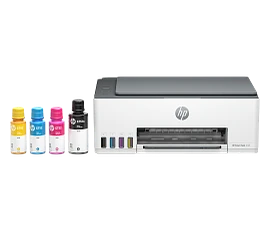
- Up to 3 years of ink in the box keeps you printing at a fraction of the cost
- Get perfectly formatted prints with HP AI
- Includes 100 sheets HP Everyday Photo Paper 4 x 6See all Specs
Can't find what you are looking for?
3% back in HP Rewards
Engineered for Sustainability
HP Smart Tank 5103 All-in-One Printer, AI-enabled
$0.00
There are moments too precious to be tucked away in your phone. So, print the best ones out for all to enjoy. HP Smart Tank printers give you three years of easy, vibrant printing[1] from America’s most trusted printer brand.[2]
Best for families or work from home professionals who print a lot everyday: Print color documents like business records and school projects.
Best for families or work from home professionals who print a lot everyday: Print color documents like business records and school projects.
Print on and on for you and your family
Three years of easy, vibrant printing to fill your home with one incredible moment after another. With three years of ink already included in the box[1], you get everyday, cost-efficient printing.
Vibrant quality plus 100 sheets of photo paper
Print your favorite memories in vibrant quality and true-to-life colors. Instantly print photos with 100-sheets of paper in the box to get you started.
Recommended Supplies & Support
Features
Mobile-guided, seamless setup
Use the guided, step-by-step animations to quickly set up your printer.5
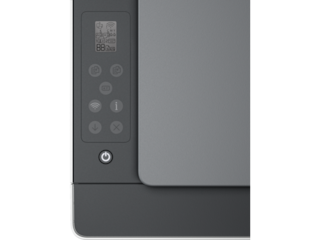
Smart buttons
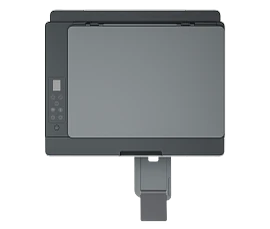
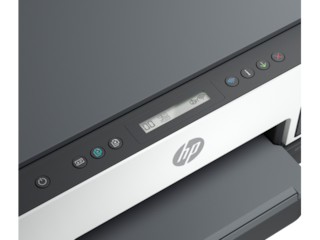
Easily manage tasks with smart buttons that illuminate and guide you through the printing process.
Low-on-ink sensors
Easily monitor and maintain ink levels with integrated ink sensors
Self-healing Wi-Fi®
Get fast and reliable connections using self-healing Wi-Fi®.4
HP Auto On/Auto Off technology
Turn your printer on when you need it and off when you don't.6
Engineered for high-volume printing
Get up to 6000 color or black pages of ink bottles included.10
Spill-free ink refill experience
HP’s innovative ink bottle design delivers the cleanest and easiest refill experience for HP Ink Tanks.12
Exceptional HP quality
Count on dark, crisp text, and get vibrant color graphics for all your prints.
HP Wolf Essential security
Safeguard your documents and memories right out of the box with critical protection against cyber-threats.
Enhanced ID Copy
Easily detects and copy IDs, and print on one page.
All-in-one versatility
Get the features you need for work and other tasks with copy, and scan functions.
Technical Specs
Reviews and Q&A
HP Smart Tank 5103 All-in-One Printer, AI-enabled is rated
out of
5 by
397.
Rated 5 out of
5
by
Anonymous from
so far its a good printer
This was the best HP setting up I have ever used. Hooked wifi within seconds. No other has been able to do that. Time will tell. For the price and amount of ink coming with it, its a good buy
Date published: 2026-06-02
Rated 1 out of
5
by
Goingto cannon from
Not happy
Does not work, way too complicated, they make the program fail to complete until you give data.
Date published: 2026-05-31
Rated 4 out of
5
by
J Walter from
Smart Tank 5103
Seems to be a good printer although I haven’t used it a lot yet
Date published: 2026-05-21
Rated 5 out of
5
by
Edward Hertig from
HP 5101 All in one had easy setup, I like the ink tank design and it prints and scans well.
Works great so far
Date published: 2026-05-11
Rated 1 out of
5
by
PixieDust from
Printer
I still can’t get the printer to work right. Can’t get it to work on my phone either. I need help!
Date published: 2026-05-07
Rated 2 out of
5
by
V Bryant from
Slow Processing, Disparaging Confusing 2 sided
A long pause before printer responds to print command...Too difficult and unwieldy when printing double sided pages....Ink longevity is good.
Date published: 2026-05-07
Rated 4 out of
5
by
Mike LT from
Great Printer for good price
Its a nice printer...Works as it is suppose to and think it will do better with these ink tanks then regular cartridges...
Date published: 2026-05-01
Rated 5 out of
5
by
Seattle2026 from
Quicker ssetup
reasonable setup
Date published: 2026-04-22
does the Smarttank ink system last longer than a regular ink cartridge system ? For a moderate amount of printing?
Hello. Thanks for your question. The HP Smart Tank 5103 All-in-One Printer comes with ink bottles that can print up to 6000 pages in color or black. Compared to traditional ink cartridges, its Smart Tank system tends to last longer for moderate printing needs—though how long it lasts will depend on what you print.
Date published: 2025-04-13
Is this printer able to be used - wired - and if so, does it come with the needed cords? If it can be used wired, and I just need to get a cord, ***is this the case for all HP printers?***
Hello. Thanks for your question. Yes, the HP Smart Tank 5103 All-in-One Printer can be used with a wired connection. It comes with the necessary power cord, but if you need a USB A to B 2.0 cable to connect it to your computer, you will need to purchase it separately if you don't have one.
All the current HP printers will have the capability to be connected to the computer with the USB A to B 2.0 cable.
Date published: 2024-12-01
can you print 5x7 pictures
Hello. Thanks for your question. Yes, the HP Smart Tank 5103 All-in-One Printer supports printing 5x7 photos.
Date published: 2025-04-14
I have a 200 page document. Can it scan all 200 pages at once to the same PDF file ? I only seen to be able to scan 5 pages then it makes a new odd file.
Hello. Thanks for your question. The HP Smart Tank 5103 All-in-One Printer does not have an Automatic Document Feeder (ADF), which means it can only scan one page at a time.
If you need an ADF, we recommend considering the HP Smart Tank 7301 or 7602 All-in-One printers, which do include this feature. The ADF can handle up to 35 pages at a time. You can add more pages as the previous stack gets low.
We recommend using the HP Smart app. It will allow you to scan and save the scanned pages as a single PDF. You will be able to rename the file also.
The HP ScanJet Pro N4600 fnw1 is as standalone scanner that has an ADF that can handle up to 100 pages at a time.
Date published: 2024-12-29
Should I shut my up smart tank 5103 printer off at night
Thank you for your question! Typically, it is best to leave the printer in sleep mode, especially if it is used frequently. If you go days or weeks between uses, you may want to consider powering off.
Date published: 2024-12-26
Can you hook up a data cable for printing?
Hello. Thanks for your question. You can use a USB A to B 2.0 cable to connect your HP Smart Tank 5103 All-in-One Printer to a computer for printing
Date published: 2025-02-09
interested in the HP Smart Tank HP 5103. When will this item become available. If it will not return, is there a different printer with the same features. Specifically photo printing.
Hello. Thanks for your question. We recommend looking at the HP Smart Tank 5101 printer: https://www.hp.com/us-en/shop/pdp/hp-smart-tank-5101-all-in-one-printer
If you need further assistance, we recommend reaching out to the HP customer service team, https://www.hp.com/us-en/contact-hp/contact.html
Date published: 2024-06-23
where do I load legal size paper
Hello. Thanks for your question. The legal paper can be loaded into the paper tray on the back of this HP Smart Tank 5103 printer. The instructions can be found on pages 17-19 of the User Guide: https://support.hp.com/us-en/product/setup-user-guides/hp-smart-tank-5100-all-in-one-printer-series/model/2101277345
Date published: 2024-08-17
Similar Products
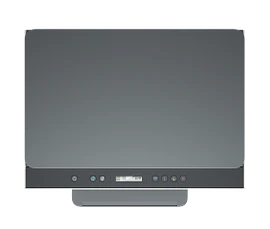
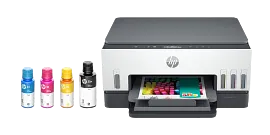
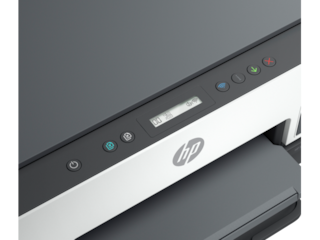
1/6
HP Smart Tank 6001 All-in-One, AI-enabled
Print, scan, copy, 2-sided printing, HP's best wifi technologyUp to 3 years of ink in the box keeps you printing at a fraction of the costGet perfectly formatted prints with HP AIThe workhorse printer for everything you need for home, school, and work
2H0B9A#B1H
Home
Engineered for Sustainability
Get $30 extra savings with any PC purchase!
3% back in HP Rewards
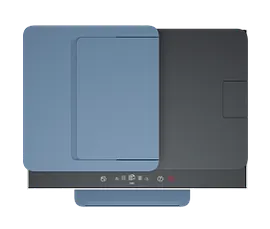
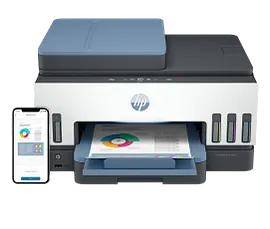
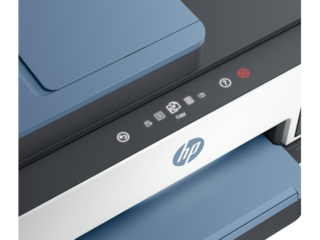
1/6
HP Smart Tank 7602 All-in-One, AI-enabled
Print, scan, copy, fax, 2-sided printing, auto document feeder, HP's best wifiUp to 3 years of ink in the box keeps you printing at a fraction of the costGet perfectly formatted prints with HP AIThe refillable rockstar with advanced features from home and office
28B98A#B1H
Home
Engineered for Sustainability
Get $30 extra savings with any PC purchase!
3% back in HP Rewards
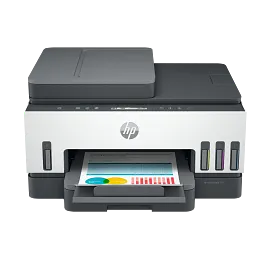
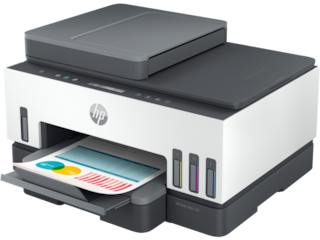
HP Smart Tank 7301 All-in-One Printer, AI-enabled
Print, scan, copy, 2-sided printing, auto document feeder, HP's best wifiUp to 3 years of ink in the box keeps you printing at a fraction of the costGet perfectly formatted prints with HP AIThe refillable rockstar with advanced features from home and office
28B70A#B1H
Home
Engineered for Sustainability
Get $30 extra savings with any PC purchase!
3% back in HP Rewards
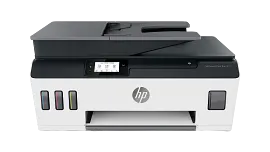
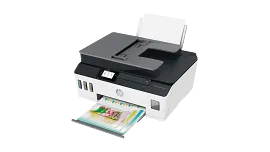
HP Smart Tank Plus 651 Wireless All-in-One
Print, copy, scan, fax, ADF, wirelessPrint speed ISO: Up to 11 ppm black, up to 5 ppm colorFaster connections with dual-band Wi-Fi; easy mobile printing with HP Smart appInk tank printer delivers up to 3 years of ink in bottles included in the box
7XV38A#B1H
Home
Engineered for Sustainability
Get $30 extra savings with any PC purchase!
3% back in HP Rewards

Return and exchange information
Most items may be returned within 30 days of delivery. A restocking fee of up to 15% of the purchase price may be deducted from your refund for returned items, except where prohibited by law. No restocking fee applies to defective or incorrect items. A restocking fee is not applicable for printers, ink, toner, paper, care packs, software and services. For details, please visit: https://www.hp.com/us-en/shop/cv/returnsandexchanges.


