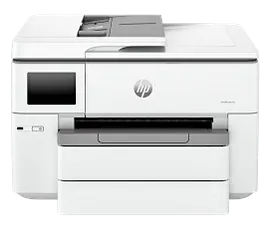
HP OfficeJet Pro 9125e All-in-One Printer with 3 Months of Instant Ink for free with HP+, AI-enabled



ENERGY STAR | Small medium business
Other offers available with the product:
FREE Storewide Shipping
$5 Instant Ink ecard on select printers
Get 1 additional month of Instant Ink free with code HOLIDAY25
Weekly Deals
Product # 403X0A#B1H
FunctionsPrint, copy, scan, fax
- Supercharged performance for home or small business
- Fast color print, copy, scan, fax, 2-sided prints, 2-sided scan, mobile/wireless/ethernet
- Get perfectly formatted prints with HP AI
- HP's most reliable wi-fi and HP Wolf Pro Security
- Dynamic security enabled printerSee all Specs
Can't find what you are looking for?
3% back in HP Rewards
Engineered for Sustainability
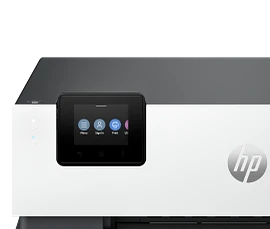
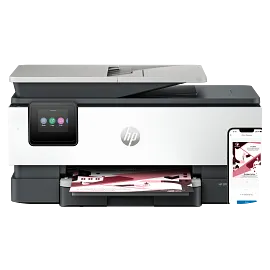
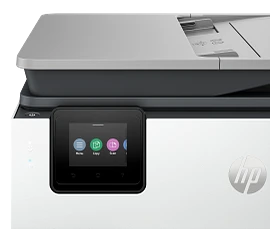
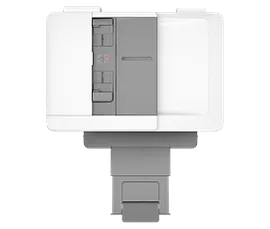
HP OfficeJet Pro 9125e All-in-One Printer with 3 Months of Instant Ink for free with HP+, AI-enabled
$0.00
Say hello to the professional color inkjet printer for your small office from America’s most trusted printer brand,[15] paired with the easiest-to-use print app. Enjoy easy printing designed to make you succeed at work. Fax included.[1,2]
For small and medium businesses that want a professional color inkjet printer that helps their business grow and keeps disruptions to a minimum.
This printer is intended to work only with cartridges that have a new or reused HP chip, and it uses dynamic security measures to block cartridges using a non-HP chip. Periodic firmware updates will maintain the effectiveness of these measures and block cartridges that previously worked. A reused HP chip enables the use of reused, remanufactured, and refilled cartridges. More at:
http://www.hp.com/learn/ds
This is an HP+ enabled printer. Choose HP+ at product setup to activate benefits. HP+ requires an HP account, ongoing connection to the internet, and exclusive use of Original HP Ink cartridges for the life of the printer. More at:
http://www.hp.com/plus
For small and medium businesses that want a professional color inkjet printer that helps their business grow and keeps disruptions to a minimum.
This printer is intended to work only with cartridges that have a new or reused HP chip, and it uses dynamic security measures to block cartridges using a non-HP chip. Periodic firmware updates will maintain the effectiveness of these measures and block cartridges that previously worked. A reused HP chip enables the use of reused, remanufactured, and refilled cartridges. More at:
http://www.hp.com/learn/ds
This is an HP+ enabled printer. Choose HP+ at product setup to activate benefits. HP+ requires an HP account, ongoing connection to the internet, and exclusive use of Original HP Ink cartridges for the life of the printer. More at:
http://www.hp.com/plus
Empower your team with a productivity powerhouse
Always ready for high volumes, get an HP OfficeJet Pro printer equipped with a 250-page input tray. Avoid waiting by the printer with an automatic document feeder enabling double-sided scanning. Speed up your printing with a fast inkjet printer - up to 22 pages per minute (PPM).[4] Scan/print/copy from your cloud storages like Google Drive or OneDrive with the easiest-to-use print app.[2]
Our best technology to stay connected and secure[3]
Always be ready to print. Never run out of ink.[8]
With an Instant Ink subscription, you can get ink delivered directly to your door before you run out.[8] Save up to 50% with Instant Ink. Enroll to get ink with automatic delivery starting at $1.79 a month.[9,8] Get peace of mind with the flexibility to change plans or cancel anytime at no cost.[10]
recommended supplies & support
Technical details
HP OfficeJet Pro 9125e All-in-One Printer with 3 Months of Instant Ink for free with HP+, AI-enabled is rated
out of
5 by
602.
Rated 5 out of
5
by
Anonymous from
printer
works great, east setup
Date published: 2026-01-04
Rated 1 out of
5
by
bt21 from
Cartridge Issue
I have used this printer for 5 months with no problem and then last month it started displaying the message 'cartridge or account issue' and will not connect or print. I have contacted the chat line and then HP support and they have not been able to help. 1st time we were disconnected. 2nd time we reinstalled everything and then they sent me new cartridges but problem was not fixed. The 3rd time we went thru all solutions possible again and then they had me do a speed check and said the problem was with my upload speed of 39.48 mbps. It was to slow compared to my download speed of 866.75 and the problem was my internet provider. I contacted them and the upload speed is not the problem. When you google it 39.48 is actually pretty good. I thing the tech just wanted to get me off of the phone. I will contact support again today but it is just very time consuming and tiresome. Each call probably averages over an hour and a half or so. When you do get ahold of them they make you walk through all the steps all over again even though i have tickets written up everytime.
Date published: 2026-01-03
Rated 4 out of
5
by
Anonymous from
HP OJ Pro 9125e AIO 3 Mo In Ink
I have bought HP products for over 30 years starting with the HP 12C calculator, then PCs and printers. This new HP OJ Pro 9125e is OK but does not match the quality of our previous 8600 ink jet which failed after a reasonable number of years. After my Spectre PC's battery failed I bought a new Spectre PC which shows defects when I type emails and is inferior to the previous Spectre. I regret to write that HP products are decreasing in quality and reliability. This will be ok until it no longer is and long time clients like me migrate to other brands. HP used to be the gold standard.
Date published: 2026-01-01
Rated 4 out of
5
by
Bunkys1 from
9125e some good, some bad
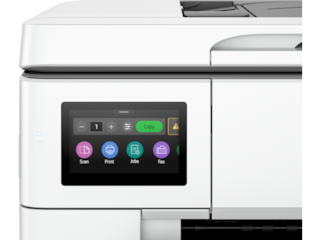
I've had mostly good experience with HP printers however the earlier models (10 years back) were more solidly built and didn't use as much plastic. My previous HP 8025 and this current 9125e, the paper trays are very flimsy in my opinion... if not careful when pulling them to load paper, you could break the end of the tray which I did on my previous 8025 model. I also don't like the fact that there isn't a paper adjusting slider inside the tray in the front of both these models, only for the sides of the paper (not a plus). The biggest complaint about this 9125e model is how LOUD it is each time it's sits idle and when you're ready to print something... it goes thru it's automatic cartridge adjustment internally and is makes a very loud banging sound like there's something ready to go inside! Would be nice to have a "quiet" printer... this model by far is the loudest I've had but everything runs as it should, color quality is reasonable, digital display is a nice, visible size. I did refer to YouTube for help setting up this printer to my WiFi... found a good tutorial that was much easier to follow than the info from HP's website.
Date published: 2025-12-28
Rated 1 out of
5
by
Anonymous from
Not happy with what I purchased
Printer is noisy and squeaks when pulling paper. I also purchased this printer because is specifically was recommended by HP Customer Service for printing card stock. Printer jams when trying to pull card stock from trey.
Date published: 2025-12-27
Rated 3 out of
5
by
Tom O Atlanta from
Good except for Scanning
The printer does very well on everything except scanning. The fact that HP hasn't integrated the Mac computers into their system, means you can use the document feed for scanning. What's worse, it takes a detective with a lot of experience to even find a way to scan at all. It's a reason for not buying HP printers, and it seems totally unnecessary. This wasn't the case back in the "good old days.
Date published: 2025-12-16
Rated 5 out of
5
by
Anonymous from
HP O/Jet Pro 9125e
Excellent and Easy Setup.
Date published: 2025-12-15
Rated 3 out of
5
by
Linda S. from
Good, but not great!
What I like about it is it will print double-sided documents without my having to get up and turn the paper. What I don't like is that it is slow to react, whether scanning or printing. Why I wouldn't give it more than 3 stars is that it was really hard to install because it came with outdated software and I needed HP help to make it work. That should not be! If HP is still selling an electronic product, it should come with a notice that it will require updating before it will work.
Date published: 2025-12-04
How do you use a manual feed?
Thank you for your question! The User Guide for this HP 9125e Printer can be found here: https://kaas.hpcloud.hp.com/pdf-public/pdf_6212888_en-US-1.pdf
Date published: 2025-01-10
Ink for 9125 hp printer
Thank you for your question! The HP OfficeJet Pro 9125e Printer uses the HP 936 or 936e ink cartridges.
Date published: 2024-06-03
1. does it have duplex scanning capabilities 2.
Thanks for your question. The HP OfficeJet Pro 9125e does support auto 2-sided scanning.
Date published: 2024-11-07
Is the HP Office Jet Pro 9125e compatible with HP Pavilion Desktop 595 using Windows 10?
Thank you for your question! Yes, the HP OfficeJet Pro 9125e All-in-One Printer will be compatible with Windows 10.
Date published: 2024-09-17
Can you fax without a landline
Thank you for your question! This HP OfficeJet Pro 9125e All-in-One Printer is capable of digital faxing via the HP Smart software.
Date published: 2024-12-03
What would the cost be for two large office jet printers, specifically the 9125e and four medium sized office jet printers, specifically the 8135e. Also if my company is looking for a potential contract for these printers what would the quota for that be?
Thank you for your question! As prices are subject to change, this forum does not comment on prices. For assistance with this question, open a chat with an HP Live Expert today! Click the chat icon on this product page!
Date published: 2024-06-11
Can printer handle cardstock for greeting cards?
Hello. Thanks for your question. This HP OfficeJet Pro 9125e printer supports up to 200 g/m².
Date published: 2024-04-28
Can the ink used by the HP OfficeJetPro 6968 also be used for the 9125e? I have extra cartridges that I've already paid for.
Thank you for your question, the HP OfficeJet Pro 6968 uses HP 902 Ink, whereas the HP OfficeJet Pro 9125e uses HP 936 ink.
Date published: 2024-06-18
SIMILAR PRODUCTS

1/8
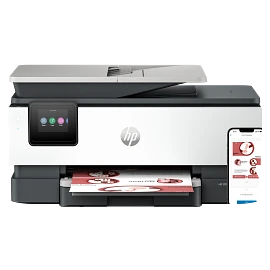
HP OfficeJet Pro 8135e Wireless All-in-One Printer with 3 Months of Instant Ink for free with HP+, AI-enabled
Next-Gen – Print for your business like a ProSupercharged performance for home officeFast color print, copy, scan, fax, 2-sided prints, mobile/wireless/ethernetGet perfectly formatted prints with HP AIHP's most reliable wi-fi and HP Wolf Essential SecurityDynamic security enabled printer
40Q35A#B1H
ENERGY STAR | Home and home office
Engineered for Sustainability
3% back in HP Rewards

1/7
HP OfficeJet Pro 9135e Wireless All-in-One Printer with 3 Months of Instant Ink for free with HP+, AI-enabled
Next-Gen – Print for your business like a ProSupercharged performance for small businessFast color print, copy, scan, fax, 2-sided prints, 2-sided scan, mobile/wireless/ethernetGet perfectly formatted prints with HP AIHP's most reliable wi-fi and HP Wolf Pro SecurityDynamic security enabled printer
404M0A#B1H
ENERGY STAR | Small medium business
Engineered for Sustainability
3% back in HP Rewards

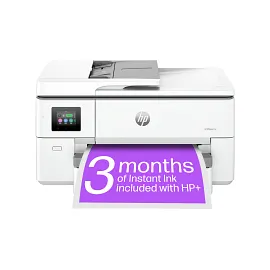

HP OfficeJet Pro 9720e Wide-format All-in-one Printer with free 3 Months of Instant Ink with HP+, AI-enabled
Print up to 11 X 17, A3; Scan and copy up to 11 x 14, LegalSelf-healing Wi-Fi® - dual-band; built-in EthernetIncludes 3 months of Instant Ink for free with HP+Print up to 22 pages per minute + 250 sheet paper capacityDynamic security enabled printer
53N95A#B1H
Small medium business
Engineered for Sustainability
3% back in HP Rewards
1/8
HP OfficeJet Pro 8139e Wireless All-in-One Printer with 1 Full Year Instant Ink with HP+, AI-enabled
Next Gen - Print for your business like a ProSupercharged performance for home officeFast color print, copy, scan, fax, 2-sided prints, mobile/wireless/ethernetPrint up to 20 pages per minuteGet perfectly formatted prints with HP AIDynamic security enabled printer
40Q51A#B1H
ENERGY STAR | Home and home office
Engineered for Sustainability
3% back in HP Rewards


Return and exchange information
Eligible purchases from Nov 1 - Dec 25, 2025, can be returned or exchanged until Jan 15, 2026, or 30 days after delivery, whichever is later. A 15% restocking fee may apply. For details, please visit: https://www.hp.com/us-en/shop/cv/returnsandexchanges


