HP DeskJet 2855e All-in-One Printer with 3 Months of Instant Ink for free with HP+, AI-enabled

Home
Other offers available with the product:
FREE Storewide Shipping
$5 Instant Ink ecard on select printers
Financing options available for all credit scores
Weekly Deals
Product # 588S5A#B1H
FunctionsPrint, copy, scan
- Print, copy, scan in color, mobile/wireless printing
- Basic color documents like recipes, forms, and travel document
- Includes 3 months of Instant Ink for free with HP+
- Get perfectly formatted prints with HP AI
- Dynamic security enabled printerSee all Specs
Can't find what you are looking for?
3% back in HP Rewards
Engineered for Sustainability
HP DeskJet 2855e All-in-One Printer with 3 Months of Instant Ink for free with HP+, AI-enabled
$0.00
Effortlessly print, scan, and copy with this compact, wireless printer, paired with the easiest-to-use print app. From labels to recipes, enjoy a seamless experience from the America`s most trusted printer brand.[2,3]
For home users with basic printing needs who want an affordable, easy-to-use and compact printer to print, scan, and copy with ease.
This printer is intended to work only with cartridges that have new or reused HP electronic circuitry, and it uses dynamic security measures to block cartridges using modified or non-HP circuitry. Periodic firmware updates will maintain the effectiveness of these measures and block cartridges that previously worked. Reused HP electronic circuitry enables the use of reused, remanufactured, and refilled cartridges. More at:
http://www.hp.com/learn/ds
This is an HP+ enabled printer. Choose HP+ at product setup to activate benefits. HP+ requires an HP account, ongoing connection to the internet, and exclusive use of Original HP Ink cartridges for the life of the printer. More at:
http://www.hp.com/plus
For home users with basic printing needs who want an affordable, easy-to-use and compact printer to print, scan, and copy with ease.
This printer is intended to work only with cartridges that have new or reused HP electronic circuitry, and it uses dynamic security measures to block cartridges using modified or non-HP circuitry. Periodic firmware updates will maintain the effectiveness of these measures and block cartridges that previously worked. Reused HP electronic circuitry enables the use of reused, remanufactured, and refilled cartridges. More at:
http://www.hp.com/learn/ds
This is an HP+ enabled printer. Choose HP+ at product setup to activate benefits. HP+ requires an HP account, ongoing connection to the internet, and exclusive use of Original HP Ink cartridges for the life of the printer. More at:
http://www.hp.com/plus
Simple setup with the easiest-to-use print app
Get started fast by following simple steps on the best and easiest-to-use print app.[2] Easily print shipping labels or your favorite recipies and get a lot from one device – print, scan, and copy. Handle all your printing tasks quickly from the intuitively easy-to-use control panel with buttons. Print, scan, copy, or fax right from your smartphone with the best and easiest-to-use HP app.[2]
Stay connected with our most reliable Wi-Fi®[4]
Be always ready to print with our most reliable Wi-Fi® that automatically reconnects if connection is lost.[4] Stay connected with our best and most reliable Wi-Fi® so you can quickly print from your smartphone.[4,2] Built-in wireless lets you easily access, print and share from any device on your network.[4]
Save up to 50% on ink and never run out[5,6]
Recommended Supplies & Support
Technical Specs
Reviews and Q&A
HP DeskJet 2855e All-in-One Printer with 3 Months of Instant Ink for free with HP+, AI-enabled is rated
out of
5 by
409.
Rated 5 out of
5
by
Anonymous from
Works great
was easy to set up and works great, makes super good copies
Date published: 2026-05-18
Rated 1 out of
5
by
DnbBrown from
Disappointed ☹️
Setup bombed! After hours of frustration trying to setup this printer. They don’t warn you about all the finagling you have to do if you have a Mac and a 5G/Mesh. All the chats were a waste of time! I ordered an Epson and had it up and running with minutes. I gave the HP away. Will be returning HP ink as well. 😡
Date published: 2026-05-13
Rated 5 out of
5
by
buddyscrn from
HP Deskjet 2855e AIO Printer
This is an inexpensive backup for my main printer. The quality of the printer is better than just acceptable! Dollar for dollar, this is hard to beat!
Date published: 2026-05-08
Rated 1 out of
5
by
CaptEricS from
Garbage
Very difficult to set up
Date published: 2026-05-06
Rated 5 out of
5
by
PAUL RICE from
INSTRUCTIONS
THE INSTRUCTIONS WERE VERY DIFFICULT TO FOLLOW. I DID GET IT WORKING AND IT IS PERFECT.
Date published: 2026-05-06
Rated 1 out of
5
by
Anonymous from
Functionality issues
Well, This is the first time I have had some many issues with linking up and getting my printer to function properly. I am still having issues and just cannot get things to work right and have had so many problems with a virtual agent. I have not been able to connect to an actual agent.
Date published: 2026-05-06
Rated 4 out of
5
by
Hot pink from
White
It works and then it doesn’t
Date published: 2026-04-18
Rated 5 out of
5
by
JNichols from
super easy setup
works fine--super easy setup is my main reason for purchase
Date published: 2026-04-12
How do I get the red iight on the i button to turn blue/green? The instructions are WAY about my ability to determine how to connect this part of the printer.
We are sorry to hear about your issue. We recommend reaching out to HP Support for further assistance: https://support.hp.com
Date published: 2025-01-06
Compatible with MacBook Pro and AirPrint?
Thanks for your question. The HP DeskJet 2855e will work with both macOS and iOS devices.
Date published: 2024-12-19
The back of printer where you add paper storage will not lock in place or stay on.
Thank you for your question! Contact HP Tech Support at this link: https://support.hp.com/us-en
Date published: 2025-03-13
if i purchase the 2855e printer from you online will i get tech help from you if needed
Thank you for your question regarding the DeskJet 2855e All-in-One Printer (588S5A). That is an HP+ model and gives you access to HP+ Support and they can help with various issues and questions you may have about the unit if you run into any trouble. If you opt-in for HP+, HP+ is free, you get an extra year of warranty as well.
Date published: 2024-05-17
In inches I need the length & width so I know if this model will fit on my stand
Thank you for your question! This HP DeskJet 2855e All-in-One Printer has maximum dimensions of: (W X D X H) 16.7 x 21.5 x 9.8 inch (Output Extension fully out)
Date published: 2025-10-30
How do I print on cardstick paper?
Thank you for your question! It is unclear what is being asked. This HP DeskJet 2855e All-in-One Printer will be compatible with paper up to 145lb paperweight. As long as the Card Stock paper has a paper weight at or under 145lb it will print just like any other print.
Date published: 2024-12-04
Is there an external memory or SD card outlet?
Thanks for your question. This model does not have an SD card slot or memory card slot. The printer will support a USB printer cable and wireless.
Date published: 2025-03-18
what printers use hp63 ink
Hello. Thanks for your question. HP 63 ink is used in several older HP printer models, but it is not compatible with current HP printers.
Date published: 2025-03-04
Similar Products
1/6
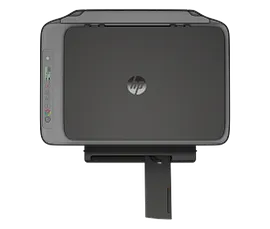
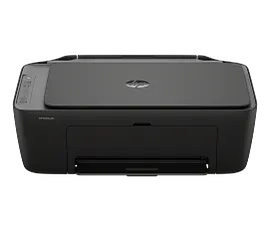
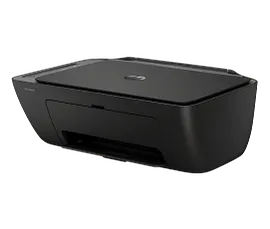
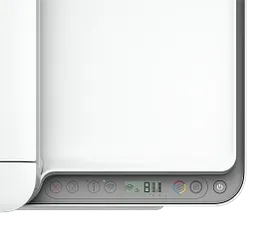
HP DeskJet 2955 All-in-One Printer with 3 months free Instant Ink, AI-capable
Print, copy, scan in color, wireless printingEasy setup, worry-free connection. Contains at least 70% recycled plastic.Perfectly formatted prints with HP AIGet 3 months FREE Instant InkDynamic security enabled printer
A24HJA#B1H
ENERGY STAR | NEW | Home
Engineered for Sustainability
3% back in HP Rewards

1/7
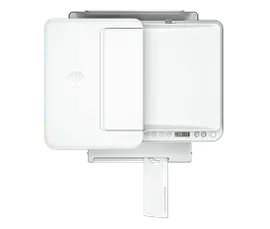
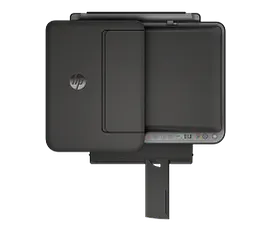
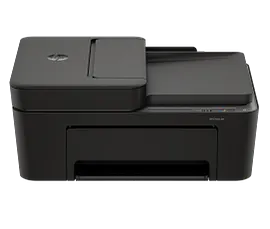
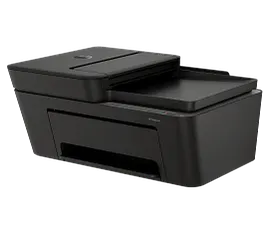
HP DeskJet 4255e All-in-One Printer with 6 Months of Instant Ink for free with HP+, AI-enabled
Print, copy, scan in color, auto doc feeder, mobile/wireless printingBasic color documents like recipes, forms, and travel documentIncludes 3 months of Instant Ink for free with HP+Get perfectly formatted prints with HP AIDynamic security enabled printer
588S6A#B1H
ENERGY STAR | Home
Engineered for Sustainability
3% back in HP Rewards
1/6
HP DeskJet 4355 All-in-One Printer with 3 months free Instant Ink, AI-capable
Print, copy, scan in color, wireless printingEasy-to-use home printer with an automatic document feeder. Contains at least 70% recycled plastic.Perfectly formatted prints with HP AIGet 3 months FREE Instant InkDynamic security enabled printer
AJ4Y0A#B1H
ENERGY STAR | NEW | Home
Engineered for Sustainability
3% back in HP Rewards
Return and exchange information
Most items may be returned within 30 days of delivery. A restocking fee of up to 15% of the purchase price may be deducted from your refund for returned items, except where prohibited by law. No restocking fee applies to defective or incorrect items. A restocking fee is not applicable for printers, ink, toner, paper, care packs, software and services. For details, please visit: https://www.hp.com/us-en/shop/cv/returnsandexchanges.


