
Benefits of HP printers for work


Keep your work moving
Count on professional print quality, fast speeds, and smart print and scan features to stay productive.

Stay secure and in control
Feel confident knowing your information is protected and your printers are easy to manage, so you can focus on what matters most.

Save with every print
Create sharp prints while using less energy and recycle your used cartridges through HP Planet Partners.1,2
Compare HP printers for work
Color / Mono, Print / Copy / Scan / Fax
HP Smart Tank Printers

Smart Tank Printers deliver high-volume, low-cost printing, using refillable ink tanks to deliver more pages with fewer replacements.
Best for
Professionals who work from home and SMBs with frequent daily printing needs that need a low cost per page while keeping print quality reliable.
Key specifications
Technology
Ink Tank
Number of Recommended Users
1-5
Top Uses
Black and white and color reports, invoices, and contracts
Print Speed
Up to 15 ppm black / 9 ppm color3
Color / Mono, Print / Copy / Scan / Fax
HP OfficeJet Pro Printers

OfficeJet Pro Printers deliver reliable, feature-rich printing for professional-quality documents, presentations, and business materials.
Best for
Busy professionals and growing teams that need vibrant color output and dependable performance for high-volume workloads and shared use.
Key specifications
Technology
InkJet
Number of Recommended Users
1-10
Top Uses
High-quality client-facing black and white and color documents
Print Speed
Up to 22 ppm black / 18 ppm color3
Color / Mono, Print / Copy / Scan / Fax
HP LaserJet Printers

HP LaserJet Printers deliver fast, reliable laser printing, from sharp everyday black and white output to premium color performance for high-volume business workflows.
Best for
Home offices, SMBs, and enterprise teams that need dependable, high-speed printing for daily documents, shared workloads, and fleet-level performance.
Key specifications
Technology
Laser
Number of Recommended Users
1-25+
Top Uses
Business documents, contracts, reports, invoices, and high-volume client-facing black and white and color printing
Print Speed
Up to 75 ppm black / color3
Not sure which printer is right for you?
We've made it simple.
What’s the best printer technology for the way you work?

Ink Tank Technology
Print more. Spend less.4
How it works
Tank printers come pre-loaded with enough ink to print thousands of pages and require less frequent replenishment. Their refillable ink tanks deliver an ultra-low cost per page, making them a smart choice for businesses and individuals who print frequently.
Key specifications
Best for
Home users, home offices, small businesses, and daily printing.
Ideal when
You print a lot and want the lowest possible running cost.
InkJet Technology
High-quality whenever you need it.
How it works
InkJet printers use cartridge-based ink to deliver rich, vibrant color and sharp detail. With a low upfront cost and the versatility to handle everything from everyday documents to client-facing presentations, they're a great choice for homes and small businesses with a variety of printing needs.
Key specifications
Best for
Home users, small offices, hybrid workers, and high-quality color.
Ideal when
You print occasionally and want great color without a big upfront spend.
Laser Technology
High-volume productivity for business.
How it works
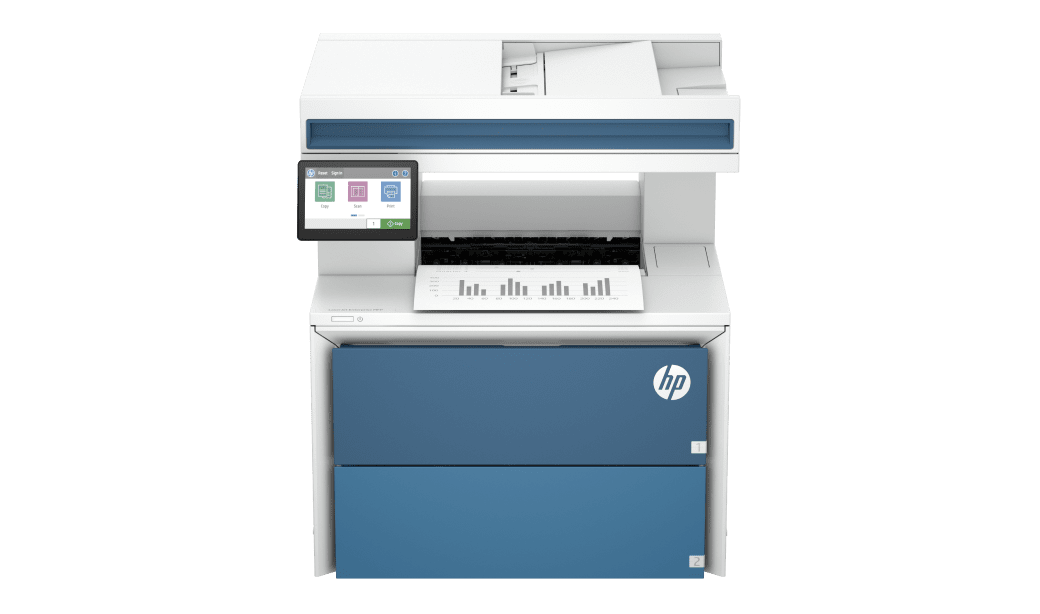
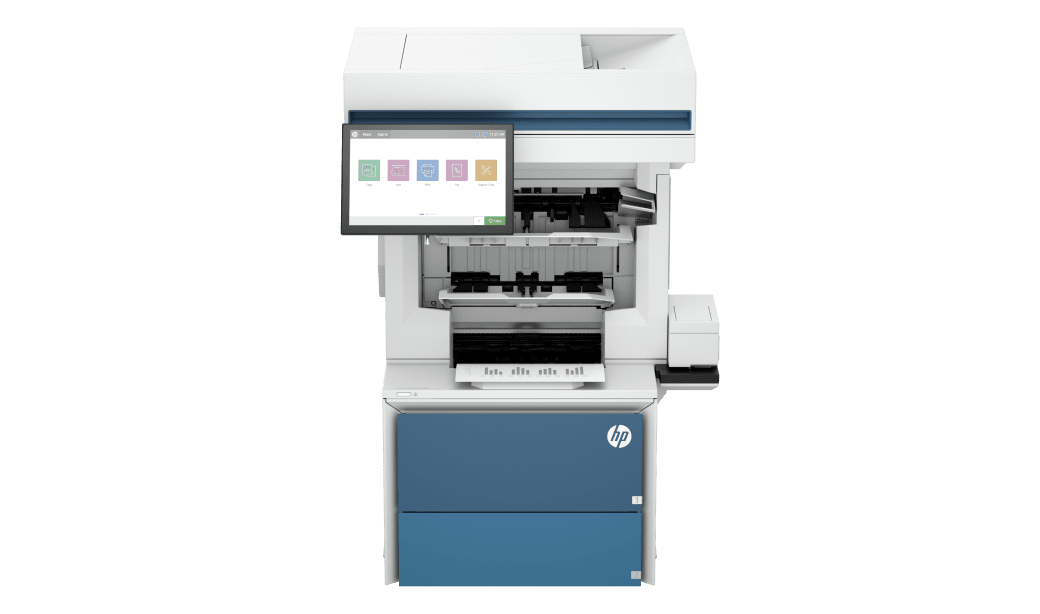
Designed for work-from-home professionals and busy teams, Laser printers deliver fast, reliable performance and professional-quality output. Low-maintenance toner, high-capacity paper trays, and advanced security features help keep productivity high and interruptions low, making them ideal for high-volume printing.
Key specifications
Best for
Home office users, SMBs, multi-user teams, and high-volume printing.
Ideal when
You print high volumes and reliability is non-negotiable.

Enhance your setup for the needs of your workday


Insights and resources

The Workflow Wakeup Report
Discover how unexpected tech can reduce pressure from slow, inefficient workflows and help future-proof your business.

Frequently asked questions
How do I know which printer technology is right for my business?
What is the difference between Inkjet, Ink Tank, and Laser printers?
What is the difference in running costs between the three technologies?
Which printer type is best if I print occasionally?
Which printer is best for high-volume printing?
Which printer is best for professional documents?
Which printer type is best for black-and-white documents?
Which printer type is best for color documents?
Why choose HP printers for work?
Disclaimers
- HP calculations based on normalized Energy Star® TEC data of HP LaserJet Pro and Enterprise series with HP TerraJet Cartridges compared to predecessors. See www.hp.com/TerraJet/energysaving
- HP Planet Partners Program availability varies. For more information, visit www.hp.com/hprecycle. For recycling data see EPEAT Required Disclosure at www.hp.com/epeatdisclosure
- Measured using ISO/IEC 24734 and excludes first set of test documents. For more information, see hp.com/go/printerclaims. Exact speed varies depending on the system configuration, software application, driver, and document complexity.
- Up to 3 years based on SKUs with 6200 total pages at 172 pages/month of HP Smart Tank customers' usage. 3 years based on SKUs with 3000 total pages at 83 pages/month. Actual yield varies considerably based on printed page content and other factors. Average yield based on ISO/IEC 24711 or HP testing methodology and continuous printing. Some ink from included bottles is used for printer startup. For details: www.hp.com/go/learnaboutsupplies
- Requires optional HP AI software to use artificial intelligence (AI). Requires Windows 11, HP app and being signed into your HP account or Smart Admin account. Certain HP AI features are available in English only, and may vary by printer model/country, and between desktop/mobile applications. Internet access is required. Formatting optimized where supported. To learn more, visit hp.com/HP_AI.