
Benefits of HP ZGX AI stations software
Purpose-built tools for faster setup of scalable AI workflows.

Open and flexible, no vendor lock-in: Build with open-source tools and your choice of models.

Set up and develop faster: Get open-source frameworks, MLflow tracking, and vLLM testing. With instant discovery, sync, and export, train locally, track results, and deploy with cloud, data center, or workstation.

Deploy AI locally in minutes: Go from model to inference in minutes

HP Z Toolkit
HP Z Toolkit
- Discover, pair, connect, cluster
- VS Code Extension to remote compute on your network devices
Availability
Install on any HP ZGX AI station

HP Z Runtime
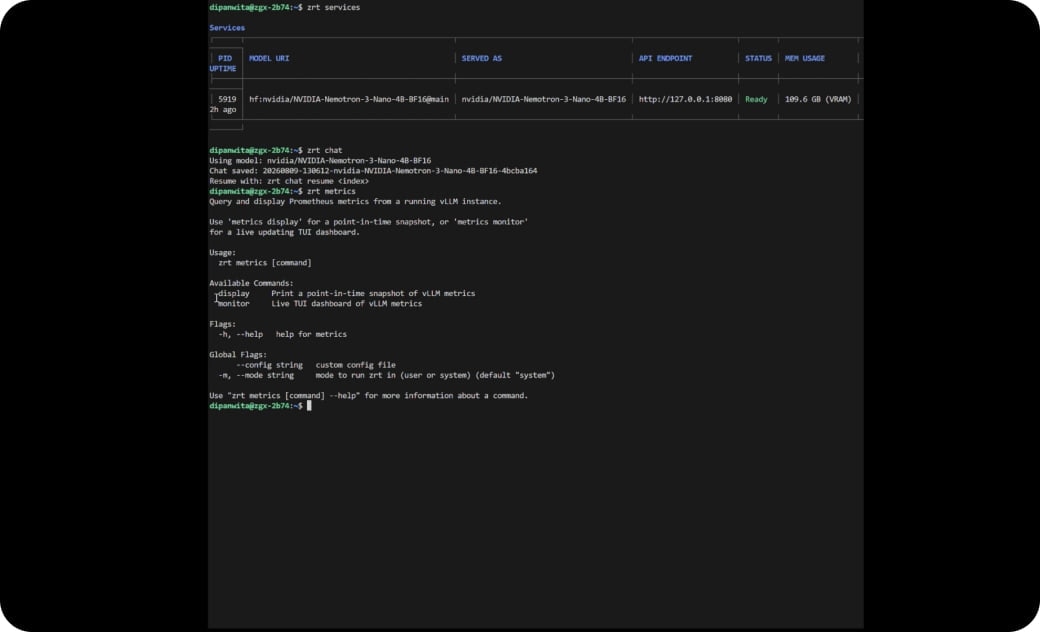
HP Z Runtime is a command-line interface that pulls and runs your models in minutes.
- Secure local inference in minutes
- Unlimited tokens
- Dynamic model memory allocation
Availability
HP Z Runtime comes preinstalled on the HP ZGX Fury and is also available as a Snap package. Open a terminal through SSH, KVM, or HP Z Toolkit to begin.
HP Z Toolkit quick start guide

1. Set up your HP ZGX Nano or HP ZGX Fury
Unbox, plug in and power on.

2. Install the Z Toolkit on a different device
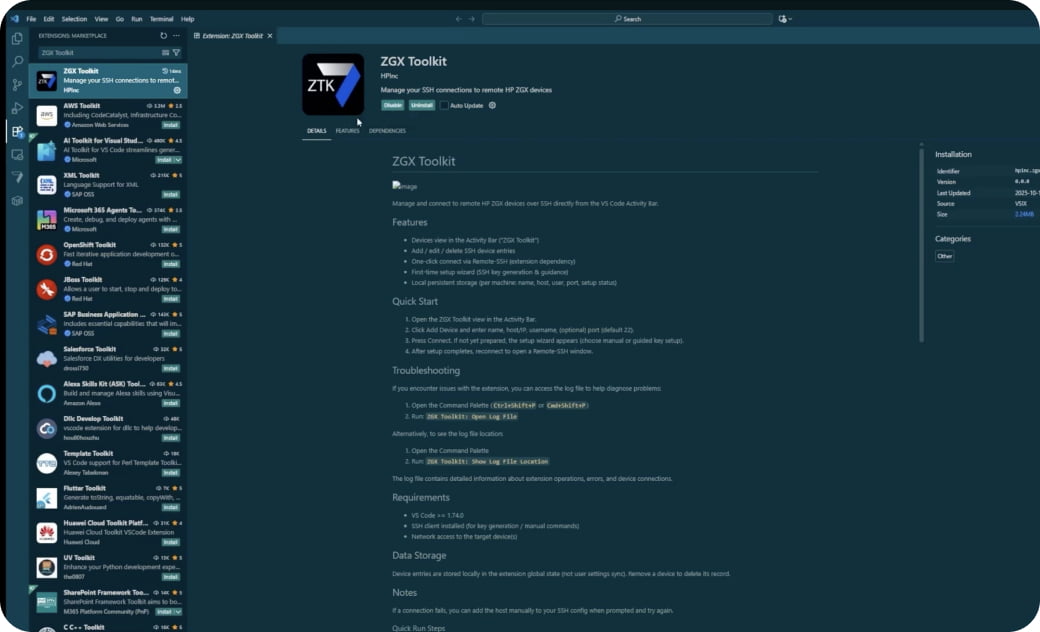
On a network device, visit the Visual Studio Code extensions marketplace to search and add 'Z Toolkit'. Install it.

3. Discover and connect your network ZGX Nano or ZGX Fury
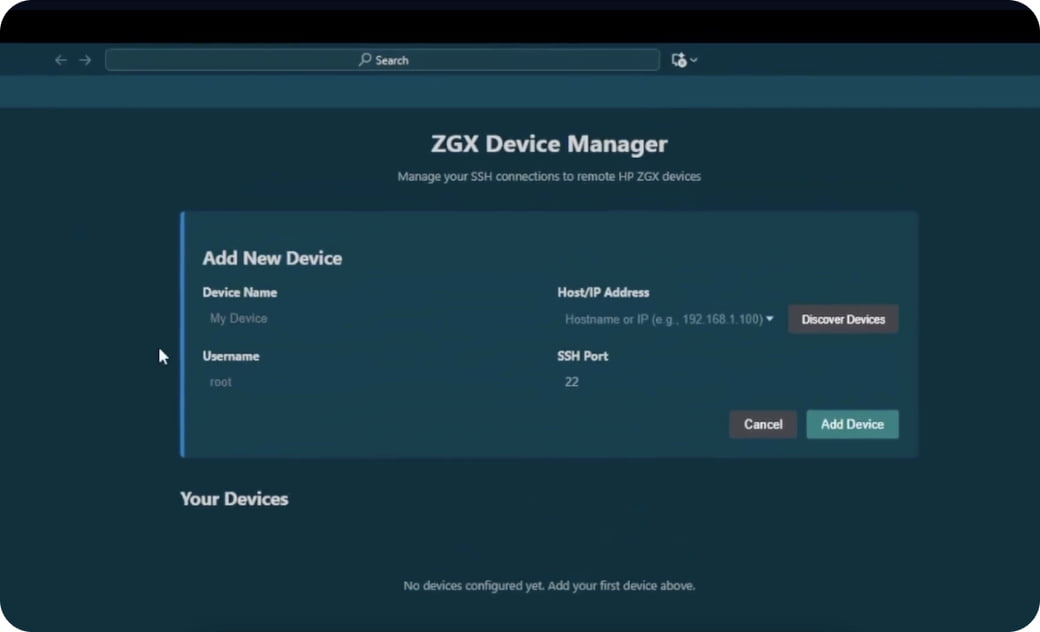
In the Toolkit, go to ZGX device manager to discover and add your ZGX Nano or ZGX Fury. Click 'set up' to complete SSH key authentication.

4. Get started with AI development
In the Z Toolkit application library, add your preferred AI stack packages and begin development on your ZGX Nano or ZGX Fury.
What HP Z Toolkit installs
User Projects
Other user managed software dependencies
HP Z Toolkit software stack
VS Code Server
PyTorch 2.8
PyTorch 2.9
CUDA 12.9
CUDA 13.0
Driver
GPU
Z Toolkit software stack
Python base system
Podman
Ollama
Miniforge
curl
nvtop
btop
screen
ZGX Python environment
uv
JupyterLab
poetry
MLFlow
Streamlit
Gradio
Open WebUI
 Controlled by end user
 Installed by HP Z Toolkit
 Part of the NVIDIA image from the factory
Run your first AI model in minutes on HP ZGX Fury AI stations
HP Z Runtime quick-start guide
Serve an open-source, open-weight Hugging Face model
1. Connect to ZGX Fury and access HP Z Runtime
HP Z Runtime comes pre-installed on the HP ZGX Fury. Open a terminal through SSH, KVM, or HP Z Toolkit to begin. Also available as a Snap package for Supported Linux devices.

2. Explore AI models
Browse AI models from Hugging Face, Azure ML Registries, and MLflow Model Registries, then discover the Z Runtime commands available to run them.
3. Pull and serve a model
Chose and pull a model from Hugging Face or your private repo and launch it locally to serve it for inference.

4. Test, monitor and use AI services
Chat with models/inference services, monitor performance, and connect applications through OpenAI-compatible APIs.
Install Snap Package

ZGX AI station hardware - purpose built for AI workflows

Resources



Frequently asked questions
What is HP ZGX AI stations software?
What is the difference between HP Z Toolkit and HP Z Runtime?
Does HP ZGX AI stations software lock you into specific AI tools or models?
Can you pull models directly from the command line?
Does HP ZGX AI stations software run on both the ZGX Nano and ZGX Fury?
Disclaimers
- The information contained herein is subject to change without notice. The only warranties for HP products and services are set forth in the express warranty statements accompanying such products and services. Nothing herein should be construed as constituting an additional warranty. HP shall not be liable for technical or editorial errors or omissions contained herein.