Which Curved Gaming Monitor Is Right for Your OMEN Setup?
Whether you're into flight simulators or first-person shooters, a curved display can enhance ergonomics and in-game immersion. But with so many different models on the market, which curved gaming monitor is right for you?
In this post, we'll discuss the benefits of curved screens and their top considerations. We'll then provide a side-by-side comparison of three leading options from HP.
Quick Answer: Best OMEN Curved Monitor by Need
Budget-Conscious (OMEN 32c - $300-400): 31.5-inch QHD display with 165Hz refresh rate, 3000:1 contrast ratio, and 1ms response time. Perfect for smaller desks and casual gaming.
Ultrawide Immersion (OMEN 34c - $400-500): 34-inch WQHD ultrawide display with 165Hz refresh rate and enhanced peripheral vision. Ideal for competitive advantage and situational awareness.
Premium Performance (OMEN 34c G2 - $500-600): 34-inch WQHD with 180Hz refresh rate, 4000:1 contrast ratio, and VESA DisplayHDR 400 certification. Best for competitive FPS gaming.
Key Benefits: All OMEN curved monitors feature VA panels with 99% sRGB color coverage, 400-nit brightness, and 1ms response times for smooth, immersive gameplay.
Why Choose a Curved Gaming Monitor?
Is this just an overhyped gimmick? Or is the curved monitor really better for gaming? While it generally won’t make you a better player, a curved monitor can improve the experience.
More Immersive Gameplay
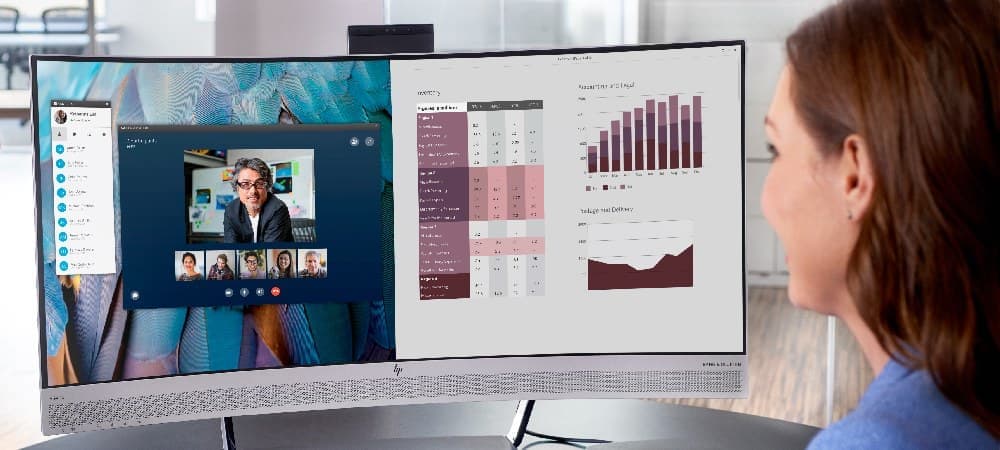
A subtle curve wraps around your field of view, drawing your eyes deep into the virtual world and creating a panoramic perspective from added peripheral vision. Think of it like having a mini IMAX cinema at home.
A wider field of vision lets you view more content without shifting your gaze. Gamers also get a better sense of depth and dimensionality, which has a profound impact in detailed 3D worlds. While flat-screen monitors distort the edges, curved displays provide crisp visuals across the entire screen.
Ergonomic Advantages
Gamers crushing marathon sessions will love the enhanced ergonomics. As its curvature mimics the natural shape of the eye, the display can reduce refocusing and mitigate eye strain.
Curves also ensure consistent distances from your eyes to any part of the screen, which reduces distortion and squinting. As they arch inwards, curved displays direct light towards the player to minimize glare and reflections.
The Disadvantages of Curved Gaming Monitors
There are a few drawbacks to consider:
Cost: Often pricier due to production complexities.
Size: Doesn't work well on smaller displays (usually 27+ inches recommended).
Multi-monitor: No smooth transitions between screens on a multi-monitor setup.
Motion sickness: Some gamers feel queasy when playing fast-paced games.
Compatibility: Content with straight lines, such as spreadsheets or CAD drawings, doesn't always display well.
Viewing angles: Only works well for a single person staring directly at the screen.
What to look for in a curved gaming monitor
Consider the following when comparing options.
Cost
Curved gaming monitors come at various price points. Budget US$300-600 for a quality model.
Size
Most curved gaming monitors range from 27 to 34 inches. Larger screens offer an engaging experience, but are more costly and bulky.
Resolution
Higher resolutions deliver detailed images, though you’ll need a potent CPU/GPU. Aim for QHD, WQHD, or a 4K display if you’re rocking a high-powered OMEN gaming PC.
Ultrawide screens
An ultra-wide WQHD curved gaming monitor can enhance peripheral vision, offer tactical advantages, and evoke a cinematic feel. These extra-long monitors also excel at multitasking and can reduce desk clutter by replacing a dual-screen setup.
Refresh rate
High-hertz monitors refresh content more frequently for silky-smooth visuals. For optimal results, match your refresh rate with your frame rate.
Response time
Lower response times mean faster transitions from one pixel color to another, which reduces motion blur and ghosting during fast-paced games. The best curved gaming monitors have a GtG (grey-to-grey) response time of 1ms or quicker. Slower rates (up to 5ms) suffice for single-player gaming.
Contrast ratio
The contrast ratio measures the difference between the brightest white and darkest black pixels. While regular monitors have a stock-standard 1:1000, good curved gaming monitors boast ratios of 1:3000 or 1:4000 for better depth and realism.
Brightness
Monitor manufacturers measure luminance in NITs. Higher values produce more realistic images (especially with HDR) and reduce UV glare. The best gaming monitors have 400 NITS or higher.
Color gamut
A wider color gamut results in more vibrant, lifelike images. Most monitors use the sRGB standard, or the advanced DCI-P3 or Adobe RGB for HDR gaming and graphic design.
Panel Type
TN panels: An affordable, old-school option for competitive gamers, the TN panel offers faster response times and refresh rates. Limited viewing angles and lower contrast ratios (i.e., 1000:1) mean duller visuals.
VA panels: High contrast ratios, a broad RGB color gamut, and 178/178 wide viewing angles make the VA panel an enticing all-rounder and great for gaming.
IPS panels: IPS panels offer an immersive High Dynamic Range (HDR) experience from various viewing angles.
High Dynamic Range (HDR)
HDR monitors offer higher brightness, a broader color gamut, and improved contrast ratios, making them more aesthetically pleasing for gaming. Look for the VESA DisplayHDR certificate.
OMEN Curved Gaming Monitor Lineup Overview
The following curved monitor comparison covers three leading options from HP.
| Spec | OMEN 32c | OMEN 34c | OMEN 34c G2 |
|---|---|---|---|
| Size | 31.5 inches | 34 inches | 34 inches |
| Panel | VA | VA | VA |
| Resolution | QHD (2560 × 1440) | WQHD (3440 × 1440) | WQHD (3440 × 1440) |
| Refresh Rate | 165 Hz | 165 Hz | 180 Hz |
| Response Time | 1 ms GtG (with overdrive) | 1 ms GtG (with overdrive) | 1 ms MPRT (with overdrive) |
| Brightness | 400 nits | 400 nits | 400 nits |
| Contrast Ratio | 3000:1 | 3000:1 | 4000:1 |
| Color Gamut | 99% sRGB / 90% DCI-P3 | 99% sRGB / 90% DCI-P3 | 99% sRGB / 95% Display P3 |
| HDR | HDR up to 400 nits | HDR up to 400 nits | VESA DisplayHDR 400 |
| Speakers | None | None | Dual built-in speakers |
Note: All monitors have a one-year warranty. Ports include 1 × DisplayPort 1.4; 2 × HDMI 2.0; 1 × 3.5 mm audio out
OMEN 32" QHD 165Hz Curved Gaming Monitor (OMEN 32c)
Best for: Budget-conscious gamers with smaller setups
For budget-conscious gamers with smaller setups, the OMEN 32c offers premium performance at an affordable price. The slender, 16:9 QHD display slides easily onto a smaller desk and offers dynamic visuals with a 3000:1 contrast ratio and a broad color gamut.
Key Features:
- 31.5-inch QHD (2560 × 1440) resolution
- 165Hz refresh rate for smooth gameplay
- 1ms GtG response time with overdrive
- 3000:1 contrast ratio for enhanced depth
- 99% sRGB and 90% DCI-P3 color coverage
- 400-nit brightness with HDR support
- VA panel with wide viewing angles
A speedy refresh rate of 165Hz suits casual gamers and FPS fans alike. At the time of research, this top-selling model had a user rating of 4.6 / 5 from online reviews.


OMEN 34" WQHD 165Hz Curved Gaming Monitor (OMEN 34c)
Best for: Gamers seeking ultrawide immersion and competitive advantage
Gamers seeking to stretch out in-game visuals might consider the ultrawide-screen OMEN 34c.
Key Features:
- 34-inch WQHD (3440 × 1440) ultrawide resolution
- 21:9 aspect ratio for enhanced peripheral vision
- 165Hz refresh rate for fluid motion
- 1ms GtG response time with overdrive
- 3000:1 contrast ratio
- 99% sRGB and 90% DCI-P3 color coverage
- 400-nit brightness with HDR support
- VA panel technology
This mid-range alternative offers similar specs to the OMEN 32c, but features a wider WQHD (3440 × 1440) display. That makes it great for avid gamers seeking to gain a competitive edge through enhanced peripheral vision and situational awareness.
The OMEN 34c currently boasts a near-perfect 4.9 / 5 score from online reviews.

OMEN 34" WQHD 180Hz Curved Gaming Monitor G2 (OMEN 34c G2)
Best for: Competitive gamers demanding top-tier speed and visual quality
Competitive gamers craving top-tier speed could invest a little more for the OMEN 34c G2. This premium-tier monitor boasts an array of elite, second-generation (G2) features, including a faster 180Hz refresh rate and a 1 ms MPRT response time that makes it great for frantic first-person shooters.
Key Features:
- 34-inch WQHD (3440 × 1440) ultrawide resolution
- 180Hz refresh rate for ultra-smooth gameplay
- 1ms MPRT response time with overdrive
- Superior 4000:1 contrast ratio for deeper blacks
- 99% sRGB and 95% Display P3 color coverage
- VESA DisplayHDR 400 certification
- Dual built-in speakers
- VA panel technology
This high-end model also boasts richer visuals, thanks to a superior 4000:1 contrast ratio, a wide color gamut, and VESA DisplayHDR 400 certification.

Common Questions About OMEN Curved Monitors
Are curved monitors good for gaming?
Yes. Curved monitors offer better visuals and ergonomic advantages, making them great for gaming. The curved design wraps around your field of view for enhanced immersion and reduces eye strain during extended sessions.
Are curved monitors better than flat monitors for gaming?
Curved monitors offer superior visuals and comfort for immersive single-player games and cinematic experiences, while flat-screen monitors sometimes provide better performance for esports-level gaming where multiple viewing angles are needed.
What are the best monitors for gaming?
The HP OMEN 32c-34c series, including the second-generation G2 models, are among the best curved monitors for gaming, offering 165-180Hz refresh rates, 1ms response times, and excellent color accuracy.
Are curved monitors good for productivity/streaming?
Yes. A curved display can reduce eye strain and enhance multitasking, ideal for productivity and streaming. The ultrawide OMEN 34c models are particularly suited for content creation with their expansive screen real estate.
What's the difference between 165Hz and 180Hz refresh rates?
A 180Hz monitor can display 15 more frames per second than a 165Hz model, which makes for a modest reduction in motion blur and input latency. The difference is most noticeable in competitive FPS gaming.
Which size is better: 32-inch or 34-inch curved gaming monitors?
A 34-inch curved monitor will provide a more enriching visual experience with its ultrawide aspect ratio, while its 32-inch counterpart is more affordable and takes up less desk space. Choose based on your desk size and budget.
Do curved monitors work well with OMEN gaming PCs?
Yes. OMEN gaming PCs have been designed to work seamlessly with curved monitors, including the HP OMEN 32c-34c series. The powerful GPUs in OMEN systems easily drive these high-refresh, high-resolution displays.
What is the ideal viewing distance for curved gaming monitors?
For 32-inch monitors, sit approximately 2-3 feet away. For 34-inch ultrawide monitors, a distance of 2.5-3.5 feet provides optimal immersion while maintaining comfortable viewing angles.
Pinpointing the perfect curved gaming monitor for you
Whether you want the slender frame of the OMEN 32c, the on-screen real estate of the WQHD OMEN 34c, or the next-generation specs of the OMEN 34c G2, HP has the ideal curved gaming monitor for you.
Level up your gaming experience with a speedy, visually dazzling curved gaming monitor. Compare our three leading HP OMEN options to pick the perfect fit, or peruse other monitors on the HP US Store.