Save up to 72%
Memorial Day Sale
during our Memorial Day Sale.
Save up to 72% on select products and get free shipping.
Financing options available for all credit scores.

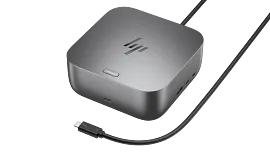
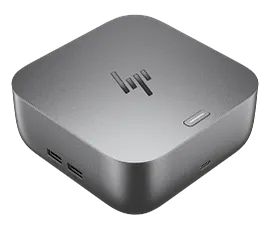
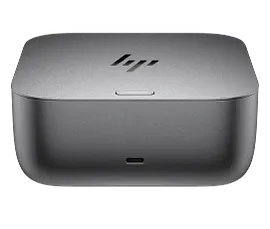
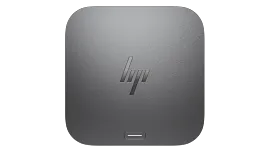
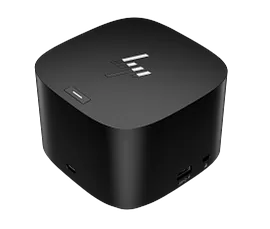
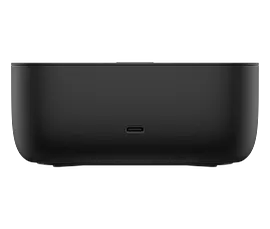
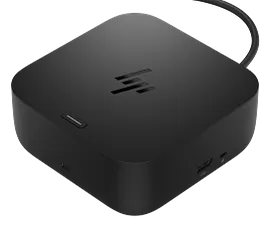
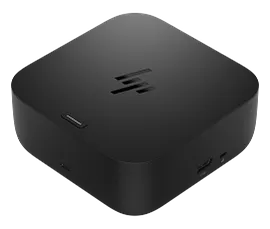
HP USB-C Dock G5 for business

Other offers available with the product:

FREE Storewide Shipping

Financing options available for all credit scores

Memorial Day Sale

FREE HP Campus backpack w/ purchase!

Memorial Day deal!

Product # 5TW10AA#ABA

3% back in HP Rewards

Add an HP Care Pack to protect your new device

Included

    • Remote problem diagnosis and technical telephone support
    • Prepaid shipping label, materials, and instructions
    • Convenient door-to-door service
    • Next Business day exchange

    Service starts on date of hardware purchase. Restrictions and limitations apply.

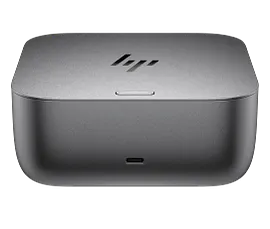
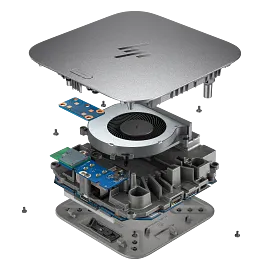
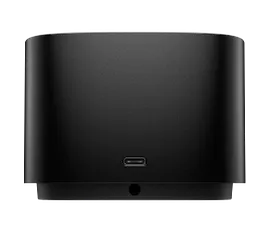
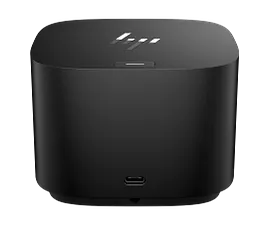
    Connect your USB-C®-enabled laptop to your displays, accessories, and wired network with the versatile, elegant, and space-saving HP USB-C® Dock G5.

    Compatibility without constraints

    Designed with universal compatibility in mind, this dock works with both HP and non-HP USB-C®- and Thunderbolt™-enabled laptops.[1]

    Clear the clutter

    Avoid a messy desk by using a simple one-cord setup that plugs in multiple devices.

    Technical Specs

    External Ports 01

    Front: 1 USB-C® port with data and power out (15W)
    1 USB-C® cable to connect to host system Side: 2 USB 3.0 charging ports
    1 combo audio jack Back: 2 USB 3.0 charging ports
    2 DisplayPort™ ports
    1 RJ45 port
    1 HDMI 2.0 port
    1 standard lock slot

    Power supply

    Power to system: Up to 100W via USB-C® Power to host (USB-C PD): 5V , 9V, 10V, 12V, 15V, 20V all at 5A MAX

    Security management

    1 Lock slot (side, lock is sold separately)

    Color

    Black

    Display Support

    Up to 3 displays supported

    Compatibility

    Compatible with HP laptops, MacBook® computers, and other laptops.[2]

    Compatible operating systems

    Windows 10
    Windows 11
    macOS
    Chrome OS™

    Minimum system requirements

    USB Type-C®️ (USB Power Delivery, Alt Mode DisplayPort™)

    Dimensions (W X D X H)

    4.8 x 4.8 x 1.77 in

    Weight

    1.65 lb

    Warranty

    One-year limited warranty.

    What's in the box

    HP USB-C® Dock G5
    AC Adapter
    AC Power cord
    Product notices
    Warranty
    Quick Start guide

    Reviews and Q&A

    HP USB-C Dock G5 for business is rated 4.1 out of 5 by 123.
    • y_2026, m_5, d_13, h_14
    • bvseo_bulk, prod_bvrr, vn_bulk_3.0.43
    • cp_1, bvpage1
    • co_hasreviews, tv_53, tr_70
    • loc_en_US, sid_5TW10AA, prod, sort_[SortEntry(order=SUBMISSION_TIME, direction=DESCENDING)]
    • clientName_hp
    • bvseo_sdk, java_sdk, bvseo-4.0.0
    • CLOUD, getAggregateRating, 9ms
    • REVIEWS, PRODUCT
    Rated 4 out of 5 by Bob Hdwk from Works great Just what I needed to use the monitors with my laptop
    Date published: 2026-04-10
    Rated 1 out of 5 by Thinking about a Dell from Please deliver my purchase. Hi HP! I have been waiting for more than a month for you to deliver my purchase. Any help is greatly appreciated.
    Date published: 2026-04-03
    Rated 5 out of 5 by DadWit from HP USB-C G5 Dock The Hub & Dock is just what I needed for this Laptop.
    Date published: 2026-03-28
    Rated 2 out of 5 by Dan b jr from Intermittent disconnect of docking station The dock loses connectivity with the monitor intermittently. I have to unplug the USB cable from the HP laptop and wait for it to reconnect to the monitor.
    Date published: 2026-02-20
    Rated 5 out of 5 by Anonymous from Dock 5G Loving this docking station. Keeps my computer desk area neat and tidy, all while providing all my technology with plenty of battery life. Love, Live, Love!
    Date published: 2026-01-29
    Rated 4 out of 5 by Beer Man from Works well but instructions are weak. Works well but instructions are weak.
    Date published: 2026-01-15
    Rated 4 out of 5 by Snowman987 from Nice Docking Station I liked the dock but I seemed to develop some intermittent connection issues with my wireless HP Printer so I decided to return it as I can get buy without it.
    Date published: 2025-12-24
    Rated 2 out of 5 by DLD1234 from It’s bulky, but it works Very bulky product compared to what other computer companies have for sale.
    Date published: 2025-11-14
    • y_2026, m_5, d_13, h_14
    • bvseo_bulk, prod_bvrr, vn_bulk_3.0.43
    • cp_1, bvpage1
    • co_hasreviews, tv_53, tr_70
    • loc_en_US, sid_5TW10AA, prod, sort_[SortEntry(order=SUBMISSION_TIME, direction=DESCENDING)]
    • clientName_hp
    • bvseo_sdk, java_sdk, bvseo-4.0.0
    • CLOUD, getReviews, 3ms
    • REVIEWS, PRODUCT

    Can this product power Surface Laptops? I am using the Surface 4.

    Asked by: ECtree
    The HP USB-C Dock G5 for business supports Windows 10; Windows 11; macOS; Chrome OS™, but you will need to check with Microsoft about your Surface to make sure that it has a USB-C port with power delivery and DisplayPort Alt. As long as it has a USB-C port with those capabilities and a supported OS, it will be compatible. Thank you for your question.
    Answered by: HP Team James
    Date published: 2025-04-30

    Is this HP USB-C Dock G5 compatible with HP Laptop 14-fq0xxx? I am needing to connect external monitors and only have one hdmi port on my laptop. Thank you!

    Asked by: MelissaK74
    Thank you for your question! More information is needed to determine compatibility. Please resubmit the question with the full product number and your question will be answered as quickly as possible. The product number will be located on the bottom of the laptop.
    Answered by: HP Team Grant
    Date published: 2023-06-24

    is the hp elitebook 860 g11 compatible with HP USB-C Dock G5

    Asked by: RussellHau
    Thank you for your question! Yes, the HP USB-C Dock G5 is compatible with the HP EliteBook 860 G11 PC.
    Answered by: HP Team Maddie
    Date published: 2025-02-19

    Is the HP USB-C Dock G5 compatible with the HP 14-dq2?

    Asked by: thatguy894
    Thank you for your question! More information is needed to determine compatibility. Please resubmit the question with the full product number and your question will be answered as quickly as possible. The product number will be located on the bottom of the laptop.
    Answered by: HP Team Grant
    Date published: 2025-01-23

    Does this docking station allow you to hook up 2 monitors

    Asked by: Padbill
    It will also depend on the unit you have it connected to, but it does allow you to connect two separate monitors at the same time for different displays.
    Answered by: HP Team James
    Date published: 2023-11-29

    Is this compatible with my ZBook Power 15.6 G10?

    Asked by: HoustonIT
    Thank you for your question! Due to the HP ZBook Power 15.6" G10 using a 150W AC adapter for charging, the HP Thunderbolt Dock 280W G4 w/Combo Cable is the recommended Dock for your PC. That Dock can be found here: https://www.hp.com/us-en/shop/pdp/hp-thunderbolt-dock-280w-g4-dock-w-combo-cable
    Answered by: HP Team Grant
    Date published: 2024-06-14

    will this work HP Pavailon plus 16" laptop

    Asked by: Papatony
    Thank you for your interest in the HP docks. We would need the model number of the specific unit you are interested in connecting it to. As long as the USB-C or Thunderbolt port has power delivery and DisplayPort Alt, it will work.
    Answered by: HP Team James
    Date published: 2024-05-29

    Hi, I recently purchased this docking station for my brand new HP Envy Laptop I built with Windows 11 Pro. All of the functions of the docking station work with the exception of the display port or the HDMI slots. HP X32 monitor not found

    Asked by: Nick La
    Thank you for your question! Unfortunately, more information is needed to answer your question. Please resubmit the question with the full product number and your question will be answered as quickly as possible. The product number will be located on the bottom of the laptop.
    Answered by: HP Team Grant
    Date published: 2023-05-27
    • y_2026, m_5, d_13, h_14CST
    • bvseo_bulk, prod_bvqa, vn_bulk_3.0.43
    • cp_1, bvpage1
    • co_hasquestionsanswers, tq_298
    • loc_en_US, sid_5TW10AA, prod, sort_[SortEntry(order=NUM_ANSWERS, direction=DESCENDING)]
    • clientName_hp
    • bvseo_sdk, java_sdk, bvseo-4.0.0
    • CLOUD, getContent, 10ms
    • QUESTIONS, PRODUCT

    Similar Products

    Return and exchange information
    Most items may be returned within 30 days of delivery. A restocking fee of up to 15% of the purchase price may be deducted from your refund for returned items, except where prohibited by law. No restocking fee applies to defective or incorrect items. A restocking fee is not applicable for printers, ink, toner, paper, care packs, software and services. For details, please visit: https://www.hp.com/us-en/shop/cv/returnsandexchanges.