Selecting filters will refresh results and may change available options.
PRICE RANGE
$
$
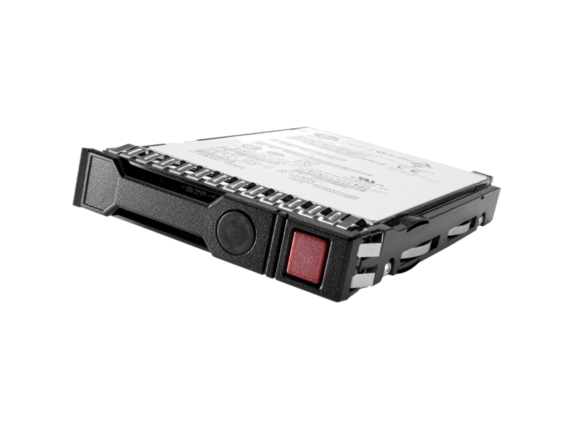
HPE 1 TB Hard Drive - 3.5" Internal - SATA (SATA/600)
1TB 6G SATA 7.2K rpm LFF (3.5in) Non-hot Plug Standard 1yr Warranty Hard Drive
YZ4015
Apply Quick Filters :
Selecting filters will refresh results and may change available options.
Related articles
Booting from USB Windows 10: A Comprehensive Guide
Need to boot from a USB drive on your Windows 10 PC? Our simple guide covers USB preparation, BIOS settings, and troubleshooting tips to get you started.
Read moreHow to Partition a Hard Drive in Windows 10 and 11
Learn how to partition a hard drive in Windows 10 and 11 using the built-in Disk Management tool. Step-by-step guide for creating, formatting, and managing partitions.
Read moreHow to Check Your Computer's CPU Temperature
Monitoring your CPU temperature is a great way to avoid performance issues and extend the life of your device. Check out our guide to find out how.
Read moreHow to Speed Up Your Computer: 12 Proven Performance Boosting Tips
Boost your PC's performance! Learn 12 ways to speed up your computer, from simple tweaks to hardware upgrades. Get step-by-step instructions to make your computer run faster.
Read moreHP HyperX OMEN Computer Ports Guide: Connecting Your Gaming Peripherals
Learn how to maximize your HP HyperX OMEN gaming experience with our comprehensive computer ports guide. Discover the best ways to connect peripherals for optimal performance.
Read moreWhat is OpenClaw? How to Set It Up on Your HyperX OMEN Gaming PC
OpenClaw is an open-source AI platform for running local AI agents and workflows. Learn how to install and set up OpenClaw on your HyperX OMEN gaming PC step by step.
Read moreHow To Connect Your HP Smart Tank Printer To Wi-Fi
If you want to learn how to connect your HP Smart Tank printer to Wi-Fi, look no further than this guide. Read on for all the basics.
Read moreWhat Are the Best Ink Tank Printers for Small Businesses?
Learn how to choose the best ink tank printer for small business needs, including which models from HP are well-suited for the job.
Read moreOffers subject to change, not combinable with all other offers, and exclusions may apply, while supplies last. HP may impose a purchase quantity limit (for example, 3 units per order). Taxes, shipping, and other fees may apply as applicable. HP reserves the right to cancel orders arising from pricing or other errors. Prices, specifications, availability, and terms of offers may change without notice. Price protection, price matching or price guarantees do not apply to Intra-day, Daily Deals or limited-time promotions. These terms apply only to products sold by HP.com; reseller offers may vary. Items sold by HP.com are not for immediate resale. Orders that do not comply with HP.com terms, conditions, and limitations may be cancelled. Contract and volume customers not eligible.
✻HP’s strikethrough price is HP’s MSRP, which is HP’s suggested retail price for authorized channel partners, based on a number of factors, including but not limited to manufacturing and component parts. The MSRP may not be the prevailing market price or regular retail price.
Microsoft and Windows are US registered of Microsoft Corporation. Ultrabook, Celeron, Celeron Inside, Core Inside, Intel, Intel Logo, Intel Atom, Intel Atom Inside, Intel Core, Intel Inside, Intel Inside Logo, Intel vPro, Itanium, Itanium Inside, Intel Evo, Intel Optane, Iris, Itanium, MAX, Pentium, Pentium Inside, vPro Inside, Xeon, Xeon Phi and Xeon Inside are trademarks of Intel Corporation or its subsidiaries in the U.S. and/or other countries.
Not all features are available in all editions or versions of Windows. Systems may require upgraded and/or separately purchased hardware, drivers, software or BIOS update to take full advantage of Windows functionality. Windows is automatically updated and enabled. High speed internet and Microsoft account required. ISP fees may apply and additional requirements may apply over time for updates. See http://www.windows.com.
Earn HP Rewards on select products from the following categories: Laptops, Desktops, Printers, Business PC’s, select Accessories, and select Ink, Toner & Paper. Exclusions apply, and program membership required. See details HP Rewards
The personal information you provide will be used according to the HP Privacy Statement
✦America’s most trusted printer brand: Based on 2022 semi-annual internal brand surveys commissioned by HP.
*3 years of ink included (for skus with 8000 total pages: ST 5104, ST 7002, 7302 and 7601) based upon 200 pages per month of HP Smart Tank customers’ usage. 3 years of ink (for skus with 6000 total pages: ST 5000, 5101, 5102, 5103, ST 651, 570, ST 6001, ST 7001, 7301, 7602) based upon 167 pages per month of HP Smart Tank customers’ usage. Actual yield varies considerably based on content of printed pages and other factors. Average yield based on ISO/IEC 24711 or HP testing methodology and continuous printing. Some ink from included bottles is used to start up the printer. For details, see: www.hp.com/go/learnaboutsupplies. Commissioned by HP Inc., this Keypoint Intelligence consumer study determined that HP inkjet Tank printers provide the best everyday print quality compared to competitive inkjet tank printers from Brother, Canon, and Epson. Two different inkjet printers were used for each brand. All devices are available in the market and are currently active. Prices range from $180 to less than $400 and all competitive products fall within the same category as the HP printers. The competitors were chosen because they represent the top 80% of the competitive landscape for 3:1 and 4:1 wireless A4 inkjet tank printers under $450 USD, as reported by the IDC Quarterly Hardcopy Peripherals Tracker-Final Historical CYQ2 2024. Samples were printed in the United States and then reviewed by consumers in the US, the United Kingdom, and Japan. Details: www.keypointintelligence.com/hpbesteverydayprintquality
**Copilot in Windows (in preview) is available in select global markets and will be rolled out to additional markets over time. See microsoft.com/en-us/windows/windows-10-specifications for more information.
++Offer good on select business laptops and desktops. Transactions are subject to equipment pricing and credit approval. Deal sizes include: $3,000-$250,000 on a 36-month term. Fair Market Value deals only. The 2.99% is on a stream of payments, and the actual yield to GreatAmerica Financial Services may vary. Hardware must exceed 50% of total transaction, excluding printers and other print products. Chromebooks are ineligible for the promotion. The agreement must be commenced by 07/31/25 and funded by 08/31/25. Contact an advisor for details. +1-(888)-860-9635.
+Deferred Interest, Payment Required Plan: Interest will be charged to your Account from the purchase
date if
the promotional plan balance is not paid in full within the promotional period. Minimum payments are required for each
Credit Plan. Minimum payments are NOT guaranteed to pay the promotional plan balance within the promotional
period.
You may have to pay more than the minimum payment to avoid accrued interest charges. Valid for single
transaction
only. Gift cards do not qualify for promotional plans. Qualifying purchases will automatically be placed on a
promotional plan. If purchase qualifies for more than one plan, it will be placed on the qualified plan with the
longest promotional period. As of November 2025, terms for new Accounts: Purchase APR of 35.99%. Variable Penalty APR
up to 39.99%, based on Prime Rate. Minimum interest
charge is $3 in any billing period in which interest is due. A fee of $2.99 per month may apply for each paper billing
statement mailed to you. You can avoid this fee by enrolling in paperless statements. Existing Account holders: see
your credit card agreement for Account terms.
Credit account offers are subject to credit approval.
HP Credit Accounts are issued by Comenity Capital Bank, a Bread Financial™ Company.
++ Offer good on select business laptops and desktops. Transactions are subject to equipment pricing and credit approval. Deal sizes include: $3,000-$250,000 on a 36-month term. Fair Market Value deals only. Hardware must exceed 50% of total transaction, excluding printers and other print products. Chromebooks are ineligible for the promotion. The agreement must be commenced by 07/31/2026 and funded by 08/31/2026. The advertised opportunity is intended as a lease and not as a loan. The lessor will own the leased equipment. The terms and conditions of the lease contract control, and you may be required to pay renewal payments, purchase options, return fees, and other amounts. The promotional rate does not represent an annual percentage rate. The total of all lease payments and any renewal payments or purchase option is likely to exceed any cash price initially offered.
‡Minimum purchase of $500.00 is required. Availability of terms may vary based on purchase date, product, price, and state of residence. Down payment may be required. Subject to approval of credit application. Rates range from 0% to 34.99% APR, resulting in, for example 36 monthly payments of $38.19 at 21.99% APR, per $1,000.00 borrowed. APRs will vary depending on credit qualifications, loan amount, and term. Bread Pay® loans are made by Comenity Capital Bank, a Bread Financial® company.
*HP.com exclusive product! This product is only available for purchase on HP.com US Store and HyperX.com. You will not find it at any other authorized HP retailers. SKUs included: 67J25AA#ABA, 4P5L2AA, 4P5L3AA, 7P5J2AA, 4P5E3AA, 67J23AA, 4Z7X3AA, 4S7T2AA, 683M4AA, 67J22AA. Availability may be limited and subject to change. Prices and promotions may vary between HP.com US Store and HyperX.com. HP disclaims all liability for products sold by unauthorized third-party sellers.
1Up to 34 hours local video playback requires unit configured with Qualcomm Snapdragon X1-26-100, 16GB RAM, 2K OLED non-touch display, 512 GB PCle SSD storage. Available on select display configurations. Battery life tested by HP using continuous FHD video playback, 2K OLED non-touch display, 200 nits for the HP OmniBook 5 16" model, system audio level as image default, player audio level at 100%, played full-screen from local storage, headphone attached or through speaker (if no audio jack port), wireless on but not connected. Actual battery life will vary depending on configuration and maximum capacity will naturally decrease with time and usage. Starting in July 2025, the HP OmniBook 5 14" inch model (configured with Qualcomm Snapdragon X1-26-100, 16GB RAM, 2K OLED non-touch display, 512 GB PCle SSD storage) may be able to achieve up to 34 hours of local video playback at 200 nits as a result of power consumption improvements to its panel.
*Customers receive three bonus months on Microsoft 365 Personal and Family subscriptions when a credit card is provided during activation. After the initial subscription period, your subscription automatically renews for 1 year, unless it is cancelled.
2 Risk Free Care Packs terms and conditions: Limited time offer. Offer valid on select purchases with 3-year Care Pack plans made during rebate promotional period for eligible HP personal productivity. Terms and Qualifying information above. Sales tax not refundable. A copy of each original invoice/receipt or “HP Care Pack Services - Receipt for Payment.” The name on the invoice must match the name on the claim form. See rebate form for complete details. Service levels and response times for Care Pack services may vary depending on your geographic location. Restrictions and limitations apply. Service starts at date of hardware purchase. For details, visit (Terms and Conditions).
3 HP Services Promise terms and conditions: Limited time offer. Complete and submit the online claim form and HP product invoice within 30 days from the Care Pack expiration date. Limit 250 PC Care Pack rebates per customer, per 6 month program time period. Services Promise PC Care Packs must be sold and registered within 365 days of the original hardware purchase date. The hardware in question must not have had a service event for the life of the Care Pack. For this offer, a service event will have occurred if HP either sends parts, a replacement, or a person onsite to the customer, or if the unit is transported to an HP repair depot during the life of the Care Pack service. A phone call or phone support will not negate eligibility for the rebate. Offer valid in US & Canada on purchases made during rebate promotional period on selected service plans for eligible HP business PCs.
✭Source: 2025 ACSI® Survey of customers rating their own computer manufacturer. HP was ranked #1 for customer satisfaction. ACSI and its logo are registered trademarks for the American Customer Satisfaction Index LLC. For more about ACSI, visit theacsi.org.