Thank you for visiting the NEW ZEALAND HP Store
-
Contact Us
CONTACT USCall us
- Sales
- 0800 854 848
- Technical support
- +64 9884 8600
Mon-Fri 9.00am - 6.00pm
(exc. Public Holidays)
Chat with us- Our specialist are here to help
- Live chat
Mon-Fri 9.00am - 6.00pm
(exc. Public Holidays)
Submit feedback We value your opinion! - My Account

Search
Professional Gaming Setup Guide: Essential Components for Kiwi Gamers

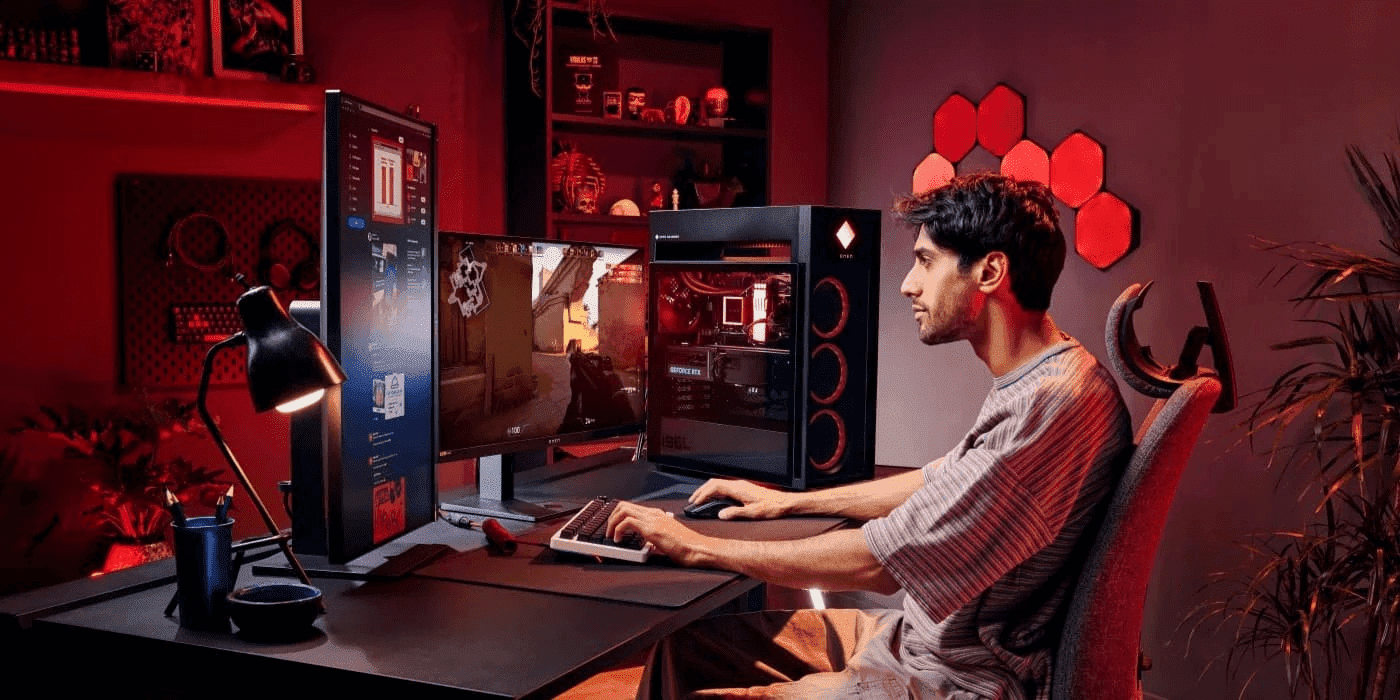
Building the ultimate gaming setup goes beyond choosing a top-tier gaming monitor; it’s about the harmonious integration of all components for an unrivalled gaming experience. For New Zealand gamers looking to take their setup to the next level, understanding how each element works together is crucial, whether you’re playing from Auckland or Wellington.
Assessing the features of your gaming PC and peripherals, such as a gaming headset, mouse, and keyboard, is critical, as these should enhance your setup’s function. The choice of GPU and CPU is particularly pivotal, dictating game performance and facilitating high-definition visuals. For a seamless setup, players should test various settings and configurations, ensuring gameplay is optimised according to their specific needs and preferences.
Contents
- Why Monitor Choice Matters in a Professional Gaming Setup
- Essential Monitor Specifications for Pro Gaming
- Essential Connections and Ports for Gaming Monitors
- Professional Setup Configurations
- Personalising your Gaming Space for Optimal Performance
- Ergonomic Principles for Comfortable Gaming Setups
- Top OMEN Gaming Monitor Option
- Investment Considerations
- Pro Tips for Optimal Gaming Performance
- Future of Professional Gaming Monitors
- Conclusion
Why Monitor Choice Matters in a Professional Gaming Setup
A professional gaming setup requires careful planning, and choosing the right monitor is crucial for peak performance. In esports, where every millisecond counts, features like refresh rate, response time, and resolution directly impact competitive success. The right monitor ensures smoother visuals, reduces motion blur, and enhances reaction times, giving players a critical edge in tournaments.
For fast-paced games like Call of Duty and League of Legends, high-quality FPS experiences are essential. This guide explores key specifications and setup trends, ensuring your gaming room is optimised for performance, whether you’re a casual weekend warrior or an aspiring professional in New Zealand’s growing esports scene.
Essential Monitor Specifications for Pro Gaming
Refresh Rate: The Key to Fluid Gameplay
A monitor’s refresh rate determines how often images update per second. Faster refresh rates result in smoother motion, reducing screen tearing and lag.
-
144Hz: The entry-level standard for competitive gaming, significantly improving visuals over 60Hz.
-
240Hz: The preferred refresh rate for many esports professionals.
-
360Hz: Designed for elite players seeking the fastest response times.
Surveys show that 240Hz monitors strike the best balance between performance and affordability for most esports professionals, including those competing in Oceania tournaments.
Response Time: Eliminating Motion Blur
Response time affects how quickly pixels change colours. A 1ms response time is ideal for competitive gaming, minimising motion blur and ghosting effects. Traditional monitors often have slower response times, leading to performance issues in fast-paced games.
Resolution: Finding the Right Balance
Balancing image clarity with performance is key.
-
1080p (FHD): Ideal for maximum frame rates in competitive gaming.
-
1440p (QHD): Offers better visual detail without sacrificing too much speed.
-
4K (UHD): Delivers the highest image quality but requires powerful hardware.
For esports, 1080p and 1440p are the most popular resolutions, ensuring high FPS and smooth gameplay.
Adaptive Sync Technologies
To eliminate screen tearing and stuttering, professional gamers use adaptive sync technologies:
-
G-SYNC: NVIDIA’s proprietary solution for smoother gameplay.
-
FreeSync: AMD’s open-source alternative, supported by a range of monitors.
Both options enhance visual fluidity and responsiveness, making them essential for esports monitors.
Essential Connections and Ports for Gaming Monitors
Understanding the various connections and ports on your gaming monitor is essential for maximising your gaming experience. HDMI and DisplayPort are the most commonly utilised ports for high refresh rate monitors, each providing unique benefits. HDMI is highly compatible with most gaming PCs and consoles, while DisplayPort offers superior refresh rate capabilities, catering to the needs of serious gamers.
It is crucial to ensure that your graphics card supports the selected port type to prevent any bottlenecking in gaming performance. Keeping up with the latest graphics card and monitor interface reviews will aid you in making informed purchasing decisions, particularly important given New Zealand’s shipping times for replacement components.
Panel Types: IPS vs. TN vs. VA
The monitor’s panel type affects colour accuracy, response time, and viewing angles.
-
IPS: Best for colour accuracy and wide viewing angles, but slightly slower response times.
-
TN: Offers the fastest response times and lowest input lag but has limited viewing angles.
-
VA: Provides deep blacks and high contrast but may have slower response times.
For competitive gaming, IPS and TN panels are the most recommended.
Professional Setup Configurations
Single vs. Multi-Monitor Setups
-
Single Monitor: Simplifies competitive gaming with fewer distractions.
-
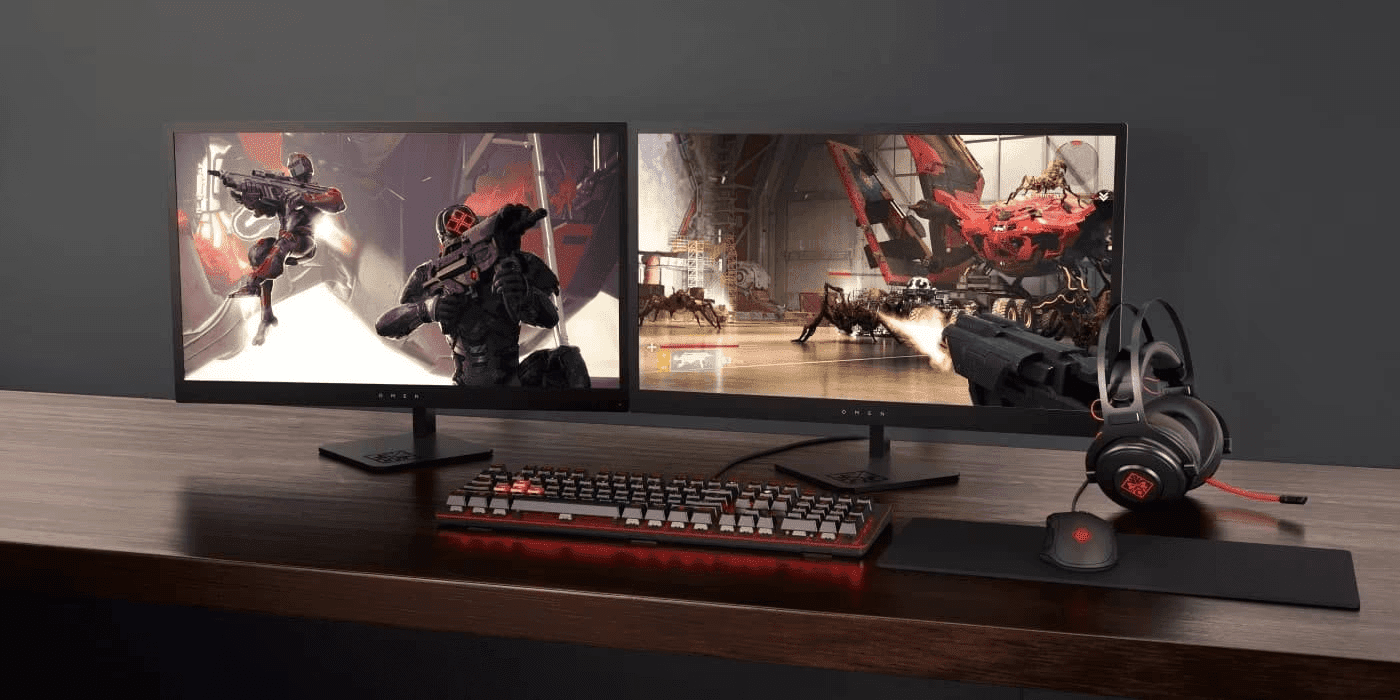
Dual Monitor: Ideal for multitasking, streaming, or expanding the field of view in certain games.
The Dual Monitor Advantage in Competitive Gaming
Incorporating dual monitors into your gaming setup significantly enhances multitasking capabilities. This setup allows gamers to keep their primary screen focused on their game, while the second display can be used for browsing or engaging with other players on social media.
The expansive field of view offered by a dual monitor setup is particularly valuable in strategy games requiring heightened map awareness. For competitive gamers, the additional screen space proves invaluable for optimising performance without missing crucial game moments, especially when coordinating with teammates across New Zealand or the wider Oceania region.
Positioning and Ergonomics
Proper monitor placement enhances comfort and gameplay performance.
-
The top edge of the monitor should be at or just below eye level.
-
Maintain an optimal viewing distance of 1.5 times the monitor’s diagonal size.
-
Ergonomic gaming chairs and desks support long gaming sessions.
Personalising your Gaming Space for Optimal Performance
Personalising your gaming space requires a blend of creativity and functionality. It’s not just about aesthetics but also optimising performance. Gamers should focus on both their equipment and layout to ensure a seamless gaming experience. LED lighting can enhance the atmosphere, and customised keyboards and gaming mice can improve comfort and control.
Adding personal touches like action figure displays or game posters can make the space uniquely yours, but be cautious not to obstruct your gaming monitor’s performance. Heavy decorations near cables or HDMI connections can lead to disruptions. Utilising cable management techniques will keep your space tidy and functional, ensuring an immersive gaming experience.
For New Zealand gamers, considering aspects like room temperature and humidity is also important, as our varied climate can affect electronic equipment. Proper ventilation helps maintain optimal operating temperatures for your gaming equipment.
Ergonomic Principles for Comfortable Gaming Setups
Ergonomic comfort is vital for prolonged gaming sessions, demanding attention to the adjustable height and angle of monitors to suit individual posture and reduce strain on the eyes and neck. Investing in an adjustable stand or mount ensures this adaptability. A well-designed gaming chair that supports your back can make a substantial difference as well.
It is also necessary to adjust the brightness of your gaming display to match ambient lighting conditions, minimising eye strain and maintaining an optimal gaming environment. For New Zealand gamers who might experience the longer gaming sessions during our winter months, proper lighting becomes even more crucial to prevent eye fatigue.
Top OMEN Gaming Monitor Option
Best Gaming Monitor for Ultrawide Experience
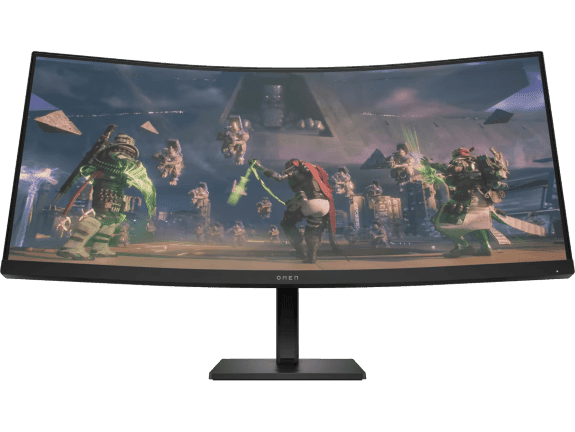
For gamers seeking the ultimate immersive experience, the OMEN 34c ultrawide curved monitor offers an expansive view that enhances both gaming and productivity. The WQHD resolution provides crystal-clear visuals across the entire 34-inch curved display.
-
Screen size: 34-inch
-
Resolution: WQHD (3440 x 1440)
-
Display type: VA
-
Refresh rate: 165Hz for responsive gameplay
The ultrawide aspect ratio gives you a competitive advantage in strategy games and racing simulators by expanding your field of view. The 165Hz refresh rate ensures smooth motion even in fast-paced action games, while the curved design creates a more natural viewing experience by keeping all parts of the screen at an equal distance from your eyes.
Investment Considerations
Price-to-Performance Ratio
Balancing cost and performance is essential when choosing a monitor. The best gaming setups optimise both high refresh rates and quality displays without bottlenecking gaming performance. For New Zealand gamers, considering the higher import costs and limited local stock of specialty gaming equipment makes this balance even more important.
Future-Proofing Your Setup
Investing in a high-refresh-rate monitor with adaptive sync ensures longevity.
OLED displays and improved response times are the next wave of gaming advancements.
Pro Tips for Optimal Gaming Performance
-
Calibration: Adjust colour settings to match your preferences and game visuals.
-
Maintenance: Regular cleaning and firmware updates extend monitor lifespan.
-
Cable Management: Organise wires for a clutter-free and efficient gaming setup.
-
Humidity Control: In coastal areas of New Zealand, consider a dehumidifier to protect your electronics from moisture damage.
Future of Professional Gaming Monitors
Emerging technologies, including OLED panels, higher refresh rates, and advanced adaptive sync, will continue to redefine gaming experiences. Staying updated on industry trends ensures competitive players maintain an edge. The growing esports scene in New Zealand and Australia is driving more demand for these advanced technologies in our region.
Conclusion
Selecting the right gaming monitor is crucial for a high-performance esports setup. Features like refresh rate, response time, and resolution directly impact competitive gameplay. HP’s OMEN series provides top-tier gaming monitors designed for professional and aspiring esports players. Investing in high-quality gaming equipment ensures longevity, peak performance, and an immersive gaming experience that can help Kiwi gamers compete on the global stage.
Recent Posts


Popular Posts





Products purchased through this store are sold and fulfilled by Ingram Micro (NZ) LTD

CONTACT US
Call us
- Sales
- 0800 854 848
- Technical support
- +64 9884 8600
Mon-Fri 9.00am - 6.00pm
(exc. Public Holidays)
Chat with us
- Our specialist are here to help
- Live chat
Mon-Fri 9.00am - 6.00pm
(exc. Public Holidays)
Submit feedback
We value your opinion!