Thank you for visiting the NEW ZEALAND HP Store
-
Contact Us
CONTACT USCall us
- Sales
- 0800 854 848
- Technical support
- +64 9884 8600
Mon-Fri 9.00am - 6.00pm
(exc. Public Holidays)
Chat with us- Our specialist are here to help
- Live chat
Mon-Fri 9.00am - 6.00pm
(exc. Public Holidays)
Submit feedback We value your opinion! - My Account

Search
How to Choose the Best Colour Copier and Printer for your Home Office Needs

Posted:
February 11, 2025
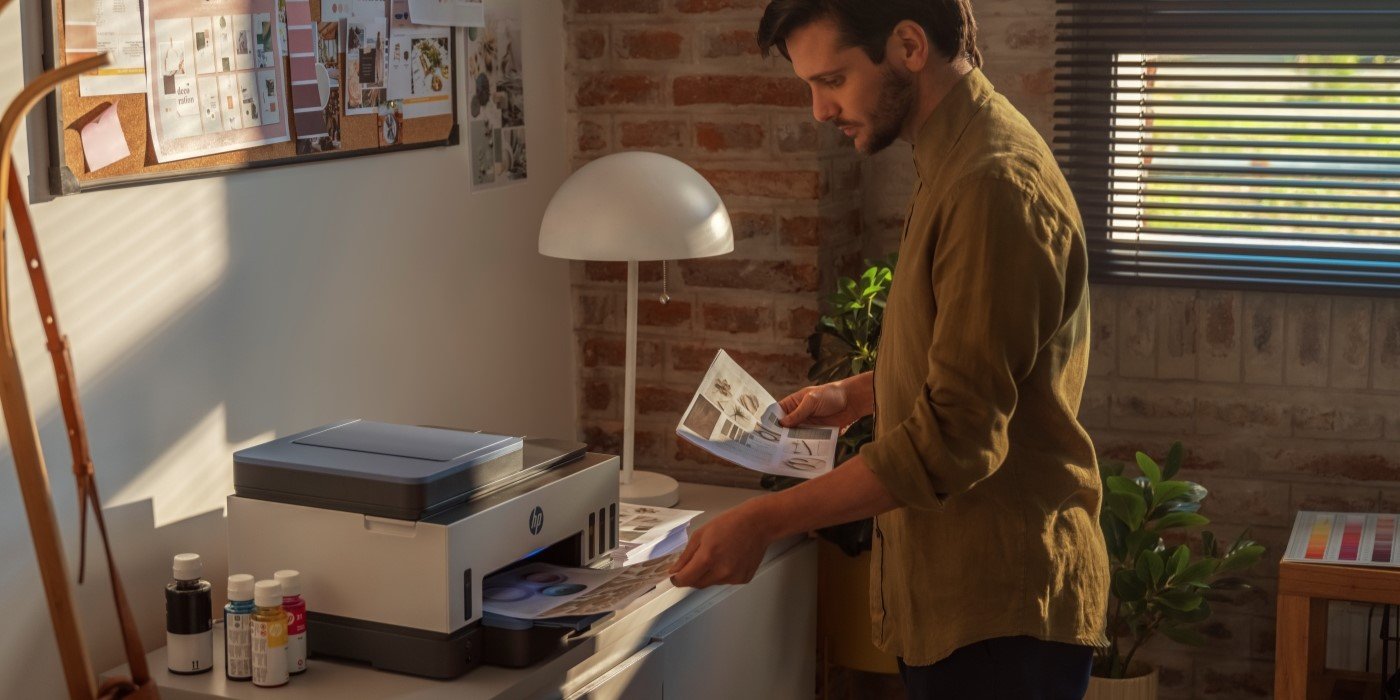
In today’s digital era where remote work has become commonplace across New Zealand, a reliable colour printer remains a cornerstone of productivity for home offices. Whether you’re a freelancer in Auckland, a small business owner in Wellington, or managing both work and family needs from Christchurch, the right printer can streamline your workflow, reduce costs, and improve efficiency.
This guide highlights the critical features to consider when shopping for a printer and presents top-performing HP printers available in New Zealand tailored to various needs.
Contents
- Why your Printer Choice Matters
- Modern Printer Technology: What to Expect
- Key Features to Consider
- Assessing your Needs
- Top Recommendations for New Zealand Homes and Offices
- Understanding Modern Printer Features
- Cost Considerations for New Zealand Consumers
- Easy Setup and Maintenance
- Final Tips for Choosing your Printer
Why your Printer Choice Matters
While many workflows are digital, there are still plenty of scenarios where high-quality printing makes a difference. The right colour printer can:
-
Boost Productivity: Save time by printing in-house instead of relying on external services.
-
Cut Costs: Manage your budget more effectively by eliminating recurring service fees.
-
Enhance Professionalism: Impress clients and colleagues with vibrant, polished materials.
-
Keep You Organised: Maintain hard copies of essential documents for easy reference.
Modern Printer Technology: What to Expect
Printers have evolved significantly, offering more than just basic printing. Today’s devices come with advanced features that enhance convenience and sustainability:
-
Wireless Connectivity: Print from any device using Wi-Fi, mobile apps, or cloud platforms.
-
High-Quality Output: Enjoy professional-grade colour accuracy and sharp resolution.
-
Multifunctionality: Many printers can also scan, copy, and fax, making them versatile tools for home offices.
-
Eco-Friendly Options: Features like automatic duplex printing and energy-saving modes help reduce environmental impact.
Key Features to Consider
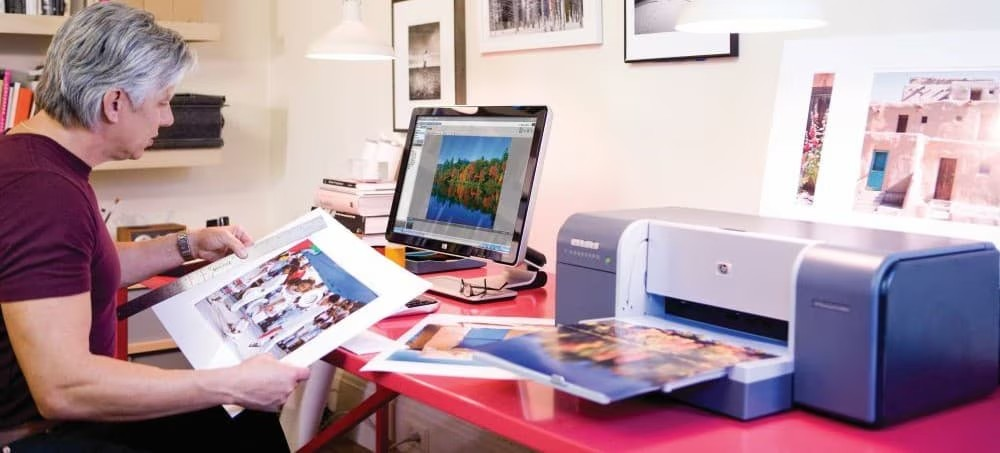
When choosing a printer, consider the following factors to match your needs:
1. Print Technology (Inkjet vs. Tank Systems)
-
Inkjet Printers: Deliver stunning colour quality but can have higher ink costs.
-
Tank Printers: Use refillable ink tanks, reducing cost per page, ideal for high-volume users.
2. Speed and Volume
High-speed printers with robust paper-handling capabilities are best for frequent large jobs.
3. Colour Quality and Resolution
For professional documents, prioritise high-resolution printers with advanced colour accuracy.
4. Connectivity Options
Look for devices with Wi-Fi, Ethernet, USB, and mobile compatibility, such as Apple AirPrint and Mopria Print Service.
5. Multifunctional Features
Scanning, copying, faxing, and automatic document feeders can save time and expand your printer’s usefulness.
Assessing your Needs
Prior to making a purchase, take the time to evaluate your individual printing requirements:
-
Printing Frequency: How regularly do you print? What kinds of documents do you produce most often?
-
Space Availability: Assess the space in your home office to ensure that the printer you choose will fit well.
-
Budget Considerations: Establish a budget that includes both the upfront cost of the printer and the ongoing expenses (ink or toner).
-
Connectivity Needs: Identify which connectivity features are crucial for your workflow.
Top Recommendations for New Zealand Homes and Offices
Best Overall: HP OfficeJet Pro 9730e Wide Format All-in-One Printer
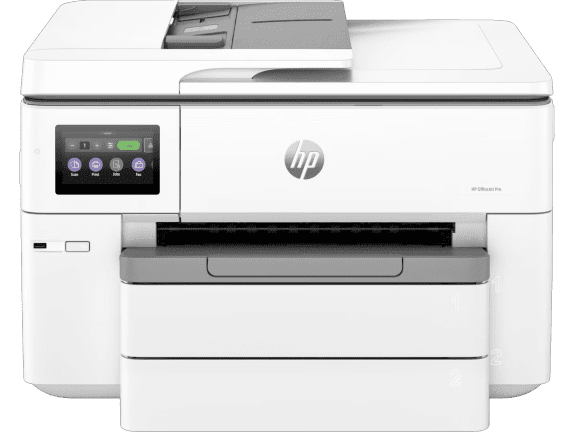
This premium all-in-one printer combines high performance and versatility, offering print, copy, and scan capabilities. Ideal for New Zealand professionals who need to produce high-quality documents and marketing materials from home.
-
Print, copy, scan functionality
-
Built-in dual-band Wi-Fi for reliable connectivity
-
Wide format printing capability
-
HP app for mobile compatibility
With its wide format capabilities, the HP OfficeJet Pro 9730e is perfect for creating marketing materials, architectural plans, or detailed spreadsheets that require larger paper sizes—especially useful for small business owners across New Zealand who need professional-quality materials without visiting a print shop.
Best Tank System: HP Smart Tank 7005 All-in-One Printer
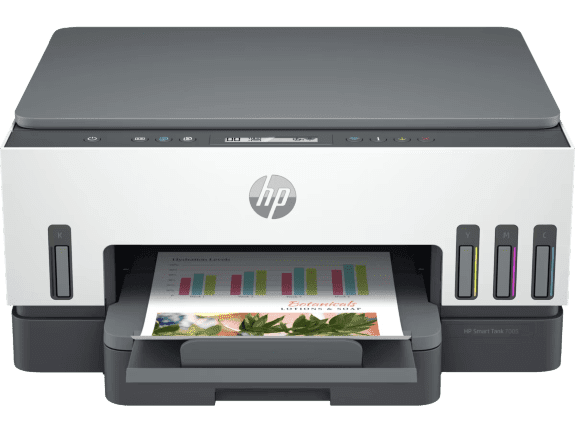
The Smart Tank 7005 is ideal for high-volume printing needs with its cost-effective refillable ink tanks. Perfect for New Zealand home-based businesses and remote workers who print frequently.
-
Print, scan, copy, wireless functionality
-
HP Thermal Inkjet technology
-
Automatic duplex printing to save paper
-
Low cost per page with high-capacity ink tanks
The Smart Tank system is particularly beneficial for New Zealand users dealing with traditionally higher ink costs. The refillable tank system means significantly lower ongoing costs—ideal for remote workers and small business owners who need to print high volumes of documents regularly.
Best Budget Option: HP DeskJet 2820e All-in-One Printer
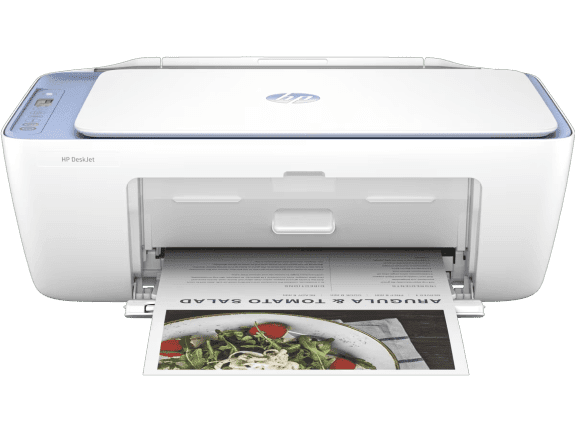
Affordable yet feature-packed, this printer is perfect for New Zealand families and casual home office users who need reliable printing without breaking the budget.
-
Print, copy, scan functionality
-
Built-in Wi-Fi 802.11b/g/n connectivity
-
Manual duplex printing (driver support provided)
-
Recommended for 50 to 100 pages monthly
This compact printer is perfect for New Zealand homes where space may be at a premium. Despite its affordable price point, it delivers quality results for everyday printing needs, from school assignments to occasional work documents.
Understanding Modern Printer Features
HP+ Smart Printing System: A Game-Changer
HP+ takes printing to the next level with these advantages:
-
Automatic Ink Ordering: Never run out of ink with proactive delivery.
-
Customisable Shortcuts: Save time with tailored printing workflows.
-
Enhanced Security: Protect sensitive data with encrypted printing and intrusion detection.
Mobile Printing Options
You can now print effortlessly from your smartphone or tablet using the HP app, which provides user-friendly controls and easy connectivity—particularly useful for New Zealanders who work across multiple devices.
Security Features
HP Printers also safeguard sensitive information with advanced security measures, including password protection, encrypted printing, and intrusion detection—essential for those handling confidential business or client information.
Eco-Friendly Choices
You can opt for sustainable printers equipped with features like automatic double-sided printing, energy-saving modes, and the use of recycled materials. This aligns well with New Zealand’s strong environmental consciousness and sustainability goals.
Cost Considerations for New Zealand Consumers
When choosing a printer, balance initial costs with long-term expenses:
-
Purchase Price: Compare upfront costs to fit your budget, keeping in mind that prices in New Zealand may differ from global markets.
-
Ink Costs: Consider the cost per page and explore options like HP’s original ink cartridges for optimal performance. For high-volume printing, consider options like the HP 905XL high yield magenta original ink cartridge which offers better value for frequent printing.
-
Overall Value: Look for features and durability that ensure long-term returns on your investment.
Easy Setup and Maintenance
Setting up and maintaining your printer is simple with these tips:
-
Installation: Follow step-by-step instructions via the HP app for a hassle-free setup.
-
Wireless Integration: Connect to your Wi-Fi network for seamless printing from any device.
-
Regular Maintenance: Clean printheads, replace ink or toner as needed, and check for updates to ensure optimal performance.
-
Troubleshooting: HP’s support resources are available online to resolve issues quickly, with specific support available for New Zealand customers at HP Support.
Final Tips for Choosing your Printer
-
Local Deals: Keep an eye on HP New Zealand promotions for potential savings on your purchase.
-
Warranty: Opt for a printer with comprehensive coverage for added peace of mind, ensuring local support is available.
-
Consider Peripherals: Enhance your printing setup with accessories like the HP wired mouse 100 for easier navigation during setup and management.
By carefully evaluating your needs and exploring HP’s versatile lineup available in New Zealand, you can find a printer that meets your home office demands—offering quality, reliability, and value for years to come. Whether you’re printing business proposals in Wellington, creative projects in Auckland, or school assignments in Christchurch, there’s an HP printer solution that’s right for you.
Recent Posts

Popular Posts





Products purchased through this store are sold and fulfilled by Ingram Micro (NZ) LTD

CONTACT US
Call us
- Sales
- 0800 854 848
- Technical support
- +64 9884 8600
Mon-Fri 9.00am - 6.00pm
(exc. Public Holidays)
Chat with us
- Our specialist are here to help
- Live chat
Mon-Fri 9.00am - 6.00pm
(exc. Public Holidays)
Submit feedback
We value your opinion!