Thank you for visiting the NEW ZEALAND HP Store
-
Contact Us
CONTACT USCall us
- Sales
- 0800 854 848
- Technical support
- +64 9884 8600
Mon-Fri 9.00am - 6.00pm
(exc. Public Holidays)
Chat with us- Our specialist are here to help
- Live chat
Mon-Fri 9.00am - 6.00pm
(exc. Public Holidays)
Submit feedback We value your opinion! - My Account

Search
How to Choose the Perfect Gaming Mouse and Mouse Pad for your Setup

Posted:
March 11, 2025
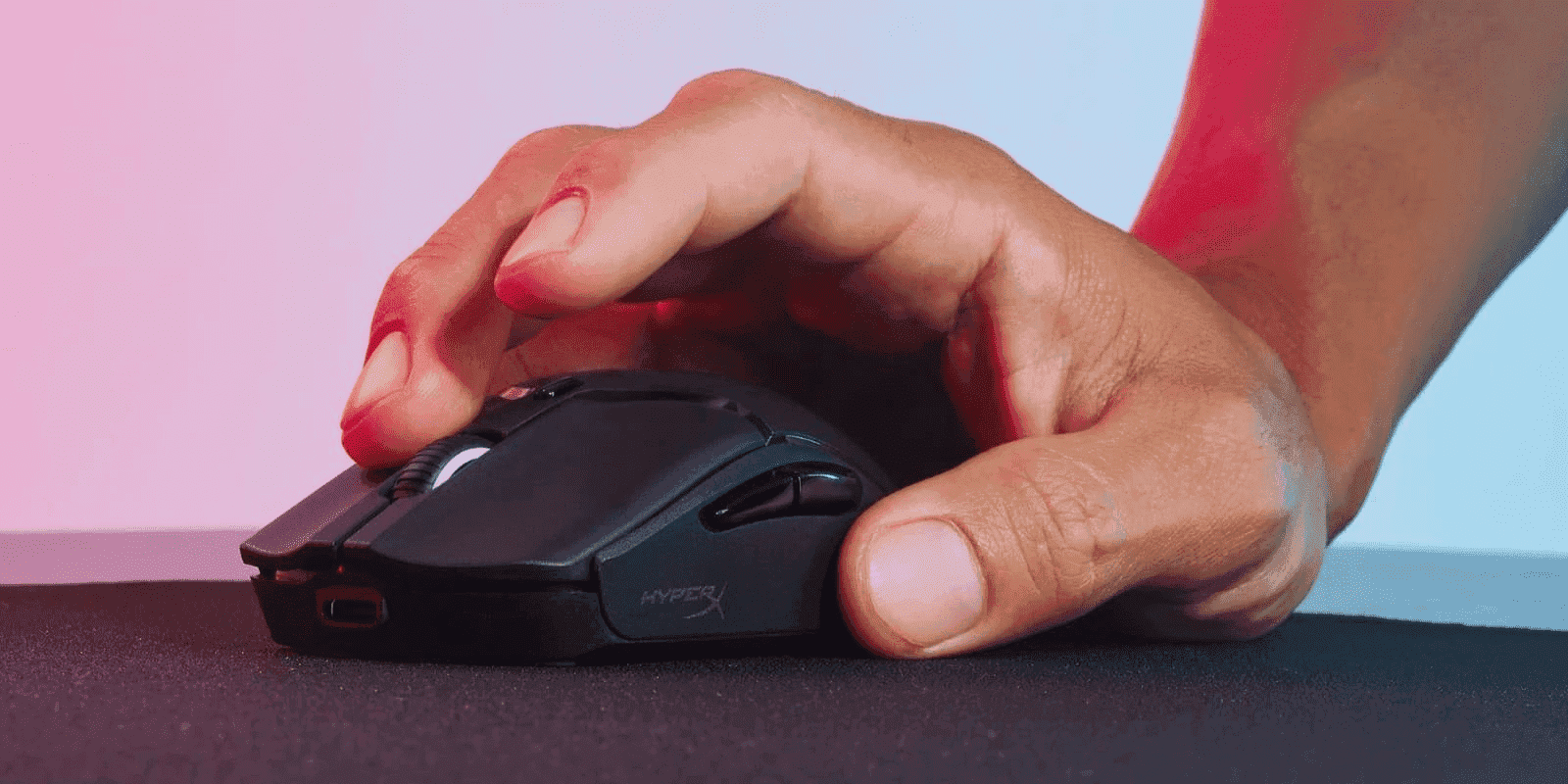
In gaming, the right gear can mean the difference between victory and defeat. For Kiwi gamers navigating the local market’s offerings, understanding what makes a quality gaming mouse and mouse pad is essential for maintaining a competitive edge. Your setup isn’t complete with just a powerful GPU or a high-refresh-rate monitor. Choosing the right gaming mouse and mouse pad is crucial for maximising your performance, whether you’re competing in Auckland tournaments, joining esports teams at university, or simply enjoying casual gaming at home.
This guide will help you navigate the many available options, ensuring you find the best gaming mouse and mouse pad to match your play style and complement your HP gaming setup.
Contents
- Why the Right Mouse/Pad Combo Matters
- Understanding Gaming Mouse Basics
- Gaming Mouse Grip Styles
- Choosing Based on Hand Size
- Game Genre Considerations
- Mousepad Essentials
- Finding your Perfect Match
- Game-Specific Suggestions
- Peripheral Integration with Your Gaming Setup
- Maintenance and Care
- Troubleshooting Common Issues
- Emerging Trends in Gaming Accessories
- Creating your Ultimate Gaming Setup
- Conclusion
Why the Right Mouse/Pad Combo Matters
How Mouse Pads Influence Gaming
A mouse pad significantly affects the smoothness and precision of your movements. A non-slip rubber base prevents unwanted sliding, ensuring consistent control. Opting for a larger pad or desk mat provides unrestricted motion, crucial for fast-paced games. Adding a wrist rest can further reduce hand fatigue during long gaming sessions, especially important during New Zealand’s winter months when joints can be stiffer. The mouse pad you choose directly impacts accuracy and overall gaming experience, so testing different surfaces is recommended.
Impact on Gaming Performance
The right mouse and pad combination improves precision, speed, and comfort during gameplay. High-quality peripherals minimise latency and enhance tracking—critical for fast-paced genres like first-person shooters (FPS) and multiplayer online battle arenas (MOBA). When paired with a powerful gaming laptop like the OMEN 16.1 inch gaming laptop 16-wf0152TX, the right peripherals can help you maximise your gaming potential.
Common Misconceptions
A common misconception is that any mouse and pad will suffice for gaming. While you can use any device, specialised gaming mice and pads offer features that can significantly enhance performance. Factors like DPI, grip style, and surface material can drastically impact gameplay, especially when playing high-frame-rate games on an OMEN gaming monitor.
Understanding Gaming Mouse Basics
DPI and Sensitivity
DPI (dots per inch) determines how far your cursor moves based on your physical mouse movements. Gamers typically adjust DPI settings according to the game they’re playing:
-
Low DPI (400-800): Ideal for precise movements, particularly in FPS games.
-
High DPI (2000+): Best for fast-paced games like MOBA and RTS.
Most gaming mice offer customisable DPI settings, allowing you to switch sensitivity effortlessly.
Types of Sensors
Gaming mice typically feature two sensor types:
-
Optical Sensors: Known for accuracy and reliability, ideal for cloth mouse pads and competitive gaming.
-
Laser Sensors: Work on a variety of surfaces, including hard and hybrid pads.
Weight Considerations
The weight of your mouse can impact gameplay:
-
Lightweight Mice (60-80g): Ideal for quick movements in FPS games.
-
Heavier Mice (90g+): Provide stability for MMO and strategy games.
Many gaming mice feature adjustable weights for a customised feel.
Wireless vs. Wired
-
Wireless: Provides freedom of movement and a clutter-free setup, though latency can be a concern in competitive gaming.
-
Wired: Offers the lowest possible latency and removes the need for battery charging.
When using a high-performance system like the OMEN 40L desktop GT21-2007a PC, minimal latency becomes even more important to maximise your gaming experience.
Gaming Mouse Grip Styles
Palm Grip
The entire palm rests on the mouse, providing comfort and stability. Best for larger hands and longer gaming sessions.
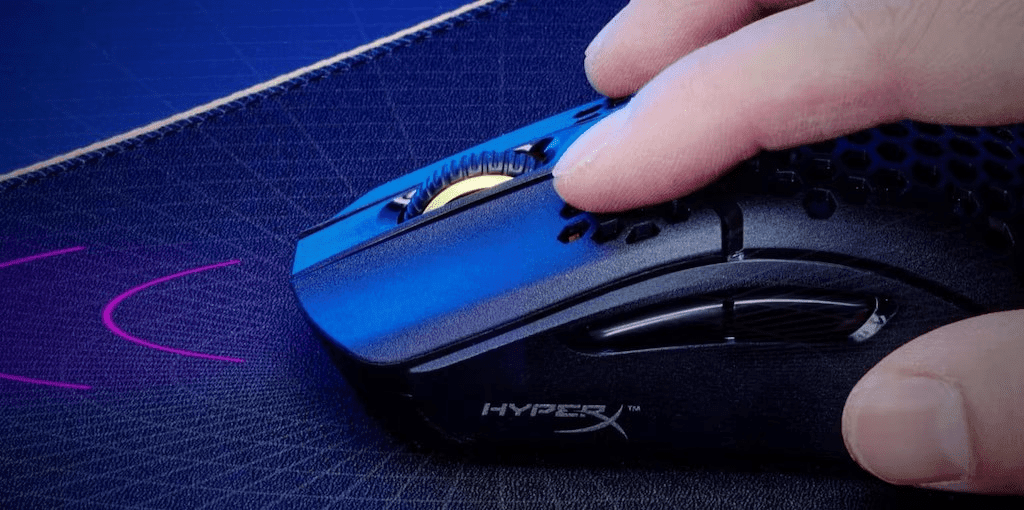
Claw Grip
The palm makes light contact, with fingers curled over the buttons—offering a balance of control and speed.
Fingertip Grip
Only the fingertips touch the mouse, maximising agility for fast-paced games.
Choosing Based on Hand Size
-
Large Hands: Opt for larger mice with a contoured shape.
-
Medium Hands: Most mice will be comfortable, allowing you to experiment with grip styles.
-
Small Hands: Choose smaller, lightweight mice with a compact design.
Game Genre Considerations
FPS Games
Prioritise high DPI, low latency, and lightweight designs for accuracy and speed. For competitive FPS gaming, pair your mouse with a high-refresh-rate monitor like the OMEN by HP 27 inch FHD 240Hz gaming monitor - OMEN 27s for the smoothest possible experience.
MOBA/RTS
Look for programmable buttons to quickly access abilities and hotkeys.
MMO Gaming
Choose mice with multiple programmable buttons for managing numerous abilities. These games often require extended play sessions, so comfort is paramount.
Battle Royale
A versatile mouse with a balance of speed and precision is ideal. When playing battle royale games on a powerful system like the OMEN by HP 45L gaming desktop GT22-2007a PC, you’ll want peripherals that can keep up with the action.
Casual Gaming
Focus on comfort and affordability with basic functionality for a more relaxed gaming experience.
Mousepad Essentials
Size Options
-
Standard: Suitable for most gaming setups.
-
Extended: Provides extra space for wider movements.
-
Full Desk: Covers the entire desk for unrestricted motion.
Surface Types
-
Cloth: Balanced speed and control with varied textures.
-
Hard: Maximum speed, though less forgiving on movements.
-
Hybrid: Combines the speed of a hard surface with the control of cloth.
Durability and Features
-
Edge Stitching: Prevents fraying and enhances longevity.
-
Thickness: Thicker pads offer more cushioning, while thinner pads provide better glide.
Finding your Perfect Match
Mouse and Pad Compatibility
Pairing a high-DPI mouse with a textured cloth pad enhances control. Hard surfaces work best with low-DPI settings for faster movements.
Durability and Price-Performance Ratio
High-quality mouse pads maintain reliability even after prolonged use. Look for options with strong warranties for added peace of mind.
Speed vs. Control
-
Speed: Hard surfaces minimise friction for faster manoeuvres.
-
Control: Cloth pads enhance precision and accuracy.
Image Placeholder: Image of different mousepad surfaces. Alt text: Comparison of cloth, hard, and hybrid mousepad surfaces
Game-Specific Suggestions
FPS Games
Try lightweight mice with adjustable DPI paired with a medium-sized hard surface for quicker aiming. When playing on a Victus by HP 15L Gaming Desktop, precision peripherals can help you make the most of your system’s performance.
MOBA/RTS
Consider high-DPI mice with programmable buttons combined with large cloth pads for extensive sweeps.
MMO Gaming
Opt for multi-button models with extended surfaces for sweeping movement. These games often involve long sessions, so ergonomics are crucial.
Battle Royale
High-precision mice with customisable weights work best alongside hybrid surfaces for adaptable gameplay. When playing on a Victus 16.1 inch Gaming Laptop, the right peripherals can elevate your gaming experience.
Casual Gaming
All-purpose designs paired with standard-sized cloth pads are perfect for everyday sessions.
Peripheral Integration with Your Gaming Setup
Complementing your Gaming System
For the ultimate gaming experience, your mouse and mousepad should complement your other gaming hardware. When paired with a powerful OMEN gaming laptop or desktop, the right peripherals complete your gaming ecosystem.
Quality audio is also essential for immersive gaming. The OMEN by HP mindframe prime headset complements your mouse and keyboard setup for a full sensory gaming experience.
Maintenance and Care
Cleaning Tips
-
Mouse: Use a microfibre cloth and isopropyl alcohol to remove dirt.
-
Pad: Gently wash cloth pads with soap and water, steering clear of soaking hard pads.
Storage Tips
Keep your mouse and pad in a dust-free location to avoid debris accumulation, particularly important in coastal New Zealand areas where salt air can affect electronics.
Longevity Factors
Regular maintenance helps prolong the lifespan of your gear. Look for products with warranties for added assurance.
When to Replace
Replace your mouse pad when you notice signs of wear, such as uneven surfaces or frayed edges. For mice, consider upgrading when buttons become less responsive or tracking becomes inconsistent.
Troubleshooting Common Issues
-
Tracking Issues: Ensure the mouse sensor is clean and not blocked.
-
Surface Wear: Consider upgrading to durable options, like hard pads, for longer-lasting use.
-
Sensor Problems: Keep firmware updated for the best performance.
-
Maintenance Tips: Keep spare parts and cleaning kits nearby for quick fixes.
Emerging Trends in Gaming Accessories
Gaming accessories are advancing with cutting-edge technology, making wireless gaming mice more appealing with improved latency and the practicality of a cable-free setup. DPI game settings now offer micro-adjustments, accommodating diverse gaming needs. Ergonomic improvements, such as thumb grips and integrated wrist support, are becoming standards to elevate user comfort.
Furthermore, customisable RGB lighting has become essential for personalised aesthetics, with players adjusting each zone to complement their setup. When paired with RGB-enabled systems like the OMEN 16.1 inch gaming laptop, these accessories create a cohesive and immersive gaming environment.
These trends promote better comfort, aesthetics, and performance, guiding gamers in selecting the best peripherals tailored to their needs.
Creating your Ultimate Gaming Setup
Building your complete gaming ecosystem involves more than just choosing the right mouse and mouse pad. Consider how these peripherals work with your gaming laptop or desktop, monitor, and accessories.
For New Zealand gamers looking to compete in local or international tournaments, having a cohesive setup with minimal latency and maximum comfort is essential. Consider factors like desk space, lighting conditions, and even New Zealand’s varied climate when selecting your peripherals.
Conclusion
Enhance your gaming experience by choosing the perfect gaming mouse and mouse pad. Consider factors like grip style, hand size, and game genre when selecting your equipment to improve comfort, precision, and performance. Whether you are a competitive or casual gamer, high-quality gear from reputable brands will help you play at your best.
For a complete gaming setup, pair your chosen peripherals with powerful systems like the OMEN gaming laptops or desktops, and complete your experience with an OMEN gaming monitor. Find deals that suit your gaming style and budget to create a personalised setup that lets you enjoy every moment in the virtual world.
Recent Posts


Popular Posts





Products purchased through this store are sold and fulfilled by Ingram Micro (NZ) LTD

CONTACT US
Call us
- Sales
- 0800 854 848
- Technical support
- +64 9884 8600
Mon-Fri 9.00am - 6.00pm
(exc. Public Holidays)
Chat with us
- Our specialist are here to help
- Live chat
Mon-Fri 9.00am - 6.00pm
(exc. Public Holidays)
Submit feedback
We value your opinion!