Thank you for visiting the NEW ZEALAND HP Store
-
Contact Us
CONTACT USCall us
- Sales
- 0800 854 848
- Technical support
- +64 9884 8600
Mon-Fri 9.00am - 6.00pm
(exc. Public Holidays)
Chat with us- Our specialist are here to help
- Live chat
Mon-Fri 9.00am - 6.00pm
(exc. Public Holidays)
Submit feedback We value your opinion! - My Account

Search
The Best HP AirPrint Printers for iPhone in New Zealand

Posted:
December 01, 2025
Categories:
Printer
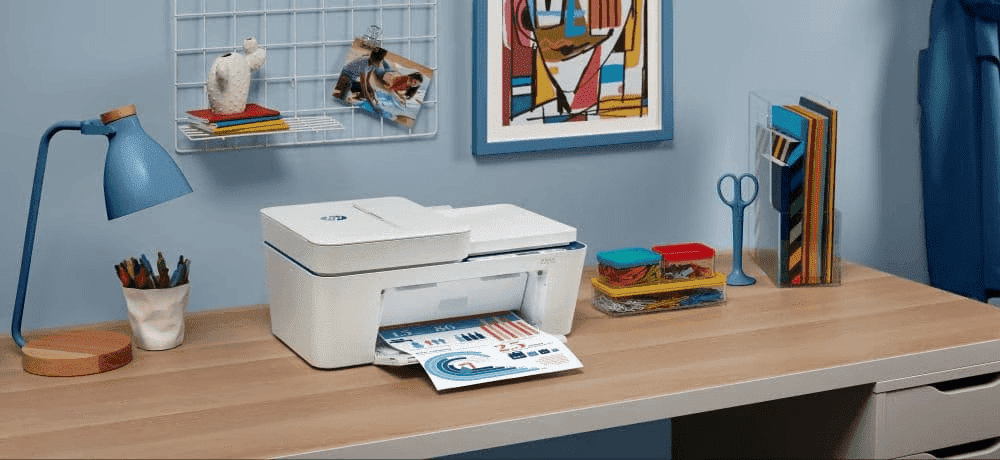
In 2025, printing from your iPhone shouldn’t be complicated. Whether you’re a university student in Auckland needing to print assignments or working from your Wellington flat handling administrative tasks, AirPrint® printers make it simple to print directly from your device. For Kiwis who value efficiency and simplicity, wireless printing has become an essential feature in modern home and office setups.
Contents
- What is AirPrint and Why Choose HP?
- Quick Setup Guide: Connecting iPhone to HP Printers
- Best HP AirPrint Printers by Category
- Key Features Comparison
- HP Instant Ink and Cost Savings for New Zealand Users
- Additional Printing Solutions for New Zealand Homes and Businesses
- Setting Up Your HP Printer in New Zealand
- Common Questions About HP iPhone Printing (FAQ)
- Environmental Considerations for New Zealand Users
- Accessories to Enhance Your Printing Setup
- Conclusion and Recommendations
What is AirPrint and Why Choose HP?
AirPrint is Apple’s wireless printing technology that lets you print from your Apple device without installing drivers. It’s a built-in iOS feature that enables wireless printing through your Wi-Fi network, making it incredibly straightforward for iPhone users across New Zealand.
HP leads the industry in AirPrint compatibility, offering the technology across our LaserJet, DeskJet, OfficeJet and ENVY series. All HP printers with AirPrint functionality also work with our HP Smart app, which offers additional features like advanced scanning options and printer management. With an HP Instant Ink subscription, you won’t run out of ink—a particularly valuable feature for remote workers and small businesses throughout New Zealand.
Quick Setup Guide: Connecting iPhone to HP Printers
Here’s how to wirelessly connect your iPhone to an HP printer:
AirPrint Setup
- Ensure both your HP printer and iPhone are connected to the same Wi-Fi network
- Open any app with content you want to print (Mail, Photos, Safari, etc.)
- Tap the Share icon, then select “Print”
- Choose your HP printer from the list
- Adjust settings as needed and tap Print
HP Smart App Alternative
For additional functionality, download the free HP Smart app from the App Store. The app automatically detects your HP printer and enables mobile scanning, ink level monitoring, and remote printing from anywhere in New Zealand.
Quick Troubleshooting Tip
If your printer doesn’t appear in the AirPrint list, verify both devices are on the same Wi-Fi network and restart your router if needed. Most connectivity issues resolve within minutes with a simple restart.
Best HP AirPrint Printers by Category
Finding the best AirPrint compatible printers in 2025 depends on your specific needs and budget. We’ve evaluated the best iPhone wireless printing setups across different use cases to help Kiwis make the right decision for their home or business.
Best Overall for Home Office: HP OfficeJet Pro 9730e Wide Format All-in-One Printer
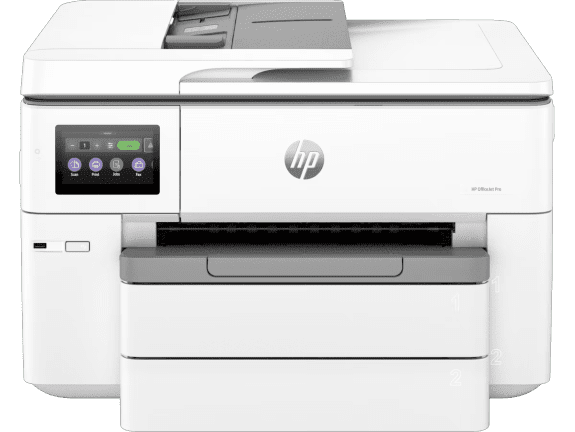
The HP OfficeJet Pro 9730e delivers exceptional versatility for New Zealand home offices and small businesses. This wide format all-in-one produces professional-quality prints with automatic two-sided printing that saves paper and time.
- Print, copy, and scan functionality with AirPrint compatibility
- Built-in dual-band Wi-Fi 802.11 a/b/g/n/ac with self-healing solution
- Automatic duplex printing for paper efficiency
- Wide format capability for marketing materials and presentations
- Recommended monthly page volume: 250 to 1500
Ideal for: New Zealand small businesses and home offices needing versatile colour printing with professional results and wide format capabilities.
Best for High-Volume Business: HP Color LaserJet Enterprise MFP M480f
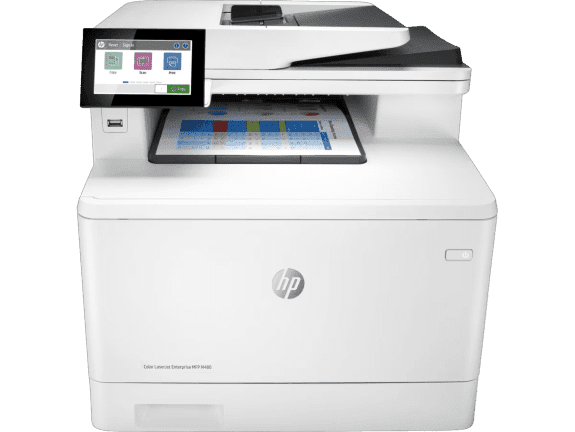
For demanding business environments across New Zealand, the HP Color LaserJet Enterprise MFP M480f provides enterprise-level features and reliable performance. This robust printer maintains professional colour quality consistently, even with high-volume use.
- Print, copy, scan, and fax functionality
- Laser technology for cost-effective high-volume printing
- Automatic duplex printing as default
- Dual-band wireless station and Wi-Fi Direct functionality available with optional HP Jetdirect 3100w BLE/NFC/Wireless Accessory
- Recommended monthly page volume: 900 to 4,800 pages
Ideal for: Medium to large New Zealand businesses requiring fast, secure printing with comprehensive functionality.
Best Value Option: HP DeskJet 2820e All-in-One Printer
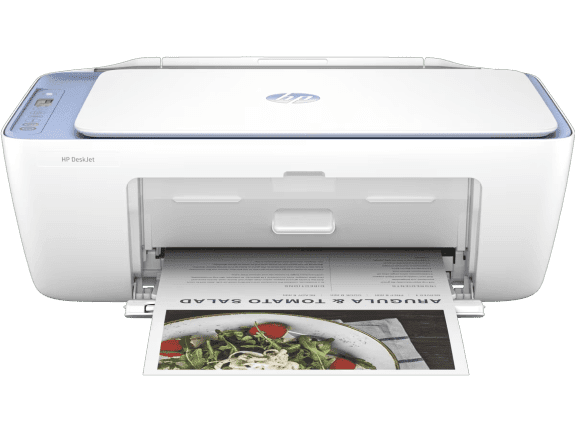
The HP DeskJet 2820e proves that quality iPhone printing can be affordable. This all-in-one printer excels at both document printing and colour output, making it our best value printer for New Zealand homes.
- Print, copy, and scan functionality
- Built-in Wi-Fi 802.11b/g/n for wireless convenience
- Manual duplex printing with driver support
- HP Thermal Inkjet technology
- Recommended monthly page volume: 50 to 100
Ideal for: Students and home users who need reliable printing for documents and occasional colour projects from their iPhone.
Best for Professional Documents: HP LaserJet Pro MFP 4101fdn Printer
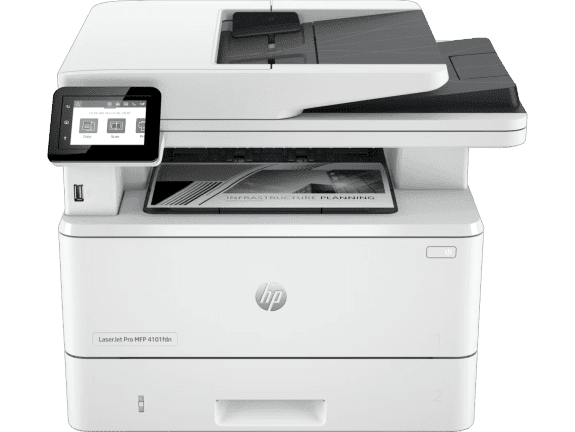
When you need maximum speed and efficiency for document printing, the HP LaserJet Pro MFP 4101fdn delivers exceptional performance. This monochrome laser printer is designed for high-volume, high-speed document printing.
- Print, copy, scan, and fax capabilities
- Fast printing up to 42 ppm for black documents
- Automatic duplex printing as default
- USB and Ethernet connectivity
- Recommended monthly page volume: 750 to 4,000
Ideal for: New Zealand businesses and legal offices that primarily print text documents and require fast, reliable monochrome printing.
Best Compact Option: HP LaserJet M110w Printer
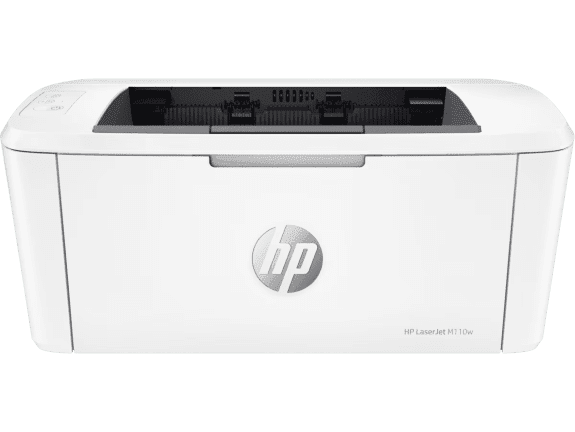
For users with limited space, the HP LaserJet M110w offers efficient performance in HP’s smallest laser printer design. This compact wireless printer is perfect for small New Zealand apartments and home offices.
- Print functionality with wireless capability
- Laser technology for crisp documents
- Print speed up to 21 ppm
- Compact design suitable for tight spaces
- Recommended monthly page volume: 100 to 1000
Ideal for: New Zealand students and remote workers in compact living spaces who primarily print text documents.
Best for Basic Monochrome Printing: HP LaserJet Pro 4001dn Printer

The HP LaserJet Pro 4001dn provides excellent value for users who primarily need fast document printing from their iPhone. This monochrome laser printer delivers efficient, reliable performance with automatic duplex printing.
- Print-only functionality
- Fast printing up to 42 ppm
- Automatic duplex printing
- USB and Ethernet connectivity
- Recommended monthly page volume: 750 to 4,000
Ideal for: New Zealand offices that primarily print text documents and want cost-effective monochrome printing with minimal features.
Key Features Comparison
When choosing the best AirPrint printers for your iPhone, compare these key specifications to narrow down your options for your New Zealand home or business.
Print Speeds (ppm)
The HP LaserJet Pro 4001dn and HP LaserJet Pro MFP 4101fdn lead with 42 ppm black printing, ideal for high-volume document work. For colour printing, the HP Color LaserJet Pro MFP 4301fdw offers 25 ppm, whilst the HP OfficeJet Pro 9730e provides reliable colour printing with automatic duplex capabilities.
Connectivity Options
All featured models include AirPrint and Wi-Fi compatibility, working seamlessly with the HP Smart App. The HP OfficeJet Pro 9730e adds dual-band Wi-Fi with self-healing technology for maximum reliability—particularly valuable for New Zealand homes with challenging Wi-Fi environments. For wired connections, several models include Ethernet capability for stable office networks.
For remote printing outside your Wi-Fi network, the HP Smart App is your best option, allowing you to print from anywhere in New Zealand.
Security Features
Business-focused printers include enhanced security features for protection, including authentication capabilities and fleet management. Always protect sensitive documents with these features, especially important for New Zealand businesses handling client information.
Cost-Per-Page Analysis
Laser models offer lower long-term costs for high-volume printing, making them ideal for busy New Zealand offices. Meanwhile, inkjet models with HP Instant Ink subscriptions can reduce per-page costs for moderate usage patterns. Your printing volume determines the break-even point when investing in a laser model—calculate your monthly page count to make the best decision for your budget.
HP Instant Ink and Cost Savings for New Zealand Users
HP Instant Ink helps manage printing costs when using iPhone printing apps. This subscription service monitors your ink levels and automatically ships replacement cartridges before you run out, delivered right to your New Zealand address. Most users find it worthwhile, especially considering the savings.
Instead of purchasing ink cartridges as needed, you pay monthly based on the number of pages you print (not the amount of ink you use). Plans suit various budgets and printing volumes. Beyond saving money on ink (with estimated savings up to 50%), you’ll never delay important documents or shipments for your home business.
HP Instant Ink supports environmental responsibility through reduced packaging and prepaid recycling, helping New Zealand businesses and households achieve their sustainability goals—a value particularly important to Kiwi consumers.
For those who prefer less frequent ink refills, consider printers from the HP Smart Tank range, such as the HP Smart Tank 7005 All-in-One Printer, which includes up to two years of ink in the box.
Additional Printing Solutions for New Zealand Homes and Businesses
Beyond standard home and office printing, HP offers specialised solutions for various needs:
Mobile Printing Solutions
For New Zealand professionals who travel between client sites, mobile printing solutions provide flexibility. The HP Smart app enables printing from anywhere, whether you’re working from a Wellington café or presenting at an Auckland client’s office.
Wide Format Printing
The HP OfficeJet Pro 9730e’s wide format capabilities allow New Zealand businesses to create impressive marketing materials and presentations in-house, saving time and money on outsourcing printing needs to local print shops.
High-Volume Business Solutions
For larger New Zealand enterprises, explore our range of business printers designed for demanding office environments with enhanced security and fleet management capabilities.
Setting Up Your HP Printer in New Zealand
Setting up your new HP AirPrint printer is straightforward:
- Unbox and Connect: Remove packaging, connect the power cable, and turn on your printer
- Install Ink or Toner: Follow the included instructions to install cartridges
- Connect to Wi-Fi: Use the printer’s control panel or HP Smart app to connect to your home or office network
- Install HP Smart App: Download from the App Store for enhanced features and easy management
- Test Print: Print a test page from your iPhone to confirm everything works correctly
For New Zealand users experiencing setup difficulties, HP Support offers local assistance at support.hp.com/nz-en.
Common Questions About HP iPhone Printing (FAQ)
Do all HP printers work with iPhone?
Most current HP printer models include AirPrint compatibility, though verification is important, particularly when buying older or second-hand models. Check the product specifications or look for the AirPrint logo on the packaging. All printers featured in this guide support iPhone printing through both AirPrint and the HP Smart app.
What’s the difference between AirPrint and HP Smart app?
AirPrint provides basic printing functionality directly from iOS apps, whilst the HP Smart app offers enhanced features including remote printing (from outside your home or office), advanced scanning options, ink level monitoring with automatic ordering, and comprehensive printer management. Both work seamlessly with your iPhone.
Can I print photos directly from the iPhone Photos app?
Yes, all our recommended wireless printers for iPhone support photo printing directly from the Photos app. For best results with photo printing, consider models like the HP OfficeJet Pro 9730e that offer superior colour reproduction.
Which HP printer is best for occasional home use in New Zealand?
The HP DeskJet 2820e All-in-One Printer offers excellent value as one of the most affordable HP printers whilst delivering quality printing and complete connectivity for wireless printing from your iPhone.
Are HP printers compatible with New Zealand power outlets?
Yes, all HP printers sold in New Zealand come with appropriate power adapters for New Zealand’s 230V, 50Hz power system and Type I power outlets.
Can I print from my iPhone when I’m away from home?
With the HP Smart app, you can send print jobs remotely to your HP printer from anywhere in New Zealand, provided your printer remains connected to Wi-Fi and powered on.
Environmental Considerations for New Zealand Users
New Zealand consumers increasingly value sustainable technology choices. HP printers offer several environmentally friendly features:
- Automatic Duplex Printing: Reduces paper consumption by printing on both sides
- Energy-Efficient Design: Models feature Auto-On/Auto-Off technology to minimise power consumption
- Recycling Programme: HP offers cartridge recycling through HP Instant Ink, reducing landfill waste
- Sustainable Materials: Many HP printers incorporate recycled plastics in their construction
These features align with New Zealand’s strong environmental values and help Kiwi households and businesses reduce their ecological footprint.
Accessories to Enhance Your Printing Setup
Complement your new HP printer with these accessories:
- Extra Paper Trays: Increase capacity for high-volume printing needs
- Wireless Keyboards and Mice: Improve your overall workstation efficiency
- USB Cables: For reliable wired connections when needed
- Printer Stands: Organise your workspace and improve ergonomics
Conclusion and Recommendations
Choosing the right AirPrint printer for your iPhone depends on your specific use case and budget. For New Zealand users, we recommend:
- Best Overall Home Office: HP OfficeJet Pro 9730e Wide Format All-in-One Printer for versatility and professional results
- Best for Business: HP Color LaserJet Pro 4201fdn Printer for speed and security
- Best Value: HP DeskJet 2820e All-in-One Printer for budget-conscious users
- Best for High Volume: HP LaserJet Pro MFP 4101fdn Printer for document-intensive work
All these printers offer seamless wireless printing with your Apple devices and are readily available throughout New Zealand. Your choice depends on whether you prioritise colour printing, print volume, budget, or specific features like faxing or wide format capabilities.
For extended ink life at lower costs, explore printers from the HP Smart Tank range, including the HP Smart Tank 7005 and HP Smart Tank 7305, which include up to two years of printing in the box.
Whatever your printing needs, HP offers reliable solutions for New Zealand homes and businesses, backed by local support and designed to work seamlessly with your iPhone. Visit HP New Zealand to explore our complete range of AirPrint compatible printers and find the perfect match for your requirements.
Recent Posts

Popular Posts





Products purchased through this store are sold and fulfilled by Ingram Micro (NZ) LTD

CONTACT US
Call us
- Sales
- 0800 854 848
- Technical support
- +64 9884 8600
Mon-Fri 9.00am - 6.00pm
(exc. Public Holidays)
Chat with us
- Our specialist are here to help
- Live chat
Mon-Fri 9.00am - 6.00pm
(exc. Public Holidays)
Submit feedback
We value your opinion!