Thank you for visiting the NEW ZEALAND HP Store
-
Contact Us
CONTACT USCall us
- Sales
- 0800 854 848
- Technical support
- +64 9884 8600
Mon-Fri 9.00am - 6.00pm
(exc. Public Holidays)
Chat with us- Our specialist are here to help
- Live chat
Mon-Fri 9.00am - 6.00pm
(exc. Public Holidays)
Submit feedback We value your opinion! - My Account

Search
5 Best Upgrades for HP Z Workstations

Posted:
November 25, 2023

For Kiwi professionals relying on intense computing power, a high-performance workstation can significantly improve productivity in your daily workflow. Whether you’re in engineering, video editing, 3D modelling, game development, or you’re a creative professional in Auckland or Wellington, your workstation computer needs to handle complex tasks efficiently.
While purchasing a top-tier workstation with every premium component isn’t always feasible, strategic upgrades can transform your system into a powerhouse that meets your specific needs. In this article, we’ll explore the 5 best upgrades to consider for your workstation PC build, explaining what makes each enhancement valuable for professionals who demand performance.
Contents
What Makes a High-Performance Workstation?
A high-performance workstation is built around powerful processors like the Intel® Core™ and Intel® Xeon® series. These processors deliver exceptional performance for creating complex 3D models, rendering special effects, or working on multi-layered projects that require multiple cores and high memory capacity.
Quality workstations are designed to help professionals create their best work while running multiple demanding programmes simultaneously—something that would slow down or crash less capable systems. This level of performance is vital for maintaining an efficient workflow in professional environments.
The Importance of Workstation Upgrades
When building or enhancing a workstation PC, considering future requirements is essential. Professional software often demands specific components like higher-tier graphics cards, substantial RAM, and extensive storage space for associated files. By strategically upgrading your workstation at purchase or later, you’re preparing for both current and future projects.
A high-performance workstation gives professionals the computing power required to complete complex tasks efficiently. Modern workstations come with Windows 11 Pro, ensuring compatibility with professional software right out of the box.
When selecting upgrades, your budget will likely be the determining factor. While we all desire maximum performance, balancing costs with priorities is necessary. Consider which features will have the greatest impact on your specific workflow and allocate your budget accordingly.
Top 5 Customisations for your Workstation PC Build
One of the major benefits of professional workstations is their extensive customisation options. From graphics processing to storage configuration, here are the five most significant upgrades to consider for your workstation computer:
1. Upgrade the Graphics Card for Design and Visualisation
For graphic designers, 3D artists, and visualisation professionals, the graphics processing unit (GPU) is perhaps the most critical component in a workstation PC build. For professionals deeply involved in graphic design or visualisation, upgrading to a more powerful graphics card can dramatically improve rendering times and overall performance. Many modern professional applications leverage GPU acceleration, making this upgrade particularly impactful.
Your workstation might also double as a system for graphics-intensive applications. Modern professional software often requires powerful graphics cards to deliver the full visual experience. As applications become more sophisticated, having a future-proof GPU ensures your system can handle new releases with ease.
Whether you need enhanced graphics for work, entertainment, or both, investing in the best graphics card your budget allows can save time and frustration while providing a better visual experience.
Best Workstation for Professional Design and Visualisation Tasks
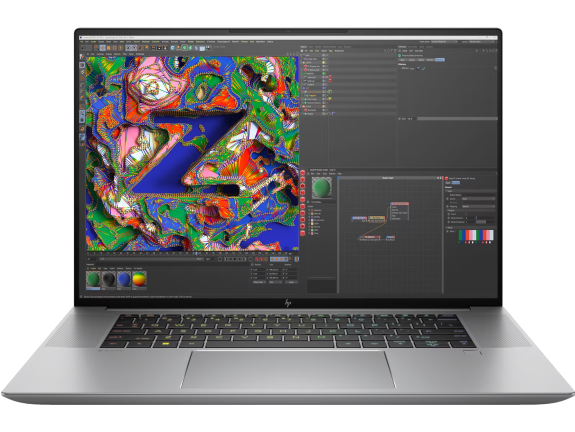
This powerful mobile workstation combines exceptional processing power with the NVIDIA RTX™ 3000 Ada Generation graphics, making it ideal for New Zealand professionals who need consistent performance for design visualisation and complex computing tasks, whether working in the studio or on location.
-
Windows 11 Pro operating system
-
Intel® Core™ i7-13700H processor with up to 5.0 GHz
-
32 GB memory; 1 TB SSD storage
-
NVIDIA RTX™ 3000 Ada Generation Laptop GPU with 8 GB GDDR6 dedicated memory
The ZBook Studio’s 16-inch diagonal WUXGA display provides ample screen real estate for detailed design work, while the powerful combination of processor and graphics ensures smooth performance even when working with large files and complex visualisations.
2. Increase RAM for Video Editing and Multitasking
Video editing is one of the most memory-intensive tasks a professional might undertake, and having sufficient RAM can make the difference between smooth editing and frustrating lag. The best processor for workstation performance needs adequate memory to reach its full potential.
When you upgrade your workstation’s RAM, you’ll notice immediate improvements in your ability to run memory-intensive software and load high-resolution videos—even in 4K or 8K. Multiple memory slots in professional workstations make RAM upgrades straightforward and allow for substantial memory expansion.
For video editing professionals, we recommend a minimum of 32GB of memory, particularly when working with 4K content or above. If your projects involve extensive compositing or effects work, 64GB or more may be appropriate. This extra memory capacity makes a significant difference when dealing with large files, especially when combined with a powerful graphics card and ample storage.
Best Desktop for Memory-Intensive Professional Applications
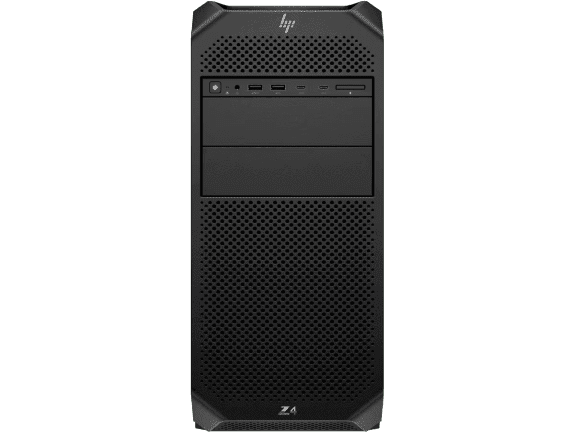
This powerful workstation offers the high-end specifications that make it perfect for professional video editing and multimedia production. With its impressive expandability supporting up to 512 GB of memory and powerful professional graphics options, it’s ready to handle the most demanding professional applications used by New Zealand content creators.
-
Windows 11 Pro for Workstations operating system
-
Intel® Xeon® W processor with up to 26 cores
-
Up to 512 GB memory (expandable)
-
Multiple storage configurations available
-
Support for up to 2 high-end professional GPUs
The HP Z4 G5 is designed to master intense workflows with extraordinary expandability. Its generous memory capacity and professional-grade components make this desktop an excellent choice for video professionals who need to process large files quickly while maintaining smooth performance during memory-intensive editing tasks.
3. Implement Faster Storage Solutions
Whatever your professional focus, adequate storage is essential for managing large media or data files. Equally important is how quickly you can access those files, which is why solid-state drives (SSDs) have become standard in professional workstations.
Multiple storage bays in professional desktops allow you to create a tiered storage system that balances performance with capacity. Base configurations typically start with 512GB PCIe SSD storage, which you can expand to 1TB or more either at purchase or as your needs grow.
Many professionals implement a hybrid storage approach: fast SSDs for current projects and operating system, combined with larger, more economical HDDs for archival and less frequently accessed data. This configuration optimises both performance and cost-effectiveness.
Best Desktop for Customised Professional Storage Solutions
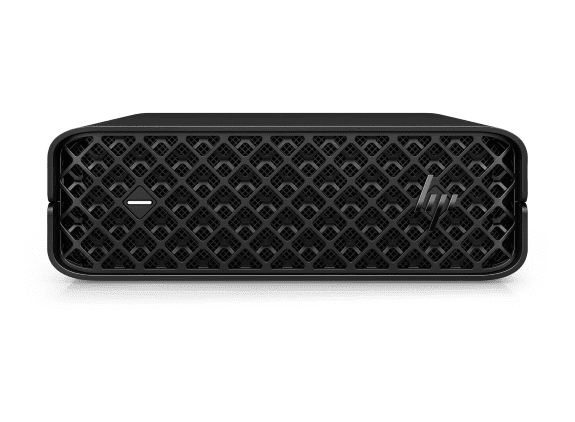
The HP Z2 Mini G9 workstation offers impressive functionality in a remarkably compact form factor. For New Zealand professionals working with large media files in space-constrained environments, this tiny but powerful workstation provides an excellent balance of performance and space efficiency.
-
Windows 11 Pro operating system
-
Intel® CPU options for professional performance
-
Tool-free interior access for easy upgrades
-
Standard low-profile NVIDIA® GPU
-
Industry-leading security with HP Wolf Security Suite
The Z2 Mini’s innovative slide-out design allows for easy component access, making storage upgrades particularly convenient as your needs evolve. Despite its small size, this workstation is engineered to tackle workflows you never thought possible on such a compact PC, including 3D projects and rendering tasks.
4. Choose the Right Processor for Computational Tasks
The processor is the heart of any workstation, and selecting the right CPU is crucial for professionals running complex simulations, renderings, or data analyses. High-end Intel® Xeon® processors offer exceptional multi-core performance for workstation applications.
Modern processors with multiple cores and threads can handle parallel processing tasks with ease, significantly reducing computation times for complex operations. When selecting a processor for your workstation, consider both the core count and clock speed to match your specific workflow requirements.
For computational tasks like simulations, data analysis, and rendering, multi-threaded performance is paramount. Professional workstations with 10+ core processors provide the parallel computing power needed to process complex calculations efficiently.
Best Desktop for Complex Computational Tasks
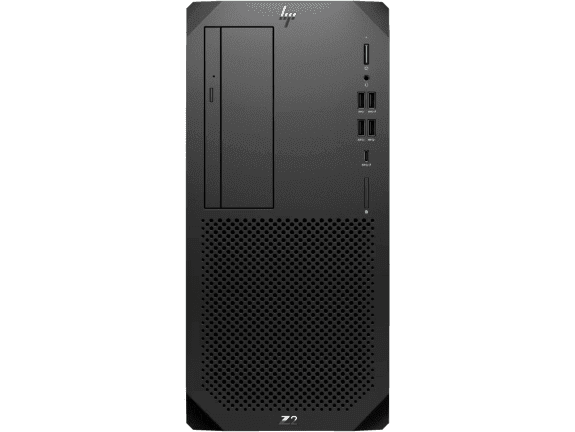
The HP Z2 Tower G9 workstation offers professional-grade processing power needed for computational workloads. New Zealand professionals in fields requiring complex calculations will appreciate the powerful processor options and balanced configuration.
-
Windows 11 Pro operating system
-
Powerful multi-core processor options
-
Expandable memory configurations
-
Built for zero throttling during intense computational tasks
-
ISV certified for professional applications
The Z2 Tower is engineered to seamlessly run multi-threaded applications for fast rendering and simulation without overheating or lags. This makes it well-suited for professionals running simulations, renderings, or data analysis tasks that benefit from multi-core processing capabilities.
5. Select the Right Accessories for Improved Workflow
The right accessories can significantly enhance your workstation experience and productivity. For professionals using a high-performance workstation, selecting appropriate peripherals completes the system and creates an optimised work environment.
A high-quality input device like a precision mouse can make a substantial difference for graphic designers and creative professionals. With customisable buttons and precision tracking, it provides the control needed for detailed creative work.
Best Mouse for Professional Design Workflows
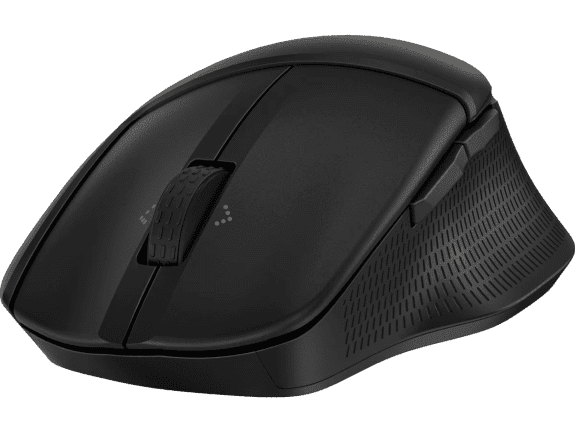
The HP 685 Comfort Dual-Mode Mouse is purposefully designed for professional workflows, offering exceptional comfort and productivity. Its naturally-contoured design with soft side grips and premium soft top coating makes it ideal for New Zealand professionals who spend long hours on detailed creative work.
-
Programmable six-button design for customised workflows
-
4D tilt wheel with fast scroll for both vertical and horizontal navigation
-
Dual-mode connectivity (HP Unifying Dongle or Bluetooth®)
-
Connect and switch between up to three devices with a single click
-
Made with at least 65% post-consumer recycled materials
This mouse’s ability to track on virtually any surface combined with its quiet clicks and programmable buttons makes it perfect for creative professionals who need precise control and customisable shortcuts in their design applications. The dual connectivity options also ensure seamless integration with multiple workspaces, ideal for professionals who work across different devices or locations.
Don’t overlook the importance of keyboard solutions for your workspace. A quality keyboard and mouse combination like the HP 225 wired mouse and keyboard combo or the wireless HP 230 wireless mouse and keyboard combo can enhance your productivity while maintaining a clean, professional workspace.
Additional Considerations for New Zealand Professionals
When setting up a workstation in New Zealand, consider a few region-specific factors that might affect your system choices:
Power Efficiency
With electricity costs in New Zealand being a consideration for many businesses, choosing components with good power efficiency ratings can help manage operating costs. Modern processors and graphics cards often offer power-saving features that reduce consumption during periods of lighter workload.
Compact Form Factors for Space Efficiency
For professionals working in Auckland or Wellington where office space comes at a premium, the HP Z2 Mini G9 workstation offers a compelling solution. This tiny but powerful PC fits easily on your desk or can be mounted behind your monitor, allowing you to tackle 3D projects without sacrificing valuable office space.
Connectivity for Remote Collaboration
Many New Zealand professionals collaborate with teams across different time zones. Ensure your workstation setup includes reliable networking components and consider adding video conferencing capabilities with devices like the Poly Studio USB video bar for seamless remote collaboration.
Mobile Workstations for Flexibility
New Zealand’s diverse work environments and growing flexible work culture mean that mobile workstations are increasingly popular. For professionals who need to work between locations, high-performance laptops provide the power of a workstation with the convenience of portability.
Conclusion
Your professional workstation is designed to deliver the computing power needed for the most demanding projects. By carefully selecting targeted upgrades that align with your specific workflow, you can build a high-performance workstation that not only meets your current needs but remains capable well into the future.
Whether you’re focused on upgrading your graphics capabilities, expanding memory capacity, implementing faster storage, selecting the best processor for workstation tasks, or enhancing your setup with appropriate accessories, each improvement contributes to a more efficient and effective workstation PC build.
For professionals who demand uncompromising performance, HP Z series workstations provide the perfect foundation for building their ideal computing system. With strategic upgrades, your workstation computer will be prepared to tackle whatever challenges your professional work presents today and tomorrow.
Recent Posts


Popular Posts





Products purchased through this store are sold and fulfilled by Ingram Micro (NZ) LTD

CONTACT US
Call us
- Sales
- 0800 854 848
- Technical support
- +64 9884 8600
Mon-Fri 9.00am - 6.00pm
(exc. Public Holidays)
Chat with us
- Our specialist are here to help
- Live chat
Mon-Fri 9.00am - 6.00pm
(exc. Public Holidays)
Submit feedback
We value your opinion!