Save up to 71%
Weekly Deals
on select tech deals.
Save up to 71% on select tech, free shipping storewide.
Get extra 25% off select HP, HyperX, and Poly accessories with code: SETUP25.

Accessories

Apply Quick Filters :

3% back in HP Rewards
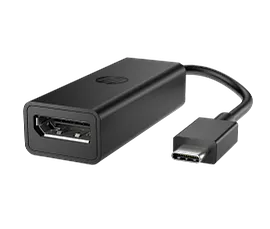
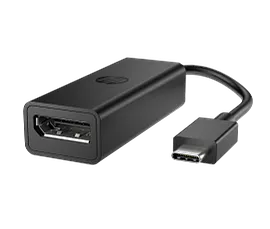
HP USB-C to DisplayPort Adapter G2

HP USB-C to DisplayPort Adapter G2

DisplayPort 1.4™ and 8K display support[1]Unstoppable workflow with multi-OS support[3]Ultra-lightweight for travel-ready 8K[2] connectionMade with at least 80% post-consumer recycled materials[4]
8Y8Y1AA
Engineered for Sustainability
Get 25% off with code SETUP25
3% back in HP Rewards
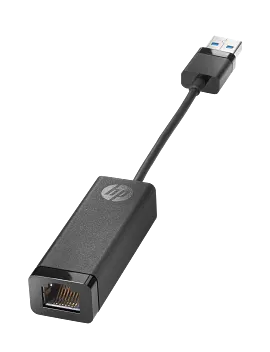
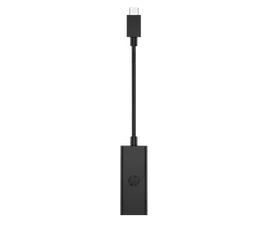
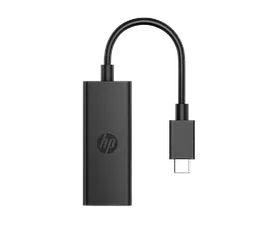
HP USB 3.0 to Gigabit RJ45 Adapter G2

HP USB 3.0 to Gigabit RJ45 Adapter G2

Reliable connectivityEnables network manageabilityEasy to carryOne-cable solution
4Z7Z7AA
Get 25% off with code SETUP25
3% back in HP Rewards
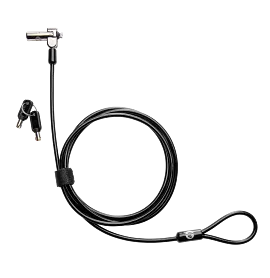
HP Nano Keyed Cable Lock

HP Nano Keyed Cable Lock

Loop and lockRoom to moveRest easy
1AJ39AA
Get 25% off with code SETUP25
3% back in HP Rewards
HP USB-C to DisplayPort Adapter G2 TAA

HP USB-C to DisplayPort Adapter G2 TAA

DisplayPort 1.4™ and 8K display support[1]Unstoppable workflow with multi-OS support[3]Ultra-lightweight for travel-ready 8K[2] connectionMade with at least 80% post-consumer recycled materials[4]
8Y8Y2AA#ABA
Engineered for Sustainability
Get 25% off with code SETUP25
3% back in HP Rewards
Get 25% off with code SETUP25
3% back in HP Rewards
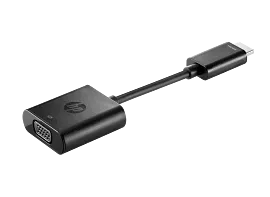
HP HDMI to VGA Adapter

HP HDMI to VGA Adapter

Converts HDMI to VGAEasy to carryOne-cable solution
H4F02AA#ABA
Get 25% off with code SETUP25
3% back in HP Rewards
Get 25% off with code SETUP25
3% back in HP Rewards
Get 25% off with code SETUP25
3% back in HP Rewards

Get 25% off with code SETUP25
3% back in HP Rewards
Get 25% off with code SETUP25
3% back in HP Rewards

Get 25% off with code SETUP25
3% back in HP Rewards
Get 25% off with code SETUP25
3% back in HP Rewards
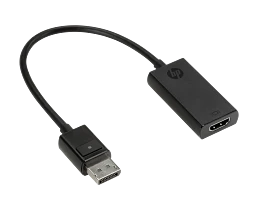
HP DisplayPort to HDMI True 4K Adapter

HP DisplayPort to HDMI True 4K Adapter

4K readyEasy to carryOne-cable solution
2JA63AA
Get 25% off with code SETUP25
3% back in HP Rewards

Related articles

How to Transfer Files from PC to PC: Step-by-Step Methods

Learn 6 proven methods to transfer files from PC to PC with our step-by-step guide. Discover the best techniques for moving data between computers quickly and securely.

Read more

How to Turn Keyboard Lighting On and Off on HP Laptops

Learn how to turn on and off your HP laptop’s keyboard light. Easy steps for HP Envy, Pavilion, OMEN, and more. Troubleshoot common issues and adjust settings.

Read more

How to Connect AirPods to a Windows Laptop

Easily connect your AirPods™ to your Windows laptop! Our simple guide shows how to pair AirPods™ with your PC, troubleshooting included. Works for all models.

Read more

USB-C vs Thunderbolt Port: What’s the Difference?

Explore the differences between USB-C and Thunderbolt. Discover the best connection for your needs based on speed, features, and cost. Learn more today!

Read more

What is the Best Monitor Size for Working from Home

Find the best monitor size for working from home. Compare 24, 27, and 32-inch displays by job type, desk space, and budget.

Read more

Mechanical vs. Membrane Keyboard: What’s the Difference?

What's actually different between mechanical and membrane keyboards? We break down how each works, how they feel to type on, the noise difference, maintenance, and which type fits your daily use — not just gaming.

Read more

How to Organize Cables and Keep Your Desk Setup Clean

Tangled cables ruining your desk? Learn step-by-step how to manage cords for any setup — home office, gaming, or dual monitors — using cable ties, raceways, docking stations, and wireless upgrades.

Read more

How to Print Photos at Home That Look Professional

Want professional-looking photo prints at home? Learn how to optimize image resolution, color settings, paper choice, and printer profiles to get stunning results every time.

Read more
Country/Region :   United States