Thank you for visiting the NEW ZEALAND HP Store
-
Contact Us
CONTACT USCall us
- Sales
- 0800 854 848
- Technical support
- +64 9884 8600
Mon-Fri 9.00am - 6.00pm
(exc. Public Holidays)
Chat with us- Our specialist are here to help
- Live chat
Mon-Fri 9.00am - 6.00pm
(exc. Public Holidays)
Submit feedback We value your opinion! - My Account

Search
Page 30 - Tech Takes

-
Posted: June 28, 2023Categories: Printer
 Read more »
Like so many tech devices we use today, the perfect printer choice is often as unique as the person or organization using it. From simple and streamlined devices to high-speed juggernauts, there are many different types of printers on the market today.
-
Posted: June 27, 2023Categories: Laptops
 Read more »
When you’re choosing a laptop to accompany your engineering education, you need to consider specifications that go beyond what you’d need if you were using it for entertainment or lighter uses. Engineering often requires PCs to have some extra computing power and the ability to quickly jump from one program to another.
-
Posted: June 27, 2023Categories: Miscellaneous
 Read more »
While standalone fax machines aren't something many homeowners or even small businesses own these days, the need to send a fax still exists. What happens if you need to send one right away? How can you use your multifunction HP printer to get the job done? Learn how to send a fax with this easy step-by-step guide.
-
Posted: June 27, 2023Categories: Laptops
 Read more »
There are so many laptop choices on the market today that it’s easy to become overwhelmed. Thankfully, the reality of having so many options assures shoppers that there is a perfect choice available for your unique and important needs.
-
Posted: June 26, 2023Categories: Printer
 Read more »
There are almost 30 million printers and multifunction devices in the U.S. and Western Europe that are connected to a network. Any device that’s connected to the internet is potentially vulnerable to cyber theft.
-
Posted: June 26, 2023Categories: Printer
 Read more »
Reusing and recycling office supplies extends the useful life of materials and prevents the need for further resource use and company expense. A company's environmentalism is also increasingly becoming a branding commodity and a point of corporate praise. Studies have shown that employee satisfaction is increased when they feel that their employer supports environmental initiatives. And bringing green policies to a business is an opportunity for eco-friendly education to influence workers' behaviors well beyond the walls of the office.
-
Posted: June 26, 2023Categories: Laptops
 Read more »
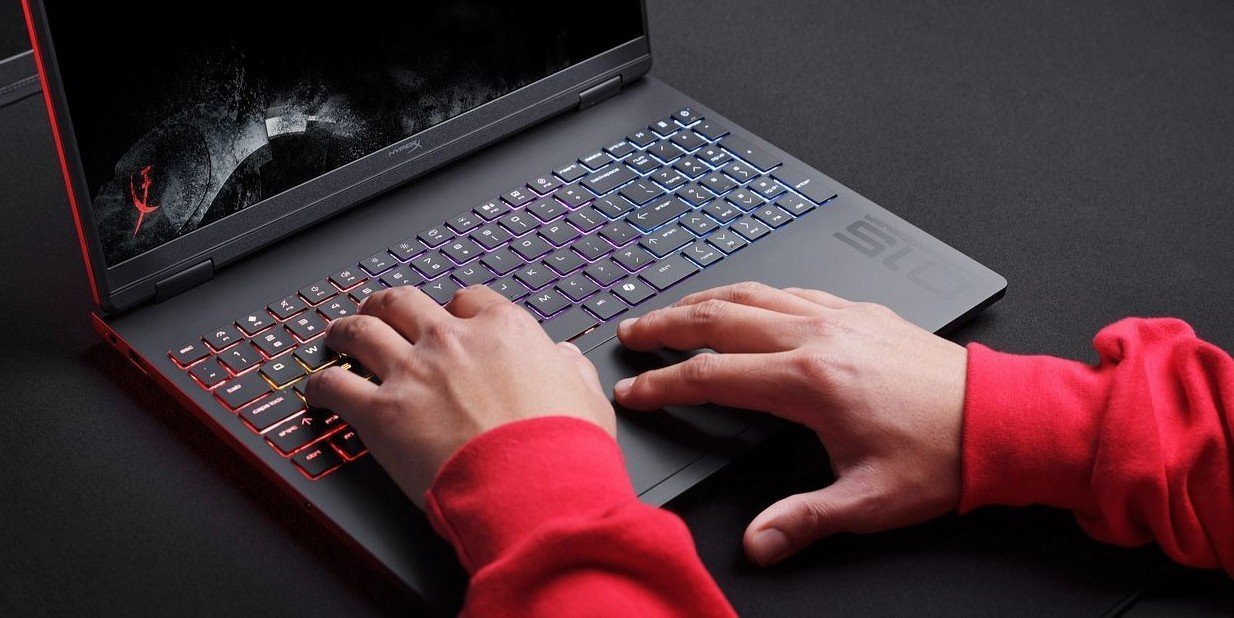
The HP OMEN 16 gaming laptop features a 16.1-inch diagonal display and many of the same processing, graphics, and memory components as its desktop PC counterparts. Other notable features include an advanced cooling system, finely tuned speakers, and a full keyboard, all of which were designed to meet the unique needs of professional and hobbyist gamers alike.
-
Posted: June 26, 2023Categories: Laptops
 Read more »
Modern computing and technology introduce consumers to a number of new and inventive names for the thousands of new and inventive products released every year. Just a couple of decades ago, words like laptop and iPad were nonsense words, not high-powered machinery capable of connecting billions of people across the world. With the evolution of our everyday tech happening more rapidly than ever before, it can be difficult to keep up with terminology.
-
Posted: June 26, 2023Categories: Laptops
 Read more »
If you are considering making the move to PC gaming from a console, or it’s simply time to upgrade from your aging rig, our HP Pavilion gaming desktop review can steer you in the right direction.
-
Posted: June 23, 2023
 Read more »
Laptop cooling pads have come a long way over the years, making it easier than ever to protect your lap and keep your computer’s fan from overheating. Even better, you can find great options across a variety of budgets and styles all right here in our list of the best laptop cooling pads.
Recent Posts


Popular Posts




Products purchased through this store are sold and fulfilled by Ingram Micro (NZ) LTD

CONTACT US
Call us
- Sales
- 0800 854 848
- Technical support
- +64 9884 8600
Mon-Fri 9.00am - 6.00pm
(exc. Public Holidays)
Chat with us
- Our specialist are here to help
- Live chat
Mon-Fri 9.00am - 6.00pm
(exc. Public Holidays)
Submit feedback
We value your opinion!