Thank you for visiting the NEW ZEALAND HP Store
-
Contact Us
CONTACT USCall us
- Sales
- 0800 854 848
- Technical support
- +64 9884 8600
Mon-Fri 9.00am - 6.00pm
(exc. Public Holidays)
Chat with us- Our specialist are here to help
- Live chat
Mon-Fri 9.00am - 6.00pm
(exc. Public Holidays)
Submit feedback We value your opinion! - My Account

Search
Should I Buy an AI PC? A Comprehensive Buyer’s Guide for New Zealand

Posted:
October 05, 2025
Categories:
Laptops
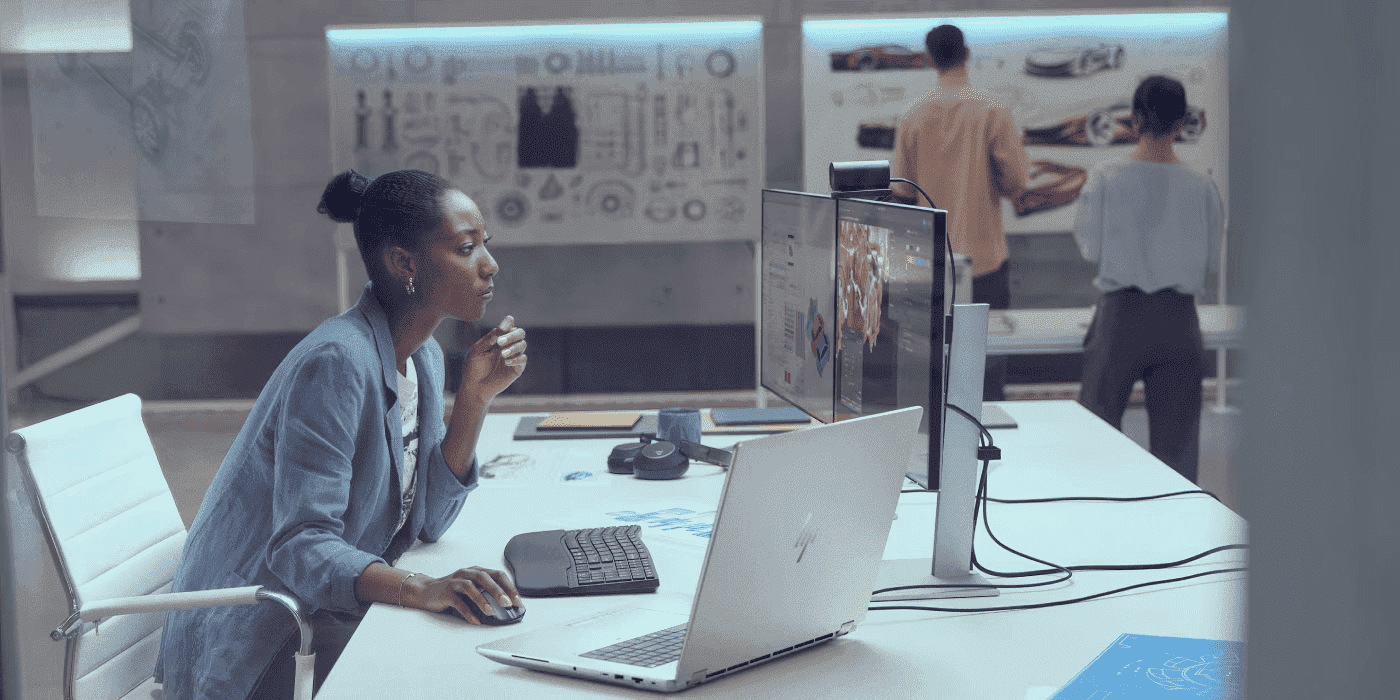
Artificial Intelligence continues to transform the technology landscape with innovative products and solutions, and here in New Zealand, we’re experiencing this evolution firsthand. At the centre of everything AI are AI PCs, personal computers designed to support AI applications locally on your device. For Kiwi professionals, students, and businesses looking to stay ahead of the curve, understanding AI PCs is becoming increasingly essential.
AI PCs are still in the early stages of growth, but they’re already making a significant impact across industries from Auckland to Christchurch. Soon, PCs will be able to handle heavy AI applications more efficiently. Your regular PC will be more responsive to your needs and demands, predict your habits, and create efficient systems for your day-to-day tasks. Whether you’re working from a Wellington co-working space or managing a creative studio in Queenstown, AI PCs offer capabilities that traditional computers simply can’t match.
Contents
What Is an AI PC and How Does It Work?
AI PC Definition: An AI PC is a personal computer equipped with specialised hardware (NPU) designed to run AI applications locally on the device, without needing cloud connectivity.
An AI PC is a personal computer designed to run AI applications locally—that is, on the device itself. So let’s take OpenAI’s models as an example: if your computer can run open-weight models like GPT-OSS-20B and GPT-OSS-120B without having to go online and tap into the cloud, it’s ideally and broadly speaking an AI PC.
Key Components of an AI PC
- NPU (Neural Processing Unit) - Specialised chip for AI tasks
- Enhanced CPU - Traditional processor with AI capabilities
- Upgraded GPU - Graphics card optimised for AI rendering
- High-capacity RAM - 16GB minimum for efficient multitasking
- Fast SSD storage - Quick data transfer for AI operations
HP has a line of AI-capable laptops with varying capacities and features, thanks to innovative hardware, software, and motherboard firmware. These PCs, from simple to advanced, ensure efficient operation of AI applications and are also designed to retain some relevance, even as AI tech advances (future-proofing).
Understanding what an AI PC does is crucial to picking the best one for your workflow. It’s important to consider hardware and software options, alongside proven performance in real-life scenarios. Let’s explore some artificial intelligence computer features.
The NPU—Neural Processing Unit Benefits
Key Insight: NPUs can perform up to 50 TOPS (trillions of operations per second) whilst using less power than traditional processors.
The NPU, also called Neural Processing Unit, is an additional silicon component built on the processor die (in simple terms). It has a parallelised design, meaning it can perform several AI resource-demanding algorithmic tasks simultaneously. The NPU tackles AI tasks, freeing up the CPU and GPU to do their usual tasks.
NPU Benefits at a Glance
- Parallel Processing - Handle multiple AI tasks simultaneously
- Energy Efficiency - Lower power consumption than CPU/GPU for AI tasks
- Dedicated AI Processing - Frees up CPU/GPU for traditional computing
- Faster AI Inference - Optimised for machine learning operations
An AI PC offloads AI-specific tasks, such as machine learning inference, image recognition, and natural language processing, to the NPU, ensuring that neural processing tasks are performed by special silicon arrangements, like Nvidia’s CUDA core architecture. However, there are times when AI tasks would draw from a PC’s CPU and GPU computing resources, depending on the applications being run.
NPUs made it possible for light PCs to crunch AI-algorithmic tasks, offering power, portability, and efficiency, all at once.
TOPS and AI Performance—What It Means
TOPS Quick Definition: Trillions of Operations Per Second - measures how many AI calculations a chip can perform per second.
TOPS Performance Tiers
- Entry Level: 20-30 TOPS - Basic AI tasks, real-time translation
- Mid-Range: 30-45 TOPS - Content creation, local LLMs
- High-End: 45-50+ TOPS - Enterprise workflows, complex AI modelling
TOPS means trillions of operations per second. In simple terms, it measures the maximum number of 8-bit integers (INT8) a chip can execute. In other words, it’s a mathematical calculation of how efficiently a chip can execute AI inference.
It’s important to know that whilst TOPS is a vendor-calculated and rated performance measurement, it doesn’t entirely translate into real-life scenarios. There may be differences in theoretical performance and real-life performance under specific conditions.
Whilst NPUs are crucial to the performance of an AI PC, other factors, such as RAM, data transfer speed (storage), thermal throttling, and software demand, also affect just how efficiently or inefficiently an AI PC may work under different circumstances.
Real-World AI-Powered Laptop Benefits
Top 3 Benefits:
- Privacy-focused local processing
- No internet required for AI tasks
- Faster response times than cloud-based AI
AI automates and optimises every day, from simple tasks to complex computations. They have real-world benefits to individual professionals, students, and businesses across New Zealand.
Processing Language Models
What it does: Run ChatGPT-like models offline
Models supported: LLaMA, Phi, GPT-OSS variants
Benefit: Complete privacy, no data leaves your device
HP AI laptops with Intel Core Ultra processors are capable of running powerful local language models like LLaMA and Phi. These language models can explain concepts, communicate, define terms, write, reword, and provide insights on topics, without the need to connect to the internet. Imagine accessing the power of OpenAI’s GPT without worrying about a privacy breach—particularly valuable for businesses handling sensitive information or those in areas with limited connectivity.
Image Generation
What it does: Create AI art and edit photos locally
Tools supported: Stable Diffusion, DALL-E alternatives
Processing time: 2-10 seconds per image (varies by model)
Image generation involves using generative AI to create AI art, edit pictures, and design emojis. AI art is quickly becoming mainstream, and as the technology improves, many end users want PCs that can quickly and efficiently perform these tasks with a few prompts.
Real-Time Captioning and Translation
Languages supported: 40+ languages
Accuracy: 95%+ for major languages
Use cases: Virtual meetings, content accessibility
Real-time translation and captioning save users time by automatically captioning video meetings in real-time. The technology also differentiates each speaker and translates language. That means virtual meetings can be held by people who speak different languages without barriers—perfect for New Zealand businesses working with international clients or multicultural teams.
Advanced Search With Natural Language
New AI features, such as OpenRecall, an open-source programme, periodically capture your screen and index your activity, allowing you to search for specific activities if you forget. For example, suppose you spent some time on Chrome searching through websites for the best pizza place in Auckland three weeks later; you can ask OpenRecall to find web pages you opened that are related to pizza, within a three-week window.
OpenRecall is local, meaning it does not connect to the internet, ensuring privacy protection. Since it’s open source, anyone can check its code, and you can encrypt your data whilst enjoying your capacity to recall past activities without a file name or time stamp.
Personalised AI Assistants
AI chatbots are quickly becoming assistants. Copilot, for example, helps you analyse notes, photos, and videos. From writing newsletters to emails, text messages, and organising your calendar, getting relationship advice—all with loose language prompts. It’s like speaking to a human being—an intelligent and responsive personal assistant.
System and Power Management
An HP AI PC has adopted advanced power management, enabling portable and powerful systems to handle resource-intensive tasks without placing undue pressure on battery usage and life. From hardware structure (fan, CPU, and GPU design), and workload spread over CPU, GPU, and NPU, these intelligent innovations make AI PCs powerful, sustainable, and environmentally friendly.
Webcam and Audio Enhancements
AI Camera Features:
- Background blur/replacement
- Auto-framing
- Low-light enhancement
- Eye contact correction
An HP AI PC also enhances your video and audio call experience, from boosting webcam images to focused framing, white balance adjustments, and audio enhancements.
Whilst applications like Zoom offer these features, an AI PC allows you to access the same features locally without going online. The NPU hardware handles its background processing without monopolising your CPU or GPU or draining your battery.
Who Should Consider Buying an AI PC?
Quick Decision Matrix
| Professional Type | Minimum TOPS | Recommended Model |
|---|---|---|
|
Content Creator
|
30-40
|
HP Spectre x360 16
|
|
Developer
|
40-50
|
HP ZBook Studio G10
|
|
Data Analyst
|
30-40
|
HP Elite x360 1040
|
|
Student
|
20-30
|
HP Pavilion x360 14
|
|
Business Professional
|
30-40
|
HP EliteBook 840 G10
|
|
Gaming & Creation
|
40-50
|
OMEN 16
|
Content Creators
Graphics designers, video editors, photographers, and animators can better optimise their workflows with AI PCs. For example, features like image enhancement, background remover, video editing, and rendering work much more seamlessly.
Tools like Adobe Illustrator and Lightroom, Animaker AI, and Canva have different AI features that align perfectly with AI PCs.
Recommended Configuration:
- Intel Core i7/i9 or Core Ultra 7
- NVIDIA GeForce RTX 3050-4070 series
- 512GB+ SSD storage
- 30-40 TOPS NPU equivalent
Professional Recommendation: HP Spectre x360 16 inch or OMEN 16 inch Gaming Laptop
Developers
Developers need powerful processors with AI capabilities for workflows such as utilising machine learning models and building smart applications. Whether you’re developing web applications, mobile apps, or training AI models, having local AI processing capabilities can significantly speed up your workflow.
Recommended Configuration:
- Intel Core i9 or AMD Ryzen 9
- 32-64GB RAM
- 1TB SSD
- RTX 3080/4060 or higher
- 40-50 NPU TOPS equivalent
Professional Recommendation: HP ZBook Studio G10 or OMEN 40L Desktop
Data Analysts
Whether you are an analyst in finance, marketing, or healthcare, an AI PC will help you process large datasets, analyse real-time data, and perform more sophisticated predictive analysis. Local AI processing means you can work with sensitive data without sending it to the cloud.
Recommended Configuration:
- Intel Core i7/i9 or AMD Ryzen 7/9
- 32-64GB RAM
- RTX 3060-4000 series
- 30-40 TOPS NPU equivalent
Professional Recommendation: HP Elite x360 1040 or HP EliteBook 840 G10
AEC (Architecture, Engineering, and Construction) Professionals
AEC professionals require powerful PCs for project management, design, construction simulation workflows, 3D modelling, real-time ray tracing, and VFX machine learning. New Zealand’s growing construction and infrastructure sectors make these capabilities increasingly valuable.
Recommended Configuration:
- Intel Core i7/i9 or AMD Ryzen equivalent
- 16-64GB RAM
- RTX 3080/4060 or higher
- 512GB-1TB storage
- 30-50 NPU TOPS equivalent
Professional Recommendation: HP ZBook Studio G10 (top tier) or HP Spectre x360 16
Students and Emerging Professionals
For students across New Zealand’s universities and polytechnics, AI PCs offer future-proof technology that will serve them well throughout their education and into their careers. Look for laptops with integrated AI capabilities that don’t break the budget.
Recommended Configuration:
- Intel Core i5 or AMD Ryzen 5
- 16GB RAM minimum
- 512GB SSD
- Integrated graphics with AI support
- 20-30 TOPS NPU equivalent
Professional Recommendation: HP Pavilion x360 14 inch or HP Pavilion Aero 13.3 inch
Cost vs. Value Analysis
AI PC vs Traditional PC Price Comparison
| PC Type | Entry Level | Mid-Range | High-End |
|---|---|---|---|
| Traditional PC |
NZ$900-1,400
|
NZ$1,500-2,300
|
NZ$2,700-3,800
|
| AI PC |
NZ$1,800-2,400
|
NZ$2,700-3,800
|
NZ$4,500-7,500
|
| Price Premium |
+NZ$900
|
+NZ$1,200
|
+NZ$2,200+
|

Long-term Value Proposition
An AI PC offers durability, compatibility, speed, and immense processing power, ensuring very limited downtime and work efficiency. They are not just powerhouses; they are durable, portable, and make work easier and more enjoyable.
Future Proofing Benefits:
- 5-year relevance - AI-optimised hardware stays current longer
- Software compatibility - Ready for next-gen AI applications
- Upgrade paths - Modular designs allow component updates
- Industry standards - Compatible with evolving AI ecosystems
For New Zealand professionals, the investment in an AI PC pays dividends through increased productivity, reduced reliance on cloud services (saving on data costs), and the ability to work effectively even in areas with limited internet connectivity—a consideration for those in regional New Zealand.
Making the Right Choice for Your Needs
Consider Your Workflow
Before investing in an AI PC, assess your actual AI usage requirements. If you’re primarily using AI for occasional tasks like photo enhancement or basic text generation, a mid-range laptop with Intel Core Ultra processors may suffice. However, if you’re regularly training models, processing large datasets, or working with AI video generation, the investment in higher-end specifications becomes justified.
Think About Portability vs. Power
For professionals who work from multiple locations—a common scenario in New Zealand’s flexible work environment—a premium laptop like the HP Spectre x360 or HP Envy x360 offers an excellent balance of portability and AI capabilities. Those with a dedicated workspace might benefit more from a powerful desktop solution like the OMEN 40L.
Consider Your Budget
Whilst AI PCs represent a significant investment, HP offers options across various price points. Entry-level AI-capable laptops start around NZ$1,800, whilst professional workstations can exceed NZ$6,000. Consider your budget not just for the initial purchase, but for potential upgrades and accessories like external storage or additional monitors.
Conclusion
An AI PC provides hardware solutions and systems that support AI applications and tools, ensuring they are future-proof for evolving technologies. Whilst purchasing them can mean sizeable upfront costs, they are non-negotiable for industry professionals who handle resource-heavy programmes.
HP’s varying options, from affordable models that are excellent for students and starters in industries like design, development, video editing, and AEC, to medium-priced models, high-end, and professional-grade models, ensure that everyone in New Zealand can get their hands on an AI PC, upgrade as needed, and efficiently use evolving technologies.
For New Zealand businesses and professionals, the investment in AI PC technology represents more than just a hardware upgrade—it’s a strategic decision to embrace the future of computing. As AI becomes increasingly integrated into everyday workflows, having local processing capabilities ensures privacy, performance, and productivity advantages that cloud-based solutions simply cannot match.
Summary of Recommendations
Quick Reference Guide
Budget Friendly:
Content Creators:
Developers:
Data Analysts:
Business Professionals:
AEC Professionals:
Gaming & AI:
Final Verdict
AI PCs are worth the investment if you regularly use AI tools, value privacy, need offline capabilities, or work in creative/technical fields. Start with entry-level models and upgrade as your needs grow. For New Zealand professionals looking to stay competitive in an increasingly AI-driven world, the question isn’t whether to buy an AI PC, but which one best suits your specific requirements.
Whether you’re editing 4K video in Rotorua, analysing financial data in Auckland, developing applications in Wellington, or designing buildings in Christchurch, there’s an HP AI PC tailored to your needs and budget. Explore the full range of HP laptops and desktops to find the perfect AI-powered computing solution for your workflow.
Recent Posts

Popular Posts


Products purchased through this store are sold and fulfilled by Ingram Micro (NZ) LTD

CONTACT US
Call us
- Sales
- 0800 854 848
- Technical support
- +64 9884 8600
Mon-Fri 9.00am - 6.00pm
(exc. Public Holidays)
Chat with us
- Our specialist are here to help
- Live chat
Mon-Fri 9.00am - 6.00pm
(exc. Public Holidays)
Submit feedback
We value your opinion!