Thank you for visiting the NEW ZEALAND HP Store
-
Contact Us
CONTACT USCall us
- Sales
- 0800 854 848
- Technical support
- +64 9884 8600
Mon-Fri 9.00am - 6.00pm
(exc. Public Holidays)
Chat with us- Our specialist are here to help
- Live chat
Mon-Fri 9.00am - 6.00pm
(exc. Public Holidays)
Submit feedback We value your opinion! - My Account

Search
OMEN Gaming Hub: Keep It or Remove It? A Comprehensive Guide for New Zealand Gamers

Posted:
June 03, 2025
Categories:
Gaming
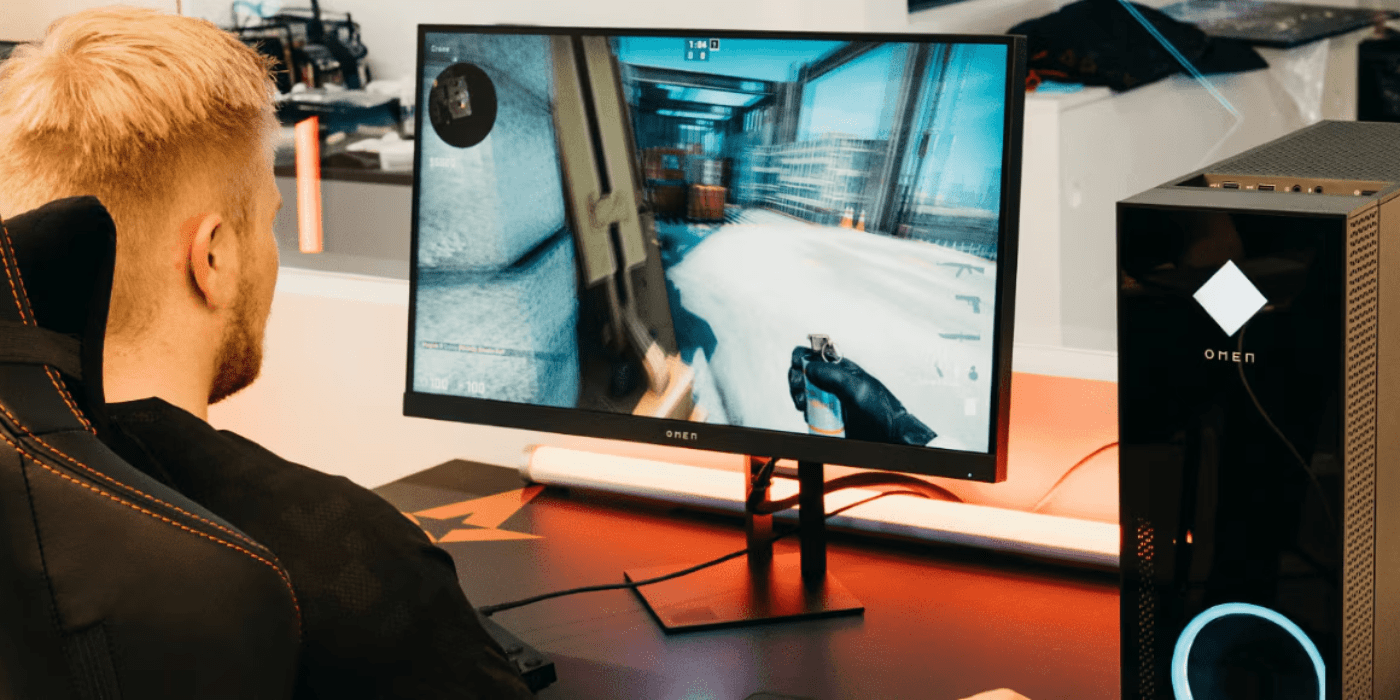
If you own an HP OMEN gaming PC or laptop here in New Zealand, you’ve likely encountered the OMEN Gaming Hub—a feature-rich software suite designed to enhance your gaming experience. With New Zealand’s growing gaming community and our appetite for high-performance gaming, understanding this software becomes crucial for maximising your investment.
Like any background application, the OMEN Gaming Hub consumes system resources that could potentially impact gaming performance. This comprehensive guide will help you make an informed decision about whether to keep or remove this pre-installed software based on your specific gaming needs and system configuration.
Contents
- What Exactly is the OMEN Gaming Hub?
- Key Features: What Can the OMEN Gaming Hub Actually Do?
- Network Optimisation Features
- Game Management & Social Features
- Who Benefits Most from the OMEN Gaming Hub?
- The Performance Question: Resource Impact Assessment
- Troubleshooting Common Issues Before Uninstalling
- The Verdict: Should You Keep or Remove the OMEN Gaming Hub?
- How to Uninstall OMEN Gaming Hub
- Alternatives to Consider
- Making the Right Choice for your Gaming Experience
- Ready to Upgrade your Gaming Experience?
What Exactly is the OMEN Gaming Hub?
The OMEN Gaming Hub is HP’s proprietary gaming optimisation software that comes pre-installed on all OMEN desktops and laptops. Unlike third-party alternatives, it’s specifically designed to work seamlessly with HP OMEN hardware, eliminating potential compatibility issues that can frustrate gamers.
System Requirements:
-
Windows 10 version 18362.0 or higher
-
Pre-installed on all OMEN gaming PCs and laptops
-
Compatible with all current OMEN hardware configurations
Key Features: What Can the OMEN Gaming Hub Actually Do?
Performance Enhancement
AI-Powered Optimisation: The hub automatically adjusts settings for each game in your library, learning from your gameplay patterns to deliver optimal performance. This is particularly valuable when switching between different game genres that have varying system demands.
Thermal Control: Customisable profiles help manage system temperatures, crucial for maintaining performance during New Zealand’s warmer months or in poorly ventilated gaming spaces.
Power Distribution: The software intelligently directs more power to your GPU during intense gaming sessions, ensuring you get maximum frame rates when it matters most.
Overclocking Tools: Push your hardware to its limits with built-in safety features that prevent dangerous temperature spikes or system instability.
Real-Time Monitoring
The OMEN Gaming Hub provides comprehensive system monitoring that helps you understand your hardware’s performance:
-
Customisable Dashboard: Keep track of critical system metrics during gameplay
-
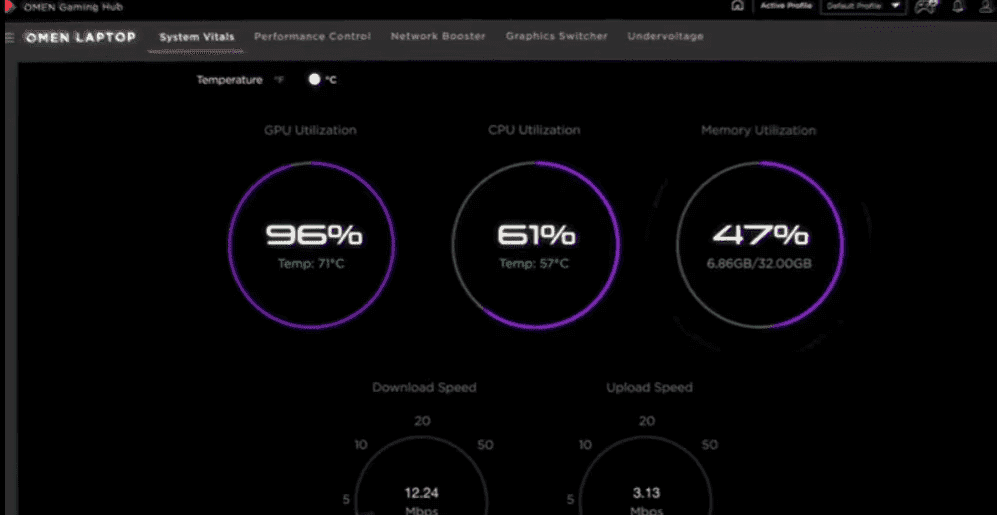
Resource Tracking: Monitor GPU, CPU, RAM usage, and real-time FPS
-
Performance Analytics: Identify bottlenecks and optimise your gaming experience
-
Temperature Monitoring: Essential for preventing thermal throttling
Personalisation Options
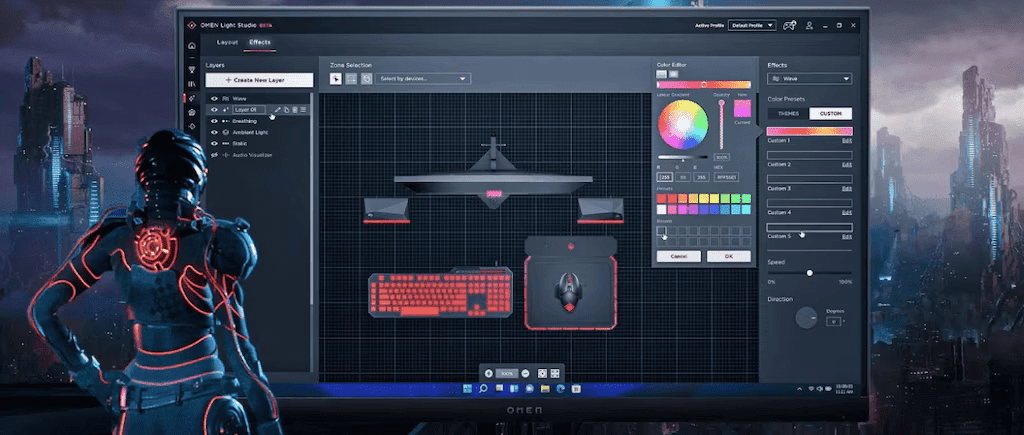
RGB Lighting Control: If you’re using compatible OMEN peripherals, the hub allows you to customise lighting effects to match your gaming setup or personal preferences.
OMEN Light Studio Integration: Create complex lighting patterns across multiple devices for a cohesive gaming environment.
Profile Management: Save different configurations for various games or scenarios, making it easy to switch between competitive gaming and casual play settings.
Network Optimisation Features
One particularly valuable aspect of the OMEN Gaming Hub for New Zealand gamers is its network optimisation capabilities. Given our geographic isolation and the importance of stable connections for online gaming:
Bandwidth Prioritisation: The software automatically allocates more network resources to your games, reducing lag during crucial online matches.
Ping Improvement: Reduces latency by optimising network traffic, particularly beneficial when connecting to international game servers.
Connection Monitoring: Tracks network performance to identify potential issues before they affect your gaming experience.
For New Zealand gamers who frequently play on international servers, these features can make a significant difference in competitive gaming scenarios.
Game Management & Social Features
The OMEN Gaming Hub includes several features designed to streamline your gaming experience:
Universal Game Launcher: Access all your games from different platforms in one interface, reducing desktop clutter and making game selection more efficient.
Xbox Game Pass Integration: Seamless access to your Game Pass library with optimised settings automatically applied.
Cloud Gaming Support: GeForce Now integration allows you to stream games that might otherwise challenge your hardware.
Oasis Live: Connect with up to 15 other gamers in virtual chat rooms, fostering community connections that are particularly valuable for New Zealand gamers looking to connect with others in our region.
Streaming Tools: Built-in functionality for sharing gameplay with friends or building a streaming presence on popular platforms.
Who Benefits Most from the OMEN Gaming Hub?
Different types of gamers will find value in various aspects of the OMEN Gaming Hub:
Competitive Players: Network boosters and real-time monitoring provide the edge needed for competitive gaming, particularly important when competing against international players.
PC Enthusiasts: Thermal controls and overclocking tools allow fine-tuning of system performance to extract maximum capability from your hardware.
Content Creators: Built-in streaming functionality eliminates the need for additional software whilst maintaining system stability during broadcasts.
Social Gamers: Oasis Live social platform helps build connections within the gaming community, valuable for New Zealand gamers seeking local connections.
Casual Players: Universal game launcher and simplified settings management reduce complexity whilst maintaining good performance.
The Performance Question: Resource Impact Assessment
While the OMEN Gaming Hub offers numerous benefits, it’s important to consider its impact on system resources:
RAM Usage: The software runs continuously in the background, consuming memory that could otherwise be available for games. Modern systems typically handle this well, but entry-level configurations may notice the impact.
CPU Utilisation: AI features and real-time monitoring require processing power, though the impact is generally minimal on modern processors.
Potential Heat Generation: Performance mode can increase system temperatures, which may be more noticeable in warmer climates or poorly ventilated spaces.
Fan Noise: Enhanced cooling settings may increase fan speeds and noise levels, potentially affecting the gaming experience in quiet environments.
These factors are especially important for users with entry-level OMEN systems or those running the latest, most demanding games that already push hardware to its limits.
Troubleshooting Common Issues Before Uninstalling
If you’re experiencing performance issues with the OMEN Gaming Hub, try these solutions before removing it completely:
Update Everything
Ensure all software components are current:
-
Verify OMEN Gaming Hub is running the latest version
-
Update your Windows operating system
-
Install the latest game patches and driver updates
-
Check for BIOS updates from HP
Identify Resource Bottlenecks
Use diagnostic tools to understand system performance:
-
Monitor resource usage through Windows Task Manager
-
Check the System Vitals dashboard for detailed performance metrics
-
Look for patterns when performance issues occur
-
Identify which games or applications trigger problems
Optimise Power Settings
Experiment with different configurations:
-
Test various power profiles (Balanced, Performance, ECO)
-
Monitor temperature changes when switching between modes
-
Find the sweet spot between performance and thermal management
-
Consider custom profiles for different gaming scenarios
Selective Feature Disabling
Reduce resource usage by disabling unused features:
-
Turn off Oasis Live if you don’t use the social features
-
Disable streaming functionality when not in use
-
Close OMEN Light Studio when not actively changing lighting settings
-
Reduce monitoring frequency for less critical metrics
Startup Management
Control when the software runs:
-
Disable OMEN Gaming Hub from starting automatically with Windows
-
Launch it manually only when you need specific features
-
Close the application when not gaming
-
Use Windows Task Scheduler for more precise control
Reset and Reinstall
If issues persist, try a fresh installation:
-
Uninstall and reinstall the OMEN Gaming Hub from the official HP website
-
Reset the application to default settings
-
Clear any corrupted configuration files
-
Contact HP Support if problems persist
The Verdict: Should You Keep or Remove the OMEN Gaming Hub?
Reasons to Keep It
Consider retaining the OMEN Gaming Hub if:
-
You regularly use its features for performance optimisation
-
RGB lighting customisation is important to your setup
-
Network prioritisation improves your online gaming experience (particularly valuable in New Zealand)
-
Your system has sufficient resources to run it without issues
-
You appreciate the centralised game launcher and management
-
You use the social features to connect with other gamers
-
The AI optimisation provides noticeable performance improvements
Reasons to Remove It
Consider uninstalling if:
-
Your OMEN system is already struggling with the latest games
-
You never use any of the OMEN Gaming Hub features
-
You’ve identified it as causing specific performance issues
-
You prefer using alternative, lighter-weight utilities
-
You’ve tried all troubleshooting steps without improvement
-
You prioritise absolute maximum system resources for gaming
-
The background processes interfere with your preferred workflow
How to Uninstall OMEN Gaming Hub
If you decide to remove the OMEN Gaming Hub, follow these straightforward steps:
-
Click the Windows Start icon
-
Select Settings
-
Navigate to Apps
-
Click on Installed Apps in the left-hand column
-
Find the OMEN Gaming Hub in the list
-
Click the three dots next to OMEN Gaming Hub
-
Select Uninstall
-
Follow the prompts to complete the uninstallation
Important Note: Removing the OMEN Gaming Hub will reset any custom power, lighting, or thermal profiles you’ve created. These settings will need to be reconfigured if you reinstall the software later. Consider documenting your preferred settings before uninstalling.
Alternatives to Consider
If you decide to uninstall the OMEN Gaming Hub but still want some of its functionality, consider these lighter-weight alternatives:
OpenMon: A lightweight, open-source application for basic monitoring and fan control that consumes minimal system resources.
MSI Afterburner: Popular choice for GPU monitoring and overclocking with extensive customisation options and broad hardware compatibility.
HWiNFO: Comprehensive system monitoring with minimal resource impact, providing detailed hardware information and real-time sensor data.
SignalRGB: Cross-brand RGB lighting control that works with various manufacturers’ hardware, offering broader compatibility than proprietary solutions.
Keep in mind that these alternatives won’t offer the same level of integration with OMEN hardware or the unified interface of the OMEN Gaming Hub. The seamless integration between HP’s hardware and software often provides optimisation benefits that third-party solutions cannot match.
Making the Right Choice for your Gaming Experience
The OMEN Gaming Hub offers a comprehensive suite of features that can genuinely enhance your gaming experience on HP OMEN hardware. For most users with modern systems, the resource impact is negligible compared to the benefits it provides, particularly the network optimisation features that are valuable for New Zealand gamers.
Before uninstalling, we strongly recommend trying the troubleshooting steps outlined above to see if you can resolve any performance issues whilst retaining the software’s benefits. Many problems can be addressed through proper configuration rather than complete removal, and the time invested in optimisation often pays dividends in improved gaming performance.
The software’s AI-driven optimisation becomes more valuable over time as it learns your gaming patterns and preferences. This adaptive behaviour means that initial performance concerns may resolve themselves as the software becomes more efficient at managing your system resources.
Ultimately, the decision comes down to your specific needs, system specifications, and gaming priorities. Whether you keep it for its comprehensive toolkit or remove it to free up resources, understanding what the OMEN Gaming Hub offers allows you to make an informed choice that optimises your personal gaming experience.
Ready to Upgrade your Gaming Experience?
Explore the latest HP gaming desktops and gaming laptops with OMEN Gaming Hub pre-installed. These systems are specifically designed to work seamlessly with the software whilst providing:
-
Enhanced performance through cutting-edge hardware
-
Immersive gaming experiences through optimised software integration
-
Seamless integration within the complete OMEN ecosystem
-
Future-proofing for upcoming game releases and technology advances
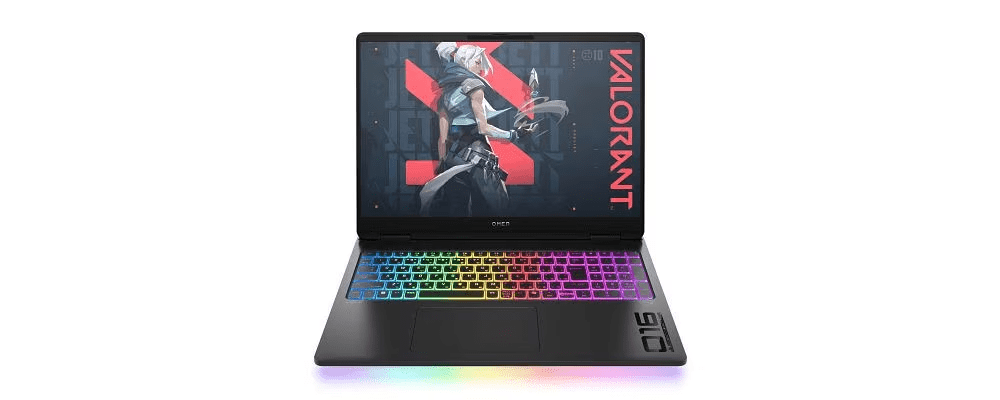
Whether you’re building your first serious gaming setup or upgrading from an older system, HP’s range of OMEN gaming equipment provides the foundation for exceptional gaming experiences tailored to New Zealand’s unique gaming community.
Recent Posts


Popular Posts


Products purchased through this store are sold and fulfilled by Ingram Micro (NZ) LTD

CONTACT US
Call us
- Sales
- 0800 854 848
- Technical support
- +64 9884 8600
Mon-Fri 9.00am - 6.00pm
(exc. Public Holidays)
Chat with us
- Our specialist are here to help
- Live chat
Mon-Fri 9.00am - 6.00pm
(exc. Public Holidays)
Submit feedback
We value your opinion!