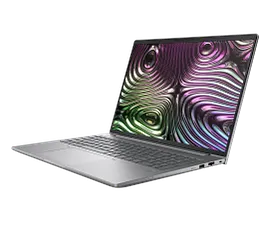
HP ZBook X G1i 16 Mobile Workstation PC Touch with 3 Yr Warranty & Wolf Pro Security


ENERGY STAR | Business
Other offers available with the product:
FREE Storewide Shipping
Weekly Deals
Extra 10% off this PC with select monitors, accessories, or a care pack
Product # C44Z8UA#ABA
Screen Size16
- Windows 11 Pro
- Intel® Core™ Ultra 9 285H (up to 5.4 GHz with Intel® Turbo Boost Technology, 24 MB L3 cache, 16 cores, 16 threads)
- 32 GB memory;1 TB SSD storage
- 16" diagonal WUXGA touch display
- NVIDIA RTX™ Pro 1000 Blackwell Generation Laptop GPU (8 GB GDDR7 dedicated)See all Specs
Can't find what you are looking for?
3% back in HP Rewards
Engineered for Sustainability
HP ZBook X G1i 16 Mobile Workstation PC Touch with 3 Yr Warranty & Wolf Pro Security
$0.00
Upgrade to professional ISV certified performance at an affordable price. Power up your productivity on this durable yet premium AI workstation. Pro-grade components deliver exceptional performance to work with generative AI to explore design concepts, or complete 3D modeling and conceptual design.
Power through professional workflows.
Advanced workflows. Anywhere.
With an all-aluminum chassis and MIL-STD 810 durability,[3] this PC is built to last. Take complex projects on the go with a device that runs quiet and cool. The redesigned thermal solution supports even more power to ensure the device runs at its best.
Accelerate AI workflows
Speed up AI inferencing on the HP ZBook X, with pro-level graphics designed for advanced AI workflows. Focus on the work that matters and enable productivity without diverting resources from your most demanding work.
recommended accessories
HP recommends Windows 11 Pro for business
Work anywhere without compromising on performance with Windows 11 and HP collaboration, security, and connectivity technology. Summarize and rewrite content, get relevant content recommendations, and stay organized with Microsoft Copilot.[6]
Intel® Core™ Ultra Processor
Unleash power-efficient performance with up to an Intel® Core™ Ultra 9 CPU. This CPU not only unlocks performance for the next era of AI-enhanced software, but the dedicated NPU greatly increases efficiency for productivity tasks.
HP Z Turbo Drive High-speed Storage
Work without limits in any location with local PCIe storage that’s up to 6x faster than SATA SSD, and up to 21x faster than traditional HDD storage.[7]
HP Fast Charge
Ultra-fast recharge takes you from zero to 50% charge in just 30 minutes.[8]
Spill-resistant Keyboard
Accidents happen - which is why we designed our keyboard with a drain hole, so minor spills flow out the bottom for easy cleanup.
Fast and efficient wireless LAN
The portability of your PC and the reliability of a fast connection determines where you can work. Get a fast and reliable connection in dense wireless environments with gigabit data rate Wi-Fi 7.[9]
Industry-leading security features
Advanced security features come standard. System safeguards like HP Sure Start – the industry's first self-healing BIOS – mean your device is locked down tight, so your data and identity are too.
Poly Camera Pro
Look your best on video calls and save some power too. Manage your video controls for internal and external cameras with Poly Camera Pro. Now Auto Frame, Spotlight, Background Blur, and virtual backgrounds save power running on the NPU.[10]
Technical details
HP ZBook X G1i 16 Mobile Workstation PC Touch with 3 Yr Warranty & Wolf Pro Security is rated
out of
5 by
2.
Rated 5 out of
5
by
Lockout from
HP Zbook X G1i WS Wolf
Very good computer. Works exactly as advertised. Easy to use. I would recommend this computer.
Date published: 2025-12-30
Rated 4 out of
5
by
Anonymous from
The machine is excellent. Wolf Pro software is not.
I'm quasi-retired now, but I've worked for the last 30 years as an international development consultant. Lots of travel, lots of time in place where internet is bad and power is shaky. In general, if something is not on my machine, I won't have it. So I buy laptops with those things in mind. My machines are for business, but I don't have an IT department or SysAdmin to rely on.
I received the machine in early December 2025, set it up and started transferring to it about 10 days ago. The laptopis very nice. Took a few days to get the additional SSD I wanted from a third-party and get it installed. No issue otherwise there, though. The 16" diagonal screen is subjectively larger than the 17" on my previous Zbook workstation laptop.. The previous brick-sized power block has been replaced by a small one. Operational speeds feel faster for word processing and handling my 5-million record 4th Dimension database. The screen is "only" 1920x1020, but it's very clear. I haven't really tested the sound yet, but the user cues seem clear and crisp. I haven't set up the fingerprint reader, which I can likely do without. (As a million thrillers remind us, one doesn't have to be conscious to have their finger used for authentication.)
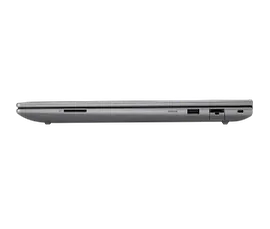
There's a reasonable variety of ports, but I wish it had more. They're limited by the very small height of the machine. I'm willing to trade the smaller and more portable package for carrying a port extender, although I still miss the docking stand HP once sold which would lock in the machine at a convenient typing angle while providing a wealth of connections. For some reason, the machine specs the salesperson found omitted the two thunderbolt ports. I finally figured them out by carefully looking at photographs, but for a several-thousand dollar purchase I shouldn't have had to decide that the posted specs were wrong and I would take a chance because I've never had previous issues with an HP machine (this is my third or fourth personal machine, and I've bought dozens for foreign aid projects.)
My only problem is the software. HP Wolf Pro Software may be very good as anti-virus protection, but it's interface is awful (where's my license number - took a call to support to find out it's my machine's serial number); how do I turn it off to install software from Adobe and Microsoft? Dunno. The interface doesn't tell me. It insists on deleting any questionable file it finds - no option for quarantine or cleaning. I hope it doesn't find a problem with anything I really need. In general, what does it do? How does it configure? I don't know. Why does one of the three modules offer what seems to be a choice of AI finding malware or not, but not say clearly that this is some protection function? Still not sure what's up with that. No documentation obviously provided. Nor do all HP support people know the software -- apparently it's a separate team and you have to know the secret handshake to find them. (The good news - as long as I've called on weekdays during business hours, HP support has been easy to reach, with no long holds and overloud gross music.)
Windows 11 is what it is. "Improvements" to the UI, such as no way to turn off file "recommendations": on the start menu, I could live without. For some reason, the OS no longer allows me to enter a password to log in, insisting on a four-digit PIN or a biometric scan of my face or a fingerprint. that's more secure. Not. Biometrics don't recognize me without my glasses, when my beard is shaggy, or when I look at it wrong. Everyone who's ever seen a thriller movie knows, too, that one does not need to be conscious or even whole to provide a fingerprint.
Office is what it is, too. I hadn't realized there is now a "new Outlook" that expects to keep mail and settings in the cloud. There are big privacy concerns there, I'm not sure my ton of mail would fit within the free quota on OneDrive, and it doesn't matter because in a lot of the places where I've worked either the government monitors all internet transmissions or the net is so slow that using it for routine work is impossible. (Since I'm overseas, two-factor authentication is always a risk, too. Might not be a phone connection where and when I need it.) It turns out "Classic Outlook": is still available, so after considerable hassle I put that up. The quality or otherwise of Gatesware is not HP's problem, of course, but it took me about five minutes to get the machine up and running and a week later I'm still doing software setup things in Windows 11 and Office -- and barely tolerating Wolf Pro.
I don't have a take on how the machine will wear yet. I'm rough on my laptops -- travel and bad power, and my HPs have always treated me well. I had to replace my last Zbook laptop because the keyboard went out for the second time. The first time keys died, HP replaced the keyboard in warranty even though technically the warranty had expired because I was stuck in Kyiv because of covid and the local HP dealers refused to honor the warranty on a US-bought HP product,.The disks on the machine were threatening to die, and so I bought a new machine. Mechanical things wear out, and that computer, like its predecessors gave me excellent service.
Date published: 2025-12-27
SIMILAR PRODUCTS

1/6
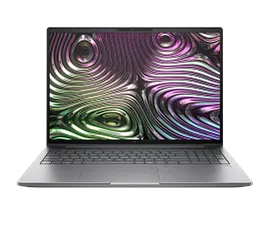
HP ZBook X G1i 16 Mobile Workstation PC with 3 Yr Warranty & Wolf Pro Security
Windows 11 ProIntel® Core™ Ultra 9 285H (up to 5.4 GHz with Intel® Turbo Boost Technology, 24 MB L3 cache, 16 cores, 16 threads)64 GB memory;1 TB SSD storage16" diagonal 2.5K displayNVIDIA RTX™ Pro 2000 Blackwell Generation Laptop GPU (8 GB GDDR7 dedicated)
C44ZGUA#ABA
ENERGY STAR | Business
Engineered for Sustainability
Extra 10% off this PC with select monitors, accessories, or a care pack
3% back in HP Rewards
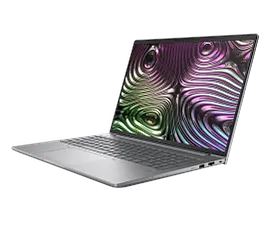
HP ZBook X G1i 16 Mobile Workstation PC Touch with 3 Yr Warranty & Wolf Pro Security
Windows 11 ProIntel® Core™ Ultra 9 285H (up to 5.4 GHz with Intel® Turbo Boost Technology, 24 MB L3 cache, 16 cores, 16 threads)32 GB memory;1 TB SSD storage16" diagonal WUXGA touch displayNVIDIA RTX™ Pro 2000 Blackwell Generation Laptop GPU (8 GB GDDR7 dedicated)
C44ZJUA#ABA
ENERGY STAR | Business
Engineered for Sustainability
Extra 10% off this PC with select monitors, accessories, or a care pack
3% back in HP Rewards
1/6
HP ZBook X G1i 16 Mobile Workstation PC with 3 Yr Warranty & Wolf Pro Security
Windows 11 ProIntel® Core™ Ultra 9 285H (up to 5.4 GHz with Intel® Turbo Boost Technology, 24 MB L3 cache, 16 cores, 16 threads)64 GB memory;2 TB SSD storage16" diagonal WUXGA displayNVIDIA RTX™ Pro 1000 Blackwell Generation Laptop GPU (8 GB GDDR7 dedicated)
C44ZCUA#ABA
ENERGY STAR | Business
Engineered for Sustainability
3% back in HP Rewards
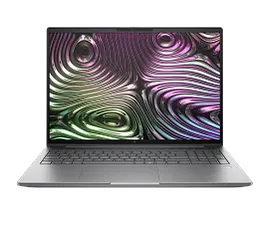
HP ZBook X G1i 16 Mobile Workstation PC with 3 Yr Warranty & Wolf Pro Security
Windows 11 ProIntel® Core™ Ultra 7 255H (up to 5.1 GHz with Intel® Turbo Boost Technology, 24 MB L3 cache, 16 cores, 16 threads)64 GB memory;1 TB SSD storage16" diagonal WUXGA displayNVIDIA RTX™ Pro 1000 Blackwell Generation Laptop GPU (8 GB GDDR7 dedicated)
C44YNUA#ABA
ENERGY STAR | Business
Engineered for Sustainability
3% back in HP Rewards
Return and exchange information
Eligible purchases from Nov 1 - Dec 25, 2025, can be returned or exchanged until Jan 15, 2026, or 30 days after delivery, whichever is later. A 15% restocking fee may apply. For details, please visit: https://www.hp.com/us-en/shop/cv/returnsandexchanges


