HP Series 7 Pro 27 inch QHD Thunderbolt 4 Monitor - 727pu


Other offers available with the product:
FREE Storewide Shipping
Weekly Deals
Product # 8J9E6AA#ABA
3% back in HP Rewards
Engineered for Sustainability
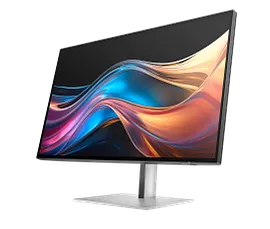
HP Series 7 Pro 27 inch QHD Thunderbolt 4 Monitor - 727pu
$0.00
See your bright ideas become brilliant. The HP 27” QHD Thunderbolt 4 Monitor pairs striking colors with seamless connectivity to help reimagine your creative process. Keep your vision in focus with crisp front-of-screen visuals and powerful multitasking capabilities.
Verified with devices running across OS, this monitor works with Mac® or PC devices.[14]
Verified with devices running across OS, this monitor works with Mac® or PC devices.[14]
Your vision, exactly as you dream it
Productivity at its most beautiful
Get the power to take on any task, unhindered. This superfast Thunderbolt™ 4 display delivers high-resolution video, high-speed data, and up to 100W charging.[3] Ditch the extra cables, and enjoy the freedom and performance of this single-cable solution.
Made to fit you perfectly
For all-day comfort, settle into your workflow by finding your screen’s perfect position with four-way adjustability and Ergonomic Setup Guide.[4] Help your eyes stay fresh, day or night, with the ambient light sensor that automatically adjusts the monitor’s brightness.
recommended accessories
Technical details
HP Series 7 Pro 27 inch QHD Thunderbolt 4 Monitor - 727pu is rated
out of
5 by
8.
Rated 1 out of
5
by
B Pradhan from
Worst experience I am still going through with no refund or replacement after a month from HP
I was sent a damaged monitor by FedEx and I return on the same day with all photographs as proof. HP received it the item which had signature required in FedEx and they confirmed in email too. It has been three weeks and they have not neither sent my refund money nor they sent replacement. There has been several follow ups and still no ETA. Some one from their HP store now says they are relocating it in their store. This is baffling and I can not have a worst experience than this buying a monitor which is more than $1000.
Date published: 2025-11-17
Rated 4 out of
5
by
Anonymous from
Great display with some connectivity quirks
Overall, I am happy with the color quality, consistency and clarity of this display but there are some connectivity quirks that I ran into. I purchased two of these displays to use in a dual-monitor setup with a notebook computer (notebook on left, one display in the middle and one on the right) along with USB-connected external keyboard, mouse, speakerphone, and webcam.
I daisy-chained the two 4k displays using Thunderbolt and tried the following notebook computers with varying results:
1. HP Elitebook 840 G5 - the 840G5 was able to see both displays via its one Thunderbolt port. Initially, one display defaulted to 4k60Hz and the second one to 4k30Hz, but I was able to change both to 4k60Hz in Windows 11 with no issue.
2. HP Elitebook 845 G8 - this AMD-based notebook has two USB-C 10Gbps ports. When connected to the daisy-chained monitors, only one monitor was detected and works. When I connected to a single display only via the notebook's USB-C ports, I had issues with the monitor showing a blank display (power light on) whenever the cable was connected until I toggled the refresh rate in Windows (ie. from 59.94Hz to 60Hz, or 60Hz to 30Hz, etc).
3. Apple Macbook Pro 14 M4 Max - this was a pleasant surprise as the Macbook detected both displays at 4k60Hz. I had expected the daisy-chained monitors to use MST (which Macs don't support). The monitors were configured for "Auto MST" (default) with firmware 1.27.0.
4. Apple Macbook Pro 13 2020 with 4 Thunderbolt ports - on this Intel i7-based Macbook, the first display was detected as 4k60Hz, but the second display only supported 1920x1200 59.94Hz.
Regarding the USB peripherals, I ran into USB's 7-level hierarchy depth limitations with these monitors. There are six USB ports on the back of the HP 727pk monitor but they are internally organized (3 and 3) on two different hubs. When looking at the rear of the monitor, the two USB-A ports on the left and the right-most USB-A port are two levels deeper than the other three (two USB-A and one USB-C) port. Three of the ports were at level 4 in the USB hierarchy and the other three ports were at level 6. Thus, when two of these displays are daisy-chained with Thunderbolt, the second display has three ports that become unusable due to the 7-level limit in USB.
A couple of other items that I think could be better:
a. I wish these displays came with longer Thunderbolt cables. The included one meter cable is a bit of a stretch when plugging into ports on the left side of a notebook PC when the monitor is to the right of the notebook.
b. I would prefer a shallower depth between the face of the display and the cable-management bracket on the height adjustable stand. Right now, the monitor face to the back of the cable loop measures about 6.75 inches. With a somewhat shallow desk backed up to a wall, the monitor intrudes onto the desk space more than it needs to.
Date published: 2025-10-20
Rated 1 out of
5
by
Anonymous from
customer service problems
The worst customer care I have ever experienced. Could not get any help with my problem and it cost HP at least 20 all in one computer orders
Date published: 2025-02-25
Rated 1 out of
5
by
angry in Maine from
Do not do business with HP, they are not the company they used to be
Don't do business with these people. The monitor was fine, but they didn't list the HDMI series specs for the monitor or drive on their website so I ended up with an incompatibility between the monitor and the standard graphics card in the drive I purchased. When I called on the third day after placing the order to upgrade the graphics card, I was told the drive was already built and waiting to ship. I was told I had to order another drive, then return the original once it arrived. I returned it unopened by RMA, FEDEX tracking shows HP received it 7 days ago but I still haven't received a refund. Do not do business with HP if you can avoid it, they are not the company they used to be. If anything goes wrong you'll regret having purchased from them.
Date published: 2024-12-19
The monitor is advertised as macOS compatible. Why can't we update the monitor firmware on macOS? That seems a bit like false advertising to me.
Thank you for your question! Download the HP DisplayCenter App for Mac for assistance. For details visit this link: https://www.hp.com/us-en/shop/tech-takes/what-is-hp-display-center-how-to-download
For further assistance, contact HP Technical Support here: https://support.hp.com/us-en
Date published: 2025-02-19
Do you have a media kit or other download that includes the wallpapers used in the promotional images of this monitor (727pu)?
HP has some included with specific models and applications like the OMEN gaming app have wallpapers that can be downloaded. There is not a specific pack we offer to all units. This link https://www.hp.com/us-en/shop/tech-takes/25-best-hd-wallpapers-laptops is from HP and talks about wallpapers and where to get them. Thank you for your question.
Date published: 2025-02-14
Can the KVM function use HDMI, DP and TB4 as three different inputs?
Hello. Thanks for your question. Yes, the KVM (Keyboard, Video, Mouse) switch functionality of the HP Series 7 Pro 27-inch 4K Thunderbolt 4 Monitor supports HDMI, DisplayPort (DP), and Thunderbolt 4 (TB4) inputs. This allows seamless control of multiple computers using a single keyboard, mouse, and monitor, enhancing multitasking and system management.
Date published: 2025-01-06
How would this monitor support the ThunderBolt 4 video output of certain of your laptops which appear to have native 2880 by 1800 screen resolution? I do not see that listed as a supported resolution. Best wishes and thank you.
Hello Richard and thank you for your question! This HP Series 7 Pro 27-inch 4K Thunderbolt 4 Monitor will support your device's resolution at the maximum possible provided by your device. The resolution on your laptop may just be for the screen and may not be indicative of the output video. If the laptop supports 2880 by 1800 then this Monitor will support you at 2560 by 1440 resolution. Thanks for being an HP customer!
Date published: 2024-06-24
I just purchased one of these and realized there are not built in speakers. Can you connect speakers via USB-C, or USBA? And get audio back while playing Xbox?
Thank you for your question! While the HP Series 7 Pro 27 inch 4K Thunderbolt 4 Monitor - 727pk has USB-C and USB-A ports, the Monitor must be plugged into a PC with the provided USB-C to A cable to use peripherals as there is no software on the PC to operate the speakers.
Date published: 2024-11-07
In Korea, hp only sells 727pk products, but I want to buy 727pm products. Do you provide shipping services to Korea?
Hello. Thanks for your question. HP.com ships to street addresses within the 50 United States and the District of Columbia. We cannot deliver to P.O. boxes, private mail box stores, freight forwarders, United States territories, or addresses outside the 50 United States and the District of Columbia.
Date published: 2024-11-25
Will the KVM switch work with a MAC mini4 and a PC? at the same time using thunderbolt to the MAC mini4, DP1.4 to the PC and daisy-chaining the other 2k moniter with DP1.4 output?
Thank you for your question! This HP Series 7 Pro 27-inch 4K Thunderbolt 4 Monitor - 727pk will be compatible with MacOS. The HP Display Center software is required. Find the software for your display at this link: https://support.hp.com/us-en/drivers/hp-series-7-pro-27-inch-4k-thunderbolt-4-monitor-727pk/2101951845
Date published: 2024-11-22
is display surface glossy or matte
Thank you for your question! This HP Series 7 Pro 27-inch 4K Thunderbolt 4 Monitor - 727pk will have a matte surface, not glossy.
Date published: 2024-10-22
SIMILAR PRODUCTS
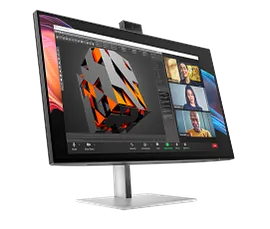
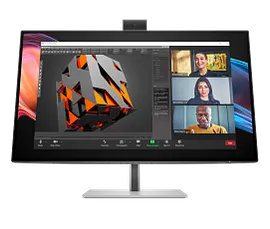
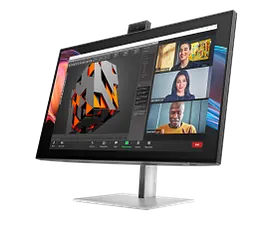
HP Series 7 Pro 27 inch 4K Conferencing Monitor - 727pm
4K UHD (3840 x 2160)2000:15ms GtG (with overdrive)Color; Image; Input; Power; Menu; Management; Information; Split screen; Audio
8K135AA#ABA
Engineered for Sustainability
3% back in HP Rewards
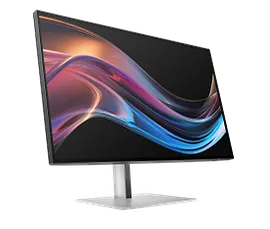
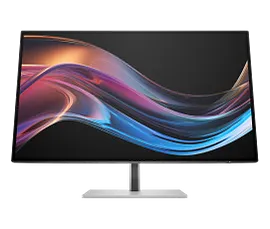
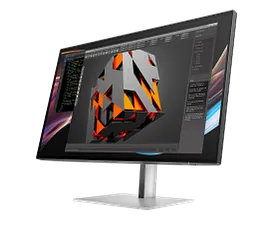
HP Series 7 Pro 27 inch 4K Thunderbolt 4 Monitor - 727pk
4K UHD (3840 x 2160)2000:15ms GtG (with overdrive)Color; Image; Input; Power; Menu; Management; Information; Exit; Split screen
8J9G2AA#ABA
Engineered for Sustainability
3% back in HP Rewards
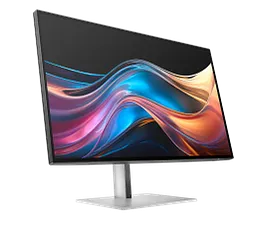
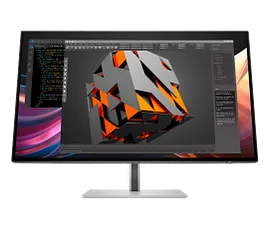
HP Series 7 Pro 27 inch QHD Monitor - 727pq
QHD (2560 x 1440)2000:15ms GtG (with overdrive)Color; Image; Input; Power; Menu; Management; Information; Exit
8J4D8UT#ABA
Engineered for Sustainability
Return and exchange information
Eligible purchases from Nov 1 - Dec 25, 2025, can be returned or exchanged until Jan 15, 2026, or 30 days after delivery, whichever is later. A 15% restocking fee may apply. For details, please visit: https://www.hp.com/us-en/shop/cv/returnsandexchanges


