HP Series 5 Pro 23.8 inch FHD USB-C Conferencing Monitor - 524pm
Other offers available with the product:
FREE Storewide Shipping
Weekly Deals
Product # 9E0G9UT#ABA
- FHD (1920 x 1080)
- 1500:1
- 5ms GtG (with overdrive)
- Brightness+; Color; Image; Input; Audio; Power; Menu; Management; Information; Exit
- 1 x 3.5 mm Audio Jack (Audio In/Out Combo)See all Specs
Can't find what you are looking for?
3% back in HP Rewards
Engineered for Sustainability
HP Series 5 Pro 23.8 inch FHD USB-C Conferencing Monitor - 524pm
$0.00
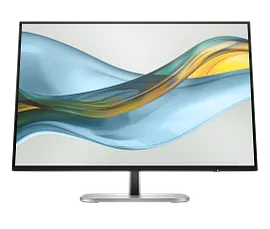
Feel confident collaborating effortlessly with the HP Series 5 Pro 23.8" FHD USB-C Conferencing Monitor. Achieve distraction-free meetings, wherever you work, with advanced AI. Settle into total comfort thanks to a customizable setup.
Verified with devices running across OS, this monitor works with Mac® or PC devices[7]. Note: A Text-to-Speech adapter (N70674-001) is available for this model to comply with FCC Title 47 Accessibility Requirements. Please contact US Customer Service https://www.hp.com/us-en/hp-information/accessibility-aging/need-help.html for further assistance.
Verified with devices running across OS, this monitor works with Mac® or PC devices[7]. Note: A Text-to-Speech adapter (N70674-001) is available for this model to comply with FCC Title 47 Accessibility Requirements. Please contact US Customer Service https://www.hp.com/us-en/hp-information/accessibility-aging/need-help.html for further assistance.
Conference with confidence
Look and sound your best effortlessly with a Poly Studio 5MP pop-up tiltable webcam and AI Noise Reduction—all on a display with Auto Lock and Awake to keep your business your own. Simply pop down the webcam after your call for on-demand privacy.
Your center of productivity
Take control of your comfort
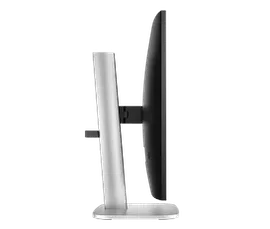
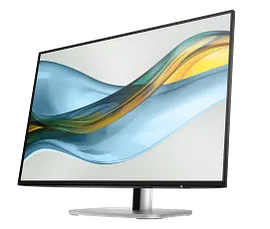
Feel your best all day with 4-way adjustability and sleek, 3-sided borderless design. Keep your eyes comfortable with the Ambient Light Sensor and HP Eye Ease to reduce blue light without impacting color.
recommended accessories
Technical details
HP Series 5 Pro 23.8 inch FHD USB-C Conferencing Monitor - 524pm is rated
out of
5 by
5.
Rated 5 out of
5
by
Nautical Adventures from
Great monitor
Lost monitors due to electrical surge
Date published: 2025-07-24
Rated 4 out of
5
by
RemoteDoc from
Meets My Telehealth Needs
Had some issues with conflicting [microphone?] drivers that spontaneously left me sounding like a demon to anyone that I was teleconferencing with. It would also be nice if there were more nuanced settings available to ensure that framing/lighting/filtering/zooming settings would be consistent and reproduced within any/all teleconferencing apps utilized. The "HP Display Center" and "HP Presence Video" apps leave a lot of personalization settings for this monitor to be desired. I am using this as an extended display with my HP laptop and, while the monitor is much larger than my laptop screen, my laptop thinks this monitor is smaller. It makes mouse transitioning between the two screens a bit funky. It'd be nice if the display settings allow you to alter the size of secondary displays instead of just their relative position.
Other than these issues, the camera and monitor work great and the picture quality and sound are as expected: crisp and clear. I could've probably addressed my teleconferencing needs by purchasing a camera, mic, and monitor separately and at a lower total price tag but I do like the largely seamless integration with the HP devices and set-up that I have. I do wish HP would continue to make improvements to the apps it has for integrating and managing multiple HP devices.
Date published: 2025-06-20
What's the difference between "Zoom" and "Teams" conferencing modes? I use neither; I provide telehealth services through another platform. Why don't the adjustments I make in "HP Display Center" hold when I use an external tele-conferencing application?
Thank you for your question! The HP Series 5 Pro 23.8-inch FHD USB-C Conferencing Monitor (524pm) is Zoom Certified, meaning it's specifically designed for seamless collaboration and conferencing with Zoom. It features features like a pop-up webcam, AI noise reduction, and integrated speakers. Also, the HP Series 5 Pro 23.8 inch FHD USB-C Conferencing Monitor (524pm) features a "Teams conferencing mode" that enhances collaboration and meeting experiences, including a pop-up tiltable webcam, AI noise reduction, and integrated speakers.
Date published: 2025-03-20
How do I get the resolution and sharpness on the monitor to look normal and natural? This is super fancy monitor but, unfortunately, nothing looks clear on it with the "scale and layout" set to the "recommended" level of 100%
Thank you for your question! As this is a preference question it is difficult for this forum to answer. What one may consider normal and natural another may not. However, for assistance in setting up your monitor, you can contact HP Technical Support at this link: https://support.hp.com/us-en
Date published: 2025-03-20
Dose the monitor come with ethereal cable and a keyboard and mouse wireless of course
Thank you for your question! The HP Series 5 Pro FHD USB-C Conferencing Monitor comes with the following items in the box; Monitor; DisplayPort™ cable; Warranty card; USB Type-A to B cable; Quick Setup Poster; 1 USB Type-C® to Type-C cable; AC power cord. It does not come with an ethernet cord or keyboard and mouse.
Date published: 2025-03-23
Wondering why the "HP Presence" window won't actually open when I either have the 524pm set as my main display or the only display. It is very frustrating to have to update my display settings any time I want to adjust the video settings.
Thank you for your question! Contact HP Tech Support at this link: https://support.hp.com/us-en
Date published: 2025-03-20
is compatible with Mac Mini?
SIMILAR PRODUCTS
1/6
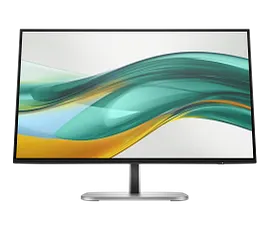
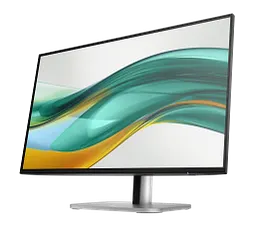
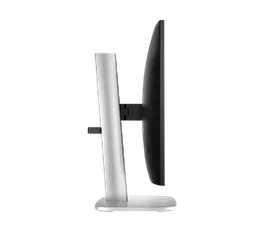
HP Series 5 Pro 24 inch WUXGA Monitor - 524pn
WUXGA (1920 x 1200)1500:15ms GtG (with overdrive)Brightness+; Color; Image; Input; Power; Menu; Management; Information; Exit
9D9A7AA#ABA
Engineered for Sustainability
3% back in HP Rewards
1/6
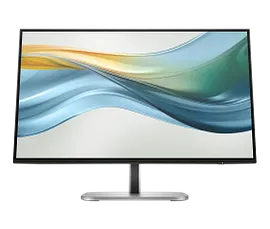
HP Series 5 Pro 23.8 inch FHD Monitor - 524pf
FHD (1920 x 1080)1500:15ms GtG (with overdrive)Brightness+; Color; Image; Input; Power; Menu; Management; Information; Exit
9D9L6UT#ABA
Engineered for Sustainability
3% back in HP Rewards
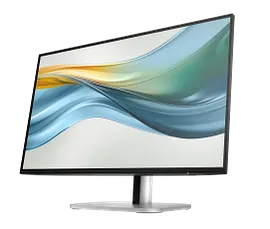
1/6
HP Series 5 Pro 23.8 inch FHD USB-C Monitor - 524pu
FHD (1920 x 1080)1500:15ms GtG (with overdrive)Brightness+; Color; Image; Input; Power; Menu; Management; Information; Exit
9D9V7AA#ABA
Engineered for Sustainability
3% back in HP Rewards
Return and exchange information
Eligible purchases from Nov 1 - Dec 25, 2025, can be returned or exchanged until Jan 15, 2026, or 30 days after delivery, whichever is later. A 15% restocking fee may apply. For details, please visit: https://www.hp.com/us-en/shop/cv/returnsandexchanges


