Thank you for visiting the NEW ZEALAND HP Store
-
Contact Us
CONTACT USCall us
- Sales
- 0800 854 848
- Technical support
- +64 9884 8600
Mon-Fri 9.00am - 6.00pm
(exc. Public Holidays)
Chat with us- Our specialist are here to help
- Live chat
Mon-Fri 9.00am - 6.00pm
(exc. Public Holidays)
Submit feedback We value your opinion! - My Account

Search
What Is a Business Laptop and Do You Need One?

Posted:
July 17, 2025
Categories:
Laptops
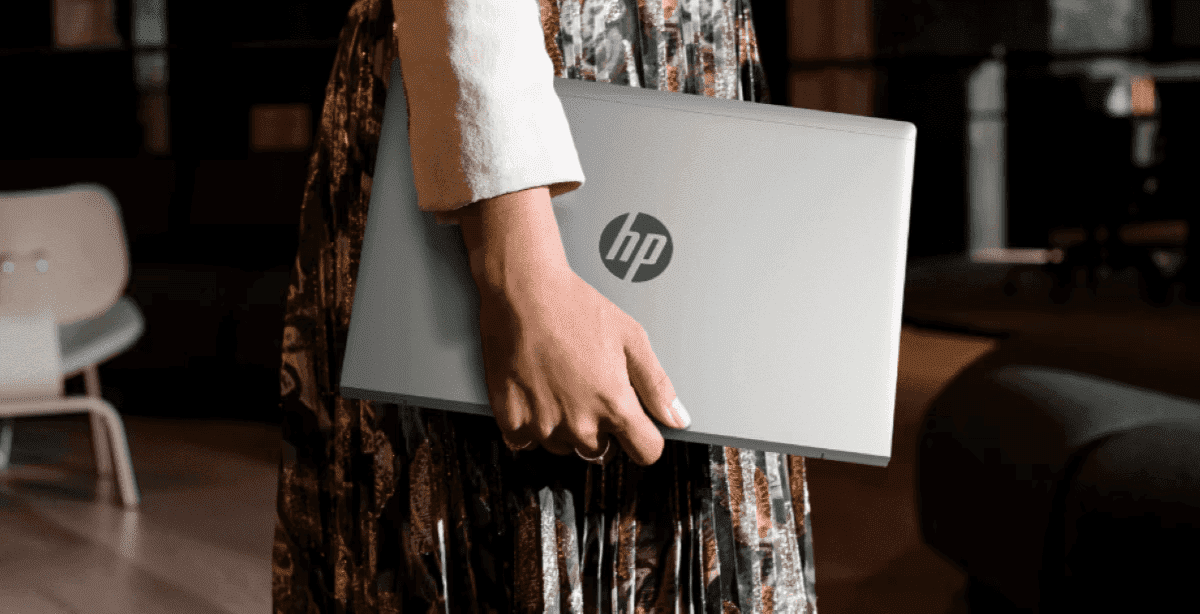
Whether you’re managing a growing startup in Wellington, consulting across Auckland’s business district, or running a remote operation from Queenstown, choosing the right laptop can significantly impact your productivity and data security. Business laptops are specifically designed for work environments where uptime and data protection are paramount. Professionals, small business owners, and corporate IT departments consider them for their sturdy construction, enhanced security features, and long-term value. But what exactly defines a business laptop, and how do you know if you need one?
Contents
- What Makes a Laptop a “Business Laptop”?
- Business Laptops vs. Consumer Laptops
- Who Benefits from Business Laptops?
- Choosing the Right Business Laptop
- HP Business Laptops for New Zealand Professionals
- Understanding Total Cost of Ownership for New Zealand Businesses
- When Consumer Laptops Might Be Sufficient
- Future-Proofing Your Business Laptop Investment
- Making the Right Decision for Your New Zealand Business
What Makes a Laptop a “Business Laptop”?
Business laptops are built from the ground up for reliability, security, manageability, and endurance. They are distinguished by several key characteristics that set them apart from consumer models, making them essential tools for New Zealand’s diverse professional landscape.
Advanced Security Features
Security forms the cornerstone of business laptop design. Beyond standard password protection, business laptops incorporate multiple layers of protection that are particularly crucial for New Zealand businesses navigating strict data privacy regulations:
Hardware-Based Protection: Features like a Trusted Platform Module (TPM) are standard. This dedicated chip securely stores encryption keys (such as those used for Windows BitLocker), protecting data even if the laptop is stolen and the drive is removed.
Sophisticated Biometrics: While consumer laptops might have basic fingerprint readers, business models often feature more reliable and secure options, including advanced fingerprint scanners and infrared (IR) cameras for facial recognition (like Windows Hello) that work effectively in various lighting conditions and are harder to compromise.
Enterprise-Grade Software and Firmware: Expect pre-installed security suites designed for business threats, self-healing BIOS capabilities that can recover from firmware attacks, and often, endpoint detection and response (EDR) integrations. Physical features like webcam privacy shutters and optional integrated privacy screens (reducing viewing angles) are also common to protect sensitive information during public transport commutes or café work sessions.
Professional-Grade Durability
Business laptops are engineered to withstand the rigours of daily commutes between Auckland and Wellington, frequent travel across New Zealand’s diverse terrain, and challenging operating conditions from coastal humidity to alpine environments.
Rigorous Testing: Many are built to meet or exceed military durability standards (MIL-STD-810G/H). This involves testing against drops, shocks, vibrations, extreme temperatures, humidity, dust, and sand exposure—essential for New Zealand’s varied climate conditions.
Sturdy Materials and Construction: This translates to using more durable materials like magnesium alloy or reinforced polymers for the chassis, spill-resistant keyboards (often with drainage systems to protect internal components), and sturdier hinges designed for tens of thousands of open-and-close cycles. The focus is on minimising physical damage and extending the device’s operational lifespan, crucial for professionals working in demanding environments.
Optimised Performance
The performance profile of a business laptop is geared towards stable, sustained output for demanding business applications and multitasking, rather than just raw processing power for gaming.
Reliable Components: This means careful selection of components, including SSDs chosen for endurance and reliability, and often business-specific CPU lines (like Intel vPro or AMD Ryzen PRO series processors) that offer stability, security, and manageability features.
Efficient Thermal Management: Better cooling systems are often integrated to ensure the laptop can run demanding tasks for extended periods without thermal throttling (slowing down due to overheating).
All-Day Battery Life: Strong emphasis is placed on providing battery life that can reliably last a full workday, often 8 hours or more, to support mobile productivity—essential for New Zealand professionals who may find themselves working between meetings across different cities.
Comprehensive Connectivity
Business users often need to connect to a variety of peripherals, displays, and networks, requiring a versatile port selection that accommodates New Zealand’s diverse workplace setups.
Extensive Port Selection: While consumer ultrabooks often minimise ports, business laptops typically offer a wider array, including multiple USB-A ports for legacy devices, USB-C with Thunderbolt (for high-speed data, display, and power), HDMI or DisplayPort for external monitors, and often a dedicated RJ-45 Ethernet port for stable and secure wired network connections.
Professional Docking Solutions: Manufacturers invest in well-designed and reliable docking stations that allow for seamless one-cable connection to multiple monitors, peripherals, network, and power at a desk.
Advanced Wireless Capabilities: Expect current Wi-Fi standards (like Wi-Fi 6E or, as of mid-2025, emerging Wi-Fi 7 capabilities for increased speed and reduced latency) and often optional built-in LTE/5G modules for connectivity on the go—particularly valuable for professionals travelling between New Zealand’s major centres.
Superior Support and Manageability
Downtime is costly in business, so support and device management are critical considerations for New Zealand enterprises.
Extended Warranties and Service: Business laptops typically come with longer standard warranties (such as 3 years compared to 1 year for consumer models) and options for faster, more comprehensive service, including next-business-day on-site support and accidental damage protection.
IT Remote Management: For organisations, features like Intel vPro or AMD PRO platforms are invaluable. These allow IT departments to remotely manage, diagnose, update, and even repair laptops, sometimes even if the device is powered off or the operating system is unresponsive. This significantly reduces IT workload and ensures devices remain secure and compliant.
Dedicated Support Channels: Access to business-focused support lines means quicker resolution from technicians familiar with professional use cases and New Zealand business requirements.
These enhancements mean business laptops typically cost more than consumer models with similar basic specifications, as the price reflects the investment in research and development, higher-quality components, and support infrastructure.
Business Laptops vs. Consumer Laptops
While a consumer laptop and a business laptop might appear to offer similar core specifications on a store shelf—perhaps the same processor model or amount of RAM—the underlying design philosophies, engineering priorities, component selections, and feature sets diverge significantly.
Security Limitations in Consumer Models
Consumer laptops typically lack dedicated hardware security like Trusted Platform Modules (TPM) for encryption, and their biometric options may be less secure. They generally don’t feature self-healing BIOS for firmware protection and miss the centralised security management tools vital for organisational oversight—a particular concern for New Zealand businesses handling sensitive client data.
Durability Concerns
Usually not subjected to MIL-STD testing, consumer laptops often prioritise aesthetics or cost over the resilient construction found in business models. This can make them less tolerant of the physical demands of professional use and potentially lead to shorter operational lifespans, particularly challenging in New Zealand’s variable environmental conditions.
Performance Differences in Professional Contexts
Consumer laptops may not be optimised for sustained performance under continuous business workloads, potentially facing thermal issues or using components chosen for peak bursts rather than long-term reliability. All-day battery life under diverse professional tasks and specialised CPU features for security and manageability are also less consistently prioritised.
Connectivity Constraints
Often featuring minimalist port selections (primarily USB-C), consumer laptops may necessitate multiple adapters for common business peripherals like external displays or wired networks. Their docking solutions might be less comprehensive, and support for enterprise-grade wireless protocols can be inconsistent.
Support Gaps
Consumer warranties are typically shorter and rarely include on-site service, potentially leading to longer downtimes. Crucially, they lack the remote management features (such as Intel vPro or AMD PRO) essential for IT departments to efficiently deploy, secure, and maintain devices within an organisation.
Who Benefits from Business Laptops?
Business-class laptops offer universal core benefits, with specific features providing distinct advantages to diverse professional user groups and organisational structures across New Zealand.
Small Business Owners (SMBs)
SMBs benefit from a lower Total Cost of Ownership (TCO) due to better reliability and longevity of business laptops, which reduces costly downtime and frequent replacements. Security features like hardware-based encryption (TPM) are also critical for protecting sensitive business and customer data—particularly important for New Zealand SMBs navigating GDPR compliance and local privacy regulations.
Corporate Employees
In corporate settings, employees gain from enterprise-grade security that protects company assets and supports compliance requirements. IT departments leverage features like Intel vPro or AMD PRO technologies for easier deployment, remote management, and standardisation, leading to a stable computing environment and improved employee productivity across New Zealand’s major business centres.
Remote and Field Workers
Professionals working outside traditional offices—from Christchurch consultants to Dunedin field researchers—rely on the ruggedness of business laptops (often MIL-STD-810H tested) for durability in demanding conditions. Superior connectivity, including Wi-Fi and optional integrated LTE/5G capabilities, combined with extended battery life and strong security, ensures productivity and data protection while mobile across New Zealand’s diverse landscapes.
Creative Professionals
Creative professionals using applications for video editing, 3D animation, or CAD require the specialised power of mobile workstations. These deliver excellent processing with high-end CPUs, dedicated professional-grade graphics, highly colour-accurate displays, and crucial ISV certifications for software reliability.
Individual Professionals and Consultants
Consultants and freelancers benefit from the long-term value of business-grade machines, as greater durability means fewer repairs and a longer lifespan. They also gain stronger security for protecting personal and client data, plus a more reliable overall user experience. For self-employed individuals in New Zealand, tax advantages may also apply.
Choosing the Right Business Laptop
Here’s how to ensure you choose a business laptop that meets your professional demands and suits New Zealand’s unique business environment.
Step 1: Assess Your Needs
Before looking at specific models, clearly define how you’ll use your laptop. Ask yourself:
Main Tasks and Software: What will you do daily? (such as Office suite, web browsing, video calls, specialised software like CAD, accounting programs, creative tools). Is your usage light, moderate, or resource-intensive?
Mobility Requirements: How often will you travel or work away from a desk? This impacts ideal size, weight, battery life, and durability needs—particularly relevant for New Zealand professionals travelling between cities.
Data Security: How sensitive is the information you handle? This determines the level of security features needed, like biometrics, encryption, and privacy screens.
Future Outlook: What might your needs be in 2-3 years? Consider slightly higher specifications for longevity.
Step 2: Balance Budget with Essential Features
Consider the laptop’s long-term value, not just the upfront price—particularly important for New Zealand businesses managing currency fluctuations and import costs.
Total Cost of Ownership (TCO): A more reliable business laptop with a comprehensive warranty, though potentially costing more initially, can save money over time by reducing downtime, repair costs, and replacement frequency.
Prioritise “Must-Haves”: Based on your needs assessment, list critical features (such as specific security requirements, port types, performance levels). Allocate your budget to these first, then consider “nice-to-haves.”
Factor in Support: Business laptop warranties (often 3 years with on-site options) add significant value and peace of mind, particularly important in New Zealand where support response times can vary.
Image Placeholder: Image of business budget planning with HP laptop. Alt text: HP Business Laptop Investment Planning for New Zealand Businesses
Step 3: Key Configuration Guidelines (Mid-2025 Standards)
With your needs and budget outlined, focus on these core components. Always look for the latest generations for the best performance and efficiency:
CPU (Processor):
-
General Business Use: Intel Core Ultra 5 / Core i5 or AMD Ryzen 5 PRO series
-
Demanding Applications/Multitasking: Intel Core Ultra 7 / Core i7 or AMD Ryzen 7 PRO series
-
Workstation Tasks (CAD, 3D, Video Editing): Intel Core Ultra 9 / Core i9 / Xeon or AMD Ryzen 9 PRO series
RAM (Memory):
-
Minimum Recommended for Professionals (2025): 16GB DDR5 (for smooth multitasking with common business apps)
-
Power Users and Future-Proofing: 32GB DDR5
-
Workstations/Highly Specialised Tasks: 32GB to 64GB+ DDR5 (consider ECC RAM for critical data integrity on some workstations)
Storage (SSD - Solid State Drive):
-
Standard: NVMe PCIe SSD (for fast boot-up and application loading)
-
Good Starting Point: 512GB
-
Recommended for Most Users: 1TB (ample space for OS, apps, and numerous files)
-
Large Files/Creative Projects: 2TB or more
Display:
-
Size: Choose based on portability vs. screen real estate:
-
13-14 inch: Highly portable
-
15-16 inch: Good balance, often includes a numeric keypad
-
17+ inch: Best for workstation tasks needing maximum viewing area
-
Resolution: Full HD (1920x1080) is a good baseline. QHD (2560x1440) or 4K for sharper detail, especially for creative work
-
Panel Type: IPS panels for better viewing angles and colour accuracy
-
Brightness: Minimum 300 nits for indoor use; 400 nits or higher is strongly recommended for varied lighting conditions
-
Surface: Anti-glare (matte) finish helps reduce reflections
PRO TIP: Consider models with integrated privacy screens if you handle sensitive information in public spaces or during business travel.
GPU (Graphics Card):
-
Most Business Tasks: Modern integrated graphics (such as Intel Iris Xe, AMD Radeon Graphics) are very capable for office suites, video calls, and multiple displays
-
Graphically Rich Presentations, Light CAD/Creative Work: An entry-level discrete GPU can be beneficial
-
Demanding Creative/Technical Work (Workstations): A professional discrete GPU (such as NVIDIA RTX A-series, AMD Radeon PRO) is essential. Check for ISV certifications if you use specialised software
Ports and Peripherals:
-
Ensure it has the ports you need (USB-A, USB-C with Thunderbolt, HDMI, Ethernet)
-
A comfortable, responsive, and preferably backlit keyboard is beneficial to productivity
HP Business Laptops for New Zealand Professionals
With a clearer understanding of how to define your specific needs and what key features to look for in a business laptop, you can more effectively evaluate the market’s offerings. As a long-standing leader in professional computing, HP addresses professional computing requirements with strategically designed business laptops and mobile workstations tailored for New Zealand’s business environment.
Best Business Laptop for Small to Medium Enterprises
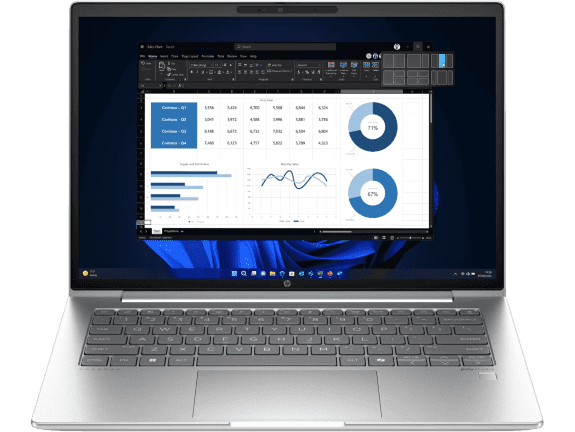
The HP ProBook serves as a solid entry point into the business category. HP ProBooks offer essential business features—reliable performance, security, and durability—that make them well-suited for small to medium-sized businesses (SMBs), educational institutions, and professionals who need a dependable work machine without the most premium enterprise features. They represent a significant step up from consumer models in build quality and security.
-
Intel Core Ultra 7 155U processor (up to 4.8 GHz)
-
16GB memory with 256GB SSD storage
-
14-inch diagonal WUXGA display
-
Comprehensive port selection including USB-C 20Gbps and HDMI 2.1
-
Windows 11 Pro for enhanced business security
This model features advanced security including HP Sure Start Gen7 self-healing BIOS and HP Sure Sense AI-powered malware protection, making it ideal for New Zealand professionals who need reliable performance for presentations, video calls, and multitasking across business applications.
Best Premium Business Laptop for Executives
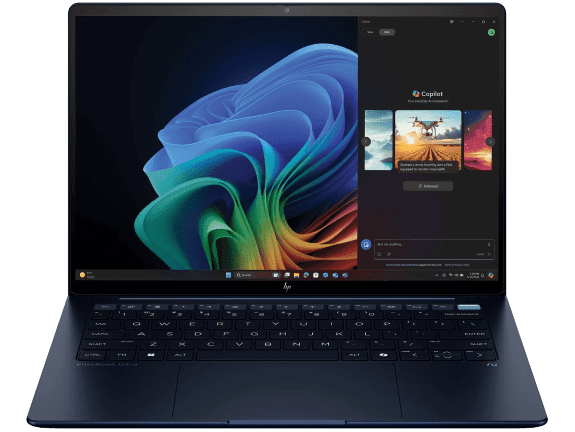
The HP EliteBook represents the pinnacle of business laptop design, perfect for executives, mobile professionals, and enterprises that demand top-tier features, sophisticated design, and advanced security. This next-generation AI PC features cutting-edge security innovations and superior build quality using lightweight yet durable materials, extensive testing for resilience, and higher-end performance components.
-
Intel Core Ultra 7 256V processor (up to 4.8 GHz)
-
16GB memory with 1TB SSD storage
-
14-inch diagonal 2.8K display
-
Intel Arc Graphics for enhanced visual performance
-
Three Thunderbolt 4 ports with USB Type-C 40Gbps signaling
This sophisticated laptop provides the AI-powered productivity tools and security New Zealand executives need while maintaining the professional appearance and reliability essential for client meetings and high-stakes presentations. The gigabit data rate Wi-Fi 7 ensures fast connectivity in dense wireless environments.
Best Mobile Workstation for Creative Professionals
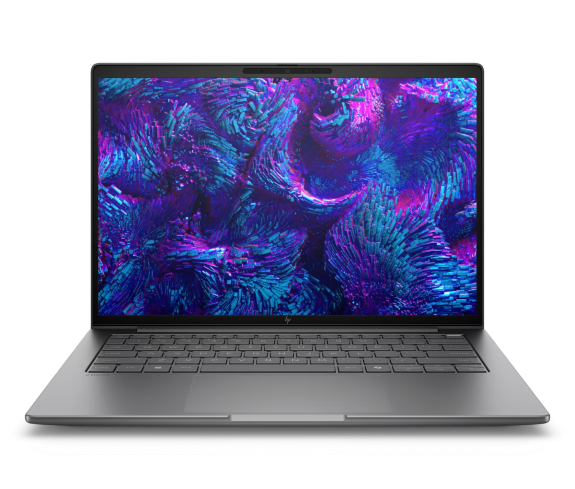
The ZBook is HP’s mobile workstation lineup for professionals with the most demanding workloads, such as CAD designers, video editors, 3D artists, data scientists, and engineers. HP ZBooks prioritise processing power with high-performance CPUs and professional-grade features. They also support extensive capabilities, fast storage with HP Z Turbo Drive technology, and carry certifications for critical software compatibility.
-
Intel Core Ultra processor with AI architecture
-
HP Z Turbo Drive high-speed storage (up to 6x faster than SATA SSD)
-
Spill-resistant keyboard with drain hole design
-
HP Fast Charge (0-50% in 30 minutes)
-
Wi-Fi 7 for gigabit data rates in dense environments
This powerhouse delivers the computational strength and AI-powered features New Zealand’s creative professionals need for complex business workloads, while maintaining the mobility and durability required for client presentations and collaborative projects across demanding environments.
Understanding Total Cost of Ownership for New Zealand Businesses
When evaluating business laptops for your New Zealand organisation, it’s crucial to consider the Total Cost of Ownership (TCO) rather than just the initial purchase price. This holistic approach accounts for all costs associated with the laptop throughout its operational lifespan.
Initial Investment vs. Long-term Value: While business laptops may require a higher upfront investment, their enhanced durability, security features, and comprehensive support often result in significant savings over time. Reduced downtime, fewer repair requirements, and extended operational lifespan contribute to a lower TCO.
Support and Warranty Considerations: Business laptops typically include comprehensive warranty coverage and professional support services that can be particularly valuable for New Zealand businesses operating across multiple locations or with limited IT resources.
When Consumer Laptops Might Be Sufficient
While business laptops offer enhanced features, high-quality consumer models might suffice in certain situations, provided you understand the trade-offs and potential limitations for professional use.
Premium consumer lines from our personal laptops collection can offer powerful specifications and good build quality. These might be adequate for freelancers or solopreneurs with minimal security risks and tight budgets, students whose institutions provide IT support and cloud services, or as secondary machines for less critical tasks.
If choosing a consumer model for work, consider accessories like external encrypted storage, a VPN, quality docking stations, and robust security software to bridge some capability gaps. However, advanced hardware security, MIL-STD durability, and enterprise manageability will typically be absent.
Future-Proofing Your Business Laptop Investment
As New Zealand continues to embrace digital transformation and remote work becomes increasingly prevalent, selecting a business laptop that can adapt to evolving technological demands is crucial for long-term success.
Emerging Technologies: Consider laptops with support for the latest wireless standards (Wi-Fi 6E/7), USB4/Thunderbolt 4 connectivity, and advanced AI capabilities that can enhance productivity and collaboration—features found in HP’s latest next-generation AI PCs.
Scalability and Upgradability: While modern laptops have limited upgrade options, choosing models with sufficient initial specifications and modular components where possible can extend the device’s useful life.
Environmental Considerations: HP’s commitment to sustainability aligns with New Zealand’s environmental consciousness, making business laptops with eco-friendly certifications and recycling programmes an increasingly important consideration.
Making the Right Decision for Your New Zealand Business
Business laptops are an investment in productivity, security, and reliability that can significantly impact your organisation’s success. Their durability, comprehensive security features, sustained performance, and superior support often translate to a lower Total Cost of Ownership (TCO) and greater peace of mind for New Zealand professionals.
Before deciding, consider these key questions tailored to the New Zealand business environment:
Security Needs: How sensitive is your data, and what compliance requirements must you meet?
Durability Requirements: What kind of environment will the laptop face, considering New Zealand’s diverse climate and working conditions?
Support and Downtime: How critical is minimising downtime to your business operations across New Zealand’s geographic spread?
Mobility Requirements: How often will the laptop travel between cities or to client sites across the country?
AI and Future Capabilities: How important are next-generation AI features for your workflow and productivity needs?
If these are high priorities for your organisation, a business laptop is the recommended choice. Whether you’re scaling a Wellington startup, managing an Auckland consultancy, or running operations across multiple New Zealand locations, investing in the right business laptop technology can provide the foundation for sustainable growth and operational excellence.
For professionals seeking secure and manageable computing solutions that can withstand the demands of New Zealand’s dynamic business environment, explore our comprehensive range of business laptops and mobile workstations to find the perfect match for your professional needs.
Recent Posts

Popular Posts


Products purchased through this store are sold and fulfilled by Ingram Micro (NZ) LTD

CONTACT US
Call us
- Sales
- 0800 854 848
- Technical support
- +64 9884 8600
Mon-Fri 9.00am - 6.00pm
(exc. Public Holidays)
Chat with us
- Our specialist are here to help
- Live chat
Mon-Fri 9.00am - 6.00pm
(exc. Public Holidays)
Submit feedback
We value your opinion!