Thank you for visiting the NEW ZEALAND HP Store
-
Contact Us
CONTACT USCall us
- Sales
- 0800 854 848
- Technical support
- +64 9884 8600
Mon-Fri 9.00am - 6.00pm
(exc. Public Holidays)
Chat with us- Our specialist are here to help
- Live chat
Mon-Fri 9.00am - 6.00pm
(exc. Public Holidays)
Submit feedback We value your opinion! - My Account

Search
Best Budget-Friendly HP Laptops for 2025 in New Zealand

Posted:
March 27, 2025
Categories:
Laptops
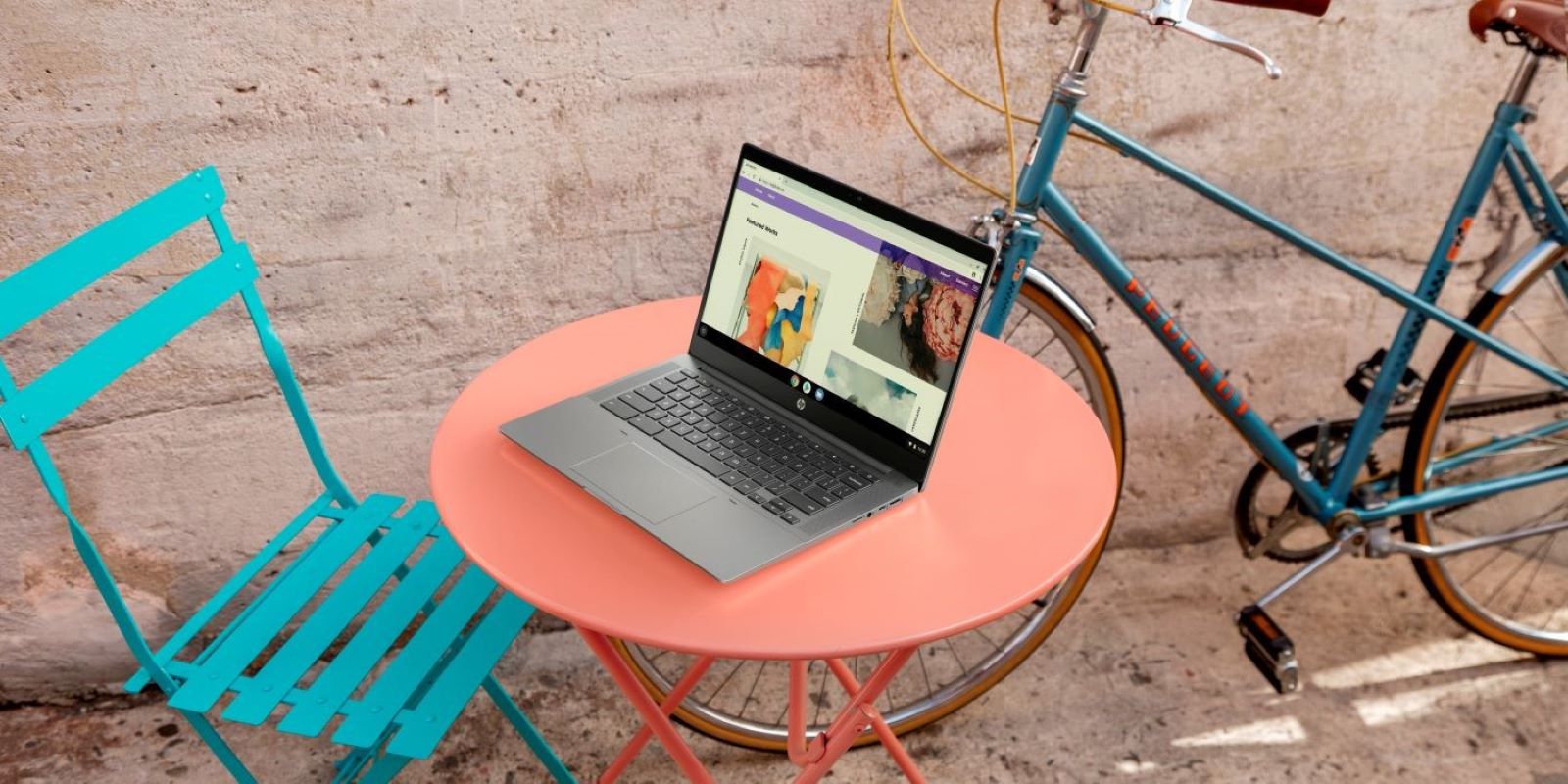
Laptops are a bedrock tool for navigating the digital age in New Zealand. They help Kiwis perform work, complete primary, secondary, and university education, and entertain themselves with digital media. But, finding affordable laptops in 2025 that also meet your performance needs can be a major challenge, especially with the rising costs of technology and the demand for various operating systems.
Today’s budget laptops pack significantly more power than previous generations. They offer nearly the same high performance as their more expensive counterparts, making them some of the best laptops you can buy on a budget across New Zealand.
They’re also capable of playing next-generation games, streaming high-definition movies seamlessly, allowing you to explore digital hobbies, and featuring excellent gaming laptop capabilities. They’re perfect options whether you’re a first-year university student, a small business owner, or just need a laptop for everyday tasks like paying bills and shopping online.
One question you may be asking is: “What is an affordable laptop in New Zealand in 2025?” Affordable can mean different things to different people. For this article, we’ll look at a range of laptop options around NZ$1,500 and below.
In this guide, we’ll explain what to expect from HP budget laptops, HP ProBook series, and what makes them among the best value HP laptops. We’ll also show you the best value HP laptops and help you pick the right model and features for your needs in the New Zealand market.
Contents
Affordable Laptops 2025: Best HP Laptops for Different Users
Whether you’re a student, white-collar professional, business owner, or looking for a family laptop, HP has a range of affordable laptops that can get the job done for New Zealanders. Let’s dive into our top picks for each user category to help you find your perfect match.
Student Options
Choosing the right laptop is one of the most important decisions for university students. Whether you’re an incoming first-year student or an experienced postgraduate, your laptop is going to be one of your most-used tools throughout your academic journey. Let’s take a look at our top laptop for students in New Zealand.
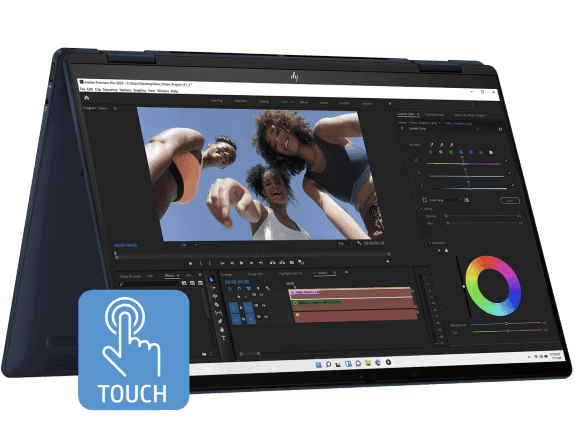
The HP Envy x360 is a versatile, budget-friendly laptop that’s perfect for students who want a device that adapts to their study needs. This 14-inch model features a touchscreen display that can rotate 360 degrees, allowing you to use it as a traditional laptop for assignments or as a tablet for note-taking. The Envy x360 offers exceptional value for students who need a powerful yet flexible device for their studies.
-
Intel Core Ultra 7 155U processor with up to 4.8 GHz with Turbo Boost
-
16 GB memory for smooth multitasking between research and assignments
-
512 GB SSD storage for quick access to lecture notes and projects
-
35.6 cm (14") diagonal WUXGA touch display for interactive learning
-
HP Fast Charge for 50% battery in approximately 30 minutes
The Envy x360 hits the sweet spot of versatility, performance, and portability that New Zealand students need. The 360-degree hinge allows for multiple study positions, while the touchscreen enables more intuitive interaction with digital learning materials. With Eyesafe certification, the display reduces harmful blue light without distorting colors, perfect for those late-night study sessions common during university terms.
Work-from-home Choices
The rise of remote work has created a massive demand for high-performance laptops that are also lightweight and quick to charge. Whether you work at home five days a week, split your time between office and cafe, or travel frequently across New Zealand—we have the best HP laptop that can be used in a variety of environments and professional applications.
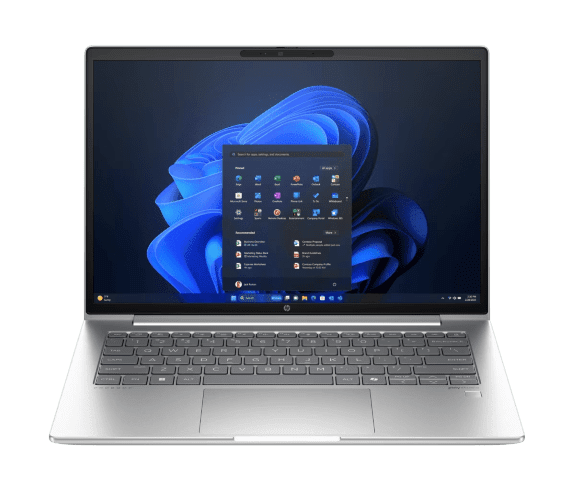
The HP ProBook 440 is designed with the modern professional in mind. This 14-inch business laptop provides commercial-grade performance in a sleek silver chassis that’s perfect for hybrid work environments. The laptop features multi-layered endpoint security to protect your sensitive work data and an easily upgradeable design to extend its useful life as your professional needs evolve.
- Latest Intel processor for handling deadline-driven tasks
- 16 GB memory for smooth multitasking between business applications
- 512 GB SSD storage for fast access to work files
- 14-inch display with a productivity-enhancing 16:10 aspect ratio
- Long battery life to support a full day of remote work
Remote workers need reliability, security, and performance in equal measure. The ProBook 440 delivers on all fronts with enterprise-level security features that protect both your PC and data. The 16:10 aspect ratio display provides more vertical screen space for documents and spreadsheets, reducing the need to scroll and enhancing productivity whether you’re working from home in Auckland or a cafe in Wellington.
Understanding Budget Laptop Specs
While the technology and performance gaps between high-end and budget laptops continue to shrink every year, it’s still important to understand the specs of your chosen model to make sure the device is right for your needs.
Components
When it comes to laptop components, there are three main terms you need to understand:
Central Processing Unit (CPU): The CPU is the microchip embedded in your device. It’s often referred to as the computer’s “brain” and it processes your instructions.
Random Access Memory (RAM): RAM is a type of memory that gives you rapid access to your current files. This includes media, program files, and the operating system itself. A higher RAM equals a faster computer.
Drive: Most modern computers are built with a Hard Disk Drive (HDD) or Solid State Drive (SSD). HDDs are the cheaper option and they come with a higher storage capacity. However, SSDs offer faster performance. Plus, they’re smaller and lighter than HDDs.
EXPERT TIP
For 2025 laptops, we recommend a minimum of 8GB RAM and at least 256GB SSD storage for future-proofing your purchase. While 4GB RAM laptops exist, they’ll struggle with multiple browser tabs and basic multitasking, which is particularly important when factoring in the cost of importing technology to New Zealand.
Performance
You’ll also want to consider the performance of your laptop. Many budget-friendly options come with limited performance. This means they’ll struggle with many modern computer games, have trouble editing 4K videos, and may not work if you process a lot of data.
For everyday users, look for at least an Intel Core i3/i5 (12th gen or newer) or AMD Ryzen 5 processor. Content creators and gamers should aim for Intel Core i7 or AMD Ryzen 7 processors even in budget models.
In addition, battery performance is an important consideration for your next HP laptop. If you plan on working remotely or taking your laptop on the go, you’ll want to select a model with a battery life of over 6 hours to ensure you can work through a typical day without searching for power outlets.
BATTERY LIFE REALITY CHECK
Manufacturer claims often reflect ideal conditions. For real-world usage in New Zealand, expect about 70-80% of the advertised battery life, especially as the laptop ages. Consider that battery performance may also vary depending on usage in different locations around the country.
HP Value Features
While the hardware and performance of your chosen laptop are critical, you’ll also want to see what kind of additional value you can get from your laptop.
HP’s budget laptops come with pre-installed software, like a Microsoft Office trial and the HP Support Assistant. With your Office trial package, you’ll be able to create documents and start working straightaway.
The best value HP laptops also come with built-in security features like privacy screens and Sure Start, a type of software that stops cyberattacks before they can cause damage. All HP laptops also come with a standard one-year warranty and numerous support services (including phone, real-time chat, and online troubleshooting) available to New Zealand customers.
NEW FOR 2025: HP has enhanced their security offerings across all price points. Even budget models now include hardware-level protection against firmware attacks and AI-powered threat detection, giving Kiwi users peace of mind about their digital security.
Making the Most of your Budget
HP offers discounts for students and teachers in New Zealand, allowing them to easily purchase affordable laptops. Students can look for special pricing options, while teachers can find similar deals through educational purchasing programs. New Zealand educators and their students can often save significantly on select HP products.
First responders, healthcare professionals, and members of the military may find similar discounts through special programs. Plus, you get access to shipping options and straightforward returns policy suited to the New Zealand market.
SAVINGS TIP
HP frequently runs seasonal sales where prices can drop significantly. Timing your purchase around these events can increase your buying power considerably, especially important in the New Zealand market where technology often comes at a premium compared to other regions.
Budget Laptop Buying Checklist
Before finalizing your budget laptop purchase, consider these key factors particularly relevant to New Zealand consumers:
-
Upgradeability: Some budget laptops allow for RAM or storage upgrades later, extending their useful life
-
Port selection: Ensure it has all the connections you need (USB-A, USB-C, HDMI, etc.)
-
Display quality: Budget doesn’t have to mean poor screen quality—look for at least 250 nits brightness
-
Keyboard comfort: If possible, test the keyboard in person as this impacts daily usability
-
Weight consideration: Ultra-light laptops (under 1.5 kg) typically cost more, but save your back
-
Warranty options: Consider if extended coverage makes sense for your usage patterns
-
Local support: Check availability of service centers in your region of New Zealand
Conclusion
No matter what your needs are, HP has affordable laptops in 2025 that will meet your requirements and help you accomplish your goals in New Zealand. Browse our official website and compare our Top Rated Laptops on the HP.com store to find the right laptop for you.
Regardless of your individual needs, it’s important to do side-by-side comparisons between your top models to figure out which features (and at which price point) are the most important for you as a New Zealand consumer.
FINAL THOUGHT: Budget laptops in 2025 offer remarkable value compared to previous generations. Today’s more affordable machines can handle tasks that required much pricier laptops just a few years ago. Focus on matching the laptop’s capabilities to your specific needs rather than being swayed by marketing hype or unnecessarily high-end specifications that may not justify the additional cost in the New Zealand market.
Recent Posts



Popular Posts




Products purchased through this store are sold and fulfilled by Ingram Micro (NZ) LTD

CONTACT US
Call us
- Sales
- 0800 854 848
- Technical support
- +64 9884 8600
Mon-Fri 9.00am - 6.00pm
(exc. Public Holidays)
Chat with us
- Our specialist are here to help
- Live chat
Mon-Fri 9.00am - 6.00pm
(exc. Public Holidays)
Submit feedback
We value your opinion!