
AI Creation Center
Your end-to-end ecosystem for quick configuration setup, accelerated AI development, and instant access to additional compute power.
Boost
Give data scientists and AI developers access to idle GPUs in workstations to accelerate AI development cycles.2
ZGX Toolkit
Get open-source tools, MLflow, and Ollama. With instant discovery, sync, and export, train locally, track results, and deploy anywhere.3
Remote Access Solution5
The world's only PC manufacturer to develop an end-to-end remote workstation solution.6
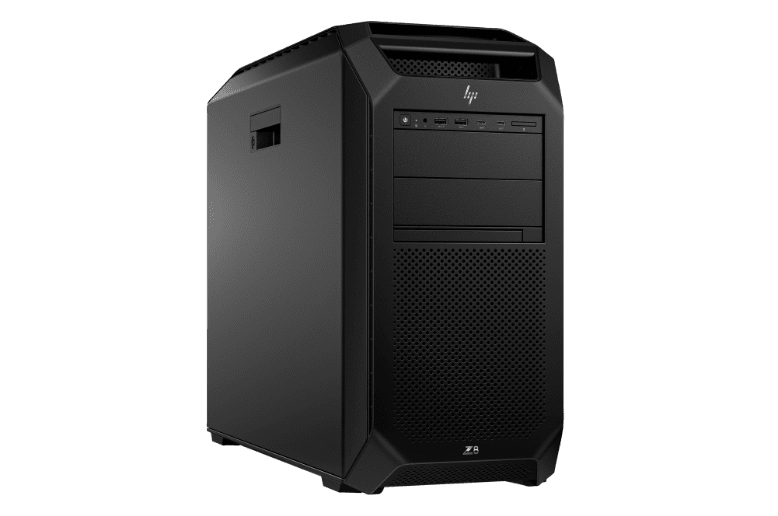
Free your power users to tackle compute and graphics-intensive projects from anywhere with a complete hardware and software solution for demanding, remote workflows.

3. HP Remote System Controller
A remote out-of-band management solution that gives you the power to monitor and manage a workstation fleet without compromising control, all from a single interface.7
4. End-user Devices
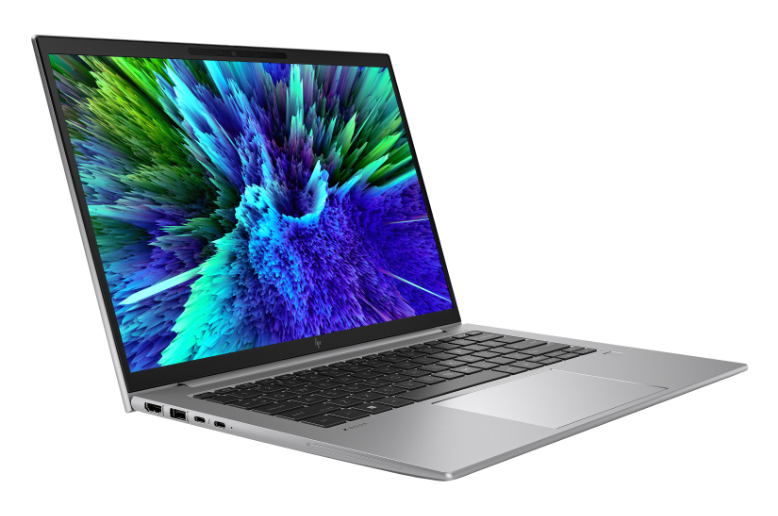
Choose from a wide range of HP devices and get workstation-level performance by installing HP Anyware.
Advantages
Why the HP Z Remote Access Solution beats VDI and cloud for high-performance PC power from anywhere.
Dedicated Performance
With a solution that provides 1:1 access to a workstation, users get 100% of the machine’s performance—even on graphics-heavy work like 3D VFX or rendering and data visualization.
The Cost-Effective Choice
Choose a cost-effective solution with predictable costs and no additional virtualization hardware or specialized IT required for service and maintenance.
Easy to Maintain
Working across multiple third-party vendors is complex and time consuming. We simplify the process by developing, testing, and supporting the software and hardware needed for your solution.
Lock Your Data Down Tight
When you don’t want your data to be processed outside your network, our solution provides a highly secure alternative. HP Anyware transfers encrypted pixels over the network, so your IP stays locked down tight on the world’s most secure workstations.8

Have a Question?
Contact Sales Support.
Follow HP Z on Social Media
Need Help in Choosing the Best
HP Z Workstation Solutions?
Need Support for Your HP Z Workstation?
Disclaimers
Product may differ from images depicted.
Product images are for illustration purposes only, product availability and colors may vary by country.
The information contained herein is subject to change without notice. The only warranties for HP products and services are set forth in the express warranty statements accompanying such products and services. Nothing herein should be construed as constituting an additional warranty. HP shall not be liable for technical or editorial errors or omissions contained herein.
Intel, the Intel logo, Core and Xeon are trademarks or registered trademarks of Intel Corporation or its subsidiaries in the United States and other countries. Microsoft and Windows are either registered trademarks or trademarks of Microsoft Corporation in the United States and/or other countries. NVIDIA, the NVIDIA logo, and NVIDIA NGC, NVIDIA Omniverse, NVIDIA RAPIDS, NVIDIA RTX are trademarks and/or registered trademarks of NVIDIA Corporation in the United States and other countries. Linux® is the registered trademark of Linus Torvalds in the U.S. and other countries. AMD is a trademark of Advanced Micro Devices, Inc. DisplayPort™ and the DisplayPort™ logo are trademarks owned by the Video Electronics Standards Association (VESA®) in the United States and other countries. USB Type-C® and USB-C® are trademarks of USB Implementers Forum.- HP AI Studio requires Windows 10 (build 19041 and higher) or Windows 11 OS, Intel Core™ i5 12th gen or higher, AMD Ryzen™ 9 or higher processors, minimum 50 GB of available storage, 16GB of RAM, and Internet access. To enable GPU compute, HP AI Studio requires any NVIDIA® GPU compatible with driver version 528.89 or newer. A minimum of 8GB of VRAM is recommended. Join waitlist for access to HP AI Studio early access program.
- HP Z Boost requires client device with Windows 10 or Windows 11 OS and Vulkan Runtime for devices without a GPU, or WSL2 with Ubuntu 22.04 or Ubuntu 22.04 LTS or greater. Host device for sharing GPU(s) must be a HP Z workstation with NVIDIA professional grade workstation GPU(s) of Pascal architecture or later with an installed driver version 535 or greater, and a CUDA driver version 11.2 through to 12.3, Windows 10 or Windows 11 OS (WSL is not supported), or Ubuntu 22.04 LTS or greater or Debian 11 or greater with libatomic1, libnumal1, libvulkan1, libgl1, libglib2.0-0 packages installed. Network connection required. Join waitlist to be considered for selection for early access.
- The HP ZGX Toolkit is provided free of charge. Use requires a client device running Windows 11 or Ubuntu 24.04 (or later) with Visual Studio Code installed and host device ZGX Nano. The client device must be x86-based, but otherwise there are no restrictions regarding hardware specifications or device manufacturer. Availability may vary by region and is subject to applicable local laws, regulations, and restrictions.
- HP Z Data Science Stack Manager requires Windows 10 version 21H2 (Build 19044) and higher or 64-bit Ubuntu 20.04 and is available on select Z workstations.
- The HP Z Remote Access Solution recommended configurations include HP Z workstations, HP Remote System Controller, and HP Z Remote Graphics Software (RGS) for remote access to an end point device. Network access required. HP RGS is available through a 1 or 3-year subscription. Renewal is required after the subscription term. HP RGS subscriptions are based on the number of concurrent RGS connections used (pay for the number of host connections, not the software). HP RGS is available for purchase through an HP reseller or contact sales at hp.com/go/rgs. For system requirements and to install HP RGS, refer to the User Guides at: hp.com/go/rgs. HP Remote System Controller is sold separately.
- Based on HP’s internal analysis of OEMs, with a dedicated brand for workstations with a minimum of 3 ISV certs and configurable professional graphics, that design, develop and support both the hardware and software for a centralized workstation solution to enable remote graphics as of October 2019.
- HP Remote System Controller is sold separately. Internet access required.
- Based on HP’s unique and comprehensive security capabilities at no additional cost among vendors on HP Workstations with Windows and 8th Gen and higher Intel® processors or AMD Ryzen™ 4000 processors and higher.
- HP AI Studio requires Windows 10 (build 19041 and higher) or Windows 11 OS, Intel Core™ i5 12th gen or higher, AMD Ryzen™ 9 or higher processors, minimum 50 GB of available storage, 16GB of RAM, and Internet access. To enable GPU compute, HP AI Studio requires any NVIDIA® GPU compatible with driver version 528.89 or newer. A minimum of 8GB of VRAM is recommended. Join waitlist for access to HP AI Studio early access program.