
5Results
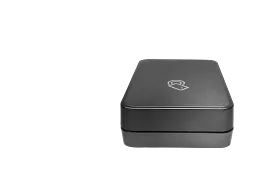
HP Jetdirect 3100w BLE/NFC/Wireless Accessory
802.11b/g/n/a with Dual Band wireless; Ethernet (2.4 GHz and 5 GHz); Wi-Fi Direct; BLE; NFC (near-field communication)
3JN69A
Enterprise | Business
3% back in HP Rewards
HP Jetdirect 3000w NFC/Wireless Accessory
802.11b/g Wireless Ethernet; NFC; Hi-Speed USB 2.0HP LaserJet M552, M553, M604, M605, M606
J8030A
Enterprise | Business
3% back in HP Rewards
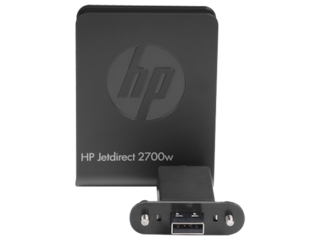
HP Jetdirect 2700w USB Wireless Print Server
802.11b/g/n; USB 2.0HP LaserJet printers: LaserJet Enterprise 600 M601, M602, and M603 printer series; HP Color LaserJet printers: LaserJet Enterprise 500 color M551 printer series; HP LaserJet MFPs: LaserJet Enterprise 500 color MFP M575 series
J8026A
Business | Enterprise
3% back in HP Rewards
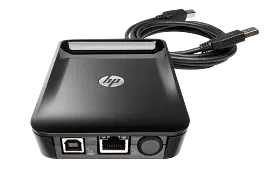
HP Jetdirect LAN Accessory
Ethernet; Fast Ethernet; Gigabit Ethernet; 802.3; RJ-45 (10/100Base-TX/1000T); Hi-Speed USB 2.0
8FP31A
Business
3% back in HP Rewards
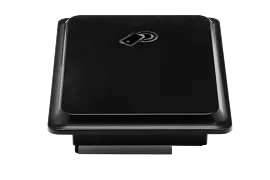
HP Jetdirect 2800w NFC/Wireless Direct Accessory
Hi-Speed USB 2.0HP LaserJet M806, M830, M880, M855, M651, M680, M525, M525c, M575, M575c, M551, M775, M712 and M725 Series
J8029A
Enterprise | Business
3% back in HP Rewards
Recent HP Print Server | HP® Store Reviews

HP Jetdirect 3100w BLE/NFC/Wireless Accessory
A perfectly excellent product right out of the box. I have the device on my 5700dn and my MFP 5800f, and just a note, the first one you setup, please be sure you put the plug onto the motherboard in the right orientation. It should only give you one orientation, but I could see how someone with no experience in putting one together could force the small connector cable in with a heavy hand. Once you plug in one connector to the motherboard of the device, you simply plug the device into the USB port of the printer, and everything works perfectly. I got an IP the first time I hooked up the device, and have had zero with the device subsequently. I couldn't be more pleased.
HP Jetdirect 3000w NFC/Wireless Accessory
The Product has great feature but no installation manual. You have to try to find out exactly where to put the product,
HP Jetdirect 2800w NFC/Wireless Direct Accessory
Easy, simple, straightforward install, and provides effortless wireless printing from other laptops, cell phones, apple iPads.
1557783074970214.png)
Be the first to find out about our Print Server, latest deals on all printer accessories, and get a special product offer just for joining us at the Official HP Store.


