

Make device experiences a catalyst for growth.
When IT performs well, 89%2 of IT leaders agree employees are more productive. However, remote hybrid work models have made device management more challenging as new tools are needed to manage devices that could be in the office, at home, or on the go.
HP Managed Device Services eases the load on IT by improving service uptime and employee productivity with a complete portfolio of managed solutions to proactively monitor4, manage, and support multi-vendor PC environments.3

Create experiences that drive productivity
Create experiences that drive productivity
Propel employee productivity with AI-enabled proactive experience monitoring and PC management from HP service experts.

Reduce the load on your IT team
Reduce the load on your IT team
Reach new heights of service availability by letting HP Service Experts deploy and manage your PCs, apps, and endpoint security.

Take your transformation further
Take your transformation further
Team up with our experts to create a tailored managed solution grounded in modern IT and results-driven outcome management.5

Services for every stage of the device lifecycle
HP offers end-to-end services to customize your Managed Device Service offering including strategy and design, device configuration, proactive monitoring and management, as well as a range of additional onsite support, call to repair, and device replacement services.
Create a next level managed device solution by teaming up with our experts⁴ to line up your strategy, technology, and user experiences with your business outcomes.
Give time back to your IT Team by having our Service Experts proactively monitor and manage your PC environment - providing recommended actions or pre-emptive remediation to enhance your employee experience and boost business growth.
Boost the return on your technology investment and the end user experience with proactive service management that includes ongoing fleet performance analysis, business outcome reviews, and full-circle asset lifecycle management.
Customer success stories

Bekaert
Global solution brings standardization and improved user satisfaction for the digital workplace.

Renzo
Description: Premier leather retailer adopts technology services for business continuity, employee productivity, and customer service.

Ericsson
Modern Management enables global 5G provider to bolster a worldwide cloud-based hybrid working environment.

HP
Digital transformation supports global hybrid workers everywhere with proactive monitoring, management, and device insights.
See Managed Device Services in action
Watch these short demo videos to see how HP can help you simplify the end-to-end management of your fleet of devices. From defining and designing the perfect solution, to deployment, monitoring, management and support, HP experts will guide your transition to a proactive management model that removes friction for both your employees and IT. Each video showcases use cases where HP MDS can improve your day-to-day device lifecycle management.
Introduction
HP Managed Device Services – an end-to-end solution.
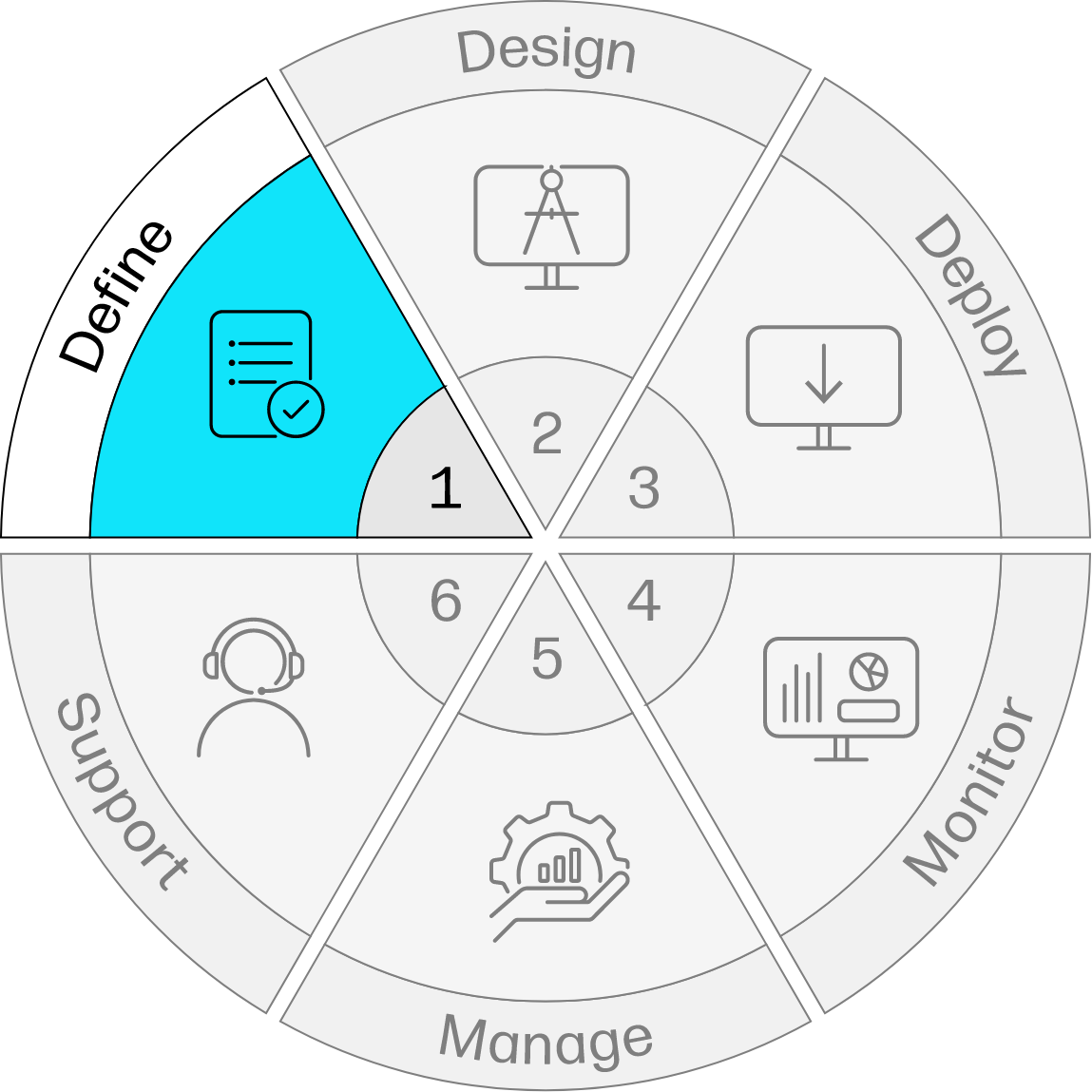
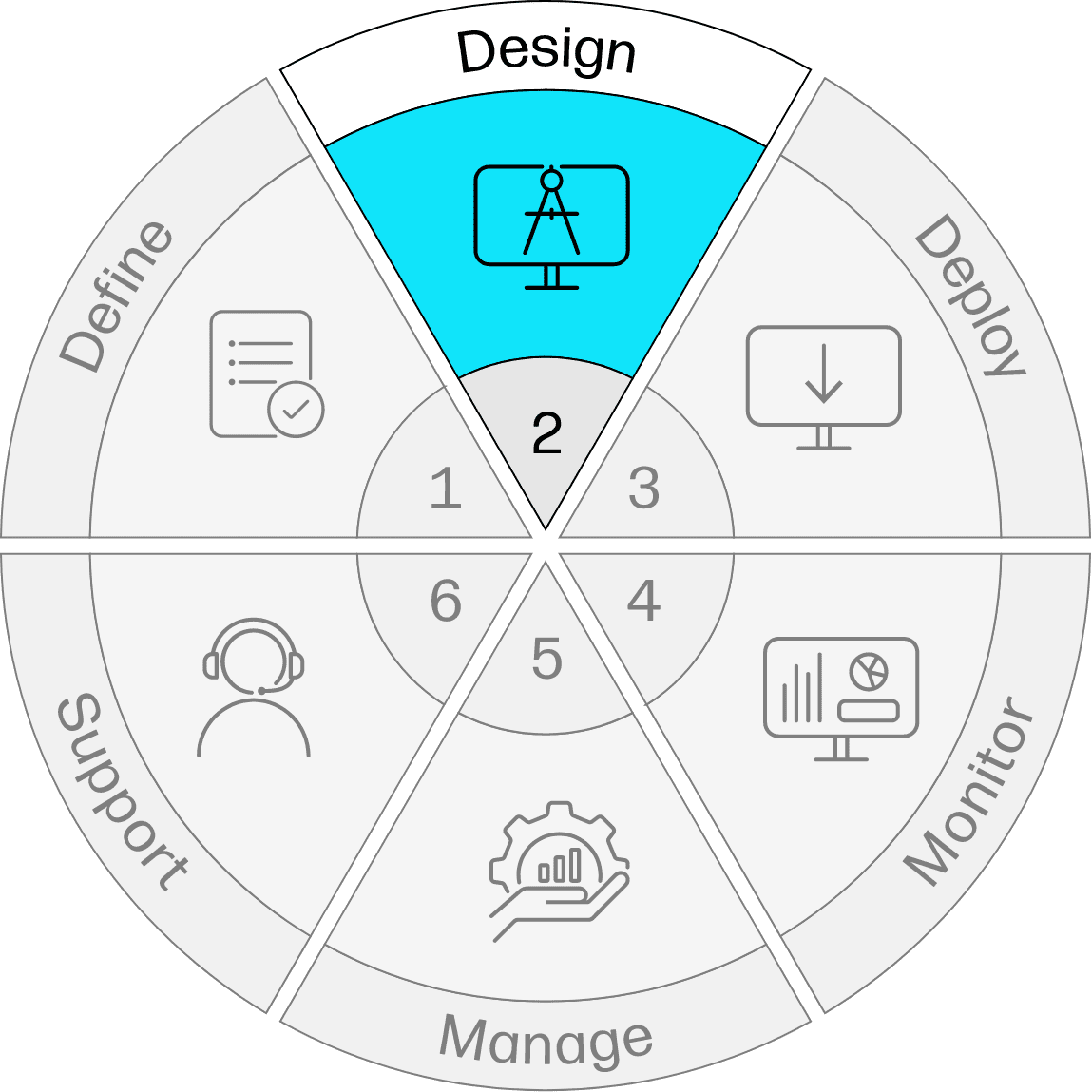
Define & Design
HP’s Professional Services team will help you define the outcomes you’re looking for and design a solution that’s tailor-made for your business.
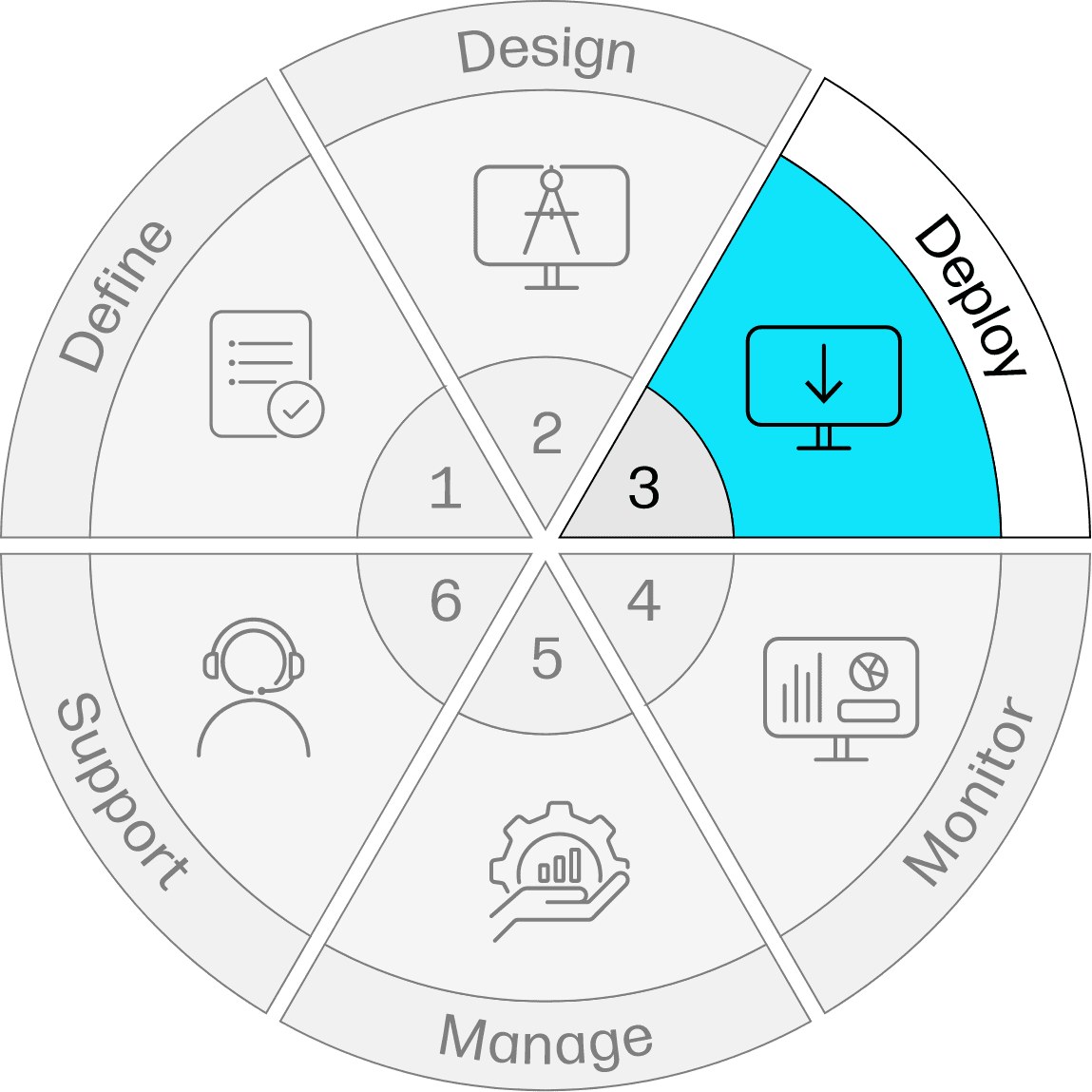
Deployment
HP service experts can deliver devices pre-configured, saving valuable time for IT and improving productivity for your workforce.
Monitoring
Identify and proactively address issues before they become problems for your workforce with the help of HP service experts.
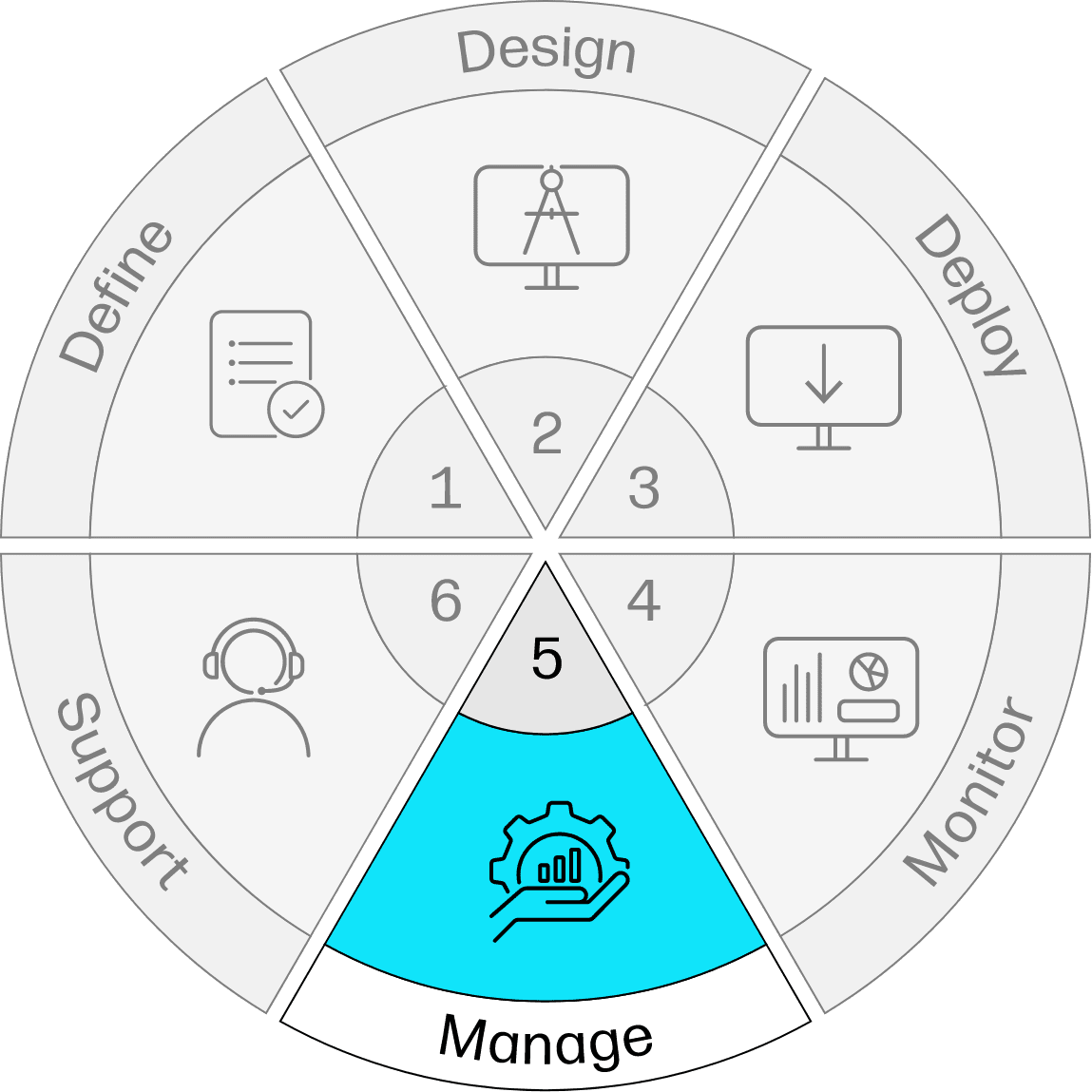
Management
Utilize HP expertise and cloud-based modern management technologies to more efficiently manage the day-to-day activities of your fleet, regardless of the manufacturer.
Support
Ensure your workforce stays productive with exceptional remote and onsite support options from HP service experts.
End-to-End Solution Summary
HP Managed Device Services offers an end-to-end solution that takes the pressure off your IT team and boosts the productivity of your workforce.

A proven methodology
Choosing HP allows you to benefit from our extensive experience supporting complex device environments around the globe


A proven methodology
Choosing HP allows you to benefit from our extensive experience supporting complex device environments around the globe