
Find the best printer for your small business or home office
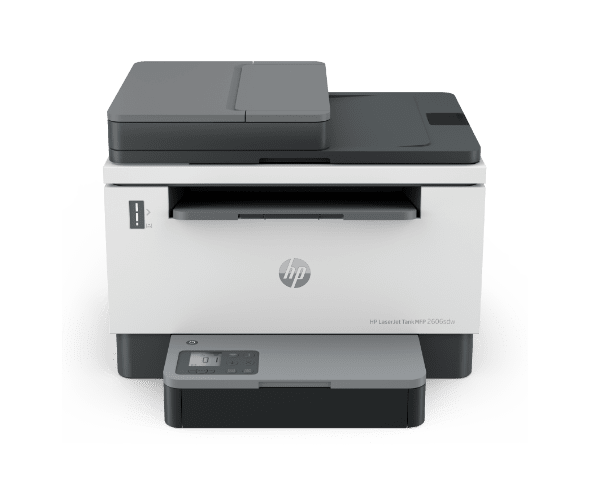
HP LaserJet Tank Printers

HP Smart Tank Printers

HP OfficeJet Pro Printers

HP LaserJet Printers
 - Product Card - Desktop.png "Front view of HP LaserJet Pro printer")
HP LaserJet Pro Printers
Make working from home or the office easier
HP’s printer portfolio helps deliver everything you need to print for your home office or small business.

HP app
HP app
Get connected and start printing right away from your smartphone, tablet, or laptop with HP app.3

Print security
Print security
Prevent your printer from becoming an entry point for cyber attacks with the world’s most secure printers.4
Still looking for the right fit?
See the latest HP printers for your home
See the HP printers enterprise businesses count on
Disclaimers
- Actual yield varies considerably based on content of printed pages and other factors. Average based on ISO/IEC 19752 and continuous print-ing. Additional printed pages require toner reload. For details see www.hp.com/go/learnaboutsupplies
- Based on internal HP comparison of cost-per-page of in-class HP LaserJet Pro M15 and HP LaserJet Pro MFP M28 using standard-fill HP 44A/48A/47A Black Original LaserJet Toner Cartridge. For page yield details see www.hp.com/go/learnaboutsupplies.
- HP Smart and myHP are now the HP app, available for download on Windows 10 or 11 PCs, macOS computers and for Apple and Android mobile phones and tablets. Windows PCs do not support print features at launch. Android not supported in China at launch. The HP app requires download available at www.hp.com/hp-app. Not all HP devices, services and apps are available in the HP app. Certain features are available in English only and may vary by printer model/country and between desktop/mobile applications. HP reserves the right to introduce charges for use of select HP app functionality. Internet access required. HP account required for full functionality. Fax sending capability only. Live chat and phone support are available during business hours and vary by country. Chat service is localised in supported regions and will default to English where not supported. Supported conferencing features vary by device and device configuration. For complete Terms of Service, see: www.hp.com/hp-app-terms-of-use.
- HP’s most advanced embedded security features are available on HP Managed and Enterprise devices with HP FutureSmart firmware 4.5 or above. Claim based on HP review of 2021 published features of competitive in-class printers. Only HP offers a combination of security fea-tures to automatically detect, stop, and recover from attacks with a self-healing reboot, in alignment with NIST SP 800-193 guidelines for de-vice cyber resiliency. For a list of compatible products, visit hp.com/go/PrintersThatProtect. For more information, vis-it hp.com/go/PrinterSecurityClaims