Thank you for visiting the SG HP Store
-
Contact Us
CONTACT USCall us
- Sales
- 1800 278 0182
- Technical support
- +6562725300
Mon-Fri 8.30am - 5.30pm
(exc. Public Holidays)
Chat with us- Our specialist are here to help
- Live chat
- Sales
- 6531292625(WhatsApp)
-

Mon-Fri 8.30am - 5.30pm
(exc. Public Holidays)
Live product demo
Submit feedback We value your opinion! - My Account

Search
Gaming - Tech Take

-
Posted: January 22, 2024
 Read more »HP® has a full lineup of power-packed gaming PCs primed to handle even the most demanding games on the market. Whether you’re looking for a gaming desktop or laptop, here are our five best gaming PCs for you. But first, let’s do a quick overview of what you should be looking for in your gaming computer.
 -
Posted: December 05, 2023
 Read more »Saving the princess (or prince), successfully completing a mission objective, beating the last boss, venturing through a side quest - these are just a few of the exhilarating, addicting aspects of playing a PC game.Gaming has evolved into a sophisticated art form over the last few decades and spans a variety of genres. From traditional first-person shooters, strategy games, walking simulators, massively multiplayer online role-playing games (MMORPGs), multiplayer online battle arena (MOBA), adventure games, and many, many more subgenres, the choices for gamers are ever-expanding. Virtual reality has further transformed the gaming landscape and set a new bar for entertainment.
-
Posted: November 27, 2023Categories: Gaming - Tech Take
 Read more »You never really think about that constant low hum emitting from your desktop tower until you load up one of your favorite RPGs and things go a little haywire. Every computer, no matter how big or small, generates heat during operation. Within that mechanical frame, all of the high-powered internal processing you depend on for seamless performance requires a considerable amount of electricity.
 -
Posted: March 21, 2023
 Read more »Virtual reality (VR) has made its ceremonious arrival into the gaming world and it’s here to stay.
If you haven't yet experienced this immersive and transformative gaming environment phenomenon, then you will most likely be doing so in the near future. The technology is not only consistently improving, but it’s also coming in at lower price points.
A VR laptop is fast enough to run virtual reality games or applications, and some laptops are engineered specifically to play VR games. Here are the best HP VR-ready laptops today.
VR headsets for your laptop
The two major options for VR headsets are the Oculus Rift and the HTC Vive. These integrated headsets offer unique features - such as microphones, stereo headphones, and handheld input devices - to track your movements, -
Posted: February 16, 2023Categories: Gaming - Tech Take
 Read more »
Most popular idle games are based on a single interaction: clicking with your mouse. Sometimes called idle clickers and incremental games, idle games incorporate depth and complexity in their own unique ways. Some idle browser games are more about novelty and challenging yourself through successive runs, while others focus on upgrades and management.
-
Posted: February 14, 2023
 Read more »
In the market for a new HP laptop but unsure which one to pick? Not to worry, we have removed all the tedious guesswork for you by providing an easy-to-follow decision tree to help you find the best HP laptop model to meet your demanding computing requirements and busy lifestyle.
-
Posted: February 14, 2023
 Read more »
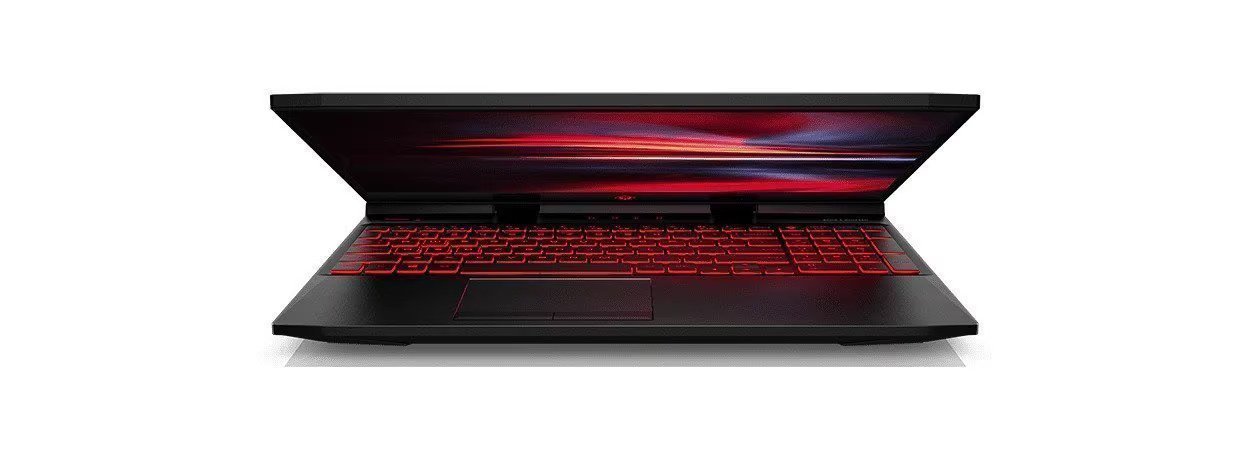
The HP OMEN line has been a staple in the gaming world, with high-powered desktops and beautifully designed laptops. As the latest in the series, HP OMEN 16 gaming laptops are specifically geared toward gamers who want an edge when competing on the road, practicing at home, or using resource-heavy software.
-
Posted: September 29, 2022
 Read more »Since its official release in 2011, Minecraft has taken the gaming world by storm. More than any game before it, the Mojang-developed title has inspired creativity among millions and millions of players.
 -
Posted: September 28, 2022
 Read more »Star Wars™ is an iconic cinematic franchise beloved by millions worldwide. First screened in 1977 with Star Wars: Episode IV - A New Hope, it has since exploded, garnering cumulative commercial success.
 -
Posted: September 20, 2022
 Read more »First-person games, where you see through the eyes of the character, can feel immersive and exciting. But there’s something more game-like about the third-person (3rd person) perspective.
Recent Posts


Popular Posts




CONTACT US
Call us
- Sales
- 1800 278 0182
- Technical support
- +6562725300
Mon-Fri 8.30am - 5.30pm
(exc. Public Holidays)
Chat with us
- Our specialist are here to help
- Live chat
- Sales
- 6531292625(WhatsApp)
-
Mon-Fri 8.30am - 5.30pm
(exc. Public Holidays)
Live product demo
Submit feedback
We value your opinion!