Thank you for visiting the THAILAND HP Store
-
Contact Us
CONTACT USCall us
- Sales
- 1800-012-214
- Technical support
- 1800 294 207
- 6627873344
Mon-Fri 9.00am - 6.00pm
(exc. Public Holidays)
Chat with us- Our specialist are here to help
- Live chat
- Sales
- 6623284555(WhatsApp)
-

- @hpthailand (Line)
-

Mon-Fri 9.00am - 6.00pm
(exc. Public Holidays)
Store finder Locate our storesSubmit feedback We value your opinion! - Location
- My Account

Search
Monthly Archives: September 2023

-
Posted: September 13, 2023Categories: Printer
-
Posted: September 13, 2023Categories: Miscellaneous
 Read more »For decades, Intel® has made the most trusted CPUs on the market, but the thicket of model numbers, names, and generations can make it challenging to choose the best Intel Core CPU for your PC.
Below, we explain the Intel processor brands, generations, and models in plain, easy-to-understand English. We’ll also look at naming conventions, so when you see Intel Core™ i3-8145U or Intel Core i7-10510Y, you’ll know exactly what each part of the name means.We also demystify the Intel CPU generations and “Lake” monikers, and the latest Intel processors – 11th Generation – and how they support the new Evo platform (and why that’s exciting). Finally, we’ll clarify Intel’s Core, Xeon®, Pentium®, and Celeron® processors, with the generations, brand modifiers, and -
Posted: September 13, 2023Categories: Laptops
 Read more »
So let’s take a moment and show some appreciation for the modern laptop - that you can bring it to and from the office, that you can carry it to the coffee shop, that you can take it with you on your travels.Nowadays, many laptops are just as powerful as their desktop counterparts. They have muscle processors, stunning displays, and large storage capacities. Laptop specs have gotten so advanced that it’s all too easy to forget about the principal allure of a -
Posted: September 06, 2023Categories: Miscellaneous
 Read more »Using a scanner is a vital tech skill. From storing your child’s favorite drawing to the cloud to getting a clear copy of a legal document so you can send it by fax, the perfect scan is essential. If you own an HP scanner and have questions about how to use it, this step-by-step tutorial can get you scanning documents in no time.
 -
Posted: September 05, 2023Categories: Laptops
 Read more »As with any piece of equipment, you need to maintain your laptop to help it run at optimal performance. Too often, people overlook caring for their laptop’s battery. Without proper care, the battery will degrade and hold less of a charge over time, meaning you’ll end up forgoing portability. Plus, you’ll have to replace the battery outright if it no longer holds a charge at all.This is particularly troublesome if you own a laptop designed for mobility, like the Chromebook. If you own a Chromebook or plan to buy one of these
 -
Posted: September 05, 2023Categories: Miscellaneous
 Read more »When the Hewlett-Packard Company (HP) was founded in 1939, the world was a very different place. There were no fully electronic computers. The only printers were industrial-sized printing presses. Palo Alto, California was composed mostly of fruit orchards. The internet was decades away from fruition.The storied history of HP coincides with the development of home computing and the rise of Silicon Valley. HP’s innovations were instrumental in making home computers and printers more affordable for the average consumer, and their success inspired a wave of electronics companies to start-up in Santa Clara County, California. Everyone wanted to hang out in HP’s neck of the woods.HP celebrates its 80th birthday this year! There’s no better time to explore the history of HP, from its earliest inventions to its most modern technological advancements. Take a tech-tastic trip through
 -
Posted: September 05, 2023
 Read more »Whether you want to run basic programs or you crave the most power from your new laptop or desktop PC, it’s helpful to know how many CPU cores you need before you start shopping.These components can directly determine the type of software you can run and how many programs your PC can handle at once. Planning ahead for your computing needs can save you time, frustration, and expense down the road. However, knowing exactly how many cores are necessary for your optimal functionality can be tricky.In this guide, we break down the number of CPU cores you may need for
 -
Posted: September 04, 2023
 Read more »You’re shopping for a new laptop. Only a few minutes have passed, and you’re already overwhelmed. So many specs! There are hard drives to consider. Processors to gauge. Displays to evaluate.And that’s not even the aesthetic stuff - remember, if you’re going to impress the shareholders at your next presentation (or that barista who works at the coffee shop), you’re going to need a laptop that looks professional.
 -
Posted: September 04, 2023Categories: Desktops
 Read more »When should you buy a workstation for your business, and when will a desktop or standard laptop deliver the performance you need? A workstation can add substantial productivity gains to your workflow.Determining whether you need the added computing power will depend on your business and the roles within that business. You may find that some employees, such as engineers and content creators, need a workstation due to the intensity and complexity of the work they do. Others, even within the same company, can accomplish everything they need to do with a more entry-level desktop PC or even a laptop.There’s no universal answer to the workstation vs. desktop (vs. laptop) question, so you can consider your company's needs as we take a look at the differences between workstations and PCs. We’ll also cover the types of employees and workflows that demand a workstation, and the advantages
 -
Posted: September 04, 2023Categories: Laptops
 Read more »There are so many laptop choices on the market today that it’s easy to become overwhelmed. Thankfully, the reality of having so many options assures shoppers that there is a perfect choice available for your unique and important needs.Whether you want a laptop for entertainment, college, or your new business, there is an HP laptop model designed just for you. Answer your own thoughts of “what laptop should I buy?” by using our handy buying guide for laptops.
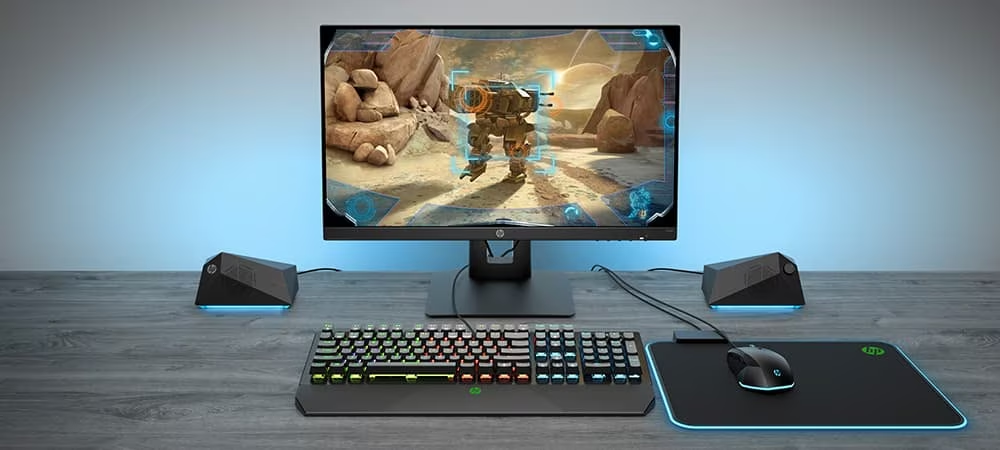
Gaming laptops
Do you think a powerful gaming experience needs to be done on a desktop? Think again. These powerful

Recent Posts


Popular Posts


CONTACT US
Call us
- Sales
- 1800-012-214
- Technical support
- 1800 294 207
- 6627873344
Mon-Fri 9.00am - 6.00pm
(exc. Public Holidays)
Chat with us
- Our specialist are here to help
- Live chat
- Sales
- 6623284555(WhatsApp)
-
- @hpthailand (Line)
-
Mon-Fri 9.00am - 6.00pm
(exc. Public Holidays)
Store finder
Locate our stores
Submit feedback
We value your opinion!