Color Definition: Greenyellow: 
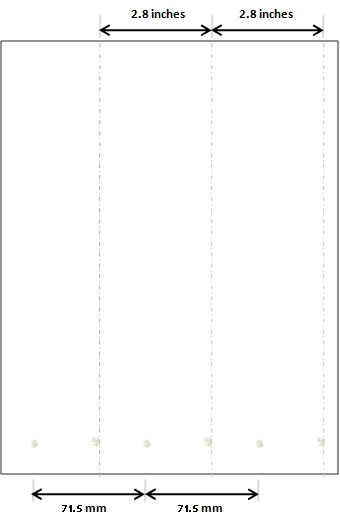
Fig. Greenyellow-7.1
As shown below, the issue may vary in location and appearance. Click a sample image below to see a larger version of it.

Fig. Greenyellow-7.1

Fig. Greenyellow-7.2

Fig. Greenyellow-7.3
Description
Mark(s) repeating every 71.5 mm on the backside of pages. May occur after clearing a paper jam.
Most likely causes

Troubleshooting and suggestions
- Print 1-30 pages to clear the contamination.
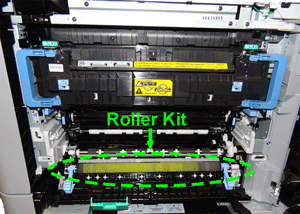
- If the backside 71.5 mm repetitive issue does not clear, replace the roller kit
 .
. - Print another set of pages, if performing the above procedures does not eliminate the issue, Contact HP.
Recommended parts
Please let HP know if this helped you to resolve your issue, and help HP improve service.