Color Definition:
Cyan: 
Note: It may be helpful to print out these instructions before you start to replace the cyan (blue) print cartridge.
| Figure | Step |
|---|---|
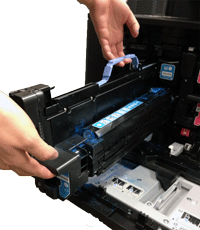
Figure 1: Align the cyan image drum
|
1. Make sure the cyan image drum is correctly aligned before trying to insert it into the slot. |
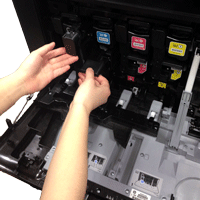
Figure 2: Insert the cyan image drum
|
2. Push the cyan image drum into its slot until it clicks into place. CAUTION: The gray protective cover on the bottom of the cyan image drum (not shown in Figure 2) automatically slides off as the image drum is inserted. You can discard this cover. |
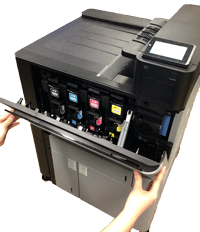
Figure 3: Close the front door
|
3. Grasp the grips on both sides of the front door and lift until it clicks into place. |
Please let HP know if this helped you to resolve your issue, and help HP improve service.