Note: It may be helpful to print out these instructions before you start to copy using flatbed.
| Figure | Step |
|---|---|
Figure 1: Open scanner lid.
|
1. Open the scanner lid. |
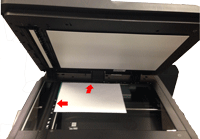
Figure 2: Place the white test page.
|
2. Place the white test page face-down on the flatbed glass and push it all the way into the upper left corner of the flatbed glass. |
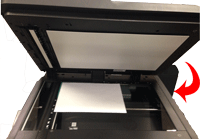
Figure 3: Close scanner lid.
|
3. Close the scanner lid. |
Figure 3: Press the START COPY button.
|
3. Press the HOME botton |

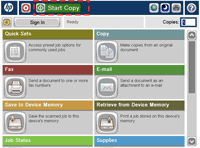
 on the left of the touch screen, then press the START button as shown in Figure 3.
Please let HP know if this helped you to resolve your issue, and help HP improve service.