Color Definition: Cyan:  Magenta:
Yellow:
Magenta:
Yellow:

Fig. Full page color background-1
As shown below, the issue may vary in luminance and color. Click a sample image below to see a larger version of it.
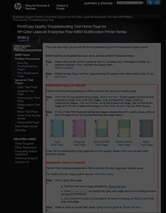
Fig. Full page color background-1

Fig. Full page color background-2

Fig. Full page color background-3
Description
The page is completely covered with one color.
Note: examples shown here are full black, full gray, and full cyan (blue) pages; but the issue may also appear as full pages of magenta (pink) or yellow.
Most likely causes
- Image Drum of the color with which the page is covered with, has not been installed properly.
- High Voltage Power Supply (requires Technician intervention).
Troubleshooting and suggestions
- Remove and reinstall ALL Drum Cartridge. Show me how.
- Turn off the printer, then wait for 15 seconds, and turn it back on. Wait until it returns to READY state.
- Print another set of PQ troubleshooting pages. Show me how.
- Look at the new set of test pages. If the issue is not resolved, replace the image drum of the color with which the page is covered with.
- Print another set of PQ troubleshooting pages. Show me how.
- Look at the new set of test pages. If the issue is not resolved, Contact HP.
Please let HP know if this helped you to resolve your issue, and help HP improve service.