Build the
Future
Architects, Engineers and Construction Managers
From 3D modeling and simulation to visualization in VR and more, power through your most demanding workflows with Z desktop or laptop workstations.
Best HP Z Workstations for Architecture and Engineering
Best HP Z Workstations for 2D and 3D Concepting
Quickly generate 3D models from 2D drawings with Z devices certified for CAD software. With the latest high-frequency processing technology, you get advanced performance and real-time interactivity.
Z2 Mini G1a
Starting at $1,999.001
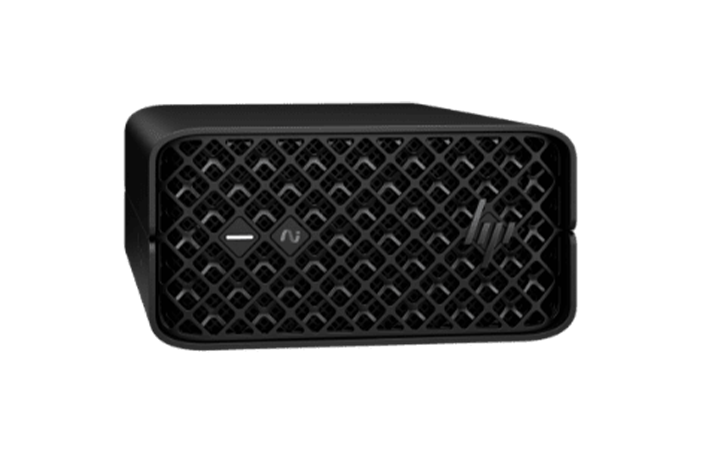
Mini Workstation. Transformative AI Performance.
Windows 11 Pro2,
WSL23 or Linux®
Up to AMD Ryzen™ AI Max+ PRO 395 processor5
Up to AMD Radeon™ 8060S integrated graphics6
Up to 128 GB LPDDR5, ECC and nECC; memory speed up to 8000 MT/s6
Up to 8 TB6
Z2 Tower G1i
Starting at $1,839.001
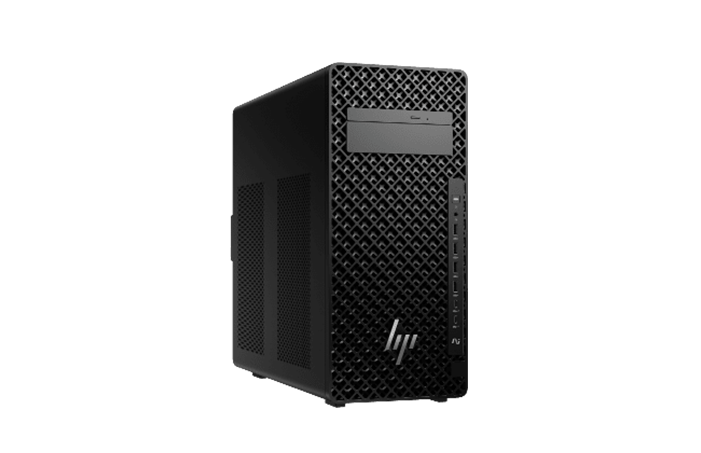
Mainstream Workstation Performance—Reimagined.
Windows 11 Pro2,
WSL23 or Linux®
Up to 24-core Intel® Core™ Ultra 9 processor – including K-Series4
Up to an NVIDIA RTX PRO™ 6000 Blackwell Workstation Edition GPU6
Up to 256 GB DDR5; memory speed up to 5600 MT/s6
Up to 36 TB6
ZBook 8 G2i/G2a
Coming Soon – New

Uplevel to Mobile Pro Performance.
Windows 11 Pro2,
Ubuntu 24.04 LTS
Up to Intel® Core™ Ultra 94, or up to AMD Ryzen™ AI 9 HX PRO 470265
Intel integrated graphics or Intel Arc Pro integrated graphics. NVIDIA RTX PRO™ 500 Blackwell Laptop GPU. Integrated AMD Radeon™ Unified Memory Graphics6
Up to 64 GB DDR5-5600 MT/s non-ECC6
Up to 64 GB LPDDR5x 7500 MT/s (Intel Arc Pro graphics only)6
Up to 2 TB PCIe® Gen5 x4 NVMe™ 6
14-inch and 16-inch diagonal
HP Build Workspace
Coming Soon – New
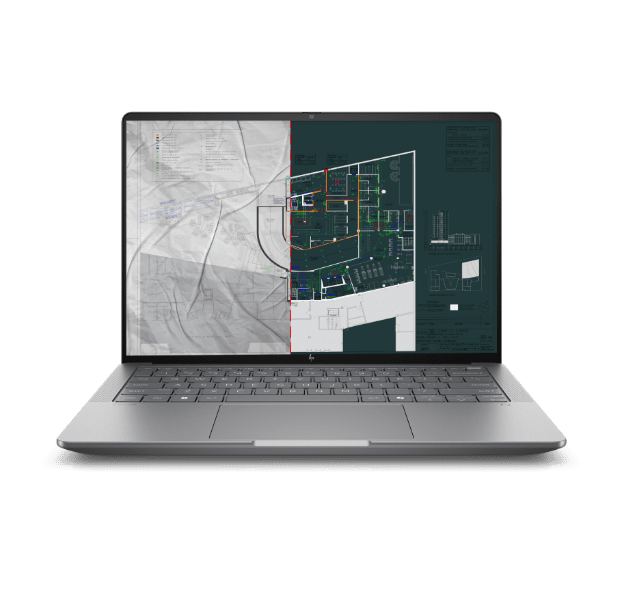
Get Everyone on the Same Page.
AI Vectorization
Capture & organize project data
Automated field report generation
In-app data sharing & communication
-
-
Still Looking for Your Perfect Workstation?
Search for workstation laptops and desktops, and the monitors and accessories to complete your set up.
Expert Insights · 2D and 3D Concepting
Stephanie Berger,
HP Performance Analyst, ISV Consultant
CPU with High Frequency
Key software like AutoCAD, Revit, Photoshop, and SketchUp need high frequency to ensure interactivity.
Generative Design
Make sure you have a balanced machine with the power to support generative design functionality in applications like Autodesk Revit.
Rendering
When rendering concept designs, check whether your renderer uses the CPU or GPU. Even the Z2 Mini gives you 8 CPU cores and an NVIDIA RTX™ A3000 GPU, supporting real-time ray tracing
Best HP Z Workstations for 3D Modeling and Rendering
Easily manipulate 3D shapes and render photorealistic models in real time with certified NVIDIA RTX™ graphics and high-frequency, multi-core CPUs optimized for multi-threaded applications.
Z2 Tower G1i
Starting at $1,839.001
Mainstream Workstation Performance—Reimagined.
Windows 11 Pro2,
WSL23 or Linux®
Up to 24-core Intel® Core™ Ultra 9 processor – including K-Series4
Up to an NVIDIA RTX PRO™ 6000 Blackwell Workstation Edition GPU6
Up to 256 GB DDR5; memory speed up to 5600 MT/s6
Up to 36 TB6
Z4 G6i
Starting at $6,799.001

Unlock Next-Level Scalable Power.
Windows 11 Pro2
Up to 48-core Intel® Xeon® 600 Processor for Workstation4
Up to 2 NVIDIA RTX PRO™ 6000 Blackwell Max-Q Workstation Edition GPUs6
Up to 512 GB DDR5-6400 ECC registered memory6
Up to 76 TB6
ZBook X G2i
Coming Soon – New

Expert Performance. Exceptional Value.
Windows 11 Pro2
Up to Intel® Core™ Ultra 9 CPU4
Up to NVIDIA RTX PRO™ 3000 Blackwell Laptop GPU6
Up to 128 GB DDR5-5600 MT/s non-ECC6
Up to 8 TB PCIe® Gen5 x4 NVMe™ and OPAL2 storage option6
16-inch diagonal
HP Series 7 Pro 34" WQHD Conferencing Monitor - 734pm
Starting at $1,049.001
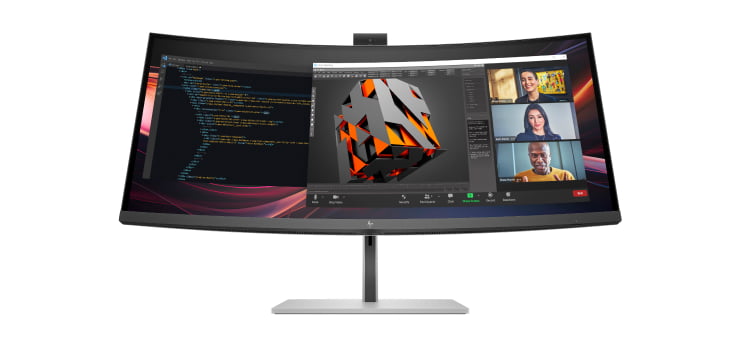
Intelligent Conferencing, Ahead of the Curve.
34” WQHD ultrawide curved display
Built-in AI and integrated 5MP HDR webcam, speakers, mics
IPS Black panel, VESA DisplayHDR™ 400, 98% Display P3 & 100% sRGB color gamuts7
Factory calibrated color accuracy, Pantone-validated™, User color recalibration8
Thunderbolt™ 4 for high-speed data and video @ 40Gbps and 100W power delivery9
HP Device Bridge 2.010 and smart KVM11
Still Looking for Your Perfect Workstation?
Search for workstation laptops and desktops, and the monitors and accessories to complete your set up.
Expert Insights · 3D Modeling and Rendering
Clifton Robin,
HP Global Technical Marketing
CPU & GPU: A Balanced Machine
Revit is all CPU-based. But if you add an external renderer, such as Enscape or V-Ray, you'll need a balanced machine.
Enough System Memory
Make sure you have enough system memory to manipulate your models. For example, Revit recommends 2.5x (CK) times your model size.
Remote Collaboration
Powerful tools such as HP Remote Graphics Software12 and NVIDIA Omniverse™ make it much easier to collaborate and see the combined results of your efforts in real-time.
Best HP Z Workstations for Visualization
Easily move your projects to a virtual reality environment with VR-ready Z devices, and then experience them in high fidelity with the HP Reverb headset.
ZBook Fury G1i
Starting at $3,149.001

So Powerful You’ll Forget it’s a Laptop.
Operating System:
Windows 11 Pro2,
Ubuntu 24.04 LTS
Processor:
Up to Intel® Core™ Ultra 9 HX CPU4
Graphics:
Up to NVIDIA RTX PRO™ 5000 Blackwell GPU6
Memory:
Up to 192 GB DDR5-5600 MT/s non-ECC (16")6
Up to 256 GB DDR5-5600 MT/s non-ECC (18”)6
Storage:
Up to 16 TB PCIe® Gen4 x4 NVMe™ 6
Display:
16-inch and 18-inch diagonal
Z4 G6i
Starting at $6,799.001
Unlock Next-Level Scalable Power.
Operating System:
Windows 11 Pro2
Processor:
Up to 48-core Intel® Xeon® 600 Processor for Workstation4
Graphics:
Up to 2 NVIDIA RTX PRO™ 6000 Blackwell Max-Q Workstation Edition GPUs6
Memory:
Up to 512 GB DDR5-6400 ECC registered memory6
Storage:
Up to 76 TB6
Display:
HP Series 7 Pro 34" WQHD Conferencing Monitor – 734pm
Starting at $1,049.001
Intelligent Conferencing, Ahead of the Curve.
Operating System:
34” WQHD ultrawide curved display
Processor:
Built-in AI and integrated 5MP HDR webcam, speakers, mics
Graphics:
IPS Black panel, VESA DisplayHDR™ 400, 98% Display P3 & 100% sRGB color gamuts7
Memory:
Factory calibrated color accuracy, Pantone-validated™, User color recalibration8
Storage:
Thunderbolt™ 4 for high-speed data and video @ 40Gbps and 100W power delivery9
Display:
HP Device Bridge 2.010 and smart KVM11
Still Looking for Your Perfect Workstation?
Search for workstation laptops and desktops, and the monitors and accessories to complete your set up.
Expert Insights · Visualization
Keith Fish,
HP Workstation Portfolio Graphics Planner
Graphics
Depending on which renderer you're using, you'll either render on the CPU or the GPU. Increasingly, renderers are GPU-accelerated, so a balanced machine is again your best bet.
Real-time Rendering & Ray-tracing
With the rise in real-time rendering — whether for ray-tracing or for immersive interactivity — look for an NVIDIA RTX™ GPU to benefit from the RT (ray-tracing) cores.
Best HP Z Workstations for Simulation and Clash Detection
Forget waiting for your structural and energy simulations to run. Z devices have all the graphics, storage and memory you need to analyze in real time.
Z4 G6i
Starting at $6,799.001
Unlock Next-Level Scalable Power.
Operating System:
Windows 11 Pro2
Processor:
Up to 48-core Intel® Xeon® 600 Processor for Workstation4
Graphics:
Up to 2 NVIDIA RTX PRO™ 6000 Blackwell Max-Q Workstation Edition GPUs6
Memory:
Up to 512 GB DDR5-6400 ECC registered memory6
Storage:
Up to 76 TB6
Display:
Z8 Fury G6i
Starting at $7,899.001

Extraordinary Performance. Exceptional Outcomes.
Operating System:
Windows 11 Pro2
Processor:
Up to 86-core Intel® Xeon® 600 Processor for Workstation4
Graphics:
Up to 4 NVIDIA RTX PRO™ 6000 Blackwell Max-Q Workstation Edition GPUs6
Memory:
Up to 2 TB DDR5-6400 ECC registered memory6
Storage:
Up to 104 TB6
Display:
ZBook Fury G1i
Starting at $3,149.001
So Powerful You’ll Forget it’s a Laptop.
Operating System:
Windows 11 Pro2,
Ubuntu 24.04 LTS
Processor:
Up to Intel® Core™ Ultra 9 HX CPU4
Graphics:
Up to NVIDIA RTX PRO™ 5000 Blackwell GPU6
Memory:
Up to 192 GB DDR5-5600 MT/s non-ECC (16")6
Up to 256 GB DDR5-5600 MT/s non-ECC (18”)6
Storage:
Up to 16 TB PCIe® Gen4 x4 NVMe™ 6
Display:
16-inch and 18-inch diagonal
HP Build Workspace
Coming Soon – New
Get Everyone on the Same Page.
Operating System:
AI Vectorization
Processor:
Capture & organize project data
Graphics:
Automated field report generation
Memory:
In-app data sharing & communication
Storage:
-
Display:
-
Still Looking for Your Perfect Workstation?
Search for workstation laptops and desktops, and the monitors and accessories to complete your set up.
Expert Insights · Simulation and Clash Detection
Keith Fish,
HP Workstation Portfolio Graphics Planner
CPU & GPU - Balanced Machine
NavisWorks uses both CPU and GPU. As your model grows to include infrastructure design (HVAC, plumbing), ensure your machine has 8+ CPU cores and a mid-range GPU.
Memory
Make sure you have enough RAM to be able to generate high quality simulations.
Remote Collaboration
Powerful tools such as NVIDIA Omniverse™ make it much easier to collaborate and see the combined results of your efforts in real-time.
Best HP Z Workstations for 3D Site Scanning
Process complex LIDAR point cloud data and create accurate 3D models with Z devices — packed with massive memory, multi-core Intel® Xeon® processors and high-end NVIDIA RTX™ graphics.
Z8 Fury G6i
Starting at $7,899.001
Extraordinary Performance. Exceptional Outcomes.
Operating System:
Windows 11 Pro2
Processor:
Up to 86-core Intel® Xeon® 600 Processor for Workstation4
Graphics:
Up to 4 NVIDIA RTX PRO™ 6000 Blackwell Max-Q Workstation Edition GPUs6
Memory:
Up to 2 TB DDR5-6400 ECC registered memory6
Storage:
Up to 104 TB6
Display:
ZBook Fury G1i
Starting at $3,149.001
So Powerful You’ll Forget it’s a Laptop.
Operating System:
Windows 11 Pro2,
Ubuntu 24.04 LTS
Processor:
Up to Intel® Core™ Ultra 9 HX CPU4
Graphics:
Up to NVIDIA RTX PRO™ 5000 Blackwell GPU6
Memory:
Up to 192 GB DDR5-5600 MT/s non-ECC (16")6
Up to 256 GB DDR5-5600 MT/s non-ECC (18”)6
Storage:
Up to 16 TB PCIe® Gen4 x4 NVMe™ 6
Display:
16-inch and 18-inch diagonal
HP Series 7 Pro 34" WQHD Conferencing Monitor – 734pm
Starting at $1,049.001
Intelligent Conferencing, Ahead of the Curve.
Operating System:
34” WQHD ultrawide curved display
Processor:
Built-in AI and integrated 5MP HDR webcam, speakers, mics
Graphics:
IPS Black panel, VESA DisplayHDR™ 400, 98% Display P3 & 100% sRGB color gamuts7
Memory:
Factory calibrated color accuracy, Pantone-validated™, User color recalibration8
Storage:
Thunderbolt™ 4 for high-speed data and video @ 40Gbps and 100W power delivery9
Display:
HP Device Bridge 2.010 and smart KVM11
Still Looking for Your Perfect Workstation?
Search for workstation laptops and desktops, and the monitors and accessories to complete your set up.
Expert Insights · 3D Site Scanning
Barbara Marshall,
HP AEC Industry Manager
Storage
Using drones, you'll be capturing huge amounts of data, including lidar and photogrammetry scanning. Therefore, you need a machine with enough capacity to store all this data.
Enough System Memory to Transform the Physical World Into a Digital One.
Z8 supports up to 3TB of system memory, so your machine can handle models of any size, whether point cloud or mesh.
Best HP Z Workstations for Printing Site Plans
Seamlessly move your final project from your Z device to HP's large format printer for detailed and accurate construction drawings.
Z2 Mini G1a
Starting at $1,999.001
Mini Workstation. Transformative AI Performance.
Operating System:
Windows 11 Pro2,
WSL23 or Linux®
Processor:
Up to AMD Ryzen™ AI Max+ PRO 395 processor5
Graphics:
Up to AMD Radeon™ 8060S integrated graphics6
Memory:
Up to 128 GB LPDDR5, ECC and nECC; memory speed up to 8000 MT/s6
Storage:
Up to 8 TB6
Display:
ZBook 8 G2i/G2a
Coming Soon – New
Uplevel to Mobile Pro Performance.
Operating System:
Windows 11 Pro2,
Ubuntu 24.04 LTS
Processor:
Up to Intel® Core™ Ultra 94, or up to AMD Ryzen™ AI 9 HX PRO 470265
Graphics:
Intel integrated graphics or Intel Arc Pro integrated graphics. NVIDIA RTX PRO™ 500 Blackwell Laptop GPU. Integrated AMD Radeon™ Unified Memory Graphics6
Memory:
Up to 64 GB DDR5-5600 MT/s non-ECC6
Up to 64 GB LPDDR5x 7500 MT/s (Intel Arc Pro graphics only)6
Storage:
Up to 2 TB PCIe® Gen5 x4 NVMe™ 6
Display:
14-inch and 16-inch diagonal
HP Build Workspace
Coming Soon – New
Get Everyone on the Same Page.
Operating System:
AI Vectorization
Processor:
Capture & organize project data
Graphics:
Automated field report generation
Memory:
In-app data sharing & communication
Storage:
-
Display:
-
HP DesignJet Studio series
Starting at $1,999.001

World's Easiest Large-Format Plotters.17
Operating System:
HP Click
Processor:
HP app
Graphics:
A3/A4 feeder
Memory:
HP Bright Office Inks
Storage:
Integrated bin and stand with output bin
Roll cover
Display:
HP DesignJet T200 series
Starting at $949.001

The World's Smallest Plotters19—Intuitive and Responsibly Designed.
Operating System:
HP Click
Processor:
HP app
Graphics:
A3/A4 Feeder Accesory
Memory:
HP Bright Office Inks
Storage:
30% Recycled Plastic18
Display:
Still Looking for Your Perfect Workstation?
Search for workstation laptops and desktops, and the monitors and accessories to complete your set up.
Expert Insights · Printing Site Plans
Eddie Anderson,
HP Technical Consultant
First Order of Business: Print Width
How wide do you need to print? Consider your options ranging from 24" to a whopping 64". If the answer is "as wide as possible" your second thought should be your printer footprint. How much space is available in your office or studio for a printer?
Which Features Matter to You in a Printer/Plotter?
Your checklist might include: a printed page stacker, take-up reel, paper loading method, whether it can take one or two rolls of paper, is capable of a 3" core, connectivity, software and security features, scanning capabilities, table/stand and office design, cut sheet tray, and how eco-friendly is it.
Speed Where It Counts
When you experience tight or sudden deadlines, you'll want to understand your printer's efficiencies. How quickly does it process a complex job and free up your workstation? How long until the first page out, or to print an Arch D, and how much can be printed in an hour?
HP Remote Graphics Software
Remote Collaboration
Access high-performance Z workstation power and collaborate with your team in real-time, from anywhere.12
ISV Certified
Certified with Your Software Apps
Work with confidence knowing Z Workstations are tested, proven and certified by Independent Software Vendors (ISVs) to ensure peak performance with your most complex projects.
Third party software sold separately.


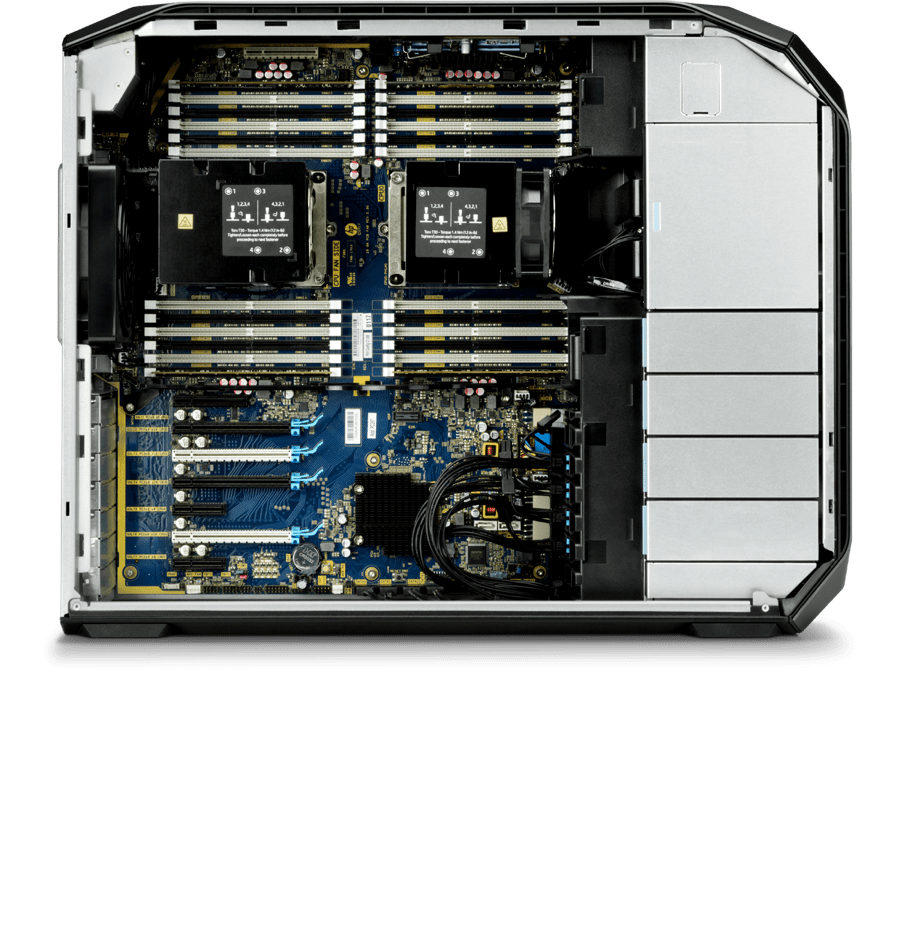
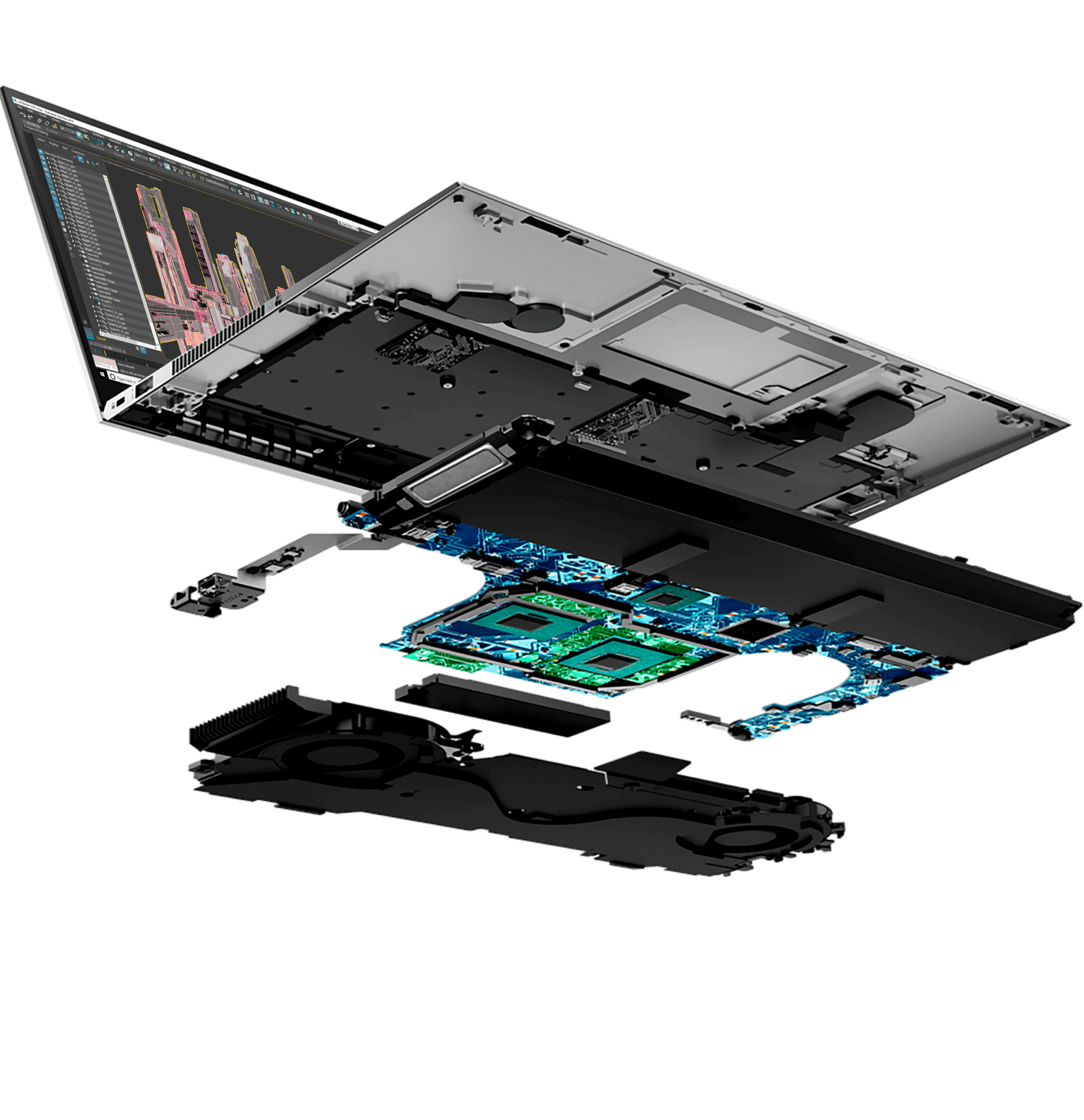

A Strong Foundation
Find out what a Z workstation can do for your architectural, engineering, and construction workflows.
Business Sales Support
Connect With a Dedicated Sales Advisor
Monday - Friday
7:00am - 7:00pm (CST)
Government Sales Support
Federal
1-800-727-5472
State and Local
1-800-727-5472
Monday - Friday
7:00am - 7:00pm (CST)
Education Sales Support
K-12 Education
1-800-727-5472
Higher Education
1-800-727-5472
Need Support for Your HP Z Workstation?
Disclaimers
Product may differ from images depicted.
The information contained herein is subject to change without notice. The only warranties for HP products and services are set forth in the express warranty statements accompanying such products and services. Nothing herein should be construed as constituting an additional warranty. HP shall not be liable for technical or editorial errors or omissions contained herein.
Intel, the Intel logo, Core and Xeon are trademarks or registered trademarks of Intel Corporation or its subsidiaries in the United States and other countries. Microsoft and Windows are either registered trademarks or trademarks of Microsoft Corporation in the United States and/or other countries. NVIDIA, the NVIDIA logo, and NVIDIA NGC, NVIDIA Omniverse, NVIDIA RAPIDS, NVIDIA RTX are trademarks and/or registered trademarks of NVIDIA Corporation in the United States and other countries. Linux® is the registered trademark of Linus Torvalds in the U.S. and other countries. AMD is a trademark of Advanced Micro Devices, Inc. DisplayPort™ and the DisplayPort™ logo are trademarks owned by the Video Electronics Standards Association (VESA®) in the United States and other countries. USB Type-C® and USB-C® are trademarks of USB Implementers Forum. Mac® is a registered trademark of Apple Inc. Thunderbolt and the Thunderbolt logo are trademarks of Intel Corporation or its subsidiaries in the U.S. and/or other countries.
- Starting at pricing is available from HP.com, is subject to change without notice, and does not apply to max available configurations or optional features. Retailer pricing may vary.
- Not all features are available in all editions or versions of Windows. Systems may require upgraded and/or separately purchased hardware, drivers, software or BIOS update to take full advantage of Windows functionality. Windows is automatically updated and enabled. High speed internet and Microsoft account required. ISP fees may apply and additional requirements may apply over time for updates. See http://www.windows.com
- WSL 2 requires Windows 10 or higher, Intel Core i5 processor or higher and is available on select Z workstations. You must be running Windows 10 version 21H2 and higher (Build 19044 and higher) or Windows 11.
- Multicore is designed to improve performance of certain software products. Not all customers or software applications will necessarily benefit from use of this technology. Performance and clock frequency will vary depending on application workload and your hardware and software configurations. Intel’s numbering, branding and/or naming is not a measurement of higher performance.
- Multicore is designed to improve performance of certain software products. Not all customers or software applications will necessarily benefit from use of this technology. Performance and clock frequency will vary depending on application workload and your hardware and software configurations. AMD ’s numbering is not a measurement of clock speed.
- Memory, storage and graphics are optional features that must be configured at purchase on ZBook mobile workstations. Graphics are sold separately or as an optional feature and memory and storage are optional, configurable features on HP Z desktop workstations. For storage drives, GB = 1 billion bytes. TB = 1 trillion bytes. Actual formatted capacity is less. Up to 35GB (for Windows) is reserved for system recovery software.
- All performance specifications represent the typical specifications provided by HP's component manufacturers; actual performance may vary, either higher or lower.
- Requires external colorimeter or spectrometer via USB-C® and HP Display Center. Host PC requires Windows 10 or higher or MacOS 12 or higher. HP Display Center for Windows is available on the Microsoft store. For Windows and MacOS, it's available on support.hp.com.
- For full Thunderbolt™ 4 functionality, host PC must support Thunderbolt™ 4.
- HP Device Bridge 2.0 works with two computers and is compatible with Windows 10 and higher and MacOS 10.14 and higher platforms.
- For KVM compatibility, if connected PCs do not have USB-C® port, user will need a USB-C® to A cable. Sold separately.
- HP Z Remote Graphics Software (RGS) is available through a 1 or 3-year subscription. Renewal is required after the subscription term. HP RGS subscription seat count is based on the number of concurrent RGS connections. HP RGS is available for purchase through an HP reseller. For system requirements of HP RGS, refer to the User Guide. HP RGS connections requires network access. Remote experience varies with network conditions. See HP RGS User Guide to optimize experience for your network environment.
- In Best Performance Mode and when plugged in.
- HP Wolf Security for Business requires Windows 10 or higher, includes various HP security features and is available on HP Pro, Elite, RPOS and Workstation products. See product details for included security features and OS requirements.
- Testing is not intended to demonstrate fitness of U.S. Department of Defense (DoD) contract requirements or for military use. Test results are not a guarantee of future performance under these test conditions. Accidental damage requires an optional HP Accidental Damage Protection Care Pack.
- Applies to HP PCs, Workstations and Displays manufactured after January 2019. Based on most Gold and Silver EPEAT® registrations by meeting all required criteria and achieving 50-74% of the optional points for EPEAT® Silver and 75-100% of the optional points for EPEAT® Gold according to IEEE 1680.1-2018 EPEAT®. Status varies by country. Visit www.epeat.net for more information.
- The HP DesignJet Studio Printer series, the HP DesignJet T600 Printer series and the HP DesignJet T200 Printer series are the only solutions providing seamless printing of both large- and small-format sheets automatically in a multi-size print basket compared to competitive alternatives with comparable size and features as of January, 2020.
- More sustainable design compared to the previous printer models (HP DesignJet T100 Printer series) replaced with the HP DesignJet T200 Printer series. Based on calculations in accordance with ISO 14040/14044 Life Cycle Assessments using ReCiPe (H) v. 1.1 (2016) on GaBi 8.5 (2018) software and scaled to reflect expected yearly sales.
- Based on competitive comparison of operational footprint. Test performed by Sogeti and commissioned by HP in May 2024.