Jump to content United Kingdom-English
HP.com United Kingdom home Products and Services Support and Drivers Solutions How to buy
» Contact HP
HP.com United Kingdom home

HP Printer: Photo page yield details

» 

Learn about supplies

»  Inkjet Printers
»  LaserJet printers
»  Page Yield
»  How to buy
Content starts here

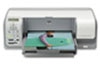
HP Photosmart D5100 Printer series

Photo printing can be done using a single cartridge or several cartridges together depending on the image quality desired. Where more than one type of cartridge is listed, cartridges are used together and a yield is given for each.printer icon

Colour photos using Tri-colour cartridge (3 ink)

CartridgeYield1Example Photos
Three size options:
HP 344 Tri-colour Inkjet Print CartridgeApproximately 165 10x15 Photos
HP 343 Tri-colour Inkjet Print CartridgeApproximately 85 10x15 Photos
HP 342 Tri-colour Inkjet Print CartridgeApproximately 55 10x15 Photos
 
print test icon

Colour photos using Tri-colour and Photo cartridges (6 ink)

CartridgeYield1Example Photos
Three size options for Tri-colour cartridge:
HP 344 Tri-colour Inkjet Print CartridgeApproximately 240 10x15 Photos
HP 343 Tri-colour Inkjet Print CartridgeApproximately 115 10x15 Photos
HP 342 Tri-colour Inkjet Print CartridgeApproximately 75 10x15 Photos
HP 348 Photo Inkjet Print CartridgeApproximately 125 10x15 Photos


(Photo cartridge yield unchanged regardless of Tri-colour size option used)

 
print test icon

B&W photos (3 ink)

CartridgeYield1Example Photos
HP 100 Grey Inkjet Print CartridgeApproximately 80 10x15 Photos
 
print test icon
 
1Average based on HP testing methodology and continuous printing. Actual yield varies considerably based on content of printed pages and other factors. For more information see: Inkjet photo yields

» Individual cartridge page yield details
» Select a new printer
Printable version
Privacy statement Using this site means you accept its terms
© 2008 Hewlett-Packard Development Company, L.P.