Color Definition: Yellow-green: 

Fig. Yellowgreen-5-1.1
As shown below, the issue may vary in location and appearance. Click a sample image below to see a larger version of it.

Fig. Yellowgreen-5-1.1

Fig. Yellowgreen-5-1.2

Fig. Yellowgreen-5-1.3
Description
Pages print with thin vertical lines in the color of blue in the green part, repeating every 1.9 inches (47mm).
Most likely causes


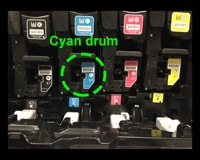
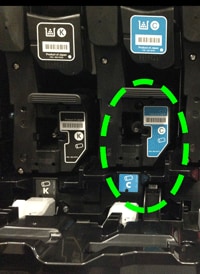
Troubleshooting and suggestions
- Replace the cyan print cartridge
 Show me how.
 - Print and examine another set of PQ troubleshooting pages. Show me how.
- If the issue is not resolved, Contact HP.
Recommended parts
Order a cyan image drum.
Note: It is not necessary to replace the other image drums.
Please let HP know if this helped you to resolve your issue, and help HP improve service.