Note: It may be helpful to print out these instructions before you start to insert the transfer unit.
| Figure | Step |
|---|---|
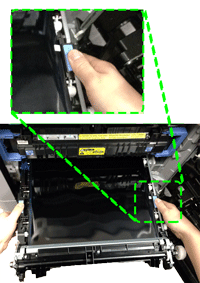
Figure 1: Grasp the blue tabs and align the ITB unit with the slot
|
1. Grasp the ITB unit at the location of blue tabs on both sides of ITB unit as shown in Figure 1. Align the ITB unit with its slot. Then push it gently in the slot about 6 inches. CAUTION: Do not touch the shiny black surface of the belt on the top of the ITB unit or place anything on it. This may damage the ITB unit and cause print quality problems. |
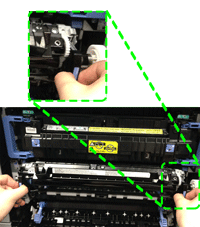
Figure 2: Switch your hands and insert the ITB unit
|
2. Switch your hands to the location of the ITB handles as shown in Figure 2. Then gently insert the ITB unit until it clicks into place. It should slide in easily.
CAUTION: Only push on the side handles of the ITB unit as indicated. Do not touch the shiny black surface of the belt on the top or front of the ITB unit or place anything on it. This may damage the ITB unit and cause print quality problems. |
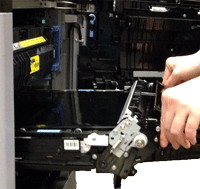
Figure 3: Lock the ITB levers
|
3. Grasp the ITB levers and move them downward until they lock into position. |
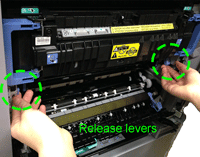
Figure 4: Close the transfer assembly
|
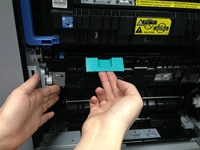
4. Lift up the green handle and close the transfer assembly. |
Figure 5: Close the right door
|
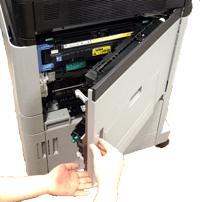
5. Close the right door. |

Please let HP know if this helped you to resolve your issue, and help HP improve service.