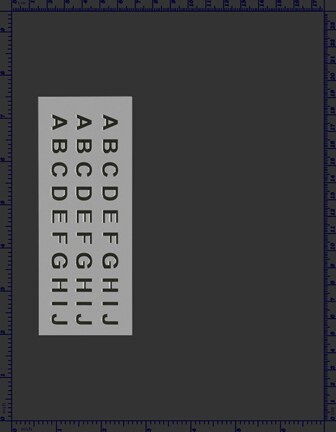
Fig. Mottling-1.1

Description
White halos on the edges of dark characters printed on a lighter background.
Most likely causes
- Toner depletion that occurs during transition from dark black areas to light gray areas.
Troubleshooting and suggestions
- To confirm that this type of halo is your print quality issue, you need to print a Halo Test Page using Microsoft Internet Explorer by following the steps below.
- Perform the setup page procedure. Show me how.
- Click to display the Solid Blue Test Page and a print dialog window using your computer.
- Examine the Halo Test Page that you just printed. If the issue shown above occurs, continue the following procedure.
- Change the Color Settings for Graphics from Black Only to 4-Color. Show me how.
- If performing the above procedure does not solve your problem, Contact HP.
Recommended parts
None.


Please let HP know if this helped you to resolve your issue, and help HP improve service.